

Nicole and Diana discuss FamilySearch.org with their guest, Dana Palmer. Dana, a Certified Genealogist and Certified Genealogical Lecturer, specializes in Midwestern research, lineage society applications, and publishing family books. She is also part of the Mayflower Silver Books team and lectures at national conferences. The discussion focuses on her new book, Ultimate Guide to Mastering FamilySearch. Dana shares her early love for family history, which began as a child influenced by her grandparents, and the motivation for writing her book, which came from years of teaching popular in-person classes on the FamilySearch website.
During their conversation, Dana provides an overview of FamilySearch, highlighting features like the Full-Text Search. She offers her best tips for finding records, outlining a process that involves using Full-Text Search, the historical records tab, the catalog, and local repositories. Listeners discover important facts about Full-Text Search, such as using wildcards or misspellings and knowing that some restricted collections are only available at FamilySearch centers. She also gives tips for utilizing the Research Wiki, including its Guided Research feature. Dana encourages putting family on the collaborative FamilySearch Family Tree, explaining how adding sources and memories helps protect data and detailing the privacy protections for living people. She also brings attention to the value of the Books section and the Memories section for preserving family artifacts. Finally, she reveals one of the site’s best-kept secrets: the free FamilySearch Community for transcription and translation help. Listeners will learn a variety of essential strategies and tools for mastering the FamilySearch website’s powerful resources.
This summary was generated by Google Gemini.
Transcript
Nicole (1s):
This is Research Like a Pro, episode 388, the Ultimate Guide to Mastering FamilySearch with Dana Palmer. Welcome to Research Like a Pro a Genealogy Podcast about taking your research to the next level, hosted by Nicole Dyer and Diana Elder accredited genealogy professional. Diana and Nicole are the mother-daughter team at FamilyLocket.com and the authors of Research Like a Pro A Genealogist Guide. With Robin Wirthlin they also co-authored the companion volume, Research Like a Pro with DNA. Join Diana and Nicole as they discuss how to stay organized, make progress in their research and solve difficult cases.
Nicole (41s):
Let’s go. Today’s episode is sponsored by Newspapers.com. Hi everyone, welcome to Research Like a Pro.
Diana (47s):
Hi Nicole. How are you doing today?
Nicole (50s):
I’m doing pretty well, recovering from the holidays for Thanksgiving. I think we all got sick a little bit.
Diana (55s):
Oh no, I, it’s not fun to get sick over the holidays. I’m sorry.
Nicole (1m 0s):
Some of the kids had it bad, the rest of us just kind of felt a little off or a little tired, but we’re doing well now.
Diana (1m 7s):
Well, I’m glad to hear that.
Nicole (1m 8s):
Thanks. What have you been doing?
Diana (1m 12s):
Well, I’ve been doing just a little bit additional research on my Thomas B Royston project where I’m continuing to explore his life and I came to the point in my research where I wondered where did his middle name come from? You know, we have always called him Thomas Beverly Royston, but in none of the records is he actually named Beverly. And so I, I went digging to see where is that coming from, and I found a grandson who, when his daughter was born, so this would’ve been Thomas’s great-granddaughter, the father names himself as Thomas Beverly Royston.
Diana (1m 56s):
So in a birth certificate in 1925 or so, out in Texas is the actual name written out. And I was so happy to find that because I think it was just family knowledge and it just kept getting, you know, put into different things, like on the Find a Grave Memorial, it has Thomas Beverly Royston and everyone just uses that name, you know, all the family researchers. And I wanted to find something, something set in stone or something in a document that actually names that. So that was my exciting find of the day yesterday.
Nicole (2m 30s):
So the grandson was named Thomas Beverly Royston.
Diana (2m 33s):
Yeah. So three generations are called Thomas B. Royston in the records.
Nicole (2m 38s):
Oh.
Diana (2m 38s):
And sometimes they’re just T.B., but there’s Thomas Beverly, the original one, born 1806, then his son, he names a son Thomas B born 1851. And then the grandson born 1885 is also named Thomas B. And that B is not detailed anywhere except for when the one born 1885 has a daughter and his name there is Thomas Beverly. So, you know, sometimes it’s hard to tell who gave it, but it’s generally a parent. So that was so great to finally have it something that shows where that came from.
Nicole (3m 13s):
Yeah. And interesting that sometimes those middle names are not recorded anywhere else except for in family knowledge. And then you just wonder where did this come from?
Diana (3m 23s):
Exactly, exactly. And then looking at his mom’s origins, I’ve just discovered her, some records for her in Virginia. Thomas, this is the one born 1806, and a connection to the Beverlys there in Virginia. So I’m guessing that was a family name and she named her son with the middle name. Maybe it’s her mom’s maiden name, you know, who knows? But I’m guessing it’s a family name coming down.
Nicole (3m 50s):
Well, that’s a great clue and you should do some research on that. What is Thomas Beverly Royston’s mother’s name?
Diana (3m 58s):
Mary Baker. She went by Polly most of the time, but, and by Mary as well. And her maiden name was Baker. And then she married Samuel Cessna and she married John Royston. So,
Nicole (4m 10s):
But we don’t know her parents at all?
Diana (4m 12s):
Nope. That’s the next thing to start working on.
Nicole (4m 15s):
Oh, that will be great.
Diana (4m 18s):
Taking her back to Virginia. We just know she’s out of Virginia.
Nicole (4m 22s):
Well, great. Thanks for telling about that. And you’ve been doing so much research on the Roystons. I, I really look forward to seeing an article come from this. Woo.
Diana (4m 32s):
Yeah, it’s been really amazing. The more you write, the more you realize you need to do more research and then you write more and then you research more. I don’t know if we’re ever done, but we do get to a point where we have to stop and say, this is enough and this is, this is good for right now.
Nicole (4m 46s):
So true. Well, for announcements today, our next webinar in the Research Like a Pro Webinar Series is December 16th at 11:00 AM and it’s going to be Challenging Accepted Ancestry, a New Look at Henderson Weatherford’s Family Origins. And that’s going to be by our very own Diana Elder, my mother, Hooray. And she will talk about how she did careful analysis of historical records and was able to overturn accepted family connections based on surname and geographic proximity. And she’ll be showing the methodology for questioning family relationships found in online trees and evaluation of original sources like tax, census, land, probate, and also using indirect and negative evidence to build a compelling case for new family connections.
Nicole (5m 34s):
She’ll also use DNA in this case study and the geographic focus will be Arkansas and Texas. So this will be a great case study, including some burned counties, which introduces a new challenge as well. And if you haven’t registered for our webinar series for 2025, you can still do so, and then you’ll have access to all of the previous months for 2025. Our next study group is coming up and it’s February, 2026, and we’ll extend all the way through May. It’s Research Like a Pro with DNA. And so if you’d like to join us, please register on our website. Also, if you are not a member of our newsletter that comes out every Monday, you can sign up on our website to get notifications of new content and any sales we’re having.
Nicole (6m 20s):
And upcoming conferences, we just have RootsTech on March 5th through 7th and we hope to see many of you in Salt Lake City. It’s always a joy. And of course we have our Research Like a Pro Institute that will be in April through June, taught by Jan Joyce, Merging and Separating Identities: Advanced Techniques to Organize, Analyze, and Solve. This is a virtual course on Zoom on Thursdays from 9-2:30 Mountain Time. So go to our website to see more about that. But that’s a really special course that Jan put together with a lot of wonderful tools and speakers to help you with those tricky identities when you have people of the same name or people who change their name and you need to merge and separate identities.
Nicole (7m 11s):
Well, today we are so excited to have a guest with us, welcome Dana.
Dana Palmer (7m 15s):
Thank you. I’m glad to be here.
Nicole (7m 17s):
I’ll tell you a little bit about Dana. Dana Palmer is a certified genealogist and certified genealogist lecturer. She specializes in Midwestern research, lineage society applications and publishing family books. In addition to her client work, she is part of the Mayflower Silver Books team and lectures at RootsTech and the National Genealogical Society conferences, her book, Ultimate Guide to Mastering FamilySearch, released in print and digitally in November, 2025. So we’re really excited to have Dana here today to talk with us about her book.
Dana Palmer (7m 52s):
Thank you. I’m very excited to share with you.
Diana (7m 55s):
Well, Dana, can you tell us how you got started in family history? We always like to hear the origin story from our guests.
Dana Palmer (8m 2s):
Yeah, actually I, I got started when I was little. My grandparents, they have in their homes, they had pictures on their walls and I was a curious little kid, so I’d go in and a look at the photos and I’d have great aunts and great uncles come and tell me stories about these people that I was looking at. And so from a very, very young age, I was interested in who these people were and how they connected to me. As I got older, we’d always go visit with my grandparents and they would take us to cemeteries and to to different family sites, which was fun. When I was young, about nine years old, the old PAF, Personal Ancestral File, came out and my parents took the old family group records and started typing, but of course they got busy.
Dana Palmer (8m 48s):
So I kind of took over and it kind of just grew from there. You know, I’ve always loved, loved problem solving and finding out who these people were. And so that’s, that’s basically how I got started.
Diana (9m 1s):
That’s so awesome. And I love that you started on the old PAF program because that’s what we started on as well. And I’m so impressed that you started typing into it when you were only nine. You were so little. That’s really neat. You must just have that genealogy brain that it becomes very fun.
Dana Palmer (9m 18s):
Yeah, it’s like a puzzle. I love to solve puzzles.
Diana (9m 21s):
Exactly.
Nicole (9m 23s):
That’s so true that it is like a puzzle. And I don’t know how old I was when PAF came out, but I was 16 when I started genealogy research with Mom and we were using PAF, Personal Ancestral File, and it just seemed like such a fun thing to do, such a worthwhile thing. I remember feeling like this was just important time to spend working on this with mom and with the, the old family stories from those big books of remembrance. And, and I, I always wanted to make sure that all the stories and the Books of Remembrance were typed out to fit in my Book of Remembrance, which was the regular binder style and not the long one that were typed on typewriters like the wide, the wide.
Nicole (10m 7s):
So I have retyped a whole bunch of stories too, and I loved typing when I was little. I would do the Mavis Beacon Teaches Typing. I don’t know what it was. I think if you’re a Genealogist you have to like typing, right? So Dana, tell us more about your book. So what was your motivation to write your new book, Ultimate Guide to Mastering FamilySearch?
Dana Palmer (10m 27s):
Well, I started, I started teaching genealogy classes when I was still in college. I would help people out and from there, you know, I’ve been teaching a long, long time and a lot of my students had trouble because they just were overwhelmed with the website, where do they start? You know, that was always a problem for them. And so I would develop classes over the years and to try to help them do that. And many, many times my students would comment and say, you need to write a book about this. And even when I was teaching at the, the conferences, they would always say, you need to write a book. Earlier this year I was approached by Genealogical.com and they, they asked me there, they said, we’d like you to write a book about FamilySearch.
Dana Palmer (11m 12s):
You know, we’ve seen your lectures, we think it would, you know, we think that it would help people. And so it was finally a time in my life where, you know, I, I had the time to do that. And so I took time and I took a full month and sat down and wrote it. And then I worked over the next several months after that, editing it and refining it. Of course, they made a couple changes during that time, so I had to make some revisions. But I, I’m really pleased with it and happy and I think it will help a lot of people figure out how to get started and be successful finding their family. And that was the whole goal, is to help them be successful.
Nicole (11m 48s):
Wow, I love that. That’s so cool that you have been teaching over time so much about it that not only did you become an expert through all of your teaching, but then you were able to then sit down and in just one month write an entire book. I love that so much. And that just shows how much knowledge you had and the efficiency that you’re able to work with. That’s so cool. And then of course, over the next few months, editing, editing, editing, editing. Lots of editing, that’s a lot of, yes. That’s a lot of editing. But that’s so great that, that you’re working with Genealogical. They’re such a great publishing company. They’ve published so many books in the field and we’re all, all so grateful for Genealogical and all the books that they have published, so that’s amazing.
Dana Palmer (12m 38s):
Thank you.
Diana (12m 39s):
Well, and I love that you just took your years of teaching and lecturing and then you were able to put it into a book because you learned so much from all those experiences and it probably made it pretty easy just to, to put it into the book because you already knew what people needed to know from all of your experience. So that’s such a fun way to approach writing. Well, I love that you start off chapter one with an overview of FamilySearch because I think it’s important for us to understand where this came from. So do you wanna just give us a, a quick overview?
Dana Palmer (13m 14s):
Yeah. There’s, there’s so much to FamilySearch and like I said, that is the, the most challenging part is to figure out where to get started. Honestly, I think it’s important to, to put the stuff in the tree because it will help you find records. But not everybody likes to use the tree and that’s okay. So if they don’t wanna use that, there’s, there’s a lot that they can, that they can do. You’ve got the, now you have Full Text Search, you’ve got the, the historical records, you’ve got the, the Wiki, you’ve got the, the images, you’ve got the catalog. So there’s a lot of parts to FamilySearch and there’s a lot of hidden, what I call treasures that are there too, you know, and so there, there’s just a lot of resources that they have: you need help with handwriting, they’ve got tools to help you with that;
Dana Palmer (13m 60s):
ff you’re doing international stuff, they’ve got lots of free tools to help you be successful finding records and then being able to read them. So it’s, it’s just a really wonderful website and the whole goal is to help you be successful finding your family.
Diana (14m 16s):
Absolutely. And the best part we haven’t mentioned is it is completely free.
Dana Palmer (14m 20s):
Yes, definitely.
Diana (14m 21s):
You get all of these resources at home from your computer or from your phone because they have a great app and it’s all free, which is kind of unusual in the genealogy world.
Nicole (14m 34s):
Yes, I think that’s wonderful that FamilySearch is one of those few sites that is still fully free. Even though some, some record sets you have to go into the FamilySearch Centers, they still don’t charge money for going there. So it’s wonderful. Well, you mentioned finding sources and finding your family in FamilySearch. Can you give us some tips for finding these records within FamilySearch?
Dana Palmer (15m 1s):
Yeah, in my, in my lectures that I teach and, and in the book there’s a lot of different tips and tricks that you can have with the new release of Full Text Search. Honestly, I would start there first because you can find things in minutes. I’ve been able to find records I never knew existed because they’re not always the primary people listed, but I was still able to find them. And so I would start there first. If you don’t find them in Full Text, then I would go to the historical records and I would browse to the specific collection you want and then search for your person. That’s, that’s how I used to do it, is just go to the historical records, browse and then search for the people using a variety of different search techniques.
Dana Palmer (15m 43s):
And most of the time I can find them by doing that. But with Full Text, I now start there because it’s a little bit faster. If I can’t find them in Full Text or I can’t find them in the historical records, which is under the search tab, then I’ll go to the catalog or to images and most of the time I can find them if I directly look for the record. There are some exceptions, you know, you gotta remember, not everything is online and if it isn’t, you’ve gotta figure out who has the records. FamilySearch has, in the Wiki, they tell you who has those original records. Sometimes they’ll have links to them, sometimes they’ll have contact information. So if they don’t have it on their site, they’re leading you to who does have the record and helping you be able to find it and, and in some cases order the the certificates that you need.
Dana Palmer (16m 29s):
So it’s just a really all over great website to help you find your family.
Nicole (16m 35s):
I love that. It’s great to see the partnerships that FamilySearch has made with so many different records custodians and that we can access records from so many different places through FamilySearch and even like you said, find a way to order the certificate that we need starting at FamilySearch. So great.
Diana (16m 55s):
I love that you mentioned all the different ways we can find the records because it’s not one stop shopping. You really need to know your way around so that you can go to Full Text Search, go to Images, go to the Catalog, go to the Wiki because they all have opportunities And you have to know about those so that you can actually make sure you’ve covered all your bases. So that’s great that you’ve got all of those really detailed in a book. Well now let’s have a word from our Sponsor. The air is getting crisp, and for many of us that means a little extra time to dive into our family history. As Genealogists, we spend years building our family trees. But what if you could do more than just connect the dots?
Diana (18m 15s):
What if you could bring in those names on your tree to life? This is where Newspapers.com comes in. Imagine reading your great-grandparents’ wedding announcement, finding an article about your ancestors’ business, or even seeing a photo of the house where your grandma grew up. Newspapers.com is an incredible resource for anyone passionate about genealogy. With more than 29,000 historical newspapers, you can search for your family’s names, their hometowns, or important dates, and discover the small personal details that transform a name on a page into a real person with a real story, and with the holidays approaching a Newspapers.com gift subscription is the perfect present for the family historian in your life. It’s a gift of discovery, of connection, and of countless untold stories waiting to be found. Just head over to Newspapers.com/gift and use promo code, FamilyLocket to purchase a subscription for someone special. That’s newspapers.com/gift. Your favorite genealogist will thank you. Well Dana, you gave us a little teaser about Full Text Search, but I would like to dive in a little bit deeper so that our listeners can learn more about how to use it. So what do we need to know about it?
Dana Palmer (18m 52s):
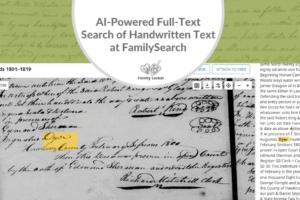
Well, Full Text Search, it’s got its little quirks. It’s using the AI and handwriting technology to index and read these old records. And that has its challenges because it doesn’t always index those names correctly and sometimes it’s very not the same. And so you have to be really creative when you are looking for your people. Sometimes I’ll tell people to purposely misspell the names because often if you do that you’re gonna be able to find them or try variations using the wild cards or using keywords. There’s a lot of different ways that you can find your people. You gotta also remember that if you are using a collection that is part of the restricted collection, the ones that you can only view at a Family History Center, or FamilySearch Center, or FamilySearch affiliate, those records will not come up in the historical Full Text Search if you are not at one of those sites.
Dana Palmer (19m 50s):
And I’ve done searches where I was logged in without it and where I was logged in when I was at the site. And the, the numbers that come back for the search results are different because it, it doesn’t search those locked collections and that’s, you know, sometimes your people are there, but unless you’re actually at a FamilySearch Center, you wouldn’t know to look in those collections. So that’s one of the biggest tips that I can to give you, you know, if you can go to FamilySearch Center due because they’ve got a lot more than what you can just even get at your house searching the records at home. The other thing is, if you are using the search box, if you type names or dates or locations in those boxes, they must be in the record or it won’t come up.
Dana Palmer (20m 33s):
And so one way around that is sometimes I’ll just put like a surname in the edit search box and then under the filters they now have buttons on the left hand side where you can choose date or place or, or even the collection topic. What I’ll do is I’ll just put the name in the search box and then I’ll use those filters to the side to narrow down the, the search results and collections until I can get it to a more manageable size. And I’ve been able to find people that way where they didn’t have those, the location listed on the record, but they were in that collection. And so I’ve, I’ve been very, very successful finding people trying to search that way.
Diana (21m 12s):
Oh that’s a great tip. And I’ve done that too. Sometimes if you have a super common surname, I have even tried just putting in a first name if that’s less common. You know, there’s just so many ways you can experiment and I love the idea of the filters, you know, taking a thousand hits down to maybe just 50 that you can go through. So as you were talking about that and that idea of how you can get more hits at the FamilySearch Centers, I think that’s fascinating. And I have not been to our local FamilySearch Center for a long time or used Full Text Search there, so that makes me think I need to go take a visit there and see if I can find more records because definitely there are still collections that are locked that we don’t know our person could be in.
Diana (21m 58s):
So, such a great tip.
Dana Palmer (22m 0s):
Yeah, and if you wanna see if your collection is locked, if you go to the catalog for that location, you can then browse to the collection you want. And if you’re on the page that describes the collection, they’ll have a an icon in near where the microfilms or digital image numbers are. And if it has the camera icon that it actually has the images, if it’s got the Full Text Search icon, if you click that Full Text Search then it will take you to the page And you can type your name in. But if, if there’s a lock above the camera icon, then you’ll know that that collection, even if you check the click, the Full Text Search, you’ll, you’ll know that it’s not gonna come up unless you’re at the FamilySearch Center. So that’s a great way to figure out if your collection is part of those locked ones or not.
Diana (22m 44s):
That’s great.
Nicole (22m 46s):
Those are all such great tips. Full Text Search is such a wonderful tool that I don’t think that we all imagined that would happen so soon and then boom we got it and it was like amazing. So let’s transition over to a different part, different part of the FamilySearch website and let’s talk about the Research Wiki. Tell us some tips for using that.
Dana Palmer (23m 10s):
I love the Research Wiki. It’s probably one of my favorite, favorite tools. If you’re just getting started, it’s a great way to help you figure out where to go to get started. Who has the records? They’ve got a section that is called guided research and they’ve got guided research for different countries including United States. For example, I’ve done some in De Czechia which was the Czech Republic, and they have on there you tell it, I know the town, and you can click, I know the town, and then you can click the town name. And then they’ve got a listing right there of the archives that have their records that aren’t on FamilySearch. And so it’s a great way to help you find other records. You can go by location, you can put topics in there.
Dana Palmer (23m 51s):
So like if, if you wanna find military roles for someone who served in the Civil War, you can type in their unit into the, into the box there. And I’ve found military roles that list all the people in that company. You can type in locations, international ones, not just United States. I do lots of German stuff because there’s a lot of people here in Ohio that have German ancestors. I love the German pages because they’ve got handwriting tools, you need help reading the handwriting. They’ve got free tools there to help you figure out what that script is. And they’ve got links to other websites that are additional helps that can help you read the handwriting. They’ve got word lists so if you don’t know what the language is and those words, they’ve got stuff to help you get started.
Dana Palmer (24m 32s):
And then they’ve got more than just in, in Germany, they’ve got ’em all over, all over the world and they’re developing new ones all the time. In addition, they’ve got links to archives and libraries and collections. Just really anything you need, they’ve got to help you get started and to be successful. So it’s just a great, great resource and tool that a lot of people don’t use and it’s so, so powerful.
Nicole (24m 55s):
It is so powerful. I love that you explained that so well. Thank you.
Diana (24m 59s):
And I love that in the book you have some screenshots from the German Research Wiki page so people can see what it looks like and how helpful it is. And I know that team that is there at the FamilySearch Library, that is their full-time job is updating the Wiki, building new pages, and it’s a Wiki so people who are really knowledgeable in an area can go in and add information, which is really neat. So, such a great resource. I’m glad you have that in the book. Well, we talked just a little bit at the beginning about Family Tree, you mentioned that, and there are a lot of places to put our family tree. You know, we have Ancestry trees, we have our own personal files.
Diana (25m 40s):
We might have a tree on, you know, WikiTree. There’s so many places. So why should we put our tree on FamilySearch as well?
Dana Palmer (25m 48s):
Well one, collaboration, if you use it properly, it’s really powerful. You can document your people, their records, you can preserve your stories, you can preserve your photos. And I use this in conjunction with other trees I have, I’ve added my information to the FamilySearch tree. I also have a tree on on Ancestry and I have one that’s linked to my DNA because I think that’s important. I do also keep my own personal database. So when I’m researching I don’t necessarily wanna put everything out there if I don’t know it’s true. And so I use my personal database to keep track of that until I’m certain and then I’ll add it to the tree. It just, it’s a really, really powerful way to collaborate and to preserve your history and stories and and information.
Dana Palmer (26m 32s):
And I think, you know, I think everyone should add their stuff. It’s, it’s really, really can be effective and powerful to break through brick walls.
Diana (26m 40s):
Well, and one of the challenges I know that people have is that it is a Wiki Tree, meaning everybody is working on the same tree, the one tree. And so what do you tell people, or how do you recommend, how can I say this, you know, when someone well-meaning changes information you’ve put in there and maybe they’ve merged people that should be merged, you know, challenges with research where others are making changes that are not correct or you don’t agree with. So how do you deal with that?
Dana Palmer (27m 11s):
Yeah, that that’s the one challenge with the tree. It you love it ’cause you can collaborate, but you also don’t like it because people can change the tree. I found that the more I document stuff, the less people do change the tree. I mean still granted there people will do it, but if, if you’ve documented your stuff, it’s less likely to be changed. The nice thing is they have an area where if people do make a change, you know exactly who made the change and what change was made. And so sometimes I’ll contact that person because if they’re making a change, they’re likely related and it’s a great way to collaborate with that relative. And I’ll just politely say, I noticed you made the change, you know, I’d love to see your sources and, and share, you know, share research on this family ’cause I think that we’re researching the same thing, and most of the time they’ll respond back and are are polite and if they’ve made a mistake, you know, it’s, it’s easy to fix.
Dana Palmer (28m 1s):
I do find that if there is a mistake, fix, you wanna make the change and fix it to be correct first before you unlink wrong people. ’cause if you just unlink people and don’t connect them to the correct people, the other contributors are just gonna come back and and add it back in. So you wanna fix it so that, and then add sources so that they don’t make those changes again in the future. If you truly don’t want someone to make your make a change, they do have, in the labs right now, there’s a thing called CETs, which is the, it’s kind of like the Ancestry trees that are, that are individual. And I know that family organizations can do them. Mayflower groups can do them.
Dana Palmer (28m 42s):
You can have your own private ones there, so if you really want it your own, go the CET tree route instead of just the regular FamilySearch tree. And then you don’t have have any worry about people changing it because you are the designated person there and no one can change it unless you’ve designated that they can do so. And so you can still have your own private tree on the, the FamilySearch website. That’s different than what the main tree is.
Diana (29m 5s):
I’m really glad you brought that up because that’s been a big request from users to have something that is more private. I mean it is still public, but can you have it be a private tree as well? I don’t,
Dana Palmer (29m 20s):
Well FamilySearch, anyone that is living or has been living within the last 110 years, they really, really protect the privacy of those people. So for example, I, my sister-in-law wanted me to help her connect her family in in the tree on FamilySearch. And so I added her under my account in the tree. She couldn’t see anything that I added on her or her family. And so she had to go and create her own account and add my brother in and then we were able to connect her to her family. So a little bit of, you know, eventually when we all die there’s gonna be some duplication but they really protect the privacy if you want it to be your own specific tree, even with private people, then you wanna go the CET tree route instead of just the regular ’cause if you use the regular, anyone can make a change to anybody that’s marked deceased.
Dana Palmer (30m 11s):
So
Diana (30m 11s):
Okay.
Dana Palmer (30m 12s):
You really can’t have control over that. Yeah, that’s a good clarification. And the nice thing about having your own personal CET tree is that it is free and you can send a link to that to other family members to have them go look at it. They won’t be able to change it, but they can certainly look at your tree and get the information there. So all they have to do is just create a login and then they’re ready to go. Yeah, and it’s really good for family organizations. Our family organizations, I’m one of the people that’s in charge of that for our group, and you know, we can add a lot of other living people and if I’ve, I’ve got other people that are on my committee that help me research, I can add them as designators so they can help me make changes.
Dana Palmer (30m 56s):
But it’s a very, very limited, so we can still, as family organization leaders can still see the information, but no one else can see those living people. So it still protects the privacy, but it allows us as an organization to collaborate a little bit more powerfully.
Diana (31m 10s):
That is really neat. That’s exciting.
Nicole (31m 12s):
Wow. There is so much to talk about in FamilySearch. Let’s go to another topic. The books on FamilySearch. Tell us what we need to know about that.
Dana Palmer (31m 23s):
Books. They FamilySearch is partnered with libraries all over the country to digitize their records and their books and they put ’em online. So you’ve got family books, you’ve got Atlases, you’ve got county histories. There’s so much that they have, and again, they’re all free, some of them and they’re saying that you might find elsewhere, but they’ve got huge collections and they’re adding new libraries that they’re collaborating with all the time. So it’s just a really great way to find books that sometimes are really hard to find or, or sometimes even out of print. So if you haven’t checked it out, definitely wanna do that.
Nicole (31m 57s):
So if you find a book that you want to look in on FamilySearch, can you actually read the book online?
Dana Palmer (32m 3s):
Most of them, yes. Sometimes they’ll have restrictions. It depends on if it’s been restricted or not, but the majority of them, yes.
Nicole (32m 10s):
That’s just incredible.
Diana (32m 12s):
Well, and I appreciate that their viewer, their book viewer is really good. It was upgraded a few years ago and it’s so much better now where you can search within the book, you know, word search, which is amazing. And just being able to have that book pop up and, and read through, it’s great.
Dana Palmer (32m 30s):
Yeah, the little icon that they have, that’s the magnifying glass. If you click that, you can type in a word, it can be a surname, it can be a, a location, it can be a date and it will show you everywhere within the book where that appears. So if I’m looking at a book for a location where my people come from, I can just type their surname and variations on it up in that search box and I can see at a glance very quickly if my name is in that book or not. And if it’s not, then I know they’re not in the book and I can go to the next one.
Diana (32m 55s):
That’s great because sometimes these books don’t have indexes.
Dana Palmer (32m 59s):
Yep, yep. And this is a very fast way to find your people. Yep.
Diana (33m 3s):
Exactly. Well, let’s talk a little bit about the Memories section of FamilySearch, which is tied to the tree that we’ve already talked about.
Dana Palmer (33m 10s):
Yes. Memories is, honestly, it’s probably one of the favorite things on the website. I love photos, like I said, I grew up looking at pictures and having stories. I love memories. It is such a great way to preserve your pictures, your photos, your documents, and if you use it with the tree, and you know, so they’re connected to the people, then other family members can see the pictures and documents you’ve uploaded. You can make your photos private or you can make them public. So for example, if I wanna upload my birth record or my marriage record, but I don’t want anyone to see it, I can do that in a mark it as private. That way it’s preserved, but no one else can see it. Now for me that’s important because my house was hit by lightning and luckily mine didn’t burn to the ground, but my mother’s was also hit by lightning and did burn to the ground.
Dana Palmer (33m 57s):
And luckily before it got hit by lightning, we went back a summer, and I scanned everything in the house. And after we left a few days later it got hit by lightning. So I was so grateful that I digitized the records and started preserving them because otherwise I would’ve lost everything. Now my goal now is to take everything that I’ve digitized and I’m starting to load it to the Memories on FamilySearch. Now I’ve got a lot of pictures, so it’s taking time, but I, I’m not gonna be afraid of ever losing my computer again because they’re gonna be preserved. And not only that, I’m sharing it with my relatives. I mean, how many of you have pictures in a shoebox somewhere than no one else has seen? You know, wouldn’t it be better to, to get those digitized and share them?
Dana Palmer (34m 39s):
I had a, one of my cousins loaded a picture to the, the Memories for their ancestor, and of course I was looking at the tree, and my great-grandparents were in the same photo. And I’m like, so I went in and identified them, it’s called tagging, and I, I clicked on their head and I, and I linked them to the person in the tree. That way we eventually identified everybody that was in the photo because they identified their relatives, I identified my relatives, and then we figured out who all their other people were. And it’s just a, a great way to, to, you know, to figure out who these people are and to preserve your memories. So I love it. I love Memories.
Diana (35m 16s):
I agree. It’s really a neat tool. And I would just add, it’s something that the younger generation can help with. You know, if you’ve got a teenager or a 9-year-old, like you just think how much fun you would’ve had at nine, putting pictures up, getting started with that. Such a great way to get people who maybe don’t wanna do the research involved in family history. And we all need help because it’s a monumental task to get all this audio and photos and stories put on the tree. So it, it’s really neat that it’s available for us.
Dana Palmer (35m 50s):
And those younger generations, they love that kind of stuff. They love technology, they love pictures, and it’s a great way to get them involved.
Nicole (35m 58s):
That is so true with the younger generation. They really love the photos and just seeing the people from the past. Well, tell us a little bit about some tools that we might not know about at FamilySearch.
Dana Palmer (36m 11s):
I, I’m gonna share my favorite, and this is, I call it the hidden gem, on the FamilySearch website, up under the search menu or the help menu, they have a section that’s called Community. And I love doing German research, this is a wonderful tool. If you click on community, they have what are called groups And you can just view what’s in the group where you can join the group. I, I do the German one, the German genealogy group, and I like it because you can add links to where your original German documents are, or you can actually scan your record and upload it. For example, one of my friends, she has letters her family wrote from Germany to them here in Ohio.
Dana Palmer (36m 53s):
She couldn’t read it. They’ve had these records for like 40 years and they were just sitting in a box because they couldn’t read it. We uploaded them to the, the community group and with, within a day somebody had gone in and had transcribed the letters completely for free. So it’s, it’s just a, a wonderful tool. And they’ve got links to other things on these sites too. And they’ve got it more than just international companies. They’ve got, they’ve got adoption groups, and I think they have a DNA group, so they’ve got other topics besides countries. But if you need handwriting help, this is one of the best kept secrets on the FamilySearch website. So I definitely recommend you look at the communities and the groups that they have there.
Nicole (37m 31s):
Oh, that’s amazing. So they transcribe the letter and translated it?
Dana Palmer (37m 36s):
It’s, it depends. Sometimes they’ll transcribe it only, sometimes they’ll translate it. I’ve had some where they’ve, different people came in and did both and they gave comments. So it just depends.
Nicole (37m 46s):
Wow, that’s such a good tip. And I don’t think everyone knows about that. So that’s a perfect idea of some, some place to go to get help. And the great thing about FamilySearch and the FamilySearch community is how international it is. And FamilySearch has worked so hard to, to get access to sources and records all over the world. So it’s just a wonderful community there.
Diana (38m 9s):
Well, I have to admit that I have never looked at the FamilySearch Community page, I didn’t even know how to find it. So thanks to your book, I saw that you have to click on Get Help, it’s like the little icon, and I just had assumed that I don’t need any help, right? And so I don’t think I’ve ever really clicked on that or used that, but I see that you can put in any, you can ask any question and then there’s the list of all the groups. So wow, thanks so much for pointing that out. I think your example of German research is so perfect, but even, you know, if you’re working in the US sometimes I feel like the Southern US is a different country because it’s so difficult to research.
Diana (38m 51s):
So you could probably have a group for just about anything. So neat
Dana Palmer (38m 56s):
Yeah, they have groups all over, and they also, not only under the community, but they’ve got, they’ve got links to their, their, their help section. So you can type in any topic, any location there, and they’ve got articles, they’ve got webinars, anything that you need help with, they have that there. I think they also have a link to the RootsTech videos that they’ve recorded there too. So they’ve got so many hidden gems in that section that most people don’t know about.
Diana (39m 23s):
Yeah, I am really excited to have discovered this and I could see a huge potential for anybody, whether you’re beginner or you’re advanced, you know, we’re all beginners in some area. If I were to start German research, I’m a total beginner and so this is a good place to go for anyone just trying to do your work on the computer and find your family. Well Dana, this has just been such a pleasure. I’m sure we could talk for another two or three hours because Nicole and I both love using FamilySearch. We’ve seen it come a long way because we started back in 2003 and it was the old, they called it New FamilySearch back then, I’m sure you remember that.
Dana Palmer (40m 3s):
Yep, yep.
Diana (40m 4s):
Which the name was just kind of cracked us up because yeah, okay, the New FamilySearch. But anyway, we, we’ve all been through the changes and this is definitely the best it’s ever been, isn’t it?
Dana Palmer (40m 16s):
I love it. Yep. I, I certainly love using this website. It’s such a wonderful resource and tool.
Diana (40m 21s):
Well thanks for taking the time out of your busy life to write the book and give people that just wanna dive in, you know, pictures and your best tips. I think it’s gonna be a great resource for the genealogy community. So thanks so much for coming on the podcast and
Dana Palmer (40m 35s):
Thank you for having me.
Diana (40m 37s):
It’s been fun to chat with you and get to know you a little bit better. So thanks everyone for listening and we’ll talk to you next time. Bye-bye.
Nicole (40m 47s):
Bye-Bye everyone. Thank you for listening. We hope that something you heard today will help you make progress in your research. If you want to learn more, purchase our books, Research Like a Pro and Research Like a Pro with DNA on Amazon.com and other booksellers. You can also register for our online courses or study groups of the same names. Learn more at FamilyLocket.com/services. To share your progress and ask questions, join our private Facebook group by sending us your book receipt or joining our courses to get updates in your email inbox each Monday, subscribe to our newsletter at FamilyLocket.com/newsletter. Please subscribe, rate and review our podcast. We read each review and are so thankful for them. We hope you’ll start now to Research Like a Pro.
Links
Ultimate Guide to Mastering FamilySearch – https://genealogical.com/mastering-familysearch-by-dana-ann-palmer/
Sponsor – Newspapers.com
For listeners of this podcast, Newspapers.com is offering new subscribers 20% off a Publisher Extra subscription so you can start exploring today. Just use the code “FamilyLocket” at checkout.
Research Like a Pro Resources
Airtable Universe – Nicole’s Airtable Templates – https://www.airtable.com/universe/creator/usrsBSDhwHyLNnP4O/nicole-dyer
Airtable Research Logs Quick Reference – by Nicole Dyer – https://familylocket.com/product-tag/airtable/
Research Like a Pro: A Genealogist’s Guide book by Diana Elder with Nicole Dyer on Amazon.com – https://amzn.to/2x0ku3d
14-Day Research Like a Pro Challenge Workbook – digital – https://familylocket.com/product/14-day-research-like-a-pro-challenge-workbook-digital-only/ and spiral bound – https://familylocket.com/product/14-day-research-like-a-pro-challenge-workbook-spiral-bound/
Research Like a Pro Webinar Series – monthly case study webinars including documentary evidence and many with DNA evidence – https://familylocket.com/product-category/webinars/
Research Like a Pro eCourse – independent study course – https://familylocket.com/product/research-like-a-pro-e-course/
RLP Study Group – upcoming group and email notification list – https://familylocket.com/services/research-like-a-pro-study-group/
Research Like a Pro Institute Courses – https://familylocket.com/product-category/institute-course/
Research Like a Pro with DNA Resources
Research Like a Pro with DNA: A Genealogist’s Guide to Finding and Confirming Ancestors with DNA Evidence book by Diana Elder, Nicole Dyer, and Robin Wirthlin – https://amzn.to/3gn0hKx
Research Like a Pro with DNA eCourse – independent study course – https://familylocket.com/product/research-like-a-pro-with-dna-ecourse/
RLP with DNA Study Group – upcoming group and email notification list – https://familylocket.com/services/research-like-a-pro-with-dna-study-group/
Thank you
Thanks for listening! We hope that you will share your thoughts about our podcast and help us out by doing the following:
Write a review on iTunes or Apple Podcasts. If you leave a review, we will read it on the podcast and answer any questions that you bring up in your review. Thank you!
Leave a comment in the comment or question in the comment section below.
Share the episode on Twitter, Facebook, or Pinterest.
Subscribe on iTunes or your favorite podcast app.
Sign up for our newsletter to receive notifications of new episodes – https://familylocket.com/sign-up/
Check out this list of genealogy podcasts from Feedspot: Best Genealogy Podcasts – https://blog.feedspot.com/genealogy_podcasts/



2 Comments
Leave your reply.