
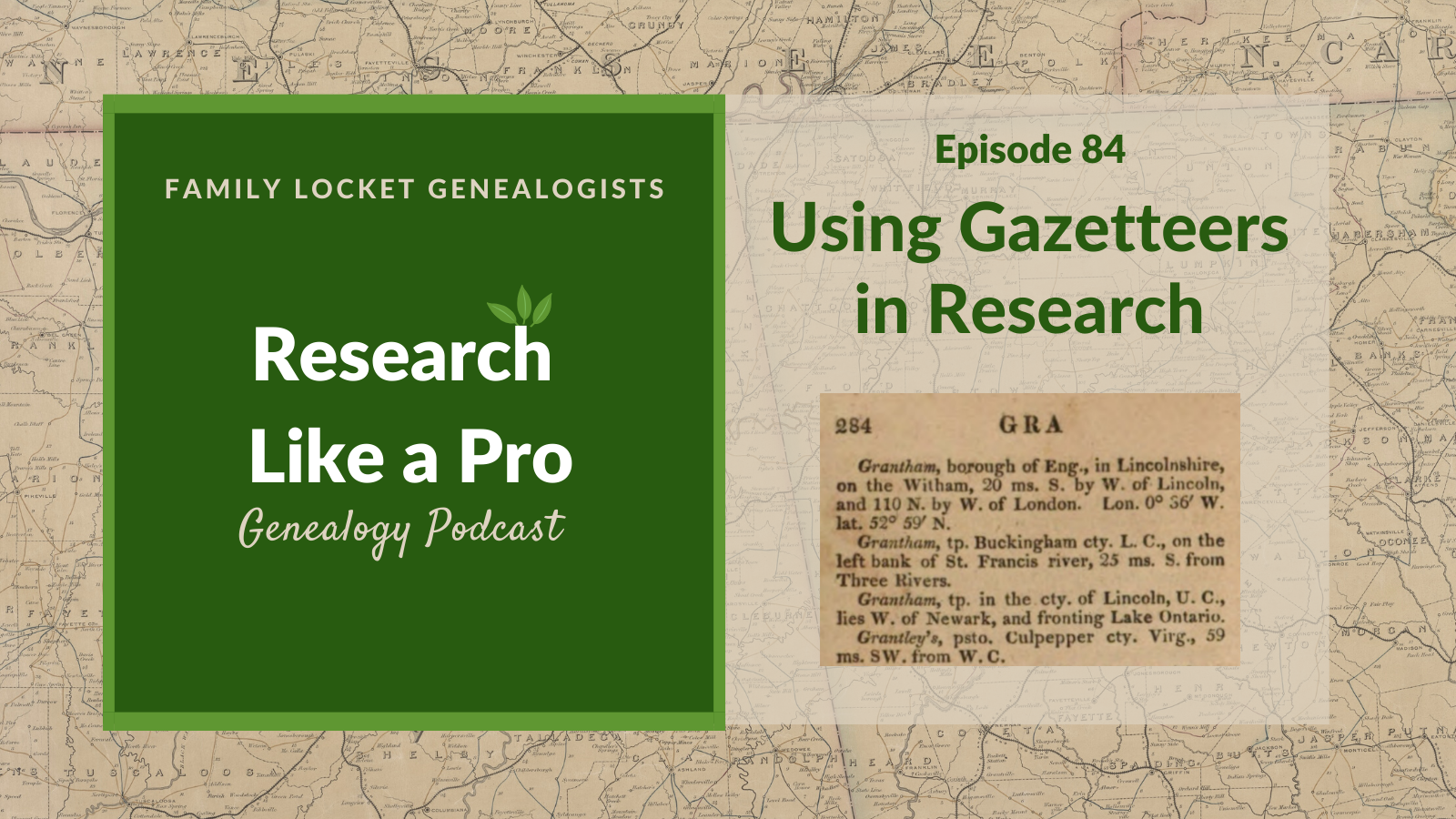
Today’s episode of Research Like a Pro is about how to find and use gazetteers in your genealogy research. Diana and Nicole discuss how to locate them using the FamilySearch Wiki, Google, and library catalogs, and what kind of helpful information they contain. They share several examples of helpful gazetteers, including Meyers Gazetteer for Germany, the U.S. Geographic Name Information System, Names in South Carolina, and more.
Transcript
Nicole (1s):
This is Research Like a Pro episode 87: Using Gazetteers in Research. Welcome to Research Like a Pro a Genealogy Podcast about taking your research to the next level, hosted by Nicole Dyer and Diana Elder accredited genealogy professional. Diana and Nicole are the mother-daughter team at FamilyLocket.com and the creators of the Amazon bestselling book, Research Like a Pro a Genealogists Guide. I’m Nicole co-host of the podcast join Diana and me as we discuss how to stay organized, make progress in our research and solve difficult cases.
Nicole (41s):
Let’s go. Hi everyone. And welcome to the show. I’m Nicole Dyer co-host of Research Like a Pro, and I’m here with accredited genealogist, Diana Elder. Hi.
Diana (54s):
Hi, Nicole. Fun to be chatting on the podcast. We’ve been with each other for the past week at RootsTech, but it’s always fun to get together and talk about our favorite thing, which is genealogy. So what was your favorite thing about RootsTech?
Nicole (1m 11s):
I think one of my favorite things was meeting our listeners. It was fun to have so many people come up to us and say, I listened to the podcast. So thanks for coming to say hi to us, we absolutely loved that.
Diana (1m 24s):
We did, and we had fun little Research Like a Pro ribbons, and it was fun to see people just proudly put those on their name tags. So thank you, everyone who wore a ribbon for us and told your friends about us. We had lots of new people come by that had never seen us before or knew anything about us. So we were able to tell them about the podcast and the book, and it was just a really fun week. We only got to attend classes on Wednesday because we were at our booth the rest of the week, but we had some really exciting discoveries at classes that we’ll be writing about and talking about in the future.
Nicole (1m 60s):
Yes. I think one of my favorite ones was Roberta Estes’s class about native American DNA. That was just really good.
Diana (2m 7s):
I agree. And I think many of us in the United States at least have the family myth that we have a Cherokee princess or a Native American in our family history. And so she talked a lot about what DNA can and what it can’t do for you in discovering that and gave lots of ideas for just researching any Native American ancestry that might be suspected. So I’m excited to dig into her syllabus and really try out some of the things that she talked about.
Nicole (2m 40s):
Me too. Well, let’s do our listener spotlight for the day. We have a review from lookout 2005 and the title of the review is personable and practical. It says “I enjoy this podcast because it is pleasant to listen to, and information is immediately useful. I first encountered David Allen’s Getting Things Done a few years ago and this was a great refresher and has inspired me to listen to the audio book again. I use OmniFocus for Mac to put Getting Things Done into practice. I can set the context, review frequency and create projects. I use it every day throughout the week to keep me on track. I love being able to write things down as they occur to me, then organizing them later.
Nicole (3m 24s):
I use OmniFocus for all my projects from Genealogy to making Christmas presents. Thanks for all the great information you share.” That was fun, I really appreciate that. Shout out to a program that’s helpful for using Getting Things Done. So for all of our Mac users out there, maybe you should check out OmniFocus if you’re wanting to implement Getting Things Done. I love relistening to the audio book of Getting Things Done over and over. It’s really nice to feel like I’m getting something done at the same time as I’m doing my laundry, which is when I listened to audio books.
Diana (3m 58s):
That is awesome. I love listening to books as well. One of the things that I do with Getting Things Done is read a little bit like maybe a page or two every morning. I find that it’s got so much information in it that I can just take small bits and think about how I’m implementing that. So I think I’m on my third time through the book. And the first time I was just getting an overview and trying to understand how we could implement it and this time I’m going through and thinking, okay, I do that and that, but maybe I could do this a little bit better. So I’m really enjoying just trying every day to think about how I’m using it and how I could get a little better because my list of things to get done just seems to get longer and longer.
Diana (4m 40s):
And I have to be more and more efficient
Nicole (4m 43s):
Agreed. And I just love my to do list because everything on there is something that I love and I’m excited about and is important to me. And so I think that’s one of the things that I really learned from Getting Things Done was to clarify, and to really understand what I want to do. I really liked that part of the book.
Diana (5m 2s):
Yes. I totally understand that. The other thing that I really like is using the part of the day when my brain works best for the hardest tasks and organizing my day like that, I think that’s more efficient because I don’t want to be doing hard things when my brain power is kind of shot. So that was kind of helped me to organize my day and my time. So I liked that as well. Well, let’s get to our topic for the day today. We’re going to talk all about Using Gazetteers in Research and I am so excited to share some of the amazing resources that are out there for us to use. So, first of all, let’s just talk about what a Gazetteer is. And I took a definition from the FamilySearch Wiki, my go-to place for genealogy help.
Diana (5m 48s):
So the Wiki says, “A Gazetteer is a dictionary of place names, Gazetteers described towns, villages, churches, and states, rivers, and mountains populations, and other geographical features. They usually include only the names of places that existed at the time that Gazetteer was published and often their former names, the place names are generally listed in alphabetical order, similar to a dictionary, other information that could be included, the population size boundaries of civil jurisdiction, ecclesiastical jurisdictions, longitudinal latitude, distances, and direction from other cities, schools, colleges, and universities, denominations, and number of churches, major manufacturing works, canal stocks and railroad stations.”
Diana (6m 40s):
So you can see that there are so many things that we can find in Gazetteer about the places we are researching, and this goes right along with Research Like a Pro step number three, locality research, all of those things are things that we encourage you to go find out. And if you find a really great Gazetteer for your locality, you can get all that information perhaps in one place. The other thing I really love about Gazetteers is that they were published a long time ago, some of them. And so they may list the names of places that no longer exist. So you may be looking in a family deed or a will, and you find a little obscure place and you can’t find it anywhere.
Diana (7m 25s):
But when you find a historical Gazetteer, there it is.
Nicole (7m 30s):
I think that’s my favorite use for Gazetteers is finding those little known place names that aren’t in existence anymore.
Diana (7m 37s):
Right, so what are your best tips, Nicole for locating one for specific locality?
Nicole (7m 44s):
Well, I’ll tell you what I do first. I will go to the FamilySearch Wiki and just type in the state, or you could do the country. And then within each state, there’s a link on the sidebar of the Wiki for like the topics associated with that state. And one of those categories under background is Gazetteers. So all of the states will have an article, for example, Missouri Gazetteers. So within that article that has links to several different Gazetteers that refer to Missouri. The first one listed is a Gazetteer of the states of Illinois and Missouri containing a general view of each state, a general view of their counties.
Nicole (8m 26s):
And then it tells you where it’s located. So this one is a link to Ancestry and because you need a subscription to see it, it will have a dollar sign next to it. Don’t you appreciate that about the FamilySearch Wiki and that it shows you that?
Diana (8m 38s):
Yes I do. That’s a great service.
Nicole (8m 41s):
So then clicking that link takes me to Ancestry. And now I am at a search page for the Gazetteer of the states of Illinois and Missouri. And then on the right, there’s the browse, this collection that Ancestry does. And you can see the table of contents in the title page and the front matter and kind of the outline of the book. And then you can just type in the place that you’re looking for within Missouri and see what you can find. So that’s pretty good way to get started with using Gazetteers. Let’s say that I had wanted to find out where is this certain creek located? So I look up Little Rock Creek, and then I find out that it’s in Boone county, Missouri.
Nicole (9m 23s):
And now I can understand where to look for further records. And often on land records, you will just be given a creek name and that’s all you’ll have. And you’ll obviously know what county it’s in because of which land record book you’re using, but who knows, this happened to me once, I was looking at a compiled military service record for a soldier in the civil war. And it said that he deserted near such and such creek, but it didn’t say the county. So I had to search in Gazetteers using just the creek name. So sometimes you’ll have situations like that.
Diana (9m 57s):
Yeah, that’s a really good example. You might have a letter that someone has written a hundred years ago, and they mentioned that they were going to visit someone in this little town and you have no idea where that town is, and it can be difficult if it’s historical. It may not appear on a Google search under Wikipedia or something. So one of the fun Gazetteers that I just discovered from the FamilySearch Wiki page on Gazetteers is called The Fuzzy Gazetteer. And I’ve been experimenting with this and playing around with this a little bit. And it’s a great place to just put in those names that you come across in your research, and you’ve really don’t know what county or country sometimes we just really do not know where these places are to even start our search.
Diana (10m 43s):
So I just did a little search and I’m going to use the example of Brownwood in Brown county, Texas for several of my searches, as we talk about Gazetteers today. And the reason I chose Brownwood is that is the subject of my current study group project, my ancestor, William Henderson Shults, and his wife, Eliza Ann Isenhour, settled in Brown county, near the county seat of Brownwood in the 1870s. And he purchased some land there and I just recently transcribed his entire land patent record. It was about 10 or 11 pages, and I have all sorts of terms and locality things that I need to discover and figure out.
Diana (11m 27s):
So I’m hoping using some Gazetteers, I can really get some of these locations pinned down. So that’s kind of the preface of what I’m going to be doing with Brown county in this episode, but with The Fuzzy Gazetteer, I just put in Brownwood and I know it’s in Texas, but let’s pretend I didn’t know where this was. And it brought up all the matching place names for Brownwood, there was a Brownwood in Georgia, North Carolina, Missouri, Illinois, and apparently there’s Brownswood in Ireland. So it brought up all these different locations that I could then narrow down. And the one I really wanted of course, was Brown county, Texas.
Diana (12m 10s):
And so when I clicked on that, that’s going to give me some more information such as latitude and longitude. And so that’s kind of a fun website that you can try out, The Fuzzy Gazetteer.
Nicole (12m 25s):
Thank you. You know, when we were talking about how to find a Gazetteer, we talked about using the FamilySearch Wiki and typing in the state. So it sounds like that’s how you found The Fuzzy Gazetteer, but there’s also a few more ways to find Gazetteers outside of the FamilySearch Wiki. One of the things that I do a lot is just go to Google. If you don’t find a good Gazetteer in the FamilySearch Wiki, or you’re thinking there might be more, you can just type in Google and put the place, and then gazetteer, and often you will find Gazetteers on random websites like University Libraries or the Internet Archive or Google books, or HathiTrust. So there could be a lot of different places that have the Gazetteers, maybe digitized, and so searching in a general Google search can really be helpful.
Diana (13m 10s):
Cool. And I have to explain a little trick that I have discovered. So the FamilySearch Wiki will lead you to the Gazetteer that’s probably digitized on FamilySearch, but it doesn’t have a capability to name search within that book. So if I find a book on FamilySearch, that’s been digitized, I also like to search for it on HathiTrust, and that is because those are words searchable. So just for an example, I found through FamilySearch the name of a great Gazetteer for Texas. It was called A Gazetteer of Texas by Henry Gannett.
Diana (13m 55s):
And when I went to find that on HathiTrust, I found that I could do really great searches. And so I would highly recommend, you know, if you find it on FamilySearch first, do a Google search for that book or go straight to HathiTrust or Google books, because the actual way you get around in the book can be a lot better with this one. The Gazetteer of Texas, I did a Google search of it for fun, and it came up in the Texas website called The Portal to Texas History, and, oh, my word, the capabilities of searching inside the book are great. So many tools for using a book.
Diana (14m 36s):
So I just encourage you once you find a book that you want to use and try to find a version of it that is really, really useful to search. Many of these Gazetteers are past copyright. And so they’re readily available in several different forms.
Nicole (14m 52s):
That’s a really good point. Well, what about Gazetteers that are not digitized? Let’s just talk about that for a minute. I’ve used WorldCat and of course the FamilySearch catalog to look for books that maybe are not online. For example, with the FamilySearch catalog, going to the place, say I’m doing research in England, go to the England page for the catalog and scroll down to the section on Gazetteers. There are 51 listings under England for Gazetteers, and some of the first ones are Bartholomew New Gazetteer Places in Britain. And when you click on each of these records, it can tell you if it’s available at the library or if it’s been digitized with FamilySearch books.
Nicole (15m 35s):
So this one is just available in the British book section of the FamilySearch library. So what I typically do in this case, because I live in Arizona, I go to WorldCat and I look for that book. And then I probably find that it’s a book that’s out there in other libraries, I will use my Pima county library interlibrary loan requests system to request that the book be sent to our library, unless of course our county library has it, which usually it doesn’t.
Diana (16m 1s):
I have used some of those England Gazetteers, and they are amazing. In England because the records go back so far, you know, to 1700s, 1600s, and I’ve seen records where they talk about the manorr and you may not have really a clue where that Manor was, those old Gazetteers can tell you that. So I think that Gazetteers might be something that we don’t use enough, and let’s talk international, what about some of those Irish place names, or maybe you’ve got a place name in Eastern Europe where the jurisdictions changed, the country in charge changed multiple times, but perhaps a little town name stayed the same it was just under different country’s jurisdiction.
Diana (16m 50s):
So these are some examples of where you’ve really want to find a good Gazetteer to guide you in your research.
Nicole (16m 58s):
Yes, that reminds me of this wonderful German Gazetteer called Meyers Gaz. And the website is meyersgaz.org. And I learned about this in a Webinar by James Beidler on Family Tree Webinars. The title of that webinar, if you’re interested is A la Carte Borders, Maps, and Gazetteers for German Genealogists. Anyway, I just wanted to give a shout out to that because it just is an amazing Gazetteer. And so if you’re doing any research in Germany, you’ll definitely want to check out this website because it’s, it’s more than just a digitized book, It’s like a database and the Gazetteer that it’s based on is the Meyers Gazetteer and it’s a very important one.
Nicole (17m 44s):
The Meyers compilers were listing every place name in the German empire from 1871 to 1918. So it not only gives the location, the state and other jurisdictions. It also gives the civil registry office and the parishes, if that town had them. So it’s really, really useful. So we’ll put a link to it in the show notes, but you can often find printed Gazetteers for European countries because they were really common there. So make sure you look those up when you’re doing your research in Europe.
Diana (18m 17s):
Well, I’ve just discovered another really great Gazetteer and it’s called the Jewish Gen Gazetteer. And this has names of 1 million localities in 54 countries in Europe, north Africa, the middle east and central Asia. So that is amazing. And I played around a little bit with this. You enter your term in, so let’s say that you’re doing some Eastern European research and maybe you’ve got a little town name, you enter it in, you will get the coordinates, the country, there’s a little box. You can click to get other populated places and geographic features within a 10 mile radius.
Diana (18m 58s):
How amazing is that to see all the other places you could be searching for your family? And it has a direct link to Google maps. So I was really impressed with the Jewish Gen Gazetteer, which again is like the database, like you were mentioning with the German Gazetteer, but it’s expanded to some of those areas that are difficult. And of course these are included because Jewish populations live there. So anyone with Jewish research or just researching in any of those areas of central Asia, middle east, north Africa, or Europe should check out the Jewish Gen Gazetteer.
Nicole (19m 36s):
That reminds me that I’ve found some really good websites that are just simple databases that people have put together for place names in Europe, especially Eastern Europe. So if you’re doing research in places like Poland, you will probably want to find those websites that have all the place names and, and kind of tell you the different ways of writing the name when the language has changed, the Empire’s changed and whatnot. So it can be helpful to see the different ways that the same place could have been written over the years in the records, depending on the language.
Diana (20m 11s):
Right. Well, another one that I’ve found that was kind of fun, a historical Gazetteer is Darby’s Universal Gazetteer, and it was published in 1827. And I love the description on the front. It says it’s a new geographical dictionary containing a description of the empires, kingdoms, states, provinces, cities, towns, forts, seas, harbors, rivers, lakes, mountains, capes, et cetera, in the known world, the government, customs and manners of the inhabitants. I love that description. And I looked at this a little bit. It’s online at HathiTrust. You can enter a search term and it’s arranged alphabetically.
Diana (20m 54s):
So everything is mixed up. You’re going to have places from France mixed with places from Mexico, with England, with the United States. And the neat thing about it is it gives you latitude and longitude like most of these Gazetteers do, but it also gives you a little bit of the history at the time. So this was published in 1827. So if you want to find out what the thoughts were on the history of an area at that time, it’s really fun to look at. And it’s the names of places as they were in 1827 when it was published. So just for fun, I did a search for the Colorado River and the area that would become Texas, because that was part of the land description of my William Henderson Shults’s land patent.
Diana (21m 45s):
And there was this entire article that talks all about the Colorado River. And of course it was under Mexico. It was part of Mexico at this time, talks about the land, says the parched and open nature of the country. So there’s a lot more in this than just specific locations, some really interesting historical things that go along with it. So I’m kind of excited to explore more about this one. This is Darby’s Universal Gazetteer, and it’s universal because it covers the entire known world. And so I saw some interesting things that refer to Hindustan, which used to be the terminology for India, I’m believing.
Diana (22m 31s):
So that’s a fun one to explore.
Nicole (22m 34s):
So you have to look at that and say, where was it published and how wise are those people going to be about places that they weren’t familiar with, right?
Diana (22m 43s):
Exactly. But it’s one of those where it’s just kind of fun to poke around in it and see what you can find. It’s so interesting.
Nicole (22m 50s):
So it will be more reliable for place names that they were familiar with. I’m assuming it was published in the United States. So fun to look at that. Another one I found similar to that is Lippincott’s Gazetteer of the world. I was looking up this place name that used to puzzle me Pendleton Factory. And I was just Google searching Pendleton Factory Gazetteer to see if I could find out what Pendleton Factory was, because it was a place of a marriage record. And I wanted to know what it was. Was it like a town or was it a factory? The marriage took place in the 1840s in South Carolina. So that’s how I found Lippincott’s Gazetteer it showed up in my Google search.
Nicole (23m 30s):
It was a Google book that was digitized and it did have an entry for Pendleton Factory. And it stated that Pendleton Factory was a post office of Anderson county, South Carolina on the Blue Ridge railroad three miles south of Pendleton. That was so useful to me to know that it was a post office and this Lippincott’s Gazetteer was published in 1902 in Philadelphia by the JP Lippincott Company. And just like Darby’s they had advertised that it was a complete pronouncing Gazetteer. So they had a very long title, like Darby’s, but this one was to help you say the names correctly.
Nicole (24m 10s):
So I think you need this one mom.
Diana (24m 12s):
Oh, my word, I totally need this one. I was giving a lecture at RootsTech and I asked if I was saying the name right. And people from the area, it was back in Massachusetts, they were giving me some help, but I don’t think I ever got the accent down quite right. So I just kind of kept saying it how I was saying it. So yeah, I could use the pronouncing Gazetteer.
Nicole (24m 33s):
So it, this one says it has notices of over 125,000 places with recent and authentic information, respecting the countries, islands, rivers, mountains, cities, towns, et cetera, in every portion of the globe. So it kind of gives you an insight into why these were being published. People needed to know how to pronounce things. They maybe were interested in learning about other countries and places that they had never been to back then. They didn’t have Google maps where you can just zoom into street view and really see what places were like, they needed an Atlas or a Gazetteer.
Diana (25m 8s):
Well, and also this was an era of immigration. Maybe somebody in Germany was considering immigrating to the United States and they wanted to see all the different places learn about them so they could decide where to settle. So I think it was, it was their view to the world.
Nicole (25m 25s):
Well, that was a lot of examples. We have, I think, one more to talk about the Geographic Names Information System, which is created by the US Board on Geographic Names. How do you use this, Diana?
Diana (25m 39s):
This is really helpful because sometimes you get a feature name like, like you were mentioning a creek or a river or a post office, or say a library. You might have referenced to some little place, but you don’t know exactly where it is. And you can enter that in. And it does a search. You’ll get a pretty good list of different things that might match. And then you can select the one that you want, and it gives you elevation latitude and longitude. And this one actually links to Microsoft virtual earth and you click on that and it goes right in on a map and it has several other mapping services that you can use with it.
Diana (26m 20s):
So again, it’s just another place to find Geographic Names. You might come across in your research and they’re too small to be on Wikipedia or too small to be on another website. And so it tries to pull out all these different small places.
Nicole (26m 40s):
Well, let’s do an example of that really fast. Cause while you were talking, I was at Pendleton factory there and it did have an entry for Pendleton factory. And when I clicked on the link, it took me to a page for that under the name, love France, and that’s a populated place. And then under various names, it says automa and Pendleton factory. And it’s showing that this is a populated place. That’s not like a census designated or incorporated place and that it used to be called automaton and Pennelton factory. And so when I click next to that Pendleton factory, there’s a link to a citation where that information came from.
Nicole (27m 24s):
And the citation is to this journal Names in South Carolina volumes one through 28, published in Columbia, South Carolina from 1954 to 1981, which is funny because I had already added this to our outline to talk about names in South Carolina. And that’s, it’s a wonderful journal that I’ve been using to help me with the names and the places in researching there. So isn’t that funny? I’d never noticed this about the Geographic Names Information System that they have citations. Have you seen that before?
Diana (27m 55s):
I haven’t. What a fun example. So that would be a great place to go for just starting your research, maybe. Interesting.
Nicole (28m 4s):
Yeah. That’s really nice that they have the variant names and where it came from and leads you back to some more Gazetteers, like the Names in South Carolina.
Diana (28m 11s):
Well, I think we’ve given everyone ideas of where to go to find some Gazetteers and you know, if there’s nothing else you get from this podcast, all of you listening, just the idea of how you can use Gazetteers in your research. So as we kind of said, going to clarify a little bit, whenever you find a town or a creek or a valley, you just want to learn all you can about those small areas, because this can open up your research. That’s why we put in learning about the locality and the Research Like a Pro process, because it’s so important to our research. We often have to expand our search locality.
Diana (28m 54s):
So we may be focused on one little town where ancestors lived, but if we’re not finding them there, then we need to expand by maybe five miles or 10 miles or 20 miles and gas. Gazetteers can help us find those places that could have overlapped our ancestors town, where they could have gone to a neighboring courthouse or to a neighboring state, even if it was on the state line, they could have lived in Alabama on the state line, but gone over to Georgia to do their business. So having a really clear idea of where our people lived helps us so much, and the Gazetteers can help us with those smaller places that maybe we can’t find anywhere else.
Diana (29m 38s):
Also, I think once we find those small areas, we look at maps. It helps us to just clarify what it was like for ancestors living in any certain area where they near a river, would they have just used the river to travel or were they in the middle of the woods? And they would have had to go by wagon and horse, you know, what was it like there, all these things can really deepen our understanding.
Nicole (30m 3s):
Thank you. That was a really good recap of how we can use Gazetteers to deepen our understanding and help us with our research. You know, I was just listening to Elizabeth Shown Mills lecture from NGS 2019. The lecture is called Context, a Powerful Tool for Problem Solving. And she gives an example of somebody who is saying, now that I’ve done all the research on this family, I’m going to go back and add some context. And she was saying that that’s not really how we should approach our research. We really need to get the context along with the research to understand what we’re doing and to be able to separate people at the same name and make the correct determinations of kinship.
Nicole (30m 48s):
And she just really drove it home that context is not something you do afterward to add flowery descriptions to your narrative. It’s something that you do that informs your research and your analysis. We need to look into these Gazetteers and other resources to understand the places and the time.
Diana (31m 9s):
I agree with that, you know, sometimes we are looking through our old research and we come across all these different names of places. And when we search that locality out, we may discover answers to our questions, or we may discover that we need to do a lot more research on that locality. And one of the things I think we can do is put that in our research plan. So for example, I’m talking about my ancestor who got land in Brown county, and he talks about the railroads that were going through the county and the land description is all about how far away he was from the railroad. So I’ve decided to put that into my research plan, to do some real work on understanding the railroads and where they ran, maybe what was being carried on those railroads.
Diana (32m 1s):
I don’t need to do that as part of my locality research, I’ve discovered them through the locality research and a little bit about it, but you know, they’re deeper research, I’m just going to put that right into my research plan. So I think if we keep this in mind that learning about the locality can really go all the way through the research process.
Nicole (32m 19s):
So true. Well, I mentioned earlier, a new Gazetteer that I found, new to me, It’s not new, but it’s called the Names in South Carolina. This is actually an interesting type of Gazetteer. It’s not technically a real Gazetteer. It’s actually a journal that was published annually by the department of English at the University of South Carolina. And it serves as a compendium of information, it said, about the proper names in many places associated with the state of South Carolina. Well, I found that from the FamilySearch Wiki, when I was adding to my South Carolina locality guide, because I was working on a project last month. So I saw that it was listed there and I clicked the link to it and saw that it, you know, I could order it from interlibrary loan.
Nicole (33m 5s):
So I ordered it in the librarian emailed me back and said, which volume do you want? There’s a lot. So I looked a little more into it in there over 20 volumes, but I actually found is that the first 12 volumes are digitized and available online. I think University of South Carolina libraries, digital collections, and it’s searchable and there’s an index, but you can also just type in what you’re looking for. So this was wonderful. I typed in Pendleton Factory and brought up that reference that the Geographic Names system had also found that says that Pendleton Factory is a post office, it also listed all the other post offices within Anderson county, which was really interesting.
Nicole (33m 47s):
And one of them was named Burdine post office, which is one of the surnames that I’m researching. And it gave some background information on why it was named that. And so really the purpose of this journal is to tell the stories behind why things are named a certain way. This was not just, you know, a list of name places, but it had counting historical information. And for Anderson county, it listed the first settlers who came there and how they were Scotch Irish, who came down from Virginia and Pennsylvania. It gave information about the first circuit courts, history of the county formation, the courthouse location, and about the building itself, the first justices of the peace and all kinds of things.
Nicole (34m 30s):
It was really a treasure. And it was exciting to be able to find this and to gain that important historical context for Anderson county, South Carolina.
Diana (34m 41s):
Well, that amazing resource. So back to the FamilySearch Wiki, which is where we started this episode and should be our go-to for everything. And then we can expand. Well, I’m glad you mentioned your locality guide because I wanted to mention a couple of things in regards to where we put this information. Once we discover it, one of the things I like to do for these universal Gazetteers that we talked about, that search, you know, all the different countries is I like to just bookmark those. And I have a folder on my Google Chrome for locality research, for those things that just go across the board for all localities. So think of some way whatever system, you know, you’re using to make sure that once you’ve discovered something that you don’t have to go back and look part again, you’ve got it right there in your resources.
Nicole (35m 29s):
All right. Well, that was great fun talking about Gazetteers. We hope that you can use Gazetteers when you make your locality guides an important part of the Research Like a Pro process. And if you’re not making a locality guide, then we encourage you to start and also start including these types of resources in your research plans so that you can really weave together the locality and context, along with the research that you’re doing.
Diana (35m 51s):
All right, well everyone have a great week researching and we’ll talk to you next time.
Nicole (35m 55s):
Bye-bye
Diana (35m 56s):
bye-bye
Nicole (36m 30s):
Thank you for listening to Research Like a Pro with Diana Elder, accredited genealogy professional and Nicole Dyer. We hope that something you heard today will help you make progress in your own genealogy research. If you like what you heard, please leave us a review on iTunes or Stitcher or visit our website, FamilyLocket.com to contact us. You can find our book Research Like a Pro a Genealogist’s Guide on Amazon.com and other booksellers. We hope you’ll start now to Research Like a Pro.
Links
Gazetteers – article at the FamilySearch Wiki
FamilySearch Catalog list of Gazetteers
The Fuzzy Gazetteer – allows you to find place names without knowing how to spell them
GNIS – Geographic Names Information System by the U.S. Board on Geographic Names
Darby’s Universal gazetteer – published in 1827, digitized at Hathitrust
Meyer’s Gazetteer for German research – an online searchable version of the well-known Meyer’s Gazetteer complete with historical maps. Read more here: How to Use meyersgaz.org.
“A la Karte: Borders, Maps and Gazetteers for German Genealogists,” Webinar by James M. Beidler, Nov 2019, at Familytreewebinars.com
Jewish Gen Gazetteer – includes the names of one million localities in 54 countries in Europe, North Africa, the Middle East, and Central Asia
Lippincott’s Gazetteer of the World – digitized at Google Books, Published 1902 in Philadelphia by the J.B. Lippincott Company
Elizabeth Shown Mills – Context: A Powerful Tool for Problem-Solving – 2021 lecture available at Legacy Family Tree webinars (subscription required)
Names in South Carolina – volumes 1-12 digitized and searchable at the University of South Carolina, University Libraries
Study Group – more information and email list
Research Like a Pro: A Genealogist’s Guide by Diana Elder with Nicole Dyer on Amazon.com
Thank you
Thanks for listening! We hope that you will share your thoughts about our podcast and help us out by doing the following:
Share an honest review on iTunes or Stitcher. You can easily write a review with Stitcher, without creating an account. Just scroll to the bottom of the page and click “write a review.” You simply provide a nickname and an email address that will not be published. We value your feedback and your ratings really help this podcast reach others. If you leave a review, we will read it on the podcast and answer any questions that you bring up in your review. Thank you!
Leave a comment in the comment or question in the comment section below.
Share the episode on Twitter, Facebook, or Pinterest.
Subscribe on iTunes, Stitcher, Google Play, or your favorite podcast app.
Sign up for our newsletter to receive notifications of new episodes.
Check out this list of genealogy podcasts from Feedspot: Top 20 Genealogy Podcasts




Leave a Reply
Thanks for the note!