

Success in our research depends on understanding the locality’s records, history, and required methodology. Whether we’re experienced in the research locality or a newbie, there is always more to learn.
In this blog series on the FamilySearch Research Wiki, guest blogger Virginia Pratt will help us understand what the wiki contains and how best to use it. Virginia worked on the FamilySearch Wiki team for five years, writing and organizing Wiki pages. We’re excited to have her share some insider tips on using this free and amazing resource. I invite you to follow this series and try out Virginia’s tips.
-Diana
Complete Wiki Series:
Using the FamilySearch Research Wiki – Part 1: Getting Started
Using the FamilySearch Research Wiki – Part 2: Understanding Locality Pages
Using the FamilySearch Research Wiki – Part 3: Understanding Topic Pages
Understanding the FamilySearch Research Wiki – Part 4: Case Study
by Virginia Pratt
The FamilySearch Research Wiki is a free, valuable tool used in ancestral research. This blog series will show its purpose, teach how to navigate the pages, show the information found within the pages, and give two case studies that illustrate how using the Wiki helps with ancestral research.
Purpose
The Research Wiki is a free online genealogical resource. It provides explanations of record types, directs users to valuable websites, gives effective research strategies, and recommends resources that assist in locating ancestors worldwide.
How to Access:
To find the Research Wiki, go to www.familysearch.org and log in. On the left side of the screen, choose Search and then choose Research Wiki in the drop-down menu.
Another way to access the Research Wiki is to type in the URL: https://www.familysearch.org/en/wiki/Main_Page, which takes you to the main page of the Wiki.
Main Page:
This is what the main page of the Wiki looks like. Choose the three lines in the top left corner to open the left sidebar.

Once the left sidebar is opened, it will appear on each page of the Wiki. This is helpful for multiple reasons. From any page in the Wiki, choosing Wiki Home Page in the sidebar will take you back to the Wiki main page. Choosing Submit Content or Report a Problem from any page is helpful when you have found a problem with information on a page. You can submit it from that page; you do not need to go back to the main page to submit your findings.

How to Navigate the Main Page:
There are different ways to navigate to the country or the information you are looking for.
- Type the name of a place, such as England or Derbyshire, England, or the type of records, like United States Adoption or Germany Death Records. This will open a drop-down box with options to choose from.
- Clicking this box opens a drop-down menu of all localities (places) for which the Wiki has information. This list is alphabetical by country.
- Choosing one of these areas opens an alphabetical list of the places in that area. For instance, if Europe is chosen, a list of European countries covered on the Wiki drops down.
- Clicking on “Jump-start your research” helps you find the best online records for select locations.
- Clicking on one of these options takes you to different resources and tools that give more detail to the Wiki experience. For example, choosing “Submit Content or Report a Problem” opens a form you can fill out to let the Wiki editors know about missing information or a problem with the information on a page.

IMPORTANT:
The Wiki is for finding information on localities and record types to support the research process. The Wiki is not for finding information on individuals. For instance, if you want information about your ancestor, James Thomas, who lived in Derbyshire, England. You would not type the name of your ancestor in the search box, but you will type the location where he lived.
Coming Up:
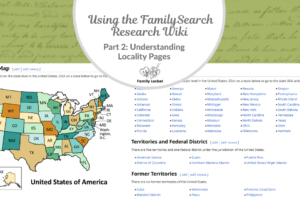
The next post in this series will share information on locality pages: what they are, what is found on them, and how to navigate them to get the most out of your experience.



Leave a Reply
Thanks for the note!