
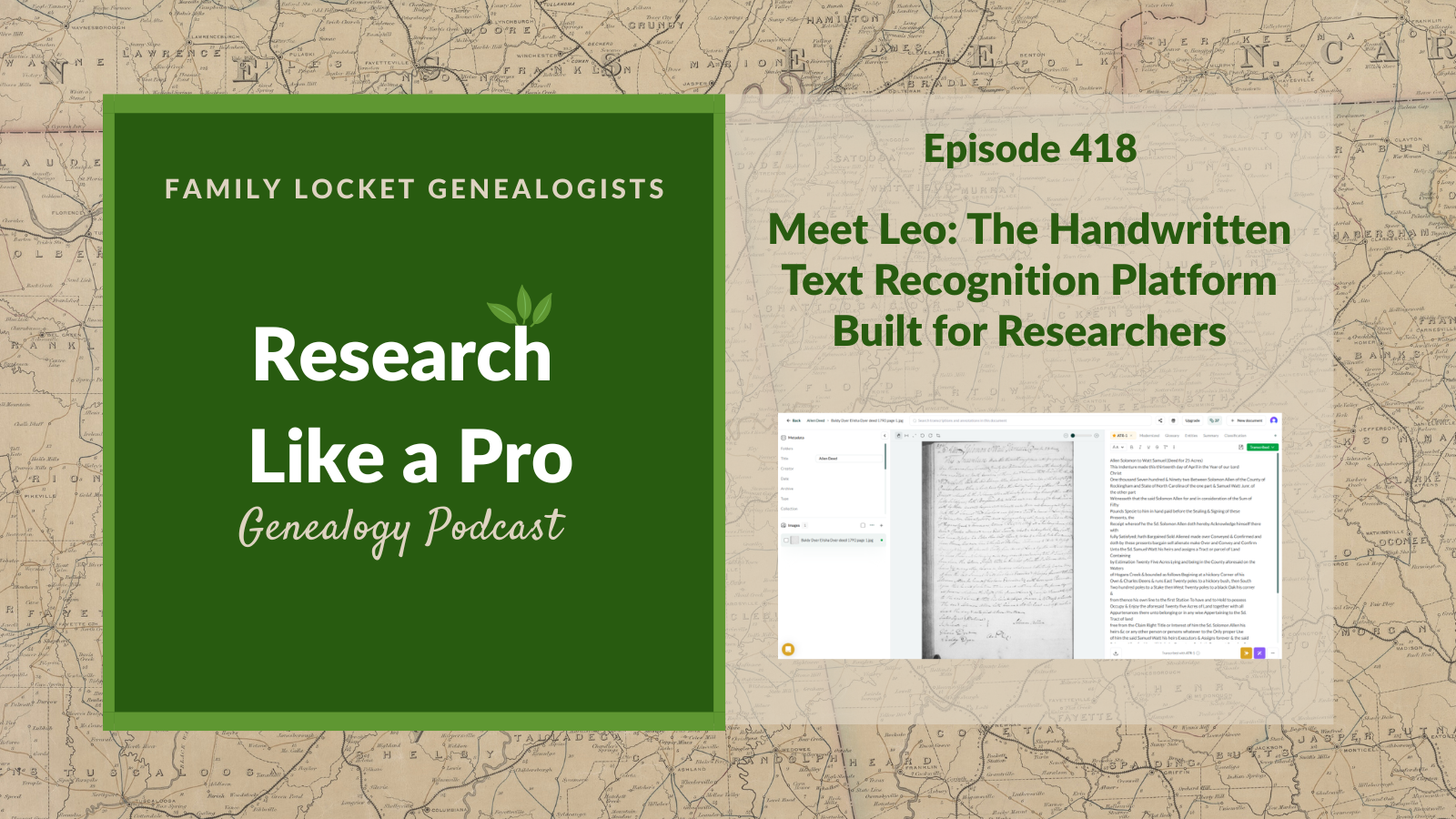
Nicole Dyer and Diana Elder explore Leo, a powerful handwritten text recognition platform designed specifically for researchers. Nicole interviews the creator, Jon Cooper, a PhD candidate at Stanford who developed the tool with a machine learning expert to address the difficulty of transcribing complex Elizabethan manuscripts. Listeners learn how Leo differs from general AI models by prioritizing faithful, accurate transcriptions of handwritten text rather than guessing words. The platform offers specialized features for genealogists, including the ability to recognize tabular data, crop and rotate document images, and refine transcriptions using multiple model inputs. Diana shares her own experience testing the tool on a two-page 1830s deed, finding it to be a user-friendly and accurate resource.
The episode also highlights Leo’s “Transformations” feature, which helps users move beyond basic transcription. Listeners discover how this tool summarizes content, identifies key people and places, and translates non-English sources. While the platform is advanced, the hosts discuss important limitations, such as challenges with tiny marginalia, double-page spreads, and predicting rare proper names. Ultimately, this episode demonstrates how Leo serves as a force multiplier for genealogists, helping them turn raw digital images into searchable, summarized, and interpreted research assets.
This summary was generated by Google Gemini.
Transcript
Nicole (1s):
This is Research Like a Pro. Episode 418: Meet Leo – The Handwritten Text Recognition Platform Built for Researchers. Welcome to Research Like a Pro a Genealogy Podcast about taking your research to the next level, hosted by Nicole Dyer and Diana Elder accredited genealogy professional. Diana and Nicole are the mother-daughter team at FamilyLocket.com and the authors of Research Like a Pro A Genealogist’s Guide. With Robin Wirthlin they also co-authored the companion volume, Research Like a Pro with DNA. Join Diana and Nicole as they discuss how to stay organized, make progress in their research and solve difficult cases.
Nicole (42s):
Let’s go. This episode is sponsored by Newspapers.com. Hi everyone. Welcome to Research Like a Pro.
Diana (51s):
Hi Nicole. How are you doing today?
Nicole (54s):
Hey, I am doing well. Just having fun podcasting with you. So what have you been working on?
Diana (1m 0s):
Well, as everyone knows who’s been listening the last few episodes, I am reporting on the NGS conference and the classes that I am listening to after the fact. And one that I listened to today, which was so fun and interesting was by Gary Ball-Kilbourne and it’s titled, “Sacred Threads: the Warp and Weft of Religious Records for Telling America’s Family Stories”. And his description is, “Religious records can fill gaps, confirm identities, and bring family stories to life, learn effective ways to find and use them across denominations and historical periods.” So this was fun, you know, obviously about church records, and Gary did five mini case studies, which I really liked because he showed a variety of locations and time periods and different religions.
Diana (1m 54s):
And so we learned a little bit about some of the records, but really it was just about the great things you can find in church records and why to go look for them because they are more difficult. A lot of them are not digitized and a lot of them you have to contact the repository and or go in person. It can be harder to track down. So he shared some neat examples from his family and client work and that was really fun. I enjoyed learning and you know, just getting another take on using church records.
Nicole (2m 30s):
That’s so fun. And Gary Ball-Kilbourne is such a good presenter, so knowledgeable.
Diana (2m 35s):
Yes.
Nicole (2m 35s):
But I wanna say also that I really enjoyed watching Karen Stanbary present at NGS as well. She shared a really cool, like history of her, one of her female lines and kind of went through a whole lineage and told the stories of women in her family and that was such a unique way to present a lecture at NGS. It was really cool.
Diana (3m 1s):
Yeah, I enjoyed that as well. I really just like hearing other people’s research and getting ideas for my own research, which is why we go to these conferences and then spend the time watching the recordings. NGS is a great conference to get a really good variety.
Nicole (3m 16s):
It is.
Diana (3m 18s):
Well let’s do some announcements. Our Research Like a Pro Webinar Series for 2026 continues with Saturday July 18th [date corrected] and The Roskell Case: Untangling Crossed Trees on FamilySearch presented by Jessica Morgan, AG and this is all about Robert Roskell who was born 1803 in Lancashire, England. And he was listed on the FamilySearch tree with two sets of parents, three wives, and three sets of children. This presentation will go through the critical thinking used to untangle Robert from two other Robert Roskells and accurately document his family. So our topics are England, FamilySearch, Same-name individuals, Lancashire, parish registers, England Census, English vital records, Bishops Transcripts,.
Diana (4m 4s):
And Jessica Morgan, AG, is an Accredited Genealogist in England and she loves helping people discover their past. She is a wonderful researcher and part of our team for which we are very thankful. Our next Research Like a Pro study group, begins August 26th meeting weekly for nine lessons, 13 weeks with four break weeks. Registration is now open, the the price is $400 and we invite you to apply to be a peer group leader with complimentary registration if you are interested in doing something like that and have experience with the process. Please join our newsletter that comes out every Monday to see our new posts, upcoming lectures and coupon codes.
Diana (4m 47s):
And if you are interested in working with genealogy, having your own business, you might want to join us for the APG Professional Management Conference this fall, which is the 14th through 17th of October. I am talking about 1. Easy CRM Tools: Managing Client projects and Contractors with Google Sheets and Airtable and doing a panel discussion titled, From Concept to Classroom: Genealogists Share How They Built Courses that Teach and Inspire and Nicole’s talks are Airtable Meets AI: Smarter Transcription & Research Logging and a panel Find Your Voice: Podcasting as a Path to Community, Clients, and Credibility.
Nicole (5m 31s):
Yeah, I’m also teaching that workshop on Airtable, which will be fun to talk about, you know, Airtable and transcription and research logging, which is our topic for today, AI and transcription, one of my favorite topics. And today we get to dive into Leo, which we mentioned a little bit in the previous episode because I got to stop by their booth at RootsTech and meet the founders. And then after RootsTech, I had the great opportunity to talk about Leo with one of the creators, Jon Cooper. And we recorded that our Zoom call and put it up on YouTube so that everyone can learn more about the features of of Leo for Genealogists. So what is Leo? It’s a groundbreaking, handwritten text recognition platform.
Nicole (6m 13s):
So in the video, John gave me a hands-on demonstration using a variety of documents that I chose from my own genealogy work to see how Leo handled some common challenges genealogists face in their research. So we’ll put a link in the show notes for you to watch this YouTube video. It’s about an hour long, and it has some of the really interesting and special features within Leo that make it unique and make it really stand out as a premier option for genealogists and historians who want to use AI to help them transcribe.
Diana (6m 44s):
Let’s learn all about Leo. So this platform was born out of necessity and as a PhD’s candidate Stanford, Jon Cooper faced the daunting task of manually transcribing complex Elizabethan government manuscripts for his dissertation. Existing off-the-shelf transcription tools failed to provide the accuracy required for such historical documents. So together with his friend Jack, a machine learning expert from Cambridge, Jon developed what is now known as Leo. And I love this little fact about where the name Leo comes from. It originated from Paleo, which is short for Paleography and that is the study of ancient handwriting.
Diana (7m 30s):
And also in Spanish, Leo translates to “I read” and in Latin, Leo means lion, representing a strong and dependable mascot for the platform. So that’s pretty neat to wrap three meanings into the name of the program, leo.
Nicole (7m 47s):
Yeah, that is fun. I really like the lion mascot.
Diana (7m 53s):
That’s cute.
Nicole (7m 54s):
Okay, the core abilities and features for genealogists of Leo, let’s go over those. Well there are several specialized features that distinguish it from just a general purpose AI model like ChatGPT or Gemini. So first is that they have a dedicated HTR model. So while LEO allows users to utilize general models like GPT-4, Gemini or Claude, it’s got its own model too. So its own proprietary state-of-the-art model is specifically trained for handwritten text recognition. And this specialized training reduces the overcorrection common in general models where they might guess a plausible word rather than reflecting the actual characters on the page.
Nicole (8m 35s):
And sometimes we call those hallucinations, or just filling in the gaps, or guesses, or errors, whatever wanna we wanna call them. But large language models like ChatGPT, and Claude and Gemini, sometimes we’ll just make up a word. And so with Leo, their special model is really powerful, but it, it tries to reduce that hallucination problem with specialized training. So that’s really good. Another strength and special feature for genealogists at LEO is tabular data recognition. And that is a challenge for AI to read anything in a table format. Gemini has gotten a lot better at it, so it is possible now to have it transcribed like an entire census or a tax document where everything’s in table format.
Nicole (9m 21s):
One of Leo’s standout strengths is that it can also do that. Its ability to recognize and maintain tabulated data even in documents without clear lines like some of those old tax records. It can then export these transcriptions to Word or Excel, preserving the structure for easier analysis. So if you need to extract a table that you’re then going to put into Word, Leo can be a really great tool to help you do that. Also, faithful transcription, unlike some large language models that automatically expand abbreviations turning FEBY, which is a common way to abbreviate February, and sometimes those large language models will then expand that into February instead of preserving the historical abbreviation while Leo prioritizes a faithful transcription of the original text.
Nicole (10m 7s):
And it can even add editorial square brackets for known abbreviations if requested, following standard genealogical practices. And usually in genealogy we use those square brackets for anything where we’ve added our own editorial comments. So if we’re expanding the abbreviation, or if we are putting our own comment there, that’s when we would use those square brackets. Also Leo offers in-app image manipulation and this is really nice for just cropping and rotating images. It’s really helpful for focusing on specific sections of a document to improve transcription accuracy. And so just being able to fix the image within the platform is nice.
Nicole (10m 49s):
And then advanced refinement tools, they have some cool features like “interpolate,” allowing users to run multiple models on a single document and then reconstruct a best fit transcript from the various inputs. Now this is really cool and basically the key here is that Leo allows you to use different models. So if you really like Gemini and you want to use Gemini for one of your transcriptions, when you start a transcription in Leo, you can just select that model instead of ATR-1, which is Leo’s main model that they came up with. So they have that option and then if you do ATR-1 by Leo and Gemini within the Leo program, then you can use their interpolate tool to have it reconstruct the best transcript from those inputs.
Nicole (11m 40s):
So that’s cool.
Diana (11m 41s):
Wow, there are so many neat features and I’m doing a little test case as we are podcasting to see how it works and it’s really user-friendly, I will just say, and I love that I put in a deed that I just transcribed using the Airtable agent and I had chosen Gemini 3 for that and it looks so accurate. One of the things that is neat is it has the, I have in the deed a little part that was crossed out and then a little caret with a word written above and it transcribed that perfectly. So that is neat.
Diana (12m 21s):
I, so far I’ve only found one little error instead of test TEST, you know, like for the witnesses testator it put in JAS. So I’ve only found one error so far, which is pretty good, you know, off of a two page handwritten deed from 1830s, so, yay.
Nicole (12m 42s):
Oh, that’s so great. I’m glad that you were able to try Leo. This is your first time trying it. So the fact that you are finding it user friendly with your first experience with it is a big endorsement.
Diana (12m 54s):
Well I really like the side by side. The image is right there on the left and then on the right’s the transcription, I can type in the image right there, right in the transcription and correct it. I like that a lot.
Nicole (13m 7s):
I do too. It really is user-friendly and good for genealogists who are trying to get a good, like an actual faithful transcription that we can then use in other places. You know, we can fix it there in Leo, paste it into our research log or into our research report or wherever it’s gonna go after this. But that’s cool that it did the strikethrough and the caret and all that.
Diana (13m 30s):
Yeah, I was happy when I saw that in my original, you know, in the transcription because I was curious to see how it would do with that and it did great. So that’s really nice. Those are the kind of things we’re looking for, right? To test how well it’s going to do.
Nicole (13m 47s):
Yeah, that’s awesome. So did you use the ATR-1 model that Leo created the, you know, their flagship model?
Diana (13m 52s):
Yes, yes. I wanted to test that out and just see what happened with that and it seemed to be just fine.
Nicole (13m 60s):
Nice. How long did it take the transcription to be done?
Diana (14m 5s):
I would say maybe one minute, two minutes. It was really fast.
Nicole (14m 9s):
Yeah, that’s, that’s not that slow. I mean, Transkribus sometimes will take a lot longer, especially if you’re using the free plan ’cause they put you last in the queue, and we can juxtapose that with Gemini and some of like ChatGPT and Claude that are really, really fast. Like really seconds later you’re done. Yeah, so I would say this is somewhere in between.
Diana (14m 31s):
Yeah, and I, I don’t mind waiting an extra 30 seconds to have a really nice format to work with. Personally, that’s fine. And I, I honestly don’t even know sometimes it might have been faster than that, but here’s an interesting thing about it. There was a really funny name and I’m looking at the transcription and it’s Torpley, T O R P L E Y. And looking at the actual deed, that’s exactly what it looks like. It’s a very odd name I have never come across. So it looks correct. It’s written several times in this deed and it always looks just like Torpley. So there you go.
Nicole (15m 9s):
Is it a last name?
Diana (15m 11s):
No, it’s a first name to plate.
Nicole (15m 15s):
Oh gosh.
Diana (15m 15s):
Torpley CB McCarty.
Nicole (15m 16s):
Okay, that’s a fun one. Yeah, add that too to our list of favorite names along with Baldy and Toliver
Diana (15m 22s):
And Toliver. Yep, there you go.
Nicole (15m 24s):
Oh, I was gonna tell you about Toliver that I was reading about the name that looks like you would say it. Tala Fiero. And that’s like a place name I think in North Carolina or something, but it’s also someone’s surname and apparently that’s pronounced Tolliver.
Diana (15m 42s):
Oh, interesting. Yeah, that’s a very prominent name in Virginia at the time our Roystons were there. Apparently the Tolivers were all over the place and I always thought it was Tala Fiero as well, so.
Nicole (15m 52s):
Well that’s what it looks like. Apparently it’s Italian.
Diana (15m 56s):
That makes sense.
Nicole (15m 56s):
Well, and I think they do pronounce it a little closer to Tala Fiero, but, and when sometimes when names are Anglicized and people say them with their English accent, they kind of transform a little.
Diana (16m 9s):
Yep, yep. That’s a big transformation. That’s really interesting. Okay.
Nicole (16m 14s):
Well let’s have a word from our Sponsor. This episode is brought to you by Newspapers.com, the ultimate resource for family history of research. If you’ve ever hit a brick wall tracing your family tree, Newspapers.com is the tool that breaks it wide open with billions of historical newspaper pages from across the country going back hundreds of years. You can find birth and death notices, wedding announcements, obituaries, immigration records and stories about your ancestors you never even knew existed. Imagine reading a 1920s headline featuring your great-grandmother’s surname, or discovering that a long lost relative was mentioned in a small town paper clear across the country. Those moments happen on Newspapers.com every single day. And the search tools make it surprisingly easy.
Nicole (16m 54s):
Just type in a name, a place, a date, and start digging. It’s not just data, it’s your family’s actual story told in real time as history unfolded around them. Whether you’re just starting your family tree or you’ve been tracing and researching for years, Newspapers.com has something that will stop you in your tracks. Start uncovering your history today at newspapers.com/FamilyLocket and enjoy 20% off your subscription. That’s newspapers.com/FamilyLocket. Your family story is waiting to be found.
Diana (17m 23s):
Well now let’s talk about something that Leo does that’s beyond transcription and that is analyzing sources with Leo’s transform tools. So one of the most exciting aspects of the LEO platform is that it goes beyond simple transcription to help us truly analyze and understand our historical documents. The transformation feature acts as a powerful text to text tool allowing you to take your completed transcription and run it through a large language model for further processing. And this is so helpful for all of those genealogy tasks that we need to do. So there is summarizing and named entity recognition.
Diana (18m 2s):
If we are working with lengthy folders or complex documents, Leo can generate summaries and identify named entities like specific people, places, or dates, helping us quickly grasp the content of a document before diving into the full text. I can see how that’d be very helpful for like a pension file that has a hundred documents in it. And then there’s translation. And Jon Cooper highlighted a fascinating use case for researchers working with non-English sources. He showed how you could use the transformation tool to translate a 500 page Latin treatise into modern English, making it instantly readable for modern researchers.
Diana (18m 47s):
Wow, that’s amazing. And then fixing and interpreting tricky text. While Leo is trying not to overcorrect historical spellings during the initial transcription, you can use the transform tools to get a push from the AI if you’re stuck on a particular word or phrase. It can suggest plausible corrections or even add editorial marks, like square brackets to expand abbreviations or clarify meanings. So ultimately these tools allow us to move from just having a digital copy of a record to having a searchable translates and summarized research asset. I love all of those use cases. That’s amazing.
Nicole (19m 25s):
Yeah. Do you wanna try doing this with your deed now that you have a transcription that you fixed up?
Diana (19m 30s):
Yeah, absolutely.
Nicole (19m 31s):
Do you know where to click?
Diana (19m 34s):
Nope.
Nicole (19m 34s):
Okay. So at the bottom, so I had not discovered this until I did the video with Jon Cooper. So at the bottom right there’s a little purple magic wand button.
Diana (19m 44s):
I see it.
Nicole (19m 44s):
Yeah. And when you hover over it, it expands. So you can see that it, it’s transform.
Diana (19m 49s):
And the other one is transcribe. Okay, well let’s transform.
Nicole (19m 54s):
Yeah, so there’s on one side there’s accessibility and it says correct, modernize, interpolate, translate. So those are some options. And then some of the other options for transforming are on the discovery side. So you can summarize, classify, generate glossary and extract named entities. So which one do you wanna do?
Diana (20m 14s):
I think that we shall do summarize. So I click summarize, it is transforming it, and it’s spinning around deciding how to transform it.
Nicole (20m 28s):
Yeah, this one says provide a brief paragraph summarizing the page. So I think what happens here is that Leo sends the transcription to an AI with a prompt telling it to summarize it basically. So some of the other options like generate glossary, the instructions say list difficult or archaic terms with historical definitions.
Diana (20m 48s):
That’s really neat. Okay. It just popped in. So this, and I put in a two page spread and so it’s telling me across the two pages that this passage contains three 1830s land deed records recorded in Cherokee County, Georgia, and then it goes through each one. So just I’ll do the one I was interested in, the third dated December 5th slash 10, so maybe it couldn’t quite read that.
Nicole (21m 17s):
Or maybe one’s the date of the deed and one’s the recording.
Diana (21m 20s):
Oh, that might be, I’ll look at it in a sec. 1835 shows Jesse Yates selling lot 543, 40 acres in Twigs County to James Harrison for $20 with customary warranty and witnesses. Also recorded October 20th, 1838. Okay, well that was pretty sweet just to have a little push of a button and have it do that for me.
Nicole (21m 44s):
Yeah, you should do another one and where you have it, the one I was reading about, generate glossary.
Diana (21m 51s):
Okay, let’s do that. That would be especially helpful in court records. We have talked about court records and so many terms that are unfamiliar to us, and what I usually end up doing is just taking the term and asking AI about it, you know, like Claude, what is this weird word here? How does this fit? So it’s pretty neat to have this built in, I have to say.
Nicole (22m 14s):
Yeah, once I saw these I was like, oh yeah, this makes Leo really stand out as such a helpful tool. Oh, by the way, at the bottom of this Transformations options, it says you have three out of 10 complimentary Transformations remaining on your free account. Unlike credits, these do not replenish every month. To make unlimited Transformations, please purchase a standard subscription or higher.
Diana (22m 36s):
Aha.
Nicole (22m 36s):
So it’s really trying to get you to subscribe.
Diana (22m 41s):
Yeah. Okay. It’s done with my glossary. So it has indenture, appurtenances, behoof, fee simple, seized and sold under execution, grant, bargain and sale, here, unto, seal, subscribing, witness, warrant, and Forever Defend or and et cetera. That’s about half of them. So wow, it’s taking all of those terms that are in a deed and then giving a nice explanation. So we’ll just read one explanation. Let’s do seal. It’s an embossed or stamped mark affixed to a document to signify formal execution. The deed notes that the grantor set his hand and seal. So what I take from this is it gives you maybe some needed context to understand the document if you don’t quite understand what exactly is going on here and why are we using this language.
Diana (23m 31s):
This is really helpful. I like this a lot.
Nicole (23m 35s):
Yay. That’s great. I’m glad that we tried that.
Diana (23m 38s):
Oh, I always like to try things on the fly when we’re podcasting. It’s very fun.
Nicole (23m 46s):
You’re a good sport. Alright, well let’s talk about some limitations. So while Leo is highly advanced, like all AI, it has limitations that we must keep in mind as good genealogists. So one of them is resolution and two page spreads. So two page spreads can be difficult because the text can become small relative to the overall image size when down-sampled for processing. So Leo will down-sample the images. Basically accuracy is typically higher on single-page crops, although you just did a two-page spread and you said it was accurate, so maybe this is going to, this problem will go away.
Diana (24m 26s):
It looked okay. Yeah.
Nicole (24m 28s):
Then there’s also the problem of proper names. Names are inherently improbable data points making them harder for probabilistic AI models to guess correctly, especially when compared to the boilerplate, right? Because the common language that’s repeated in every deed is really easy to figure out. So for example, in my demo with Jon Cooper, the YouTube video, the surname Keaton was initially transcribed as Hector H-E-C-T-O-N. So the uppercase K kind of does look like an H. And then the HEC instead of KEA, the A and the C looked similar. Another challenge is margin. So anytime there’s squeezed or tiny text in the margins, it can sometimes be missed or omitted by the AI.
Nicole (25m 12s):
But Leo does a better job of including that than some of the other AI tools.
Diana (25m 19s):
Very interesting. Well, let’s talk about some benefits of Leo over the other large language models. So the primary benefit is the historical context and accuracy. It is designed by researchers for researchers, and it avoids the hallucinations of plausible sounding text, making errors easier for a human to spot and correct. Furthermore, future updates plan to include confidence metrics highlighting in red or green where the model is less or more sure of its work. That would be nice, I have to admit. I like that. So in conclusion, Leo is not intended to replace the skilled eye of a Genealogist or paleographer instead it is a powerful force multiplier helping us work through mountains of handwritten records more quickly and accurately than ever before.
Diana (26m 8s):
I love that.
Nicole (26m 9s):
All righty. Well, if you want to learn more about Leo, I encourage you to go watch the full demo that I had with Jon Cooper where we talk about all these features and some of the benefits and challenges and how it all works. So first, you should go to Leo’s website, tryleo.ai, set up your own free account so you can try it just like my mom did today. And then go over to YouTube and click the link in the show notes to see the video on our FamilyLocket YouTube channel and be able to watch that there.
Diana (26m 42s):
All right, everyone, thanks for listening and we hope you will go try it out and have a fun time exploring. So thanks for listening and we will talk to you next time. Bye-bye.
Nicole (26m 55s):
Bye-bye. Thank you for listening. We hope that something you heard today will help you make progress in your research. If you want to learn more, purchase our books, Research Like a Pro and Research Like a Pro with DNA on Amazon.com and other booksellers. You can also register for our online courses or study groups of the same names. Learn more at FamilyLocket.com/services. To share your progress and ask questions, join our private Facebook group by sending us your book receipt or joining our courses to get updates in your email inbox each Monday, subscribe to our newsletter at FamilyLocket.com/newsletter. Please subscribe, rate and review our podcast. We read each review and are so thankful for them. We hope you’ll start now to Research Like a Pro.
Links
Meet Leo: The Handwritten Text Recognition Platform Built for Researchers – Family Locket -https://familylocket.com/meet-leo-the-handwritten-text-recognition-platform-built-for-researchers/
Learn more about Leo and to set up your free account, go to https://www.tryleo.ai/
Leo Demonstration with Nicole and Jon Cooper on YouTube: https://youtu.be/mR8KOH97Rf0
Sponsor – Newspapers.com
For listeners of this podcast, Newspapers.com is offering new subscribers 20% off a Publisher Extra subscription so you can start exploring today. Just use the code “FamilyLocket” at checkout.
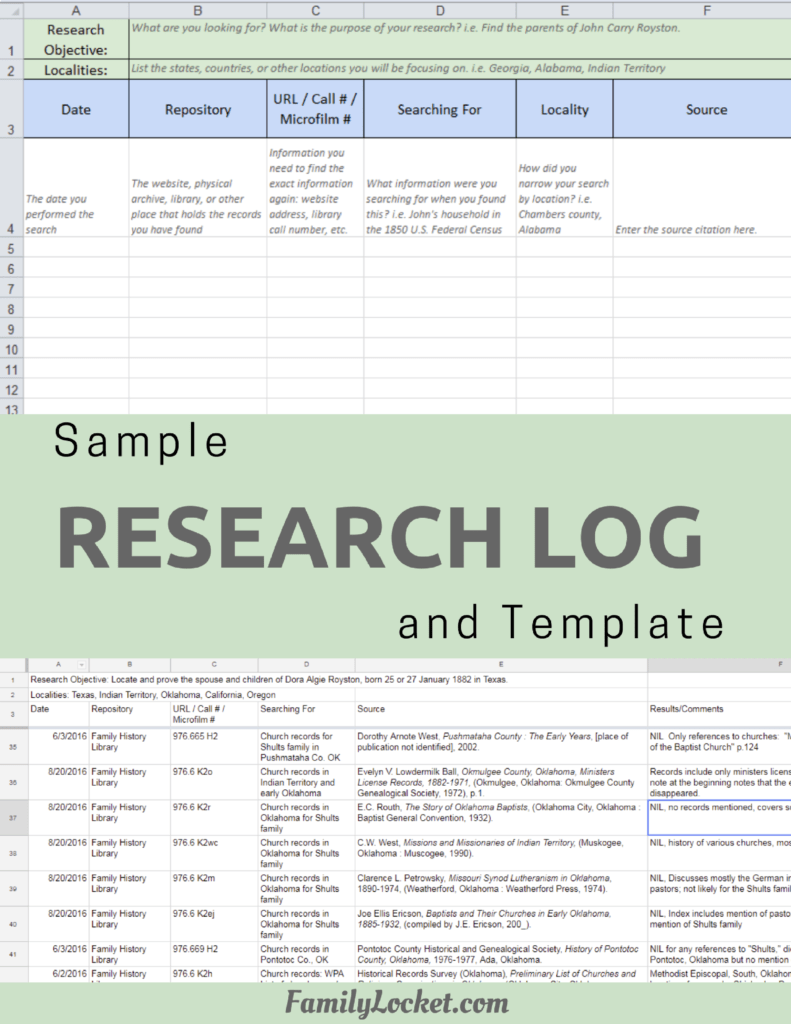
Research Like a Pro Resources
Airtable Universe – Nicole’s Airtable Templates – https://www.airtable.com/universe/creator/usrsBSDhwHyLNnP4O/nicole-dyer
Airtable Research Logs Quick Reference – by Nicole Dyer – https://familylocket.com/product-tag/airtable/
Research Like a Pro: A Genealogist’s Guide book by Diana Elder with Nicole Dyer on Amazon.com – https://amzn.to/2x0ku3d
Research Like a Pro with AI Workbook – Second Edition (eBook) – https://familylocket.com/product/research-like-a-pro-with-ai-workbook-second-edition-ebook/
14-Day Research Like a Pro Challenge Workbook – digital – https://familylocket.com/product/14-day-research-like-a-pro-challenge-workbook-digital-only/ and spiral bound – https://familylocket.com/product/14-day-research-like-a-pro-challenge-workbook-spiral-bound/
Research Like a Pro Webinar Series – monthly case study webinars including documentary evidence and many with DNA evidence – https://familylocket.com/product-category/webinars/
Research Like a Pro eCourse – independent study course – https://familylocket.com/product/research-like-a-pro-e-course/
RLP Study Group – upcoming group and email notification list – https://familylocket.com/services/research-like-a-pro-study-group/
Research Like a Pro Institute Courses – https://familylocket.com/product-category/institute-course/
Research Like a Pro with DNA Resources
Research Like a Pro with DNA: A Genealogist’s Guide to Finding and Confirming Ancestors with DNA Evidence book by Diana Elder, Nicole Dyer, and Robin Wirthlin – https://amzn.to/3gn0hKx
Research Like a Pro with DNA eCourse – independent study course – https://familylocket.com/product/research-like-a-pro-with-dna-ecourse/
RLP with DNA Study Group – upcoming group and email notification list – https://familylocket.com/services/research-like-a-pro-with-dna-study-group/
Thank you
Thanks for listening! We hope that you will share your thoughts about our podcast and help us out by doing the following:
Write a review on iTunes or Apple Podcasts. If you leave a review, we will read it on the podcast and answer any questions that you bring up in your review. Thank you!
Leave a comment in the comment or question in the comment section below.
Share the episode on Twitter, Facebook, or Pinterest.
Subscribe on iTunes or your favorite podcast app.
Sign up for our newsletter to receive notifications of new episodes – https://familylocket.com/sign-up/
Check out this list of genealogy podcasts from Feedspot: Best Genealogy Podcasts – https://blog.feedspot.com/genealogy_podcasts/


Leave a Reply
Thanks for the note!