

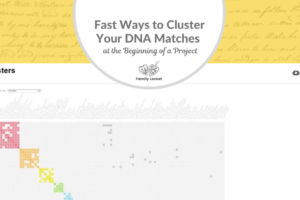
One of the most exciting recent additions to Ancestry’s Pro Tools is the custom clustering feature. Unlike the original clustering tool that gave you predetermined centimorgan ranges without much flexibility, custom clusters allow you to strategically target specific ancestral lines by choosing your own matches and parameters.
In this excerpt from our Research Like a Pro Office Hours, Diana Elder, AG, walks through how to create and use custom clusters effectively, demonstrating with a real example from her own research into the Cline family line. If you’ve been wondering how to make the most of this powerful tool, this video will show you practical strategies you can apply to your own DNA research projects.
This blog post was written by Claude AI based on the video transcript.
Watch the Video
Watch Diana’s video here: How to Use AncestryDNA Custom Clusters in your Research
In this presentation, Diana covers:
- Where to find the custom clustering feature on Ancestry
- How to select target matches and “sidekick” matches strategically
- Setting appropriate centimorgan ranges for different research scenarios
- Real-world application: Breaking down a large Cline family cluster into meaningful sub-clusters
- Tips for tracking your custom cluster experiments in Airtable
Why Use Custom Clusters?
Diana identifies several key benefits of using custom clusters in your research:
Hone in on specific ancestral lines. When working with a focused research objective (as we do in Research Like a Pro), custom clusters help you narrow down thousands of matches to just those relevant to your current question.
Quickly identify groups descending from common ancestors. While shared matches and other tools are valuable, custom clusters can speed up the process of finding the right group of people to investigate.
Work more efficiently at distant generations. When researching third, fourth, or fifth great-grandparents where DNA segments are small, custom clusters help you identify patterns that might otherwise be lost in the noise.
Important Things to Know
Before you start creating custom clusters, Diana highlights some critical points from Ancestry’s documentation:
- Clusters expire after 30 days unless you add them to a group
- You can have 25 clusters in your history at a time
- Clusters may change or disappear if matches opt out or delete their tests
- Consider taking screenshots of important clusters for your records
The temporary nature of these clusters means you need to be intentional about saving the ones that matter to your research.
Creating Your Custom Cluster
Ancestry provides some starting recommendations based on the generational distance you’re researching:
- Great-grandparent (2nd cousins): 90-340 cM range
- 2nd great-grandparent (3rd cousins): 40-120 cM range
- 3rd great-grandparent (4th cousins): 20-60 cM range
To create a custom cluster, you’ll:
1. Choose a target DNA match (Ancestry recommends a 2nd or 3rd cousin, but you can choose any match)
2. Select four additional matches who also share DNA with your target match (these are your “sidekick” matches)
3. Set your centimorgan range for the cluster
4. Generate the cluster and review the results
Diana’s Real Research Example
Diana’s research objective was to test whether John C. Cline (born 1785 in Pennsylvania/Virginia) was the biological father of Clemsy Cline Weatherford (born 1820 in Alabama). She had already done extensive work creating a DNA network graph through Genetic Affairs and had identified several hypothesized siblings of Clemsy who might also be children of John C. Cline.
To push her research further, Diana created a custom cluster by:
- Selecting a target match who descended from Mahala Cline Shockley (a hypothesized sister of Clemsy)
- Adding four other matches who were descendants of Clemsy and who also matched the target
- Setting the range at 20-50 cM (keeping it relatively low to avoid too many matches)
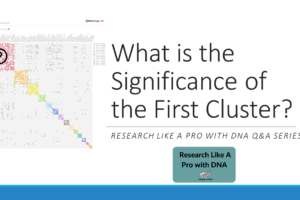
The results were exciting! The cluster separated into several distinct sub-clusters, revealing:
- A clear group of matches all descending through William Abner Cline (another hypothesized half-sibling)
- An intriguing cluster where none of the matches had trees that agreed on their origins—presenting a perfect opportunity for tree building and investigation
- Additional evidence to support or refute her hypotheses about John C. Cline’s children
Practical Tips for Success
Diana offers several strategies based on her experience:
Save your clusters strategically. Add important clusters to groups with meaningful names like “Cline sub-cluster – possible sibling” so you can track different hypotheses.
Try different target matches. DNA inheritance is random, and different target matches will pull in different groups of people. Experimenting with various combinations can reveal patterns you might otherwise miss.
Track your experiments. With multiple target matches, different sidekick combinations, and varying centimorgan ranges to test, you’ll want a systematic way to document what you’ve tried. Diana recommends using your Airtable research log to record:
- Your target match
- Your four sidekick matches
- The centimorgan range you set
- The results you obtained
This documentation becomes invaluable when you’re working on complex projects over time.
Be patient with the learning curve. Diana mentions trying another custom cluster “just for fun” with more random matches—and getting just a huge blob with no useful separation. The thoughtful selection of your target and sidekick matches really does make a difference.
Looking Ahead
Custom clusters represent an exciting evolution in DNA research tools. Currently, the minimum threshold is 20 centiMorgans, but as Diana notes, perhaps someday the tool will extend to even smaller segments, opening up even more research possibilities for distant ancestors.
If you have access to Ancestry Pro Tools, I encourage you to experiment with custom clusters on your own research projects. Start with a research objective where you’ve already done some preliminary work identifying potential matches. Then try different combinations of target and sidekick matches to see what patterns emerge. You might be surprised by the connections waiting to be discovered!
Have you tried using custom clusters in your research? What strategies have worked well for you? Share your experiences in the comments below!
This video is an excerpt from our monthly Research Like a Pro Office Hours, where course members can ask questions and receive regular tips. Learn more about the course at https://familylocket.com/product/research-like-a-pro-with-dna-ecourse/.





1 Comment
Leave your reply.