

Today’s episode of Research Like a Pro is about how to use a research log in your genetic genealogy research. We discuss the sources and methods to include in your log, how to best keep track of your DNA matches, correspondence logs, and tech tools that will help you be efficient. We discuss how to use a database tool called Airtable to help you with big projects where you have a lot of DNA matches and searches to keep track of.
Transcript
Nicole (1s):
This is Research Like a Pro episode 88: DNA Research Logs. Welcome to Research Like a Pro a Genealogy Podcast about taking your research to the next level, hosted by Nicole Dyer and Diana Elder accredited genealogy professional. Diana and Nicole are the mother-daughter team at FamilyLocket.com and the creators of the Amazon bestselling book, Research Like a Pro a Genealogists Guide. I’m Nicole co-host of the podcast join Diana and me as we discuss how to stay organized, make progress in our research and solve difficult cases. Let’s go.
Nicole (45s):
Hi everyone, and welcome to the show. I’m Nicole Dyer, co-host of Research Like a Pro, and I’m here today with accredited genealogist, Diana Elder. Hi Diana.
Diana (54s):
Hi Nicole. I’m so excited to be here today, and we’ve got Robin here with us. We’re going to do a little discussion on DNA Research Logs. So how are you doing Robin?
Robin Wirthlin (1m 4s):
I’m doing great. We just got back from RootsTech and it was so exciting. I’ve learned so many new things and it was fun to meet other genealogists and people who are just as excited about Genealogy as we are. I had a great opportunity to give a presentation about healing and family history, The Emotional Side of DNA, talking about some of the things that happen in real life after you discover some DNA connections and what to do with it. So you can find that on the rootstech.org website.
Diana (1m 38s):
I love that they recorded that because I think that’s going to be one that will touch people for years to come. There’s just so many stories of people having unexpected results and having these emotions that just come and go. So thank you so much for coming up with that class and our thanks to RootsTech for recording it for us. It was a great opportunity. Our listener spotlight today is really fun. This is from Josiah Dellamott, and the title of the review is amazing DNA tips. This podcast is just loaded with great information among other subjects on how to use DNA results to find relatives. I’m 17 and have been doing genealogy for two or three years now, I especially love the careful explanations informative for every level of experience.
Diana (2m 26s):
I use the idea of building a tree for matches to find my great-grandmother’s mother. My great-grandmother was adopted and I’m using it again for other matches, hopefully with the same success.” Well thank you, Josiah. This is our first review from a teenager, and we love that you are already doing family history and using DNA. How great, thanks for that review.
Nicole (2m 49s):
That is fun. Well, today we’re talking about DNA, so you should be interested Josiah. We’re talking about DNA Research Logs. When you’re working with DNA and looking at match lists and reports and family trees and all kinds of sources, it may feel overwhelming new. We’ll probably want to keep track of everything you look at with the log. So we’re going to discuss some ways to do that. And then we’ll even talk about how to take your Research Log to the next level with a special tool called Airtable. So if you’re interested in that, make sure you stay tuned until the end.
Diana (3m 26s):
Okay. So to get started, let’s just do a little review of the Research Like a Pro with DNA process. We’ve been talking about specific steps for taking on a focus research project about a specific research subject. So first thing was to take a DNA test. Second was to assess, trying to understand your DNA results. And we had four simple steps for that. Looking at the names of matches to see if there was someone you could recognize, then checking how much DNA you shared seeing if that matched up with the relationships and then contacting those DNA matches.
Diana (4m 5s):
That’s all part of assess. Number three was to organize. And this was where you do a chart. Somehow you visualize your matches. Number four was to create a research objective. Seeing if DNA can answer your research question, number five is to analyze your sources, and that is seeing your DNA matches as evidence. Number six is looking at the locality and the ethnicity of your DNA matches. And number six was research planning coming up with a real plan for how you’re going to attack this DNA research, DNA tools you would use and what methodologies you would use.
Diana (4m 49s):
And then number seven was DNA source citations, because it’s really important that we are making sure we know where information came from. So we’ve gone all the way through those different things. And now we’re ready to discuss step nine, which is using a DNA Research Log to keep track of genetic genealogy searches.
Nicole (5m 12s):
It was a lot, I think the numbering got a little bit off, but that’s fine. It was in order. That’s fine. I mean, we know the order. So let’s just talk about what is a Research Log. So Robin and Diana take us through some of the basics.
Robin Wirthlin (5m 29s):
Well, a traditional genealogy Research Log is used to track the sources searched, what you found and you include the information that you found in those sources. You want to keep the call numbers, the repositories, the URLs for different websites, and then the actual source citation and the document numbers.
Diana (5m 49s):
And one of the things that we want to make sure we always keep in our log are the negative results, because if we don’t keep track of, we didn’t find information, we’ll find ourselves looking at that over and over again and repeating searches. Every time I teach a class about Research Log, I asked the people in the audience, if they’ve ever looked the same source multiple times, and the answer is still not in that source. And of course, everybody raises their hands because without a research log, we forget what we have searched. So the entries in our Research Log are a reminder of what we have searched for and what we found. And also it helps us know where we left off and gives us a really good starting point for our next research session.
Nicole (6m 34s):
That’s really important when we’re looking at DNA matches. We just look at so many pages. I just feel like when we introduce DNA sources into our research, we are adding a substantial amount of data to our pool of info. So it’s really critical to keep track of what we looked at and what we concluded from looking at those different DNA matches and tools, hopefully logging all of these results. And the searches that we’re doing will help us make more connections between all of these pieces of data that we’re looking at.
Robin Wirthlin (7m 5s):
Yeah, that’s a really great point. When you first start looking at a DNA match page, you might have some negative results because it can be a challenge to find the most recent common ancestor immediately. And so just like the negative searches and a census database, we know the negative results of viewing a DNA match page when nothing was discovered. And then maybe later there will be more information and we need to go back to that and dig a little deeper, you know, build some trees, do some other things with that DNA match. But if you’ve already written down all the clues from the DNA match, like the surnames, the shared matches and the common locations in the family tree, it’s going to be really helpful because you can’t keep all that information in your brain.
Robin Wirthlin (7m 50s):
It’s just too much. And without that Research Log, you’ll probably forget what you’ve looked at and you won’t be able to use it to correlate and form conclusions as well.
Diana (7m 60s):
That’s exactly right. Robin. I think sometimes we don’t realize that we can have a Research Log for a DNA project. We think we just have to keep it all in our brain somehow. And so that’s the real beauty of a log. So let’s talk about what kind of sources we’re adding to a Research Log in a DNA project. Well, as we’ve discussed before, when we’re talking about DNA research, DNA sources are people. Genetic genealogists don’t actually examine a person’s DNA, they view the reports made by the testing companies. And these reports typically include a list of DNA matches. And these matches are the key elements of a DNA Research Log.
Diana (8m 43s):
So think of your results on Ancestry or FamilyTreeDNA or 23andMe, each one of those people that matches your DNA is a source.
Nicole (8m 53s):
So you may be thinking to yourself, I have a lot of matches. Do I need to put all a hundred thousand of them in my log? Well, no. What we’re talking about is a focused and specific research project. And so how many research logs do we need then? Well, I like to keep a separate Research Log for each objective that I have. So each research question kind of like when I’m performing research for a client, I’ll typically create a new Research Log for that project, for that specific question that they have. And then sometimes if the client wants to keep researching on that same objective, because we didn’t find the answer yet, I’ll just keep using the same log. So you might want to consider doing something like that with your logs.
Nicole (9m 33s):
Maybe you’re trying to find the parents of one of your ancestors. And so you start a log with that objective, and then you can continue using that until you feel like you’re done. So sometimes those logs can get really long. And so I’ll talk about some solutions for that at the end, when I talk about Airtable.
Robin Wirthlin (9m 50s):
So then you wonder, well, how many DNA matches do I include in that log? You’ve got your focused research objective, but then you have this huge long list. Well, when I’m working on it, on a DNA project, I have sorted out some of the people into maternal and paternal sides and clustered them. And so I just include the matches who are relevant to the subject of the research objective, because if I had all those matches in there, it would just be so confusing and too many people to work with. So you want to make it down into a bite sized chunk or something that’s more manageable by separating those out.
Diana (10m 27s):
I think that is one of the most valuable things about this Research Log, helping you to focus in on that group, that’s going to help you reach your objective. So let’s talk about the DNA matches and what we might want to log for them. Each DNA match may have several steps that you have to take to determine how they’re related to you or the specific test taker. So you’re going to have several entries in your Research Log, just for one match. So here’s some possible entries for a DNA match named John. First of all, we could have the match page for John, a link to that. We could have a link to the family tree that John had put on the testing website.
Diana (11m 13s):
We could have the ethnicity report comparing my ethnicity to John’s. We could have a shared match report showing matches in common online match lists and John’s match list. We could have searches in additional published family trees that related to John’s ancestors, and we could have searches and other record groups to find on the ancestors. So you can see there are a lot of different things that we may want to put in our log for that specific match.
Nicole (11m 42s):
Yes, I think we are often trying to extend our matches pedigrees. So it’s helpful to be able to keep track of what we did there. Often we won’t find the most recent common ancestor, so we’ll have to come back to it and update that search and continue looking for his ancestors. Each of those different pages that you mentioned will have different source citations, and you can write different notes for them. So it’s helpful to separate them out. I mean, I think sometimes we want to group it all together and just say, I looked at this match page and here’s what I found, but that can be a lot of different links to different things and different notes. So I think it’s helpful to have a separate one for each thing that you look at and just say, well, the ethnicity results showed this and maybe it could be that then your notes column doesn’t get too lengthy.
Nicole (12m 27s):
So for the match page with John, you might want to note in the results column that the shared centimorgans seemed to indicate like a second or third cousin relationship and then hypothesize well in his family tree, it looks like maybe this is the location where we are related because this is the location we have in common. So you can see the different notes that you might want to add for those different pages.
Robin Wirthlin (12m 51s):
Those notes can really help you correlate and understand what you’ve got, especially if you need to leave the project and come back to it. Another aspect that we need to log are the quick trees. So a lot of people use Ancestry.com or other tree building or hinting services to build a quick tree for DNA matches. And remember that in Ancestry, you need to mark that tree as private and unsearchable, which you do in the settings area of Ancestry, because you don’t want other people to find that tree in a search and then duplicate what you’ve got when you still haven’t proven that information.
Robin Wirthlin (13m 31s):
So working tree, working with your hypothesis. That quick tree can include records that are attached to individual’s profiles, and that can replace some of the searches that are recorded in a research log. And then you could revise the entry in your Research Log to include a link to the quick tree and a summary of this method and what you learned in the notes section, and then have a master tree linked to the DNA match whose pedigree you extended within your master tree.
Diana (14m 2s):
I really liked the idea that we can come back to these matches and add more information. You know, in traditional research, we look at a census and we fill out our Research Log and you know, that census doesn’t really change. We may come back and find more information. We didn’t see the first time, but with our DNA matches and our Research Log, we may not be able to discover something at first, but we come back and with more information added to the testing company’s results, we can really update that log. That information is kind of constantly changing as more people test. So this is the way that we can keep track of things and continually update.
Diana (14m 44s):
Now, one of the things we also need to think about logging our DNA tools and methods. So we want to log our activities. There are so many tools out there that we’re trying, and we want to make sure that we are recording what we’ve tried and what we found. So we can include all kinds of reports and methods from the DNA companies and third-party tools. Some examples of this could be auto cluster reports, chromosome browser reports, chromosome mapping, Leeds Method results, segment triangulation data, surname projects, one-to-one DNA comparisons, segment search, Ancestry Thrulines, MyHeritage’s Theory of Relativity, a haplogroup report, a quick tree, or What Are The Odds tools?
Diana (15m 35s):
Wow. Just reading through those made me tired. So there are so many great things that we can try out. And if we don’t record that we have tried this tool and what we found from it, we’ll probably go back and do that again, just like searching that same database or that book again in our documentary research. Yeah.
Nicole (15m 56s):
Yeah. I think of this as kind of like a research journal almost where we’re writing down what we did and what we learned from it, right? So we did the Leeds Method and these four groups emerged. And the group that I want to focus on is the one with these matches. So it’s kind of a chance for us to do some preliminary conclusions from our different methods we’re working on that we can then later correlate with our other research and put it into a report. So it’s helpful to write about what we learned from it in the moment, instead of putting it off and forgetting the intermediate conclusions, we made another thing that we do often when we’re doing DNA research is learning about what the results that we’re seeing mean and reviewing books and informational articles that kind of help us to dry out the evidence from the reports and the match pages and things.
Nicole (16m 48s):
I think it’s great to include this in your Research Log too, because you’ll probably want to put it into your report so we can put into our log, the articles that we read that help us understand the DNA results, maybe there are articles from the ISOC Wiki, books about genetic genealogy. There’s a lot of blogs and website articles by genetic genealogists that can help us add meaning to our results. And when we consult the Shared Centimorgan Project, it’s good to have a citation ready for that because we’d probably use that a lot and any other genetic studies that can help us understand our results. So these are good things to include in our log as well.
Nicole (17m 28s):
And often I’ll forget to put something that I learned into my log and I’ll want to cite it in my report. And so I’ve gotten into the habit of keeping track of all these things I look at. So then I’ll be ready to use them.
Robin Wirthlin (17m 40s):
It’s a really good idea. And to have like a master list of your citations, then you can go back and quickly move that over to your Research Log. So some steps in creating Research Log would be to, like you already said, create a separate Research Log for each objective. And then go ahead and follow your research plan and add entries to your log for each result from traditional genealogy sources, DNA sources, DNA tools, and other methods that you try. Remember that DNA means nothing without genealogical records. It’s just a list of letters. So you’ve got to be using those traditional sources to verify the connections and the relationships between people.
Robin Wirthlin (18m 23s):
You want to make sure that you create source citations for each entry that will save you a lot of time later and keep you accurate and on track. And then a great hot tip is to include the links for each entry, if you can. So those links might be to a match page at a testing company, a profile at an online family tree or a shared match list. You also might want to link to the files on your computer that contain auto cluster reports or screenshots of match pages and so on, and then write notes about the connections and the other things that you observe in the results section that is really going to help you later in the next step of writing research reports, then write your ideas about what can be done in an additional comments, column, note, the connections between other entries and the connections in between people.
Robin Wirthlin (19m 16s):
And that will help you as you go forth with your research.
Diana (19m 19s):
Right. There’s a lot of great things that can come with the DNA Research Log. So let’s just talk for a minute about a traditional Research Log. In that case, sometimes you just have one sheet in your spreadsheet, but in a DNA research project, multiple sheets will help you stay more organized. So you could use a correspondence log, a research log and additional sheets for DNA comparisons. But let’s talk about some of those additional sheets that you could use. You might want to have a sheet just for the Leeds Method. How about if you’re doing a Y-DNA STR marker comparison, you might be creating a matrix where you’re comparing multiple test takers with each other, and you might have matches from an additional test taker whose DNA tests you administer or whose DNA matchless has been shared with you because it’s related to the objective.
Diana (20m 18s):
You might have shared match comparisons. So you can see that there are all sorts of different types of research logs you can keep, or these would actually be additional sheets within in one Research Log for that objective. And it’s so helpful because in our Google sheets or Excel spreadsheets, we have multiple tabs at the bottom. So these can all be kept within one spreadsheet does different sheets. And I use this all the time for my client work.
Nicole (20m 47s):
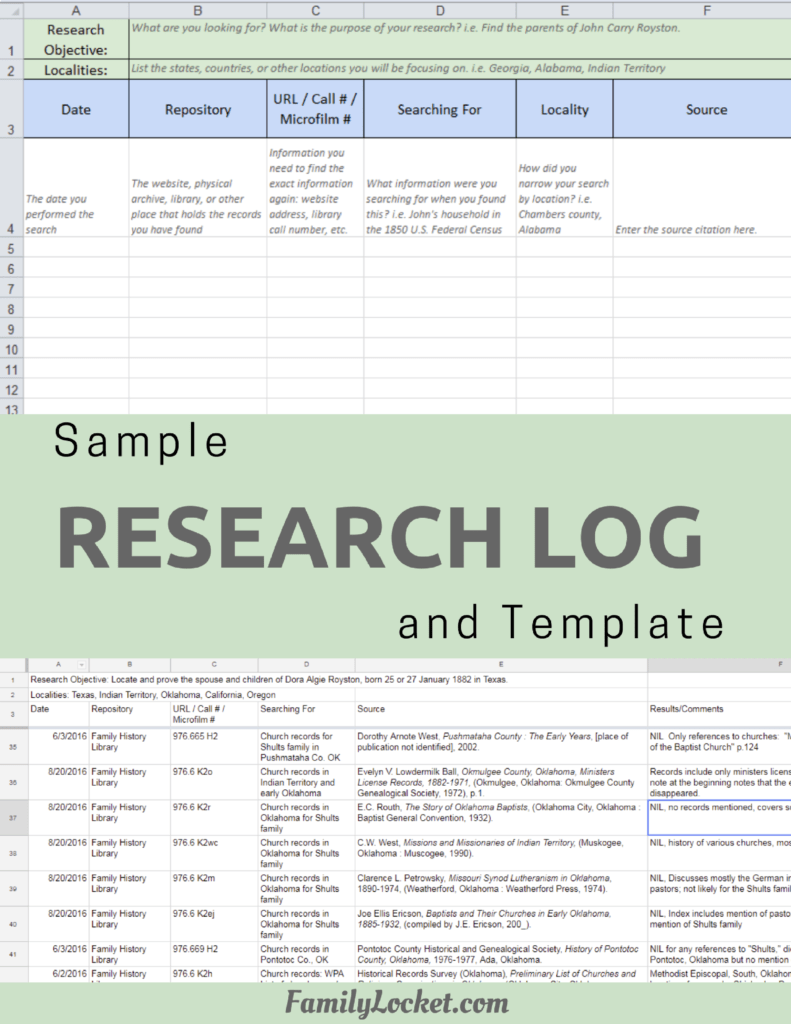
Yeah, it’s great to be able to separate those into multiple sheets. I love that. So let’s talk about the different columns for your log. Your Research Log typically has the date of the search and the repository or website that you’re looking in can have the match name that you’re searching about. Also the URL of the website, a description of what I’m searching for, and typically the locality of the documents or records that I’m looking at in a specific place. And then of course the source citation, and then the column for the results and the comments.
Robin Wirthlin (21m 23s):
So important to have an addition, then you can have a correspondence log and some possible column headings for that would be the DNA match name and a link to their match page. You want to have the DNA company, the amount of centimorgans that you share with the other person or the genetic distance, if it’s Y-DNA, and make sure you write the date that you wrote to the DNA match. And then the date that you received the correspondence and the estimated relationship you have with them. Another important thing to include is the most recent common ancestor. If you know, or a general guess, you know, they’re on a certain line of the family, you’ve got a family tree that you’re building, or a family tree link to their DNA to put that link into your log.
Robin Wirthlin (22m 13s):
And then the information that you received from the correspondence with that DNA match, like they could be telling you, oh, I remember that a cousin said this. And so you might want to look here for information, and then you would include the next steps that you’re going to take. And the additional contact information such as email address, telephone number or whatever information they’ve given you.
Diana (22m 38s):
Those are some really great things to put in there. I especially love that you can have a column for corresponding with these different relatives because that can help us connect and help us to remember those connections. Let’s talk about the tools that you need to use for creating research thugs. And quite honestly can use pencil and paper, but you’re going to get lost in all of the information. And so really using something like a Google sheet or an Excel spreadsheet or Airtable, it’s going to give you so much more functionality. I am kind of a fan of Google sheets. I like that because I can access my Research Log from all of my devices, even my phone and the changes link instantly.
Diana (23m 26s):
And it’s really, really nice to collaborate with others because you can share your Research Log. So if you are working with another relative and you’re doing a DNA project together, and you want to be able to, in real time work on that Research Log, and maybe they’re connecting with some cousins and you’re connecting with some others, you can just together collaborate on that Research Log, which can be very, very helpful. One of the tricks with using Google sheets that we teach a lot as we’re working with people is how to add a link to the text in a cell. So you can just type a description of the link such as match page for John.
Diana (24m 8s):
And then you use the keyboard shortcut control, K, to add a link to the cell and paste in the link. Then you don’t have this big, long ugly link taking up space because in a spreadsheet, you know, you have little cells and if you have really long URLs in there, it can mess up the look of your log. It makes it just a little bit unwieldy. So if you don’t remember anything else, remember control K. I was so proud of myself when I discovered that my techie son didn’t even know that shortcut. I was able to teach him the thing and I taught it to Nicole too. It was great. So control K is how you add links.
Nicole (24m 45s):
I love it. I use it all the time now. Thank you, mom.
Diana (24m 49s):
Glad I could teach you something about technology. Okay. So another thing that you might want to use is Excel. Especially if you have used Excel for your work or, you know, other times in your life, and you’re just really used to that. It is more functional than Google sheets in just the way it has extra tools and things you can do. So if you’re really versed in that, then you could certainly use Excel. It’s very, very powerful. If you’re not a power Excel user, then I recommend just learning Google sheets because it’s a little bit more simple and may be more accessible to you.
Nicole (25m 24s):
When we first started doing the RLP with DNA study group, and we started using our research logs and putting in our correspondence with matches, I just thought it was so useful. And it was just amazing to have a place to go record all these responses I was getting from the matches and be able to put in. I sent them a message. And when there was no response that helped me to see, I don’t need to message them again yet, cause I already messaged them. But then sometimes I’ll go back and see it’s been six months and maybe I want to message them again because maybe they didn’t get it. So it’s really helpful and handy to be able to go look at that and see, oh, I haven’t messaged this person or, oh, I already did.
Nicole (26m 4s):
And they responded. So I don’t need to, have you ever done that before where you contact them again? And they’re like, I already sent you a message. So it’s good to keep track of that. Then I started adding a lot more information to my Research Log and I kinda got a little frustrated that I was, I felt like I was duplicating a lot of the data entry with, you know, the name of the match and the centimorgans shared when I would be adding a lot of searches, just relating to one match. And I kind of wanted to be able to see all of that information about the match and the centimorgans at the same time as I was doing searches and logging searches about their family tree and about that match.
Nicole (26m 44s):
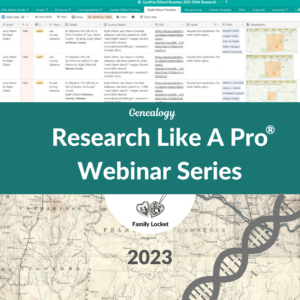
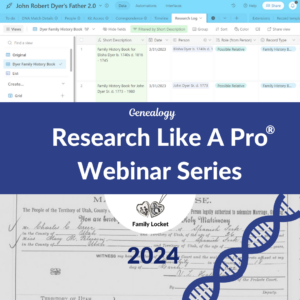
So I, at that time learned about Airtable and I was using it for something else, but then I just thought, well, this would be really helpful for creating a Research Log for my DNA research. If you guys want to try it, there’s a little more information about using it and some screenshots in my blog post about it. So you can go look at that. I’ve linked to it in the show notes. So let me tell you guys about it because it’s super flexible and amazing. It can really do more things than your typical spreadsheet and that’s because it’s part, database and part spreadsheet. So it can really link between the records in your correspondence log and a research log.
Nicole (27m 25s):
And that’s all that database means is that it has records that are linked together. These features really work well for a DNA Research Log. Like I said, I really wanted to be able to have the entries in my correspondence log link to the entries in my Research Log because in my Google sheets log, I had those as two separate sheets. So it’s kind of having to toggle back and forth and they weren’t linked together. So I thought, well, I could just enter this centimorgans information again on the Research Log page, but that’s just kind of duplication of my efforts. And some of the other cool features of AirTable is that you can create different field types. And even one of those field types is an attachment.
Nicole (28m 5s):
So you can have a column in your Research Log for adding screenshots of match pages or auto cluster reports that are uploading other files. And they’re uploaded directly to Airtable, which is hosted in the cloud. It’s a web based program. So it’s kind of nice to be able to put all of those things right into your log within AirTable. The spreadsheet itself is called a base that’s short for database. So within that base, you’ll have several different sheets which are called tables. So I created a base or a Research Log for my John Robert Dyer research project. And then within that, I created two separate tables of correspondence logs and a research log. So I had a bunch of matches and I put them all in my correspondence log in, put in when I contacted them.
Nicole (28m 48s):
But then some of them would get back to me and say, here’s my parents’ names. And I wanted to like expand that tree from their parents to create, you know, a larger pedigree for them and figure out our common ancestor. So what I would do in my AirTable log is keep track of all the searches that I did for each match. And what you can do is link to somebody in your correspondence log in the first column of your Research Log. And then when you click on that entry, you can see all of the centimorgan information and the link to the match page and the shared matches and that kind of thing. So if I ever forget, who am I researching and why do I care? Then I can just open that really quickly and see, oh yeah, they share this many centimorgans.
Nicole (29m 31s):
And I think they’re related on this line, that first column in the correspondence log is the primary field. So when you link to that primary within your Research Log, you just kind of start typing that name because when I start typing the match name in my Research Log, it just pops up. Then I can select that name and review the match information. And then another super helpful feature of AirTable is the ability to take your Research Log and group all the searches in different ways. So I like to group my searches by which DNA match I’m searching for. I can group all of the research I’ve done about John into one section, so I can see I’ve searched for his profile on Facebook.
Nicole (30m 16s):
I have searched for him on LinkedIn. I’ve searched for his family tree. I found his father’s side here. And so I might have several different things. And I used to not really keep track of that, but I was like, you know, I need to keep track of looking for them on Facebook. And if I find one profile page that looks good, I can contact them on there. And it might be more fruitful than contacting them through the Ancestry messaging system. So I’ve been doing a lot better with keeping track of all the different searches that I do for DNA matches. And it’s really helping me make progress and find more connections in my DNA research. If AirTable sounds like something you’re wanting to use, I really encourage you to try it.
Nicole (30m 56s):
It has really helped me a lot. I love it.
Diana (30m 59s):
Thank you for that talk about AirTable. It’s really got me excited to try it. I have not personally tried it yet, but I’ve watched what you’ve been doing and I think I just need to try it. Sometimes these tech things seem a little over your head and you just have to dig in and do it. So how did you go about learning all that?
Nicole (31m 18s):
Yeah. When I’m learning a new technology tool, I’ll just kind of watch some of their tutorials videos and get an idea, but really the thing that works for me the best is just playing with it and just clicking on everything to see what you can do. So I just do that. But one of, like I mentioned, I had already been using it for my work on the SLIG event committee. And so we were using it to organize different marketing things we had done. And so I had kind of gotten a tutorial from somebody else already on it. That’s a really good way to learn so I can give you a tutorial mom, and we can just go through it on zoom. And maybe we should record that for everybody else to watch.
Diana (31m 59s):
They probably would love that because I like to have a tutorial where I can see something. And then on my own screen, I can try it. You know, I have two monitors, so I like to be watching and then I like to be trying. And that’s how I learn how to do new tech things or use new complicated programs the best. So that would be fun. I will have to do that. I’m looking forward to a tutorial.
Nicole (32m 21s):
All right. Well, do you guys have any more comments?
Robin Wirthlin (32m 24s):
I just want to add that I really was impressed with AirTable. I haven’t used it myself, but I was impressed with how it streamlined your work. And that was a lot of feedback that we got with the Research Like a Pro with DNA class, people wanting to not have to duplicate their efforts. So AirTable seems like the perfect solution.
Nicole (32m 44s):
Agreed. It’s not fun to be doing extra work, especially when there’s a lot of work already adding all this new information from DNA sources. All right, everybody tune in next week and we will discuss what to do after you’ve made your amazing log and found a lot of cool connections. And we’ll talk all about writing up your research with DNA.
Diana (33m 3s):
All right, bye bye everyone.
Robin Wirthlin (33m 4s):
Goodbye.
Nicole (33m 8s):
Thank you for listening to Research Like a Pro with Diana Elder, accredited genealogy professional and Nicole Dyer. We hope that something you heard today will help you make progress in your own genealogy research. If you like what you heard, please leave us a review on iTunes or Stitcher or visit our website, FamilyLocket.com to contact us. You can find our book Research Like a Pro a Genealogist’s Guide on Amazon.com and other booksellers. We hope you’ll start now to Research Like a Pro.
Links
Healing and Family History: The Emotional Side of DNA – Robin’s RootsTech 2020 class, available in the RootsTech video archive
DNA Research Logs: How to Keep Track of Genetic Genealogy Searches
Using a Research Log in a DNA Research Project
Airtable – web based program for creating flexible spreadsheets/databases
Airtable DNA Research Log Template by Nicole
Study Group – more information and email list
Research Like a Pro: A Genealogist’s Guide by Diana Elder with Nicole Dyer on Amazon.com
Thank you
Thanks for listening! We hope that you will share your thoughts about our podcast and help us out by doing the following:
Share an honest review on iTunes or Stitcher. You can easily write a review with Stitcher, without creating an account. Just scroll to the bottom of the page and click “write a review.” You simply provide a nickname and an email address that will not be published. We value your feedback and your ratings really help this podcast reach others. If you leave a review, we will read it on the podcast and answer any questions that you bring up in your review. Thank you!
Leave a comment in the comment or question in the comment section below.
Share the episode on Twitter, Facebook, or Pinterest.
Subscribe on iTunes, Stitcher, Google Play, or your favorite podcast app.
Sign up for our newsletter to receive notifications of new episodes.
Check out this list of genealogy podcasts from Feedspot: Top 20 Genealogy Podcasts


Leave a Reply
Thanks for the note!