

Today’s episode of Research Like a Pro is about organizing and keeping track of the names you find on records that don’t fit into your family tree. The friends, associates, and neighbors of your ancestors are important to know and research, but where do you record your findings? Can you add them to your family tree software? We discuss this question and more. Tune in to hear how you can organize your ancestor’s FAN club in using research notes, evidence analysis chronologies, timelines, research logs, Airtable, NameandPlace.com, Legacy Family Tree software, and more.
Transcript
Nicole (1s):
This is Research Like a Pro episode 96, How to Track and Organize the FAN Club. Welcome to Research Like a Pro a Genealogy Podcast about taking your research to the next level, hosted by Nicole Dyer and Diana Elder accredited genealogy professional. Diana and Nicole are the mother-daughter team at FamilyLocket.com and the creators of the Amazon bestselling book, Research Like a Pro a Genealogists Guide. I’m Nicole co-host of the podcast join Diana and me as we discuss how to stay organized, make progress in our research and solve difficult cases.
Nicole (40s):
Let’s go. Hi everyone, and welcome to the show. I’m Nicole Dyer co-host of Research Like a Pro, and I’m here with my mom accredited genealogist, Diana Elder. Hi.
Diana (55s):
Hi, Nicole,
Nicole (56s):
What have you been working on today?
Diana (58s):
Currently I am working on my classes for NGS. We’re excited to find out that the National Genealogical Society conference, which we always call NGS, has gone virtual. We were so curious to see what would happen with the COVID-19 cancellations. And this conference was coming up in may, and we just heard about 10 days ago that it was going virtual, which is kind of exciting because now everyone in the world who wants to attend can, and you don’t have to worry about traveling to Salt Lake City and getting a hotel and all of the costs involved. You can just come to the conference. So I’m doing three classes for that.
Diana (1m 39s):
One of them is called the Dynamic Duo for Locality Research: the FamilySearch Catalog and Research Wiki. And that will be so fun. I love using the catalog and Wiki. And then I have two classes that I haven’t really done a lot of teaching before. And one of those is called Navigating the Unique Texas Land Grant System. I’ve done tons of research in Texas, but never developed a presentation, so I’m excited to do that. And the same for my other one, which is titled Settlers of Indian Territory: Discovering their Stories in this Unique Place and Time. And I have so many ancestors that were in Indian territory that would become Oklahoma.
Diana (2m 20s):
So that presentation is going to be just full of great information about how to research there and some of the records and the history. So I’ve been having fun developing presentations, and I know you’re doing a couple of the, how are those coming?
Nicole (2m 35s):
Great, I just outlined the PowerPoint for my tech tools class. It’s going to be called Tech Tools for Diagramming Complex Relationships in Cluster and DNA research. So I’m going to be talking about Lucidchart and MindMup, and some of the other tools that we use to map out how people are related to each other, when you don’t want to see everything in a family tree, you just really want to hone in on the exact people that you’re trying to fit into the family. So it really helps you visualize to have a diagramming tool. And then my other class is called Transcribe and Take Note: Using Docs, Sheets, and Keep for Data Collection.
Nicole (3m 18s):
And those are all Google products. So I’m excited to talk about that. The fun thing about these classes is that they are going to be available to you after the conference on demand in either video or audio format. In the past, NGS has made all of their lectures available so you can purchase a package and have all the audio, and then they would just have a couple available for video with the slides. But this time it looks like all of the on-demand classes will have the slides and the video associated with it, which will be great.
Diana (3m 54s):
Yeah, it will. I like listening to the audio, but there are some times when I just want to see the slide, what the presenters talking about, especially if they’re showing an example of a document or a website, I think it’s really fun that they’re going to do this. So registration closes on May 15th. So if you haven’t done that yet, you can hurry and register. And if you were already registered to attend the event in Salt Lake City, they’re automatically transferring your registration and you probably already received an email about that. So you can just Google NGS or National Genealogical Society and see what options there are to register for the conference.
Diana (4m 37s):
But this is really a great opportunity just to experience a little bit about NGS. It’s May 20th. They are having a special day where you get to watch live-streamed lectures all day long. And some of our favorite speakers are going to be part of that: Tom Jones, and Judy Russell, Elizabeth Shown Mills, and Blaine Bettinger. And we’ve probably talked about all of their writings and their materials before on the podcast, but they always do wonderful presentations. So it would be worth it if you only do NGS 2020 live is what they’re calling it. And they’re also going to do an online chat during those sessions and a short Q and A after.
Diana (5m 17s):
So I’m really curious to see how that’s going to all work this very first virtual conference. If you’re needing a little boost in genealogy, something fun to do that NGS this year would be a great thing to do.
Nicole (5m 31s):
Yes. So they’re breaking it up into kind of two different things. They have the NGS 2020 live on May 20th, and that’s from 11:00 AM to 7:00 PM Eastern time. Then you get to also choose streaming access to up to 45 on-demand audio/video sessions. So the on demand sessions, which include ours, those are not available until July 1st. And you have access to those from July 1st, 2020 through May, 2021. And you also get an electronic copy of the conference syllabus. They also have a couple other packages. So they also have one that includes even more, which is the works package and includes everything in the full package plus an additional 25 audio video sessions and a USB with 45 audio recordings.
Nicole (6m 17s):
And then there’s the light package. And that includes registration for the live day on May 20th. And then it includes the electronic copy of the syllabus and only 10 of the on-demand sessions. So that’s how they’re working it out with going virtual. So take a look and we really recommend that you go, we’ve loved NGS because it’s been really helpful to hear from all these experts in the field. Also, we just wanted to share that we’ll be participating in the virtual exhibitor hall. We will have special deals on our e-course and our products. So stay tuned. We’ll talk about that more in our next podcast episode.
Diana (6m 51s):
Well, let’s get going on our topic for the day, which is more about the FAN Club. In episode 95, we talked all about the FAN Club, what it is, how you can use it in your family history research. And we did the case study of the John E Jones family. It’s great to talk about the FAN Club and how we do this, but you can end up with a lot of different people that you are researching. Do you put them in your family tree? Do you put them in a spreadsheet? What do you do? And so we thought today we would talk about some real specifics about how to use the tools that we have. Now we have these great tech tools that we can use to organize our genealogy, and sometimes we just need some good tips.
Diana (7m 32s):
So that’s what we’re hoping to talk about today and give you some ideas.
Nicole (7m 36s):
All right, great. The FAN Club, the friends, family associates, and neighbors can be found at several points during the Research Like a Pr process. Let’s talk about in the very beginning of a research project, when you’re gathering all your documents together, you’re reviewing everything that you know about the ancestor or the research subject, and you’re kind of putting it in chronological order and a timeline. They’re also doing an evidence analysis and seeing if you have primary information, do you have direct evidence, original resources? So you’re looking at that evidence. This is a good time to extract every single clue out of your records and sources as you analyze this evidence and each name that you draw out of these records and putting your timeline or your chronology can be used as evidence in the future.
Nicole (8m 21s):
So it’s good to really pull out every name and every witness, and every bondsman, and all the FANs that you can find during the timeline and analysis step. What I usually do is, as I’m building my timeline, I have several columns. So I have the event, and then I have the date, then the place, and the citation or the source for that information for that event came from, I put the URL if it’s an online source, and then I have a notes and a comments field. So in the notes and the comments fields is where I usually will put the names of the FAN Club people that I find, so if it’s a church record that shows evidence of a birth and there’s witnesses or godparents, I’ll put their names right there in that column, in the timeline. And then sometimes I’ll put a comment in the next column that says, who is this person?
Nicole (9m 6s):
I need to trace them. So in the timeline, I kind of put these ideas or questions, comments about the evidence that I’m finding with ideas of what to do. And then when I get to my research planning phase, I can go back and look at my timeline and I kind of incorporate some of those ideas and FAN Club notes and go from there. Diana, what do you do with the FAN Club, people in your timeline step?
Diana (9m 26s):
Well, it kind of the same thing you do, put them in the comments and results section. Often I will highlight them in red are in bold, just so that I don’t forget about them because it can be easy when you’re just looking at that spreadsheet to skip over things. But if they’re highlighted and I’ll remember that I wanted to work on them, another good thing to do when you’re doing your timeline is to keep a little separate section in your project document with just some thoughts and ideas that you’ve gathered. So let’s say you’re going back and you’re looking at a will and you have two or three witnesses there. You can just make yourself a note in a section called questions arising from the timeline, you know, whatever you want to call it, and bullet point those and say, who are these people who witnessed the will?
Diana (10m 16s):
Maybe this would be a good avenue for future research. Often we have these thoughts, but we don’t record them. And then when we come to our research planning, we kind of stopped, I think, wait, what was I thinking? I know I had a good idea. So if we can just record that right, as we’re going through that timeline analysis process that can give us some really good refreshing when we need it.
Nicole (10m 37s):
That’s a really good point to keep track of those ideas. The chronology is another tool that I’ve used in the past at this stage of the research. What, in a place of a timeline, you know, you could, a chronological document that reviews each source, and it gives you more space to write an analysis than a cell in a spreadsheet does. So when you’re going through that chronology and listing out all the different census records and things that you have found your person on, that’s a really good time to list out the FAN Club there and go through the census neighbors. I like to go a page before and a page after I don’t always put every single name, but you could, you could just extract out three pages of names. It depends on the census record. I mean, those early ones where it’s just one page of all the head of households, maybe I would just focus on that page, but I do look around for any surnames that stand out, and I do make a list of the closest neighbors if the list is not alphabetized.
Nicole (11m 29s):
So I like putting that in the chronology too.
Diana (11m 31s):
I think a chronology is a good tool to make us look at our information in a little bit different way. Like you said, it’s a little bit more involved and you can put a little bit more in it. So if you’re really on a hard problem in your stack, maybe you’ve done the timeline analysis and you still feel a little stuck. You might want to try a chronology. It’s just a different way of looking at your information. And sometimes that’s what we need a different perspective. The next step of the Research Like a Pro process after you’ve reviewed all of your past information is to do some work on the locality. This is where you can take a look at those friends, associates and neighbors, your FAN Club. Perhaps you have noticed that these same men are in your ancestors county, in Texas, and then you see they could have been in the same county as him in Mississippi.
Diana (12m 24s):
So maybe there’s some clues to locality that could come about through the FAN Club that you hadn’t thought of before. So keep that in mind. And then as you’re doing your research planning, taking everything that you’ve learned from your locality research and all of your ideas from your timeline, you can set up a plan and that plan could very well include researching the FAN Club. You’ll want to be specific. You probably wouldn’t want to say research the FAN Club as number one, you’d be more specific. You’d say research, John Smith, look for him on the censuses or look for all the people in the county with this surname, make it a more specific type of a search for each part of your research plan.
Diana (13m 9s):
But it’s really good to include the FAN Club in your research planning. And then you’re going to go ahead and do the research. This is where having some really good tools to record what you find is key. So, Nicole, how do you like to do that? What do you use for your research log?
Nicole (13m 28s):
Well, I’ve been starting to use AirTable more. So I’m going to talk about that. I also use Google sheets and Excel quite a bit. It’s good to have a spreadsheet or a database tool that you can put in a lot of information. So let’s talk about the basic columns that I use in a research log, the date, the repository, or website URL, what I’m searching for like a marriage record, cemetery record, et cetera, locality, the source citation, and then the results. So in the results column, that’s where I’ll typically put the census data for our household and the focus has to be on neighbors there. And sometimes I even add another column right next to the results column with more notes. So I can put the FAN Club there, or just additional information that I’m thinking about.
Nicole (14m 10s):
One tip that I want to share when you’re putting a lot of information in Excel or Google sheet cell, it’s important to be able to add line breaks, I think. So usually if you are in a cell typing and you press enter, then it will just take you to the next cell below it, which you don’t want. To add a line break within that cell, just use the keyboard shortcuts. So for Google sheets, the keyboard shortcut is Control-Enter. For Excel the keyboard shortcut is Alt Enter. And then for a Mac, I believe it’s a combination of Command and Control Enter, but you’d have to check. I don’t use a Mac anymore. When you are able to add those line breaks, you can add a little bit more information to your spreadsheet, and if you’re not wanting to do that, then I just recommend taking notes in your research project document in the notes and analysis section.
Nicole (15m 3s):
So that’s one way to take note of all the people that you find on these records.
Diana (15m 8s):
I think that’s a really good thing as you’re looking at documents for the first time, because let’s say you haven’t really researched an ancestor very much. And so you’re looking at census and probate and land. This is where you’re discovering the FAN Club, right? And so it might be your second iteration of that project where you actually start researching those people in the FAN Club. And what I like to do is not start a new research log, I like to continue with that same research log, but then I just add an extra page to that spreadsheet. So at the bottom of your spreadsheet, you’ll see a little plus. And if you click on that, it opens up a new page. It’s all within the same spreadsheet. It’s just another page.
Diana (15m 50s):
And I will often have a page for each of the people I’m researching as part of the FAN Club. So let’s say I’ve discovered a John Smith who is very key in my ancestors’ life. He just seems to be showing up everywhere. I might want to start an entire page of the research log just for John Smith. And then I could put in every entry that he appears in and then start doing some research on him. Who is he? Where is he in the census in all the different years of his life? Is he on Find A Grave? Is there just an Ancestry tree that tells all about him? So I like to use those multiple pages in a spreadsheet that has worked really, really well.
Nicole (16m 33s):
That’s a really good tip. In fact, I just did that with our last Study Group project. I had found all the marriages for the Doherty family in Warren county, Kentucky. And then as I was writing the report, I decided I wanted to do another phase of research. And so I started trying to figure out who these marriages were for because there were two Doherty families. So at that point I started another tab in my spreadsheet and I started separating out the marriages into the two families. So the main family that I was looking for were the marriages of Robert Doherty’s children. And then the second tab or the second sheet in my spreadsheet, I separated out his brother, Daniel Doherty’s family and all of his children’s marriages. And I did this by correlating a lot of different records, published family trees online, and other records like Find A Grave and later census records, but I was able to correlate all of that and make notes and separate them out into two different spreadsheets.
Nicole (17m 27s):
Of course I needed to know all of these people because they are part of the FAN Club and their information is useful, but I wanted to keep them in different places.
Diana (17m 36s):
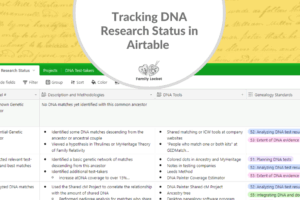
I think the only thing that really hinders us in this whole process is our lack of creativity. You know, sometimes when we think outside of the box and we start thinking of different ways to group people and add the information really helps us in our research, but we may be kind of stuck in our ways thinking there’s just one way to do it. So I love, love, love, hearing new ideas, and I’ve especially loved how you have been discovering how to use AirTable and teaching me a little bit about that. We’ve been using it a little bit for DNA, but do you think it would work well for the FAN Club?
Nicole (18m 11s):
Yes, I do actually. I’ve been experimenting with it a little bit and I think it’s perfect. AirTable is like a spreadsheet, but it also allows you to link records within the spreadsheet from sheet to sheet. So like I was saying, I had those two sheets, one for Robert Dougherty and one for Daniel Doherty. But what I’ve been working on making is an AirTable spreadsheet that has a page or a table just for all the FAN Club members. So you would have like your main research log on one table and then another tab, which has your table for the FAN Club. And so you could have an entry in your log that is for a deed and maybe there’s five different people mentioned in the deed, neighbors and witnesses. So each of those people you’d want to list as a separate row in your FAN Club table.
Nicole (18m 56s):
And then you would link back to that one record of that deed on the research log. So it would really help you to be able to see all of the FAN Club members in one table and be able to easily get back to the record you found them on. So let’s just kind of taking the research log and a spreadsheet to the next level, by having additional capabilities for seeing patterns and connections. So all the FAN Club members would be in one place every time that they’re mentioned they would get another row. So then you could potentially see patterns for like, oh, this person was found on five records. They must be a very important part of the FAN Club. Maybe then you would focus your research on that person in the next phase of your research. That’s just one way that you could use AirTable.
Nicole (19m 37s):
And I’m going to share the FAN Club Research Log Template that I’ve been playing with in the show notes so that everyone can try it out. And I found that AirTable is pretty intuitive, but there are a few things that maybe are tricky. So if you just watch one of their beginner videos for how to use it, that can be helpful. I need to teach a little class or a video about this, hopefully for RootsTech or something.
Diana (20m 1s):
You should actually, you should just do a little YouTube video and then it could just be available for everybody. Because I think we’re always trying to find a better way to look at our research. I’m really actually kind of excited about using AirTable to track that FAN Club. Some projects can get really involved, especially when you are working primarily with things like deeds and land records and court records, they get so complicated and you can lose track of people. So, great idea. Let’s talk about what else we can do. We want to make good research notes as we’re going, because as I said before, we are looking at these records and we’re having these thoughts and we’re doing some analysis in our head.
Diana (20m 46s):
And then if we put that project away and come back to it the next week, we might forget all the things we thought of. So a really good research practice is to write our notes and analysis as we are researching. And in our research project document is what we call it. We have a place for findings and analysis, and it gives you a little bit more real there than in your comments and results section of your research logs. So if you want to expand and really be writing a little bit more, you could certainly do that. You know, let’s say you’re looking at a deed and you want to write a little paragraph about it, and you could include all the names of the fans in those notes and do a little transcription.
Diana (21m 29s):
Now, one of the things to be really careful about when we transcribe is to spell those names exactly as they are, even though we know they can be miswritten, we want to abstract every Name and we want to even include the clerks and the Justices of the Peace, because sometimes that can become helpful. As we’re analyzing these records, I’ve seen instances where the clerk changed and all of a sudden the handwriting changed and the way the clerk recorded the information changed. And that became key in understanding the records and what things were being reported. So you may think that some of that information is not pertinent to your research case, but when I do a transcription of a record, I’d just do the whole thing, every single detail, because once you’ve done it, you’ve got it.
Diana (22m 22s):
And that can go into your research notes. Another thing you can do with that is if you’re using Google sheets and Google docs, you can create your transcription in a Google doc. And then just put the link to that in your research log. And I do that for lengthy files and documents. So really, really good to take your notes as you are going, then when you’re writing your report, you’re all set. You’ve got your notes either from your research log or your project document notes, and you can write up your report. One of the things that I’ve done is to make a table of all the FAN Club people.
Diana (23m 2s):
And I will often put that in the appendix so that I can see all the names in one place and I’ll have a column for the date, a column for the name, column for the locality, and then a column for details, whatever information I want it to record. And then of course I’d have the source citations that would show me exactly where that person was mentioned in the source. Sometimes those can be kind of lengthy. I remember one client project I did where it was so difficult that I literally took everybody in the census on the page before the page and the page after and put them in a table and tried to correlate it. So that was kind of long for report. So it went in the appendix. So Nicole, have you done that before?
Nicole (23m 44s):
Yes. I had the same thing where there were a lot of names in the FAN Club. So I ended up putting a little appendix in the report with all of the FAN Club people and which documents they were found on because I was using a lot of tax lists and they were really helpful. So I just really wanted to include all of that. But within the actual body of the report, it was kind of too much, but you know what I did during that report to organize it, I had a document folder for taxes and folder for censuses, and then I saved all the images of the documents. And then I had another, that was just the transcription of all of their names. And I would go through those documents and use the Control F feature to find names that I seem to remember and other places.
Nicole (24m 24s):
And I started to notice patterns so that I could separate them out into different men because I was going through so many censuses. There were like eight different Johns. So I had eight different 1800 census records for different Johns. And so I was trying to correlate that with the tax list and draw connections between them having them in separate documents was okay, cause I could use Control Find, but I think having them all in a spreadsheet would be even better because I could group them and manipulate them better. There’s a lot of different ways to do it. I personally am starting to think that the next time you have a big project like that, I’ll want to put them all into AirTable or a spreadsheet.
Diana (25m 0s):
I agree. Often when I’m doing something like that, they will start to sort themselves out and then I can copy and paste their entry from one page of the research log into another page. You know, this is John Smith in this county, oh, let’s take this record and put it with him. You know, after a while you start to figure them out and then you can just manipulate and move them around to where they line up.
Nicole (25m 22s):
That is what we do as we correlate.
Diana (25m 25s):
Yes, it is.
Nicole (25m 26s):
Let’s talk about family tree programs, because typically as genealogists, that’s how we organize all the data. We find, we find a birthday, we put it in our family tree program and we link it all up to our family. So this is a difficult thing then with these FAN Club members, because we find their names, we don’t really know much about them or how they relate to our person of interest. So it’s hard to add them into our family tree. And that’s where our listener had the question, because she said she uses Ancestry trees to organize her research, but she doesn’t know what to do with these FAN Club people that she’s finding. And you’ve kind of answered it with, you know, research notes and logs and reports, but let’s talk now about some other ways to organize it with Ancestry trees or whatever family tree program that you like to use.
Nicole (26m 14s):
You can absolutely add a person from the FAN Club into your family tree program. You may find that they will eventually be able to link into the family because they did marry into the family at some point. But in the meantime, you can add them as an unlinked individual. We do that all the time with DNA research, with a master family tree. And then we add in the matches before we know how they’re related and build their tree back, hoping to find a common ancestor while we can do a similar type of approach with these FAN Club members where we add them as an unlinked individual or a floating branch. And then we kind of build out their family a little bit and hopefully link them up.
Nicole (26m 54s):
I found a really great article by Michelle Simmons Lewis. She’s a certified genealogist who writes for Legacy News blog that goes with the Legacy software. And she gives tips about how to use the Legacy software and this particular blog post, which I will link to in the show notes is called Tuesday’s Tip: Known Associates. And she gives a really great methodology for adding the FAN Club into your Legacy tree. And I think this can apply to an Ancestry tree as well. What she says is that you can add the FAN Club person as an individual, and then in Legacy, you can link people through common records that they’re both on.
Nicole (27m 36s):
So that’s something special that Legacy software does. And I don’t think that you can do that in Ancestry, but I really liked that tip. I thought that was really cool. Another thing that Legacy allows you to do is add custom tags. So you could add a hashtag for FAN Club of so-and-so and then apply that to the unlinked individuals that you’re adding who are in the FAN Club. The Ancestry trees does allow you to add custom tags. They’re called my tree tags. So you can add tree tags to unlinked individuals that you’ve added as a FAN Club member. And then if you want to find all the FAN Club members of John Johnson, then you can just go to your search function within your tree. And you can do a search for everybody with that tag that you’ve created, FAN Club of John Johnson.
Nicole (28m 21s):
So if you really like just putting everything into your family tree program, those are some tips for you and make sure you check out Michelle’s wonderful article at Legacy News called Known Associates.
Diana (28m 32s):
I am just looking at the article right now and I, I’m kind of excited about this idea. This is so fun. I don’t use Legacy. I recently switched over to Family Tree Maker because it syncs with my Ancestry tree. So I’m really curious to see if I start using the custom tags on my tree tags, that those translate to Family Tree Maker. So anyone listening, if you’ve done that you should send us an email, let us know, but let’s talk about some visualization tools that we can use with our FAN Club. Things like mind mapping software or Lucidchart. Sometimes I like to draw things out as you’ve heard me say before, I’ll get out my big whiteboard. If you are using a big whiteboard to draw out the FAN Club and maybe doing a brainstorming mind map thing, I highly recommend after you’ve drawn it all out to take a picture of it and say that in your research notes, because you don’t want to lose that.
Diana (29m 24s):
Let’s just talk about Lucidchart. As our example, you could have your ancestor and then you could have a list of his records. Let’s go back to that deed. You could have a separate box coming down from that date, with all the different people mentioned in it, and then have a little box for those different people within that box. You could mention other places that they are all listed. You know, you could say you’ve got John Smith. He’s also on the 1830 census and the 1840 census in this county with my ancestor. He’s also listed in a court record could I’m thinking that might be really, really helpful.
Diana (30m 6s):
The nice thing about drawing it out is you can save that right in your ancestor’s folder. You know, like I have a research folder for each ancestor and it has all the reports I’ve done. It has all the documents, timelines, research logs, and you could save your mind map or your Lucidchart right there so that when you open it up, it gives you a really nice reminder of all the FAN Club in a way that you can see it really easily and make connections.
Nicole (30m 34s):
That is great. You know, I used a mind map for a really difficult case that I was using the FAN Club for back in Virginia in the early 1700s. And it was so helpful to be able to just plot it out. It was one of those relationships where it’s a step grandmother’s family and then they’re related through this other way. So you’re have lots of lines connecting people. It’s not that easy to draw that out in a family tree. So building the mind map, or the diagram, showing all the relationships with the people and the wills and the probate records and the land records really helped me find the connection that gave me a new research avenue to pursue, because before we had just no idea where this guy came from, but after looking really closely at his friend that he mentioned in his will, I was able to trace back to a family connection there and I had to really diagram that out to see it.
Nicole (31m 31s):
Another thing I forgot to mention with your family tree program is that you can add notes into an individual’s profile. So that’s another way to keep track of the FAN Club there, is just by copying and pasting your notes from your research log into the notes section.
Diana (31m 46s):
That’s a good idea. And before I started doing professional research, I would create summaries of my research and put those in the notes section. And I still go back and use those for research that I did years ago, where I haven’t done a formal research report. My summary is really helpful to remember how I made all those connections.
Nicole (32m 4s):
The last thing I want to mention here is a new tool that we learned about at RootsTech, it’s called Name and Place. What it is, is a tool to keep track of all the data and information and names that you find when you’re doing a one name study or a one place study. You might also be doing a local history project where you’re finding all the people who lived in the same town. This is another way that you might want to consider organizing your FAN Club. Especially if you’re doing something like this, where you’re really going deep and you’re organizing a whole community of people who are all interrelated. It’s not a family tree builder, but it has a lot of similar type of features of a family tree builder, where you can add a profile for a person. You add a source, you add a record, you add the places and it lets you see the connections between people.
Nicole (32m 48s):
It’s really just a database tool for local history studies. So check it out, If you are thinking that’s interested. The creators of Name and Place are based in the United Kingdom in England. And so their focus is mostly on places within the British Isles, I think, but I created one just to practice for Kentucky and I think it’ll work just fine for whatever place you need. And it’s still pretty new. So if you see a feature that you want to add, you can still probably ask them to include that in the future, but you can add all kinds of things, occupations, all kinds of names of people, and then you can group them in different ways, not sources and add all the people mentioned in the source.
Nicole (33m 30s):
So if you’re doing something more in-depth, check it out.
Diana (33m 34s):
Yeah. I think that this could be very helpful if you’re working in a little village in any of the European countries where everyone is related and you’re really trying to sort people out well. And even in several of our United States locations where everyone is related. So yeah, I agree that would be fun to try it out Name and Place. The developers were in the booth right next to us at RootsTech so we got to spend some time looking at their information and talking to them. And I was really impressed with what they had to show for their products while we have certainly given a lot of fun ideas for the FAN Club today. So I’m excited to do another research project and try out some of the new things we talked about
Nicole (34m 16s):
Me too. Well, thanks for going over all of this with me. I’ll put everything we talked about in the show notes. So if there’s a link or something you’re looking for, just look in the blog post for this or the show notes of your podcast app, and you can find all the links there. So have a great week and we hope that we’ll be able to sign up for NGS and do some research with the FAN Club. And we will talk to you guys again later. Bye-bye
Diana (34m 39s):
All right. Bye. Bye everyone.
Nicole (34m 43s):
Thank you for listening. We hope that something you heard today will help you make progress in your research. If you want to learn more, purchase our book Research Like a Pro a Genealogist Guide on Amazon.com and other booksellers. You can also register for our Research Like a Pro online course or join our next Study Group. Learn more at FamilyLocket.com. To share your progress and ask questions join our private Facebook group by sending us your book receipt or joining our eCourse or Study Group. If you like what you heard and would like to support this podcast, please subscribe, rate, and review. We hope you’ll start now to Research Like a Pro.
Links
National Genealogical Society Conference (NGS)
Elizabeth Shown Mills, QuickSheet: The Historical Biographer’s Guide to Cluster Research (The FAN Principle) (Baltimore: Genealogical Publishing Co., 2012). This is an affiliate link to Amazon.
Airtable FAN Club Research Log Template – created by Nicole
Video about How to use the Airtable FAN Club Research Log Template – by Nicole at YouTube
Michele Simmons Lewis, “Tuesday’s Tip – Known Associates,” 12 February 2019, Legacy News (http://news.legacyfamilytree.com : accessed 28 April 2020).
Name and Place – cloud based database tool for organizing one-name, one-place, and local history studies
Study Group – more information and email list
Research Like a Pro: A Genealogist’s Guide by Diana Elder with Nicole Dyer on Amazon.com
Thank you
Thanks for listening! We hope that you will share your thoughts about our podcast and help us out by doing the following:
Share an honest review on iTunes or Stitcher. You can easily write a review with Stitcher, without creating an account. Just scroll to the bottom of the page and click “write a review.” You simply provide a nickname and an email address that will not be published. We value your feedback and your ratings really help this podcast reach others. If you leave a review, we will read it on the podcast and answer any questions that you bring up in your review. Thank you!
Leave a comment in the comment or question in the comment section below.
Share the episode on Twitter, Facebook, or Pinterest.
Subscribe on iTunes, Stitcher, Google Play, or your favorite podcast app.
Sign up for our newsletter to receive notifications of new episodes.
Check out this list of genealogy podcasts from Feedspot: Top 20 Genealogy Podcasts



6 Comments
Leave your reply.