
FamilySearch introduced a new tool at RootsTech 2026 called “Simple Search.” The webpage entices us with the statement: “Search billions of full-text images using everyday phrases-no search form required.”
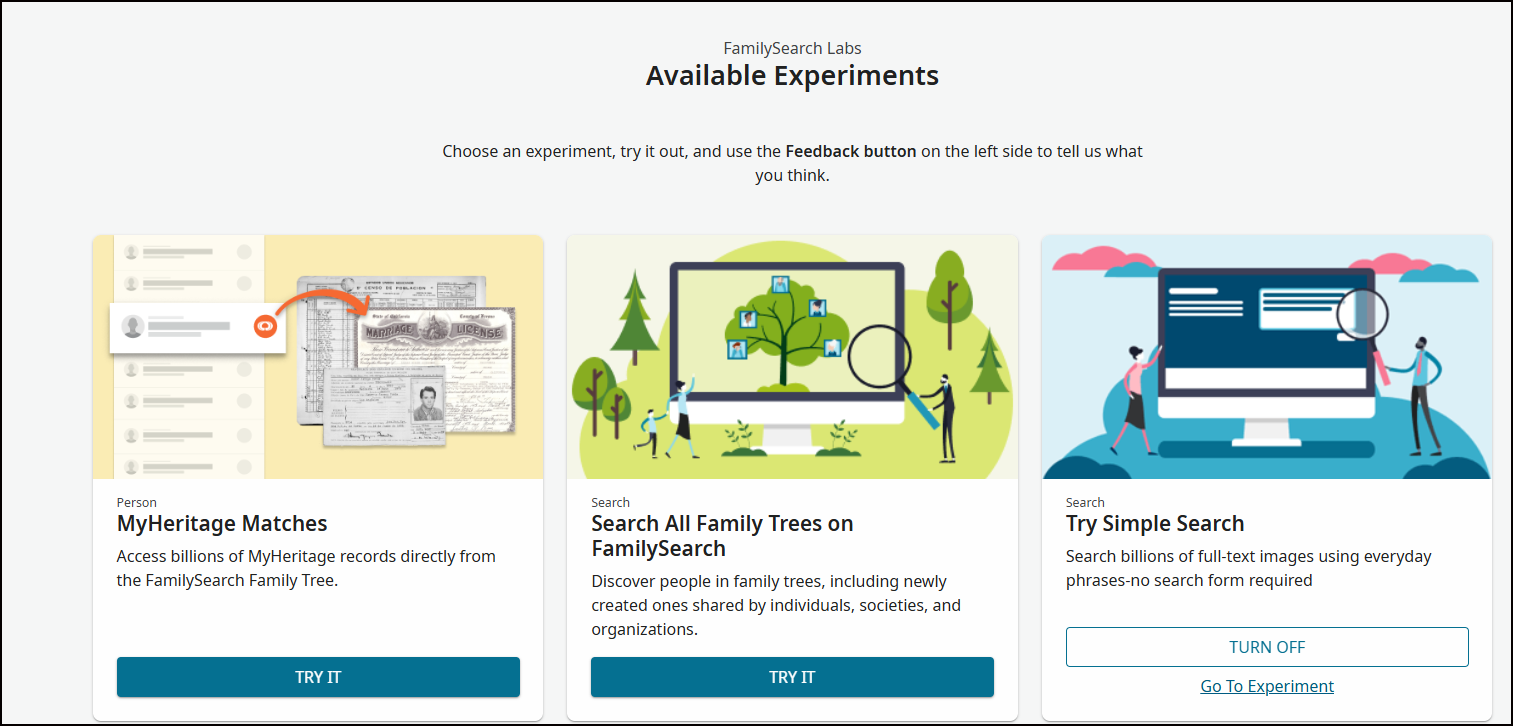
Find Simple Search from the home page of FamilySearch under FamilySearch Labs > View Experiments. If you’ve never visited the FamilySearch Labs page, you’ll see several experiments that are in testing phases. The screenshot below shows three of the eight experiments currently in the labs. When you click on one of the experiments, you’ll be taken to that webpage and can try out the features. I’ve already clicked “Try Simple Search,” so it no longer shows the “Try It” button.
In the Simple Search experiment, I see that this is an extension of FamilySearch’s full-text search feature. However, instead of having to use specific search terms and filters, we can now type or say what we’re looking for using natural language. I’ve been using full-text search for quite some time and was curious about how this experience would differ, so I tried some experiments, because after all, this is an experiment! I like to use my dad, Bobby Gene Shults, as a test case because his name is fairly unique and he lived in a variety of places. I was curious to see if the artificial intelligence powering Simple Search could find correct references for him.
Researching Bobby Gene Shults
I started by searching for Bobby Gene Shults with a very simple query. I tried using the speech-to-text feature, but found it didn’t quite get the information recorded correctly, and I couldn’t edit the text. Instead, I typed a simple query.
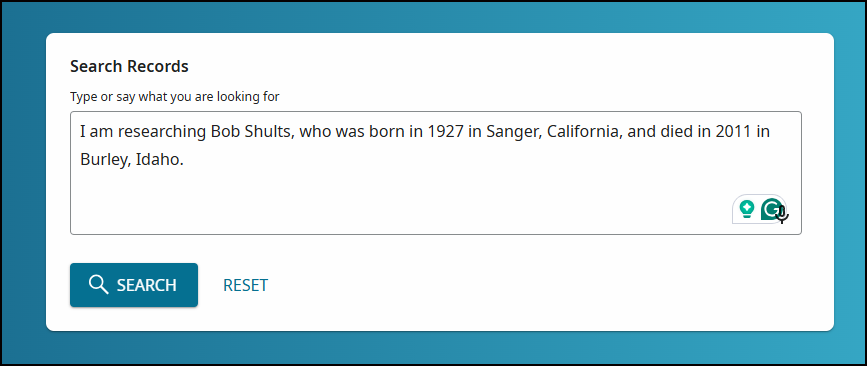
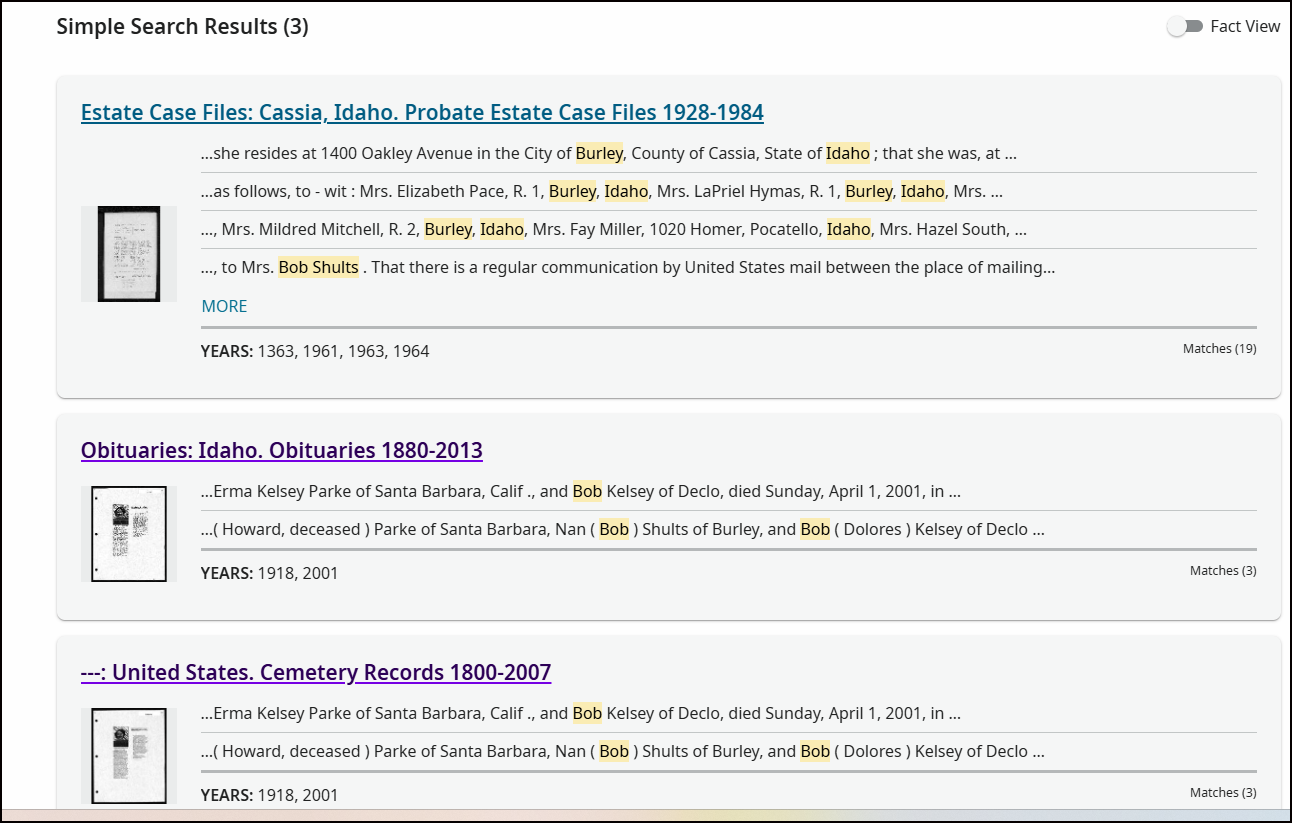
That’s it – basic name, birth, and death information. Within a few seconds, Simple Search returned three results, all of which were correct: a probate file mentioning my mother, Mrs. Bob Shults; an obituary; and a cemetery record, all about my aunt’s death. Notice that the search terms for Burley, Idaho, Bob, and Shults are all highlighted. There are many more records, though, that could be found for my dad.
Next, I tried a search just for my dad’s full name, “Bobby Gene Shults,” with no dates or places. It’s a pretty unique name, and it returned 154 results across 8 pages. The first two pages included correct hits:
- Probate file for my grandfather, Edward R. Kelsey
- Probate records for my grandmother, Florence Kelsey,
- Bob’s obituary
- Muster rolls from his service in the Navy during World War II
- Deeds in Idaho and California
- A marriage affidavit and certificate
The next six pages picked up a Bobby Shults of Newport, Tennessee, a Bobby Lee Shults of St Louis, Missouri, a Bobby Shults of Navarro, Texas, a Bobby Afton Shults, also in the Navy, and some additional records for my dad in Cassia County, Idaho, and Fresno, California.
- A fee book record in 1944 for his birth certificate
- Deeds in Idaho
- Marriage license
Having all of these hits for Bobby Shults in one place helped me quickly sort them into unique identities. This could be very helpful if you are working with same-named indiviuals. It could also be overwhelming if the name is too common! However, once you have results, you can filter by collection, year, place, and record type. I was interested in the Navy records, and when I filtered by place, I saw a nice breakdown. I could focus on just the 11 records from Pearl Harbor.
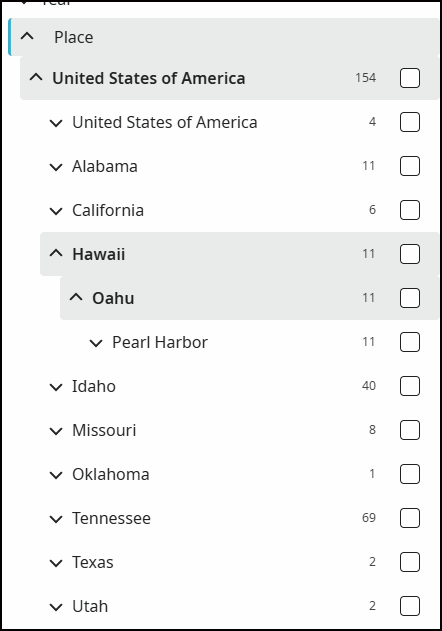
Looking at the 11 records, I saw clearly that the first five muster rolls were for Bobby Gene Shults and the next six were for Bobby Afton Shults. None of these muster rolls had been attached to my dad’s sources page on FamilySearch Family Tree.
Opening the first muster roll, I found Bob listed in a “Report of Changes (Patients) of U.S. Naval Hospital, Norman, Oklahoma.”1 The record didn’t mention why he was in the hospital, but reviewing his history, I found a short excerpt that talked of his illness.
Early in 1945 I joined the Navy before my eighteenth birthday. Boot camp was in Memphis, Tennessee. I went to Aviation Machinist School at Norman, Oklahoma – the last three weeks of school, I got scarlet fever and spent three weeks in the hospital.
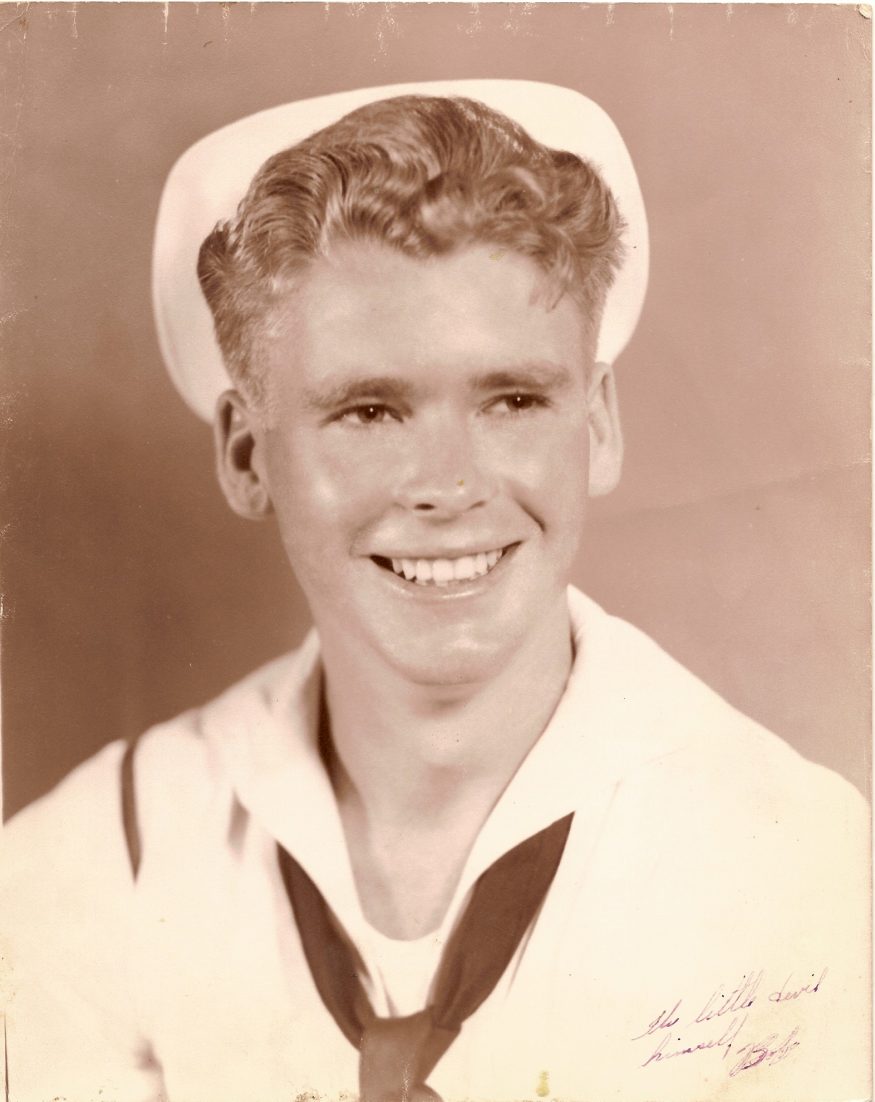
Bob in Navy uniform 1945
I found another history I wrote, based on Bob’s stories, that mentions this incident.
Bob entered active service on 27 April 1945 and was sent to boot camp at the Naval Recruit Training Unit in Memphis, Tennessee for six weeks, then on to Norman, Oklahoma for training at the Naval Air Technical Training Center. Toward the end of his training as an aviation machinist, he contracted scarlet fever and spent three weeks in the hospital. He told of receiving 52 shots of penicillin in the rump over a week’s time.
Armed with these five muster rolls, I can add to his history. They detail the ships he served on, any transfers between ships, and his time in the hospital.
Tips for Simple Search
- Experiment with different search terms and spelling variations
- Start broad, then use the filters to narrow the results
- Search by the ancestor’s associates
- Realize that the search isn’t exhaustive. The AI may not be able to read all the text of a record so it won’t pick it up
- Use the search results to identify people of the same name
Best of luck in all your genealogical research!
Sources
- “Muster Rolls of U.S. Navy Ships, Stations, and Other Naval Activities,” digital image, FamilySearch (https://www.familysearch.org/ark:/61903/3:1:3QHN-2QTF-38K4-Q : accessed 18 Aprill 2026), entry for Bobby Gene Shults, service no. 379 66 47, S1c; “Report of Changes (Patients),” U.S. Naval Hospital, Norman, Oklahoma, for the month ending 1 February 1946, page 60, line 27; Image Group Number 114285905, image 1307 of 1,587; Archival Reference Number 594996_191161554.”










2 Comments
Leave your reply.