
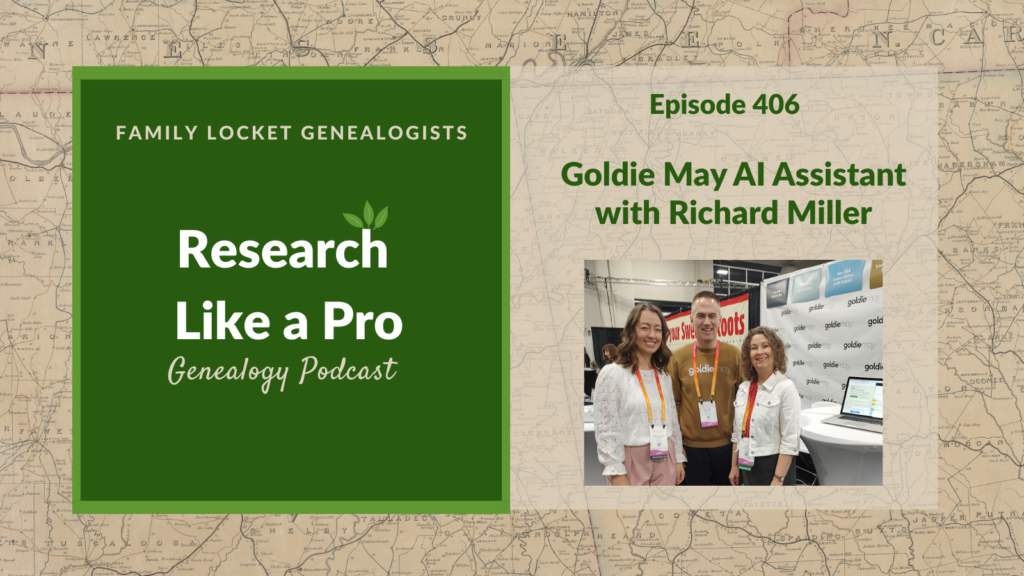
This episode features guest Richard Miller, who discusses the Goldie May AI assistant. Richard explains the AI assistant was added to provide genealogists with an injection of brain power when they feel stuck on a family line. He says the tool helps users find answers by proposing different thinking options. They discuss how the tool assists with core research tasks. The AI assistant helps with research objectives by reviewing sources for gaps and performing pedigree analysis. It connects via Tree Crossing to tree programs like Rootsmagic and Legacy, allowing users to ask the AI assistant about their tree data. For building a timeline, Goldie May generates a “subway map” timeline showing the approximate progression of a person’s life over time, incorporating data and historical context from FamilySearch, which the AI assistant can then reason over.
The hosts discuss the AI assistant’s role in documentation and planning. The AI assistant generates citations approximating Evidence Explained and can create custom citations in any style from pasted content or screenshots. Since Goldie May is a browser extension, this allows the AI assistant to read a webpage, write a citation and description, and attach the source to FamilySearch. For locality research, users can send screenshots of records or wiki pages to Goldie May, which provides context for the AI chat. The AI accesses the Goldie May Catalog, a listing of collections across major and minor genealogy sites, and suggests records to search. The discussion covers transcription, where the AI assistant uses Gemini 3 to transcribe images added to the research log. For research logging, the AI analyzes automatically logged links and data to create reports, summarize projects, and summarize where the user left off. Finally, Richard shares how the AI assists with writing; she prompted the model to review sources and memories about an ancestor to generate a historically accurate story at a 4th-grade level. Listeners learn how to use the Goldie May AI assistant to streamline tedious tasks, improve documentation, and efficiently generate family narratives.
This summary was generated by Google Gemini.
Transcript
Nicole (3s):
This is Research Like a Pro, episode 406: Goldie May’s New AI Tool with Richard Miller. Welcome to Research Like a Pro a Genealogy Podcast about taking your research to the next level, hosted by Nicole Dyer and Diana Elder accredited genealogy professional. Diana and Nicole are the mother-daughter team at FamilyLocket.com and the authors of Research Like a Pro A Genealogist’s Guide. With Robin Wirthlin they also co-authored the companion volume, Research Like a Pro with DNA. Join Diana and Nicole as they discuss how to stay organized, make progress in their research and solve difficult cases. Let’s go.
Nicole (43s):
This episode is sponsored by Newspapers.com. Hi everyone, welcome to Research Like a Pro.
Diana (51s):
Hi Nicole. How are you doing today?
Nicole (54s):
Hey, I am fantastic and I’ve been having some fun with the Welch Research. This is something I was working on back in 2020 and I found a Y-DNA tester and then I never really heard back that he turned in the kit for the Welch line. So I did some research now that it’s been six years later and I actually found that he passed away three years ago and so I’m happy that I was able to figure out what happened. He was in his nineties so it wasn’t like premature or anything. And then I did find in his obituary that he had several sons, so I’ve been working on reaching out to them. So hopefully I can get that Y-DNA test figured out for someone else in the family.
Nicole (1m 40s):
But it always felt like this kind of like to do item that was hanging there that I never knew what to do about. So I’m glad that I now have made progress on that.
Diana (1m 51s):
That’s really good because you don’t wanna have that just hanging out there thinking about it and wondering if he’s ever going to do the test and what you should do now, you know, and you can just move forward. This is one of the tricky things, isn’t it, about DNA and asking people to test and working with people who were a little bit older. That is interesting and kind of sad that you didn’t get it from him in the first place, but maybe the sons will be responsive.
Nicole (2m 16s):
Yeah, it’ll probably be easier for someone a little bit younger ’cause he did have a question about what he needed to do next and I tried to answer it, but I probably should have just called him because over email the communication wasn’t going through very well. I think he asked a question and I answered something else and then he didn’t know what to do and so just didn’t finish taking the test or getting it registered, so.
Diana (2m 39s):
You know what, that is a really good use case and I’ve been working with a couple of other people to do Y-DNA testing for some of our client work and I agree, I think talking on the phone is the best because then you can answer the questions in real time and you can really understand what their question is. Sometimes they don’t know what what to ask, they just know they’re being asked to, you know, spit in a tube or give their cheek scraping to a company and they don’t understand what’s going to happen with it. So, you know, in our day and age where we don’t always wanna talk on the phone, that’s sometimes what we have to do. It works the best and a lot of these cases.
Nicole (3m 19s):
Right. That is so true.
Diana (3m 21s):
Well, let’s do some announcements. We have our Research Like a Pro Webinar Series offering coming up on Tuesday, April 21st at 11:00 AM Mountain Time. And this is going to be presented by Scott Dickson and his title is, Finding a Father for Elizabeth Adcock. Elizabeth Adcock was born about 1786 in Granville County, North Carolina. In 1805, she married Henry Vincent and the couple migrated to Rutherford County, Tennessee along with a number of relatives and associates. So far, no direct evidence has been located to definitively identify Elizabeth’s father and family of origin. But ample documentary indirect evidence within the broader family and family network can help to identify her likely father.
Diana (4m 7s):
This case study makes strong use of locality, indirect evidence, and negative evidence to support its conclusion. So the topics that Scott will cover are Granville County, North Carolina; Rutherford County, Tennessee, Wills & Estates, Tax Records, Census, Land Deeds, Indirect Evidence, Negative Evidence. So this should be a wonderful webinar and always difficult to research in North Carolina and Tennessee in this era. Our next study group will be the Research Like a Pro Study Group, which begins in August of this year, 2026. And if you are interested in being a peer group leader, the application is on our website.
Diana (4m 47s):
As always, join our newsletter that comes out every Monday where you can learn about new blog posts, podcasts, upcoming lectures, and any coupon codes that we have. And we are so excited and looking forward to the National Genealogical Society Conference coming soon on May 27th through the 30th. This will be in Fort Wayne, Indiana, which is the home to the Allen County Public Library. And we are excited to go and research there and just be part of this wonderful conference. Nicole and I will both be giving lectures and are excited to meet many new people as well as old friends there.
Nicole (5m 28s):
Yes, it’s gonna be so fun and I’m feeling the need to start looking in PERSI and the catalog for the Allen County Public Library to get some ideas of what I can research while we’re there.
Diana (5m 40s):
Oh, me too. Because we wanna take advantage of your time and I know they have some special things there that are not available elsewhere, so we’ve got to start making our research plans.
Nicole (5m 54s):
Yes, absolutely. Well, I’m excited to welcome Richard to our podcast today. Hi Richard.
Richard Miller (5m 59s):
Hello. Thank you for having me. I appreciate it.
Nicole (6m 3s):
It’s so fun to have you on the podcast again and talk about Goldie May and Goldie May’s new AI assistant. Before we start talking about the AI assistant, can you tell us some background on yourself and about Goldie May?
Richard Miller (6m 17s):
Yes, well I am a software developer originally and worked at other genealogy companies somewhat by accident, but then after I left the most recent one and actually got back into, or not even back into, got into genealogy myself, which I hadn’t been doing for my own family, then I realized, hey, I’d like to have some support in my genealogy research in some way that I wasn’t seeing out there. For me, it was all the pieces of paper around my desk and sticky notes, et cetera. And so how could I organize this better and see it better and figure things out better? And so out of that came Goldie May.
Richard Miller (6m 58s):
So I am, it’s a, it’s a fun reason to be back on this podcast because it was one of the first podcasts I listened to as I was deciding I need to understand genealogy better than I ever did when I was working for genealogy companies. And so your podcast was one, I can remember just a, a place in the Heber Valley where I was driving around listening to it and just learning all these basics that, that were a great foundation for me as I started. So that’s why it’s really fun for me to be on the podcast. But then since then I just feel like I’ve been trying to take in that fire hose of genealogical information and really learn a lot in that area and then turn this into what can help in my research.
Nicole (7m 45s):
Oh, fantastic. We’ve talked a lot in the past about how Goldie May can help during the Research Like a Pro process and so it’s fun to think about all the ways that the new AI assistant can also help us within Goldie May during each step. So that’s kind of the idea of today’s episode is, you know, how can we use the Goldie May AI assistant as we create research objective and analyze the sources and create timelines and all these different steps that we do in Research Like a Pro? So I’m excited to go over that.
Diana (8m 18s):
I am too, and I love Richard, that you have really built Goldie May on this idea of helping people have a good research process, which is what we teach in Research Like a Pro. So I’m excited to hear more about your AI assistant. So why don’t we start off with you telling us just all about it. What is your AI assistant and why did you add this feature?
Richard Miller (8m 41s):
Well, I suppose it started, must have been six months or more ago when I first learned about Claude Code, which is Anthropic’s tool for software developers to help with their software development. And it was a magical experience. It’s really cool to feel like the agent is moving forward on coding for you. It’s not just copying and pasting code in and out of your, your development tools and then fixing it all up and noticing all the problems. It was this full loop of the AI following the instructions you give it. And even with the mistakes it makes, it can soon correct a lot of its own problems because in that full context of the coding environment, it can discover the errors, it can discover what’s wrong, it can run some tests against it and then discover that it needs to make fixes.
Richard Miller (9m 37s):
And so it was a really magical experience and I think coming out of that I realized I’d really like something like that for genealogy where if I kind of know loosely what I want to do, I’m in a certain line of my family and I really like to pursue more, and I would really like to know what’s the best next step to take. It’s really, it would be really magical to have AI help in that way. So that’s where I suppose it was born and so yeah, now it’s using some of the top models that you’ve used before and a lot of people have heard of Anthropic’s Claude and Open AI’s ChatGPT and others.
Richard Miller (10m 22s):
And so bringing those into the genealogical context, I’m getting closer to what I want in that magical experience of being able to do genealogy in my own family.
Diana (10m 33s):
That’s really neat. And I love that you were using CLaude Code and I am not a developer, so I appreciate that you are learning how to make it easier for those of us who are not developers and don’t really know what to do with Claude code. It’s just kind of like you, you have to know something to use it, or maybe you don’t have to know anything to use it, but you’re making your assistant so that we really don’t need to know much except for what questions we have about our genealogy is what I’m hearing.
Richard Miller (11m 5s):
Yeah, I hope it really can push forward things for people who, maybe in my shoes more than yours, don’t know where to start in genealogy or I, I have a, a decent view now compared to a few years ago, but for, especially for someone who feels a little bit stuck or doesn’t know where to go next, I’m hoping that AI gives you kind of an injection of brain power. And that’s kind of true I think of AI in general. What whatever tool you use AI with, it feels like you’re getting this injection of extra brain power. So even if you would know what to do if you did it by yourself, but you just don’t have the effort, you can’t get past that effort to get through the inertia of get it going, getting that jumpstart going, then I think AI is is one way to do that.
Richard Miller (11m 53s):
Because even, even when the AI says something wrong, it inspires you to know, yeah, it’s not that. It’s, I know what it is and it kind of helps you realize what you want. And I don’t know, maybe that’s as simple as comparing it to when you wanna go to dinner and you’re thinking, well I, what should we get for dinner? If you’re going out to eat and you’re thinking, I don’t know, and you start mentioning tacos, Indian food, whatever, and you go, oh, I know what I want. It’s, it’s kind of in the process of seeing the options that you know the answer. And I think AI’s really good at proposing to you a lot of thinking and helping you find the answers you want.
Diana (12m 32s):
I love that.
Nicole (12m 33s):
That is so helpful to think about the power of brainstorming with AI. Well, let’s go into the first step of the Research Like a Pro process. How can the AI Assistant help with research objectives?
Richard Miller (12m 47s):
Okay, so research objectives, maybe you need to bring a little bit of intention or question to your process and, and maybe that’s what you all would say too, is that it’s probably got to start with the individual, but then you can decide, I wanna make it a little more formal or directed or narrow. So I don’t try to do too much at once. But similarly with Goldie May, you could open a new project and open the AI chat and if you at least know, I really want to be working in this certain line, maybe for me it’s the Wilson line, then you can start saying, tell me about the Wilson line. And Goldie May, as the AI tool is connected to the FamilySearch tree for one, and it can just know that when you say Wilson line, you don’t have to provide any further context for it to start looking up in your FamilySearch tree that, oh, I see the Wilson line comes through your paternal great-grandmother, and so I will follow that line and how far back do you wanna go?
Richard Miller (13m 48s):
And it could go back to X number of generations and see what you have on the FamilySearch tree. So that’s a really good starting point because it can at least do some preliminary exploration and maybe that triggers for you the idea of what you wanna be doing there. But if not, you could say, Hey, what’s the, you know, what’s the thing I should be working on in this area? And then it would provide ideas to you. And so really there’s no, there’s no wrong way to ask the AI, as you know, there are ways to say it better and better, your prompting can get better and more honed over time, but really there’s no harm in exploring what the AI might tell you. You you’ll take it with a grain of salt, you’re not counting it as facts, you’re using it as an exploration process to know what’s out there.
Richard Miller (14m 35s):
And in this case, with the Goldie May integration into FamilySearch tree, you don’t have to provide, you know, you don’t have to copy and paste your whole tree and do it ’cause it’s already connected and ready to go. Now it’s a decent time to mention that it’s not only about the FamilySearch Tree, it’s also available recently through some of the desktop genealogy products. So there’s a new feature in Goldie May into Tree Crossing. And Tree Crossing is from two fellows I met at RootsTech last year, 2025. And they were realizing that several people that used desktop software products like RootsMagic, Family Tree Maker, just maybe were living a little bit in a silo where all the people in their family might not be able to see the data because it’s just sitting there on the desktop.
Richard Miller (15m 22s):
And so they built Tree Crossing to be a way to put some software on your computer that will publish your tree data to the cloud privately and then you’re able to share that with your family members so they can see what you’re working on. So when we, when I talked to them, we figured out, hey, why don’t we connect this with Goldie May, so any of the data you have in those, it’s four desktop products can be connected to Goldie May. So now with that connection you can come into Goldie May connect to Tree Crossing and it’s like a bridge over to Roots Magic, Legacy Family Tree, Family Tree Maker and Ancestral Quest. And with the connection to those four, you can now do the same thing I just mentioned before, which is tell me about the Wilson line and it will go hunting out in that tree what you mean by Wilson line and it’ll report back to you the names and it might offer a question to you.
Richard Miller (16m 14s):
So it’s really fun to do it that way because it’s just going to walk through your tree and take your intention to figure something out for you.
Nicole (16m 25s):
Wow, that’s amazing. I’m so excited about this new feature. So it sounds like with Tree Crossing you just, you create a Tree Crossing account, you connect your, let’s say, Family Tree Maker account tree to that, you publish it privately to the Tree Crossing what, however they do that, and then that connects to Goldie May.
Richard Miller (16m 46s):
That’s right, yeah. There’s a place in Goldie May account where you’ll say connect and it’ll connect it all together.
Nicole (16m 51s):
That is perfect. So then you can just say, AI assistant looking at my Family Tree Maker tree, tell me what sources I have for this person? What sources are missing? Now create me a research objective.
Richard Miller (17m 3s):
Yes, that’s right.
Nicole (17m 4s):
That’s so cool. And for those who don’t know, when you start Goldie May as a sidebar, it’s a browser extension. You do log into FamilySearch. So that’s how it knows about your FamilySearch tree, about your Wilson line or whatever ancestor. So Richard, can you ask it like for a specific ancestor? So let’s say that I go into Goldie May and I sign into my FamilySearch account to start Goldie May and I say, tell me about the sources that I have for my fourth great-grandfather, George Welch. Is it gonna know who I’m talking about or do I need to provide it with an ID number?
Richard Miller (17m 36s):
The ID is optional. So maybe that jumps you straight there, but you don’t need to because depending on the model and there’s a choice of strengths of models you can choose from, it will just look in your FamilySearch and if you said fourth, it’s going to know how far back it needs to look and it will eventually find it. So it’s really your choice of whether you want to give it extra help or just let it do the searching itself.
Nicole (18m 4s):
That’s so handy. And I know you mentioned at RootsTech when I was talking with you that you and your kids will sometimes put in famous people and say, find this person in the FamilySearch tree. So can it look up anybody?
Richard Miller (18m 16s):
Yeah, that’s right. So it really is in, you know, it’s really one global tree as you know, but in some ways you can think about it like two trees, which is you have your tree, you know, it’s, you can’t really call it your, because it’s not yours to lock up, but there’s the version of the tree that’s your, your branch of the tree where it’s based on where are you in the tree and then it can branch up from there. And so when you say fourth great-grandfather, it’s gonna go directly from you up to that, that line, that that that generation. But alternatively, yeah, even if you don’t use FamilySearch for your tree when you sign in, you’re not connected to anybody in the global tree, that’s fine too because you can say, tell me about such and such, Abraham Lincoln, and it will look up Abraham Lincoln in the global family search tree and then get back to you and say, do you mean this one?
Richard Miller (19m 6s):
You probably mean this famous one, right? ’cause the model knows that Abraham Lincoln is a famous name in the United States and then it’s going to be comparing that to what it finds in the FamilySearch tree and say, you probably mean this id, is that right? What do you wanna do next? So it’s really, both of those are options to you for sure.
Nicole (19m 24s):
I love that. And another thing that I’ve done is searching for a historical person that I’ve seen in someone else’s tree. Usually when I’m doing like DNA pedigree research on a bunch of matches trying to find matches in or the most recent common ancestor. And it’ll look like there’s this person in common, I don’t really know where he is in the FamilySearch tree, but Goldie May AI assistant can quickly get me to that person if I just put in, here’s the name and this is when they were born, can you find this person in the tree? And then Goldie May AI Assistant gives me a link directly to their profile.
Richard Miller (19m 58s):
Yeah, I’m glad to hear that that was really quick for you that that fits because yeah, it will go up the tree or back down on the lateral lines to find other people. So yeah, I could definitely see that working.
Nicole (20m 10s):
Right, and that person isn’t even in my branch of the tree at all because it’s like a, a person that might be related to my family, not sure yet just trying to look in the DNA matches’ trees and find something in common. So
Richard Miller (20m 22s):
ah yes,
Nicole (20m 22s):
it’s a great way to just find random people. I’ve done this with FAN club members too, And I love the FamilySearch tree for that kind of thing.
Richard Miller (20m 32s):
Yeah, it really is, I, I was thinking about this because we’re in the middle of that moment where I think FamilySearch will for two months per year offer Relatives to everyone. So you sign in and give permission then it will say, Hey, it looks like you’re related to these other people in the FamilySearch tree, not just the deceased in the tree, but the living people who have accounts on FamilySearch. And I think it runs roughly March and April if I remember the deadline correctly. But it feels like it’s having, you know, FamilySearch doesn’t offer a DNA product, but it feels like it’s almost a DNA product for two months out of the year. And so it’s a really good time of the year to look at that Relatives feature and yeah, look for any relatives that it says, yeah, you guys are third cousins and this person lives in England.
Richard Miller (21m 20s):
Maybe you wanna reach out to them and see if it’s helpful to pursue your gen, your genealogy that way.
Nicole (21m 27s):
I’m glad you brought that up, the Relatives at RootsTech feature, and I did email a couple of my relatives I found through that and one of them responded right away on by email and said, I’ve never met a cousin on my Harris line and I’m so happy you emailed and we’ve been corresponding so it can be really fun. And I never thought of it as, as like FamilySearch’s DNA product, but it’s so true that it’s connecting us to our living cousins, so it is great.
Richard Miller (21m 54s):
Maybe it’s really fun too that you ra, you reached out to this person and they wrote back it. Maybe it’s a little fresher than the DNA matches that if you, if you took the test three years ago and never signed into Ancestry again, you never see any messages that come to you, but this one really I think requires you to approve it or sign into it every year. And so all of those people are fresh people that just agreed to participate in this in the last two months. So it’s really cool.
Diana (22m 24s):
Yeah, or at least they click the button, right. I’ve been doing screenshots
Richard Miller (22m 27s):
Ideally. Yeah,
Diana (22m 28s):
I’ve been doing screenshots of some of the ones I wanna connect with ’cause I just don’t have time right now and April 30 30th is coming fast, so, ah, sometimes I do that too and just put ’em in a folder just so I can see their name and how they connect back because sometimes those names do match up to your DNA matches and then you can really easily see how you connect. So anyway, that is a fun feature. Maybe we’ll get it for longer someday, but…
Richard Miller (22m 57s):
I would love that.
Diana (22m 58s):
I love that idea about the tree connector because I have run into several people that don’t put their tree anywhere else but just on their software, their desktop software. So that is brilliant and so exciting and it could help you maybe find problems with your database, you know, what am I missing? Who is, who’s messed up here? So that’s cool. Well, let’s go on to the next part of Research Like a Pro. We have talked all about different ideas to find a research objective, how can the Goldie May assistant help us with this whole idea of building a timeline?
Richard Miller (23m 40s):
Okay, so the Goldie May timeline for a few years now that predates the AI features is the subway map. And it’s called that because it looks kind of cute like the subway map you would see if you’re down in a subway to take the underground ride. But it also is intended to match the thinking when they make a subway map, which is, the map doesn’t match the geography above you. It’s intended to be a rough approximation of that. And so in this case, it’s a timeline of the, the years along the x axis and the places on the Y axis. And this gives you an approximation of the progression of someone’s life over time.
Richard Miller (24m 21s):
And it’s not the same as knowing where somewhere in the United States or England or wherever a place is. And so if you’re doing research in England and, and I don’t know the places in England, then when I see this on the Goldie May subway map, it doesn’t help me know where those places are. But it does provide a lot of value in seeing the progression of life over time, seeing where families diverge and converge, where there’s anomalies in the research. So the, the way that this sort of, I think gets better with the AI tool now is that any of the data you can find and then get it into your FamilySearch tree would be reflected in the subway map because it’s a, it’s a portrayal or representation of what’s already in your tree.
Richard Miller (25m 8s):
So that’d be one view of it. But the other really cool part about the AI models in general is that they’re really good at just inventing things. And so if you tell a model like Claude Sonnet make a timeline of X, Y, Z, for me, of the data that it’s already just looking at based on the stuff we’ve talked about, it will put together a timeline and it’s, it’s using markdown, which is that representation of text where if you put a word in, you know, in asterisks that means italic. And if you put it in two asterisks, that means bold. And there’s this kind of simple language of writing the formatting in that plain text, but Claude will draw out with little arrows and lines the grid and it works.
Richard Miller (25m 56s):
So it’s, it’s pretty magical that a lot of this is not thanks to Goldie May per se, but just because the Claude and other models are strong. And so you could tell it, yeah, I wanna see a timeline, I wanna see it horizontally oriented, I wanna see it vertically oriented, I wanna see this column. Any of that stuff that you can ask it, it could probably tell you. And Goldie May will render it just as you would see it anywhere that you use those AI models.
Diana (26m 25s):
Hmm, that’s really interesting. So using the AI assistant, we could ask it to create a timeline for us. And I mean, I know FamilySearch has a timeline there, but maybe it could do more with it. We could have it be, I say more functional or it could be more comprehensive. You know, I can see some really neat things that we could do just with the data that’s already in there. So I, I am excited to go experiment with that and see what it could do. That’s so neat.
Nicole (26m 57s):
I was thinking that there’s a lot you could do with your objective and the data that’s in Family Search or your Roots Magic Tree or whatever with the timeline because the AI assistant could just extract certain things from the sources that are relevant to your question. And so sometimes the timeline in FamilySearch is really long and it might be too much data we need to focus in on the kind of basic information that’s relevant to our objective for that person, you know?
Richard Miller (27m 29s):
Yeah, well said. It feels like you can just throw little ad hoc questions at it and get back ad hoc responses that are just, give me a view of all of the records that apply to this one location, or gimme all the records that are available that are relevant to censuses, that will just return that to you. And it’s got a great, you know, flexibility about producing what you want.
Diana (28m 1s):
Okay. So the other thing that would be really neat or will be really neat with this is like adding historical context to say a chat about a timeline of your ancestor. So as we’re doing this podcast, I’m doing a little side experiment project, like I always like to do when we’re talking about a tool, on my Alice Frazier, she’s my great-grandmother, and I had it make a timeline based on the FamilySearch profile, which just was really nice and succinct. And now I’m looking at all these different locations and thinking, oh, I could just say give me the historical context of Chickasaw Nation in 1900 when she is living there as you know, a 12-year-old.
Diana (28m 43s):
And of course it can go and track that down and give some interesting ideas. I mean, you know, you don’t have to start entering data into this, it already has all the data you put into your family tree and then it can just go to town on it.
Richard Miller (28m 58s):
Yeah, really cool, really cool.
Nicole (29m 2s):
Well good job, mom. I love that idea. Well, let’s go to the next step in Research Like a Pro. And really citations are a step that we do all throughout, but we do usually talk about it now at the beginning of Research Like a Pro when we’re making the timeline because that’s such a good time to add source citations for all of the things in our timeline. And then of course we do citations again when we research log and when we write a report. But how can the AI assistant in Goldie May help us with citations?
Richard Miller (29m 34s):
At Goldie May we’ve had a couple of, I guess, forays into working on citations and one of them is a, a Goldie May Pro subscription feature that will produce citations for FamilySearch and Ancestry the best. And then some also support for other websites as well. And it’s approximating Elizabeth Shown Mills’ format and it’s using the, the fourth edition, I think, that’s the mo…leaves some flexibility for a simpler version of it, I suppose. And so that was there before AI came along.
Richard Miller (30m 15s):
But then with AI here now there’s just a lot of flexibility there to you that you could say you could just ask for anything really, can’t you? You could just say, Hey, based on this page you’re looking at that I copied in over to you, or somehow got into the Goldie May tool, you could say, put together this citation for me and it will do it. And you could decide it is Elizabeth Shown Mills or it’s some other Chicago style or whatever else it might be. So it’s really nice that a lot of the strength is in the model and it can do that. We, we really have a third citation option too, and this isn’t, this is a little bit nichey, but one option is that if you are, if you have the Goldie May AI subscription, you can right click on any webpage you’re on because if, if we didn’t talk about this before, Goldie May is integrated as a browser extension, so it’s highly integrated and it, it can work with the URLs and pages you’re already on.
Richard Miller (31m 15s):
So you could right click on any of these pages you’re visiting in your browser. And one of the Golden May options is to attach this source to the FamilySearch tree. So if you’ve, you’ve probably noticed that attaching a FamilySearch source to the FamilySearch tree is very easy. That tool is called the source linker and it shows you the side, side view of the family and then you decide if it’s a match and it will go over and do that. But for attaching something not from FamilySearch sources to the tree, it’s just more work, right? You need to go into the sources tab and then you choose add, and then you type in the title, the URL, the source, the description. And so that’s the thing Goldie May can now do where you’ll just right click on something and it will read the page you’re on and run it through AI to write the citation for you, write the description, write how it has a bearing on the particular people you chose, and then it will attach the source or the page to that person or people, it could be the family as a whole as you indicated.
Richard Miller (32m 17s):
So it just saves you a lot of typing, a lot of deciding on the citation, the description, et cetera. So that really amounts to three places that Goldie May’s doing citations and which is two, too many. And so I need to really bring this together in a better way where you get the best of all the worlds where you, you know, you want the more automatic version of a citation to whatever page you visit. Maybe it could do that for you in the future. And likewise, if you’re, you want a deeper, better, really accurate citation that comes outta that right click thing, then maybe that could be kind of blended together and, and get you the best of both worlds in the future. I’d really like to let it offer to you or let you offer to it your template for what you like and then let it follow that because the models do that really well.
Richard Miller (33m 6s):
So we might, as we might as well kind of lean on that strength to just have your preference spoken or or mentioned ahead of time. And then it will take advantage of that as it writes the citation for you.
Nicole (33m 18s):
What a great idea. And this is gonna help so many people, and myself included, when we’re attaching sources to the FamilySearch tree or anytime we’re looking at a source with Goldie May open, just get started on at least a draft of a citation and then we can delete or add to things. When AI writes citations, for me it’s always helpful because like you said at the beginning, it’s kind of like that brainstorming step of like, okay, I need something on paper, then I can edit it. And getting started with a draft is much easier than thinking about starting from scratch.
Richard Miller (33m 50s):
Yeah, I like that. I like that it’s a, it’s a good reminder that as you’re using AI tools you have to pay attention to that context window, which is whatever the AI can see will be what it can use to decide what to do next. And you know, part of that is kind of managing, not putting too much in there at once because that’s, it really can’t, you know, read entire books at a time. I mean, maybe at this point it’s pretty good, but the other part of the context management is that you also want to give it great instructions ahead of time. So it always knows your preferences and it always can work with you the way you like.
Richard Miller (34m 32s):
So there is one option in Goldie May if you go into the account under research preferences, that’s the place where you can put in your preferences that I, when you do any chat with me, I want you to write citations this way, and I prefer this search over that search, I have a subscription to this one, but not that one. And it lets you put all those preferences in in that way and they are kind of global to you across all of your projects. And then if you’re working on a project that’s specific to something that is only about that project, you could also put in your project notes, your preferences there and AI would see that too. So any of the chats related to that project would be specific for that project.
Richard Miller (35m 15s):
So that’s a good principle to carry with you whatever AI tool you use, if you’re directly in Claude or ChatGPT, you’ve probably noticed that they have a place for a description and it it, you wonder are they just kind of asking about me to be nice or something, but they’re really using that to hand off to the model what you want it to know about you. And so if you use any of your AI tools and give it a good description, and it can be really long, it doesn’t have to be short. You could say, I always want my citations this way, not that way. You’re gonna see it get better at writing and doing things your way because of that preference you’ve shown it.
Nicole (35m 51s):
Okay. That was just a really great tip for everyone to use the memory feature within all of the AI tools to put in your preferred style for citations. And I was just thinking if you put in like 10 examples of citations that you like that you’ve made, then it will know, okay, this is kind of how this person wants their citation. That’s such a good tip. I love that.
Richard Miller (36m 14s):
And that’s a great addition to do the examples because it really can follow examples so well.
Nicole (36m 22s):
Yeah,
Diana (36m 22s):
Well what I am thinking is you could put in how you do FamilySearch citations for say Full Text Search because so often, you know, we’re using Full Text Search to find a will or probate record or court case and all the data is there on the page to make a citation. You know, sometimes you have to do look at a couple different things on the page, but if you put in just your basic template for something like that, that you’re going to use over and over and over and over, that would just speed up your citations. And I’ve done this in other AI programs like Claude, I have a whole project there for citations, but with Goldie May where you just can right click on it and add it, you know, it just like shaves some steps.
Diana (37m 8s):
We always wanna save some steps so we can get more done. So something really neat to explore and I’m excited about this whole idea of preferences and right clicking to save things to FamilySearch. We’re just learning so much from you, Richard.
Richard Miller (37m 23s):
Oh, Thank you. It feels like there’s so much more to do there because I intend for it to work with other trees and have it be more flexible that way. But wow, it was a great starting point with FamilySearch Tree.
Diana (37m 34s):
Yeah, you’re getting there. Well, let’s jump to the next part of the Research Like a Pro process. After we have our objective, we’ve done our timeline, then we do a step called locality research and then research planning where we really try to study a locality where we are hoping we can discover more about our ancestors and then we have to, you know, just really thoughtfully make a plan to get those records in order, which ones do we wanna search first? And this is something that we have been loving using the large language models for. So how about the Goldie May AI assistant, how can it help us with that locality research and research planning?
Richard Miller (38m 17s):
Good question. So because Goldie May is using the models that you’ve already used before, like ChatGPT and Claude, et cetera, then the reasoning over the content isn’t any different in that sense. So the strength comes, or the reason to use it with Goldie May if you’d like like to, is to get the information altogether more quickly. So one option is that if you’re visiting any webpage, you can right click on it in the browser and there’s an option to send a screenshot of whatever you’re looking at to Goldie May and a recent addition to this is that you can do the FULL screenshot. And so that means even the part of the page below the fold that you normally wouldn’t see and you have to scroll down to can be captured as well and it will shoot over that message to Goldie May and then it’s part of the context that you have there.
Richard Miller (39m 13s):
So if you’re, for example, looking at a FamilySearch wiki page for a given Kentucky location and you’d like to bring that over, one option would be to send that full screenshot over to Goldie May. And as you know, the AI models can just read all of the texts out of the image. The other option would be drag or pull your cursor across the whole page and then copy and paste it over. That’s one as well. In addition to that though, it’s also using the Goldie May catalog, which is a feature that I sort of like to refer to as the Expedia of genealogy because it’s a, it’s a listing of all the various collections available across a lot of the big genealogy websites.
Richard Miller (39m 55s):
So it’s not comprehensive. There’s a lot that it, it would be missing for, but if you go into the Goldie May catalog and you type in Kentucky or England or whatever, it’s gonna tell you, yeah, there are some records from FamilySearch, My Heritage, Ancestry, Find My Past, et cetera. And you could filter down by a year range and see what in particular is there. And there’s other, I guess lesser known feature, lesser known catalogs as well that are part of that. So that same thing that predates AI is also available to the AI. So if you ask about, if you ask the model about Kentucky, it will do the same thing to look in that listing and come back and say, Hey, I see that there are some great Kentucky records across these various providers, so as I compile that with the other stuff you’ve given to me, I think this is my best locality guide to you.
Richard Miller (40m 46s):
And you could of course steer it any way you want, saying I, I prefer census, or I prefer not census or whatever. You can steer it any way you’d like, but it’s giving, I guess it’s giving itself or has a decent starting point to bring together a lot of information that might be useful to that locality guide.
Diana (41m 7s):
Oh wow, that is really neat. And I am looking at the catalog And I just put in Oklahoma to see what it would pull up and I love that it’s got a huge listing of newspapers and sites, how many records they have for like the different years. That’s something that can be kind of challenging to figure out which newspaper you want to use for your research. So wow, what a neat feature that you’ve put together here, this catalog. I love that.
Richard Miller (41m 38s):
Well thanks. It’s fun to see that one too. In the subway map, if you pull up the subway map on one of your ancestors and you toggle on collections, it will draw a line that’s a elongated horizontal line showing what newspapers overlap with the counties you’re referring to. And so you’ll just often catch that for a given collection, a given county in a given time and place, you would find that a certain provider has the best coverage of that newspaper. And so if you’re wondering which subscription to sign up for this month, then maybe based on whatever you’re working on, you could find that and then keep it for a month, use it while it’s valuable and then, you know, maybe next month it’s a different provider that has the best coverage for the area that you wanna work in.
Diana (42m 30s):
Oh, interesting. That’s a really good point that especially with newspapers, coverage is not equal, is it? Or even just ease of use because some of them have really good OCR where you can put in a search term and it can find it and others you have to page through and some of the images are better than in others. So there’s like lots of different options and it’s good to have an idea of where to find those.
Nicole (42m 57s):
Wow. Goldie May has so many cool things. I don’t think I really knew that much about the Goldie May catalog. And so thank you for explaining that. And it’s really cool that the AI has access to see that catalog and can then suggest really good collections to look in.
Richard Miller (43m 12s):
Yeah, I’d like to get that a lot better too. There’s just so much out there, it feels like we are always just looking at that, you know, just a fraction of what’s available to us.
Nicole (43m 26s):
So true. Well let’s have a quick word from our Sponsor. As flowers bloom and the days get warmer, why not breathe new life into our family history research.
Nicole (44m 38s):
Newspapers.com is the perfect companion for Genealogists at any level looking to go beyond names and dates. With access to over a billion pages of historical newspapers, you can uncover fascinating stories about your ancestors that don’t show up in typical records. Picture finding a heartfelt obituary that introduces extended family, a local news article showcase casing your great-grandmother’s community role, or even a photo that captures a special moment from long ago. Little treasures that make their stories blossom before your eyes. Newspapers are packed with the everyday moments, announcements, celebrations, challenges that bring color and depth to the lives of those who came before you. These rich primary sources help you connect with your family’s past in a way that feels personal and meaningful. The search is easy and intuitive whether you’re looking by name, place, or time period, letting you uncover these hidden gems at your own pace, ready to brighten your research with stories that go beyond the usual. Visit newspapers.com/FamilyLocket today and enjoy 20% off a subscription. Let spring be the season you turn your family tree into a lively family story. Well the next step in Research Like a Pro is research logging. And before we talk about that specifically, I wanted to throw in this little section about one of my favorite topics, which is transcribing historical records, especially those that are handwritten. But I think this also applies to anything that we’re transcribing, whether it’s handwritten or printed. Can Goldie May’s AI assistant help with this?
Richard Miller (45m 4s):
Okay, this is a fun one because it was a became aware to Genealogists in the last few months that Gemini’s really powerful at historical record transcription so I did add that into Goldie May. There is in the Goldie May research log, a place for screenshots. This could be little snippets of the screen you take or the FULL screenshots I mentioned before, or you can also drag and drop images into it. So for example, I went to the FamilySearch library in Salt Lake a year or two ago and I’d taken some pictures out of a book on my phone and then I drag and drop those into the Goldie May Research log.
Richard Miller (45m 46s):
So those are some ways to get the images in. The new feature as of two months ago is that you can go into any of those images and you’ll find a button there that says Transcribe. You click the transcribe button and it will run that image through Gemini 3 and do its best as Gemini 3 will and return it to you and put that transcript right there in the Goldie May research log where you can edit it and keep working with it. So that’s again, the same model you could find elsewhere and you could use in your Gemini account that you already have, it’s, it’s the same strength that you’ll find for historical records, but it’s the convenience level that Goldie May brings it together.
Richard Miller (46m 27s):
So you can just do those clicks on those images as you already have them in your research log and have the transcript right there to edit it and keep it all together in the projects you’re working on in Goldie May.
Nicole (46m 41s):
I think the convenience factor is huge And I think as Genealogists we’re kind of scattered all over websites in the first place. So anytime we can have a convenient place to keep our research log, our transcriptions, our citations, it’s so helpful.
Richard Miller (46m 55s):
Yeah, thanks it’s, it’s really interesting that, you know, part of this for me and some people ask about this at the RootsTech booth was, you know, when should I use Goldie May or when should I go through my own Gemini account or my own ChatGPT account? Or in fact, can I just use my account through Goldie May or something like that? And I don’t have that option to use your account inside of Goldie May. So when you’re using Goldie May in a subscription, then I am paying retail to these models to use it in this context this way. Now one of the great advantages is that it’s under commercial arrangements that provide a lot of privacy.
Richard Miller (47m 37s):
So on all three models that are being used here, ChatGPT, Claude, and Gemini, there’s no training of your data for the data that you run through through Goldie May. Now you can probably get that same arrangement more or less, I think if you turn on the privacy settings in each of your subscriptions that you use on all those services, but it’s a, it’s a stronger commercial arrangement when you go this way. I think they are maybe considering that the trade off to you, which is when you’re paying retail, full price, for our models, then we’ll give you those commercial, you know, preferences or, or advantages.
Richard Miller (48m 20s):
But if you are not going to pay full price because you’re getting that better deal, which is really cool too, then you really need to turn on those privacy features to get those. And I think they consider that the trade off that they kind of are able to train, especially on the free versions of their accounts more than on when you’re paying something to them.
Nicole (48m 44s):
I was gonna say that’s a hundred percent what they’re doing. And I think it’s really important for AI users like all of us Genealogists to realize that when we are using a free version of ChatGPT, Claude or Gemini, that the training is on by default because that, that’s what the companies are really gaining from us using their product for free. And the one tool that I will mention that you can’t easily turn off data training without losing your chat history is Gemini. So if you’re wanting to do anything private or sensitive within Gemini, you have to lose your chat history in order to gain that privacy. So there is like an incognito chat, but I just love that I, when we use the AI assistant in Goldie May, we don’t ever have to wonder is this going to, you know, this information that I’m putting into Goldie May AI assistant, is this going to be used to train the model?
Nicole (49m 35s):
Is it gonna be spit back out to someone else in a response? We never have to wonder about that, because the commercial grade security and pri you know, privacy that we’re using the AI with is so much stronger. So it’s just such a reassurance.
Richard Miller (49m 52s):
Yeah, I really like that there’s a really clear line in the sand about that. I still think there’s a lot of room, of course, for using all the models and I do too. And so if for example, you know that you want to transcribe 100 images in Gemini, you probably get a lot of value out of using your own account and not doing that through Goldie May because you already have them all in one place you just need to drop them in Gemini, maybe that’s notebook LM or whichever interface you want to use and then tell it what to do and you’ll see it happen and it’s really good at that. And if there’s nothing about the privacy side of that that worries you because it’s historical records that don’t matter that way, then that’s a really great way to get the value out of getting a better deal through, you know, the the discounted version you get when you pay wholesale directly to them.
Richard Miller (50m 41s):
But then alternatively, yeah, if it’s, it’s better for you to have privacy guarantees and have it in the context of the project you’re working on and have it right easy click one click and go kind of interface and experience, then that’s a different place for Goldie May.
Nicole (50m 57s):
I think this might be a good time to just quickly mention what is the pricing structure at Goldie May for using the AI assistant?
Richard Miller (51m 5s):
Oh right, so there is a credit system. So as you sign up for Goldie May in one of the two subscriptions at either $15 per month or $24 per month, those are offering 400 or 800 AI credits per month. And big question is often, what does a credit mean? And that’s a really hard question to answer because it matters a lot how the AI uses your data or how much data it uses. For example, if you were to right click and attach a source to the FamilySearch tree, that’s very little, maybe it’s one or two credits out of your 400 or 800 for the month.
Richard Miller (51m 46s):
But if you were to drop in multiple images and you wanna transcribe them, you know, really one image isn’t gonna do much. But if you’re having a long chat over a big image, you’re just going to use more of the AI tools that you know, roughly approximate the credit system, so that way you’ll, you’re just gonna go burning through them faster. So there’s a YouTube video I put together that talks about the, I think we call it the FULL raw version or showing of this Goldie May AI tool. And a decent amount of that is showing the way you want to handle costs in general.
Richard Miller (52m 27s):
So anytime you use an AI tool, the the first thing you say to it is very cheap and as your conversation goes on and on and on, on on, it ends up being more expensive because every time you add a message to the chat, you’re resending all the stuff you sent before, which is like having a forgetful person show up at your front door where they knock on the door, say hello, close the door, they knock again and open it and you have to start over and remind each other who you are because the person doesn’t remember who was there just one second ago. And so AI act like that and so you have to resend them all the context every time you talk. Now they do a little bit of caching for performance on their side to make that not crazy, but it’s roughly that, that mental model.
Richard Miller (53m 16s):
So really they do get more expensive over time. So if you say hello at first, that’s a lot cheaper than if you say hello 10 minutes later on a long chat. So it’s definitely recommended that on any tool, including Goldie May, if you’ve had a good run of a session doing some research, then start a new chat ’cause you’ll, you’ll, you’ll be cheaper to start a new chat. And if you need to stay in the same chat because you’re wanting to take advantage of that context because it’s important to have the model know what you’re thinking about and looking at, then do it. But if it’s just kind of a new session, don’t you know, really you should start over a new chat so that you take advantage of the pricing on that.
Diana (54m 1s):
Hmm. That’s a great overview of how that works. I think a lot of us look at those credits and the pricing and wonder what does it all mean? So that gives us some good ideas. Thank you Richard.
Richard Miller (54m 13s):
Yeah, for sure.
Diana (54m 14s):
Well let’s talk next about research logging. And this is what you originally built Goldie May for, I believe, was being able to make an easy way for us to log our searches as we are going through, say, you know, 50 records on Full Text Search. How can we really quickly log these? So does the new AI assistant help us with the research logging in some way?
Richard Miller (54m 40s):
Yeah, it does work with the Goldie May research log, yes, because it’s integrated with your browser. Then if you turn on automatic logging, then as you have a project open and you browse the internet, it will save all of the links, so the pages you visit. Now, if you don’t want it to be that verbose, you can instead turn off the automatic logging and then you’re gonna click a button every time you want it to log something, but it is still saving you the step of having to copy and paste the URL and the title, et cetera. And so with that log going for you, it’s, it’s not surprisingly very easy to accumulate a lot of links that you visited.
Richard Miller (55m 21s):
And that research log is available to the AI chat to reason over. So again, this is where the sky is the limits of what you wanna do with a research log, if the AI can see it. But yes, the AI can see it to say, Hey, look in my research log for everything related to Kentucky and censuses and, and make a report of that for me. You can just tell it to work with your research log. So that’s again, the, the strength of the model and the, the integration of Goldie May.
Diana (55m 51s):
So it has access to everything that you have put into Goldie May. So I have several different research logs and I could ask it to do a summary of my research or just to list them all, put them in a bulleted list. I mean, I could just do whatever I can think of to ask the AI that’s AI assistant to do just based on what I have in my, in my projects. Well, that’s really neat because sometimes we have these projects going and we forget about them and we don’t even remember what we were doing with those. So we could ask the AI assistant to give us a recap of what were we trying to do with this project on, I’ve got, I’ve got some funny projects in here. I’m like, what was I even thinking?
Diana (56m 32s):
So that’d be great. You said that.
Richard Miller (56m 34s):
Yeah, that’s a great reminder that I think it’s so common for us to just jump back into a project and think, where was I? What do I wanna do next? And, and really as of today, this is a new Goldie May feature today on the AI chat, which is, it will start saving a summary of what’s in your project into the log. So in your research log, there’s the place for links or pages, and then there’s the place that is called a note, which is for things that are not a page or a URL. And so in the past I’ve used that for just arbitrary notes you wanna put into your log. And they, they’re in the, you know, reverse chronological order among the other things, but they’re just little snippets of text that you wanna drop in there.
Richard Miller (57m 16s):
So those are available to the AI now. And as of today, AI will write summaries of what it sees along the way. So if you are wrapping up a session of research, sometimes it will choose on its own to write that, to write a little summary to the log for you, or you can really push it to do so and say, Hey, write a lateral summary of what we did today, so I can keep that in the log. And then when you pick up your project a month later, you would find at the top of that research log, the little snippet that says, Hey, here’s what you were doing last time and this is a summary of what you found. And then it lets you kind of jump right into doing the next thing.
Diana (57m 52s):
Oh, that’s so neat. It’s just like anything with AI, the sky’s the limit with what we can think of and we just need to experiment, get on Goldie May and experiment with clicking around and asking questions about all the different things in FamilySearch or projects you’ve created on Goldie May or research logs you’ve created. So that’s really neat.
Nicole (58m 13s):
Awesome.
Richard Miller (58m 13s):
It’s a really fun way to research. I just really, for me it’s been really fun to just have a lot of, I guess, mental or, or kind of yeah, that shot in the arm of someone by your side to kind of think through things with you and help you on research.
Nicole (58m 32s):
Richard, can you like take a screenshot of a page and then tell AI assistant to extract information from this and log it in my research log?
Richard Miller (58m 43s):
You can, yeah.
Nicole (58m 44s):
That’s so great. I feel like that’s just so helpful to have a jumpstart on putting things into a format where you can then put them into a structured log and yeah, we can do that obviously ourselves, but like you said earlier, copying and pasting stuff is kind of another step that we have to do and it takes a while. And if we can just take a screenshot and extract data quickly, that way we’re speeding up our research and making ourselves so much more efficient so that we can find more about our ancestors.
Richard Miller (59m 14s):
Yeah, yeah. Well the thing that I recently heard about was this Jevons Paradox, which is this idea that when something becomes more efficient than the use of that resource actually rises instead of falling. And I think some people have compared this to traffic where if you’re driving through Utah on I-15 and they have four lanes, and you would think, oh golly, I hope they just build a fifth lane so it will finally not be such a mess on the traffic. It’s like so busy at 5:00 PM and it turns out that in a lot of cases when you add a fifth lane, you just invite more traffic because people think this is really nice, I’m gonna drive more.
Richard Miller (1h 0m 1s):
And so it’s kind of a principle of economics that I’ve noticed. People are comparing to AI that in some, you know, by some definitions, there’s some fears about what is AI going to mean for work and our different jobs, et cetera. But an optimistic side of this is that maybe anything that takes time we can do more quickly will just mean we’ll want more of it, not less of it. And so maybe in the genealogy sense, you know, we all have some, some certain number of hours we can spend every week on genealogy. And some number of those hours are on the tedious parts of the copying and pasting the screenshotting.
Richard Miller (1h 0m 43s):
Like all the stuff that’s not really your best thinking about genealogy, it’s just the tedious parts. And if, maybe if we can, not just Goldie May, but maybe if we can all collectively get rid of those in between things, we’ll just make genealogy more fun, we’ll make it more, we’ll just have more of it, we’ll make more progress on it because we’re not letting all the little things get in the way. And you know, one of the challenges I think is that when you have those little, when you have those little easy steps in between like the screenshots and the copy and pasting, that feels productive because you know how to do it and it’s part of the job and you know it, you know how to do it well and kind of incorporated into the time, into your, into your flow, but it’s really not your best thinking.
Richard Miller (1h 1m 35s):
Like you’re, you’re not, you’re not paid your best in whatever job you do for the copying and pasting the screenshotting, et cetera. It’s for all your thinking. You’ve, you’ve put, you’ve put so much work into understanding all the ins and outs of an area, in our case genealogy. And so that’s the part that matters is that kind of mental capacity you bring to it. And so maybe one of the challenges with this Jevons Paradox is if we can get, get rid of the easy stuff, we need to kind of feel the sense of loss to the easy stuff that gave me some rest in between all my thinking. You know, I used to, you know, if, if you have to think and then do the easy stuff, think and do the easy stuff, you get a little break in between.
Richard Miller (1h 2m 17s):
But it, what if you had to just be thinking all the time and do you all your hard best work all the time? It would be harder, but we would all make more, more progress on this area in our, in, in our case, genealogy that we wanna make progress on. So it’s, I guess these are just some of my reflections on what I think AI’s gonna mean for our work long-term.
Nicole (1h 2m 38s):
I love that. That was very insightful. And I think for me personally, the Jevons Paradox, which I haven’t heard of, thank you for sharing that. It, yeah, it really helps me so much because I feel like my entire day with kids at home is full of like getting to work on something that I enjoy and using my brain to correlate information, whereas when I get interrupted, I have to go like, you know, like help the kids with something and that’s fine, I love helping them. But then I come back and I get to work on my fun work again. And so I’m happy to eliminate anything that’s, that doesn’t take my full concentration as far as copying and pasting because I do want, you know, when I do have the time to sit down and work on my genealogy, I want to be using, you know, my full capacity of my mind to solve problems instead of having to do the tedious work.
Nicole (1h 3m 33s):
So what I often do is set the AI working on a task and then walk away and go do the dishes or whatever it is that needs to get done in the house, come back, review what it did, and then revise it or whatever. Which I just did yesterday. And I still haven’t had a chance to look at the summary of known facts that I had AI generate for me when I was writing my research plan for my George Welch project, but I know it’s there ready to be reviewed.
Richard Miller (1h 3m 59s):
Yeah, no, that’s so true. I, it feels like it’s really helpful, by the way too, to just be up on your feet taking care of things like on the move and you can just do this thinking and it’s really where a lot of good work gets done.
Nicole (1h 4m 10s):
Oh, that’s so true that you, you can continue thinking as you are on your feet. And sometimes my best aha moments happen when I’m out on a walk or something.
Richard Miller (1h 4m 22s):
Yeah, so true.
Nicole (1h 4m 23s):
Okay, well that brings us to a task that requires a lot of our best thinking, which is writing. So how can Goldie May’s AI assistant help us with writing about our research, whether we’re doing a report, a biography, or some other kind of writing?
Richard Miller (1h 4m 40s):
Well, I haven’t done a lot of writing myself, so you probably see that leak into Goldie May that it’s not particularly suited or in, you know, set to help with that part. But because the AI models are really strong, then it is able to do the same thing summarization kind of thing that you would see in any of the models inside of Goldie May, you could definitely use it that way. One of the fun things I’ve done with Goldie May is just putting together a story for my son. And so I put into Goldie May review all the sources and memories about the, about Charles Peter Johnson, this is an ancestor on my wife’s side of the family.
Richard Miller (1h 5m 24s):
And then I said, write a story about it at the fourth grade level. Be true to the sources. You can add any color that’s historically accurate for the time and places, but do not invent his personal story. And so with that underway then Goldie May is allowing the model to connect into the FamilySearch tree. It hunts down and finds Charles Peter Johnson, and then it can, because I asked so to pull up the sources and the memories, and then does a compilation of that. And then it produced a story that was age appropriate and fitting for him. And it was, I don’t know, two or three pages long. And I, I, I read through it and said, yeah, it looks good.
Richard Miller (1h 6m 6s):
I think that’s gonna be a good, good story for him. So it was, it came out of just wanting to, I guess, introduced some things to him and have something to read when he wants a moment to read. And I, not in Goldie May, but I then also went over to ChatGPT and asked for, based on this story, can you come up with some images that would be good for that? And you know, maybe that’s something that could be directly in Goldie May in the future. But then having laid that out, I pulled it into, in my case, I did the Pages app on Mac and dropped in the text, dropped in the images, and then I printed it out. And so it’s a three or four page, you know, handout that he could read.
Richard Miller (1h 6m 49s):
And so I thought it was a fun way to do it. It it was, you know, not a lot of work. It was pretty easy. I did just some, I guess the images and other things, but that feels like one of those Jevons paradox things where if I could get more of those, I would read more of those and I think my son would too. And so the easier we can make that, then I think it’s gonna be more, it’s gonna be easier to read more history.
Nicole (1h 7m 14s):
Oh wow. Especially when we can get it into the level of our children. And the strength here I think is that Goldie May is attached or is reading the FamilySearch tree. So it eliminates the step for us to go copy and paste all of the sources and the memories into an AI tool. We can just tell Goldie May AI assistant to read that for us and then generate the story kind of all in one shot.
Richard Miller (1h 7m 38s):
Yeah, yeah, no, I think it’s, it’s really fun that way. I’ve really enjoyed that part of it a lot.
Diana (1h 7m 44s):
That is so neat. You’ve just given us so many fun ways to use the AI assistant. Is there anything we have not talked about that you want to point out?
Richard Miller (1h 7m 55s):
No, maybe that’s a good summary. I have three YouTube videos about this. One of them is longer, maybe about an hour long and two shorter. So between those three videos, there’s probably a good way for people to get more information about what this really looks like. So they don’t have to wonder what exactly is going on here. But I do step through in the longer video about what it looks like to even run into problems. What if the AI doesn’t do what I wanted, what should I do to kind of work around it or push more back on it? And there, there’s some view of that, if that’s helpful.
Diana (1h 8m 29s):
Well, I think the videos are a perfect way to learn how to use Goldie May because you get to see you in action and clicking around on things and we can be trying it out ourselves. So thanks for doing those. I know I will be checking those out to make sure I just know everything that I can do, because there were a lot of things we talked about today that I did not know about Goldie May, and as a developer, you know, everything there is. So that’s so fun to be able to watch you live using it.
Richard Miller (1h 8m 59s):
Well, it’s kind of you, and I, I, you know, meanwhile I’m coming from just knowing less, so much less about genealogy and wanting to learn more in that field. So I appreciate what you are doing to teach and present and do it in so many different media routes to help more people learn about genealogy. So I’m, I’m grateful on that side for what you’re doing too.
Diana (1h 9m 22s):
Well, it takes a bunch of us to, to figure this out. Developers, Genealogists, our users, it’s just, our listeners, it’s great. And we all can collaborate and just make it better for everyone.
Nicole (1h 9m 34s):
Well, I’m looking forward to doing a Zoom call with you, Richard, where maybe a few months down the road we can do another kind of talk or discussion about the Goldie May AI assistant and what the newest features are. I know you’re actively developing this and adding new things, so maybe just give us a little preview of some of the things you are hoping for in the future to add and, and we’ll everyone to look forward to when we do that demo.
Richard Miller (1h 10m 1s):
Well, yeah. One thing that’s brand new in Goldie May since those three videos came out is I’m putting more markdown into the app. And this is intended to work well with AI everywhere, but if you go into a project and click on the title right below the titles, the notes or description that go there, and that now supports markdown. So you can use the different markdowns syntax options to add italics, bold, et cetera. This is also available in the research log under the, the, the different aspects, different fields of the research log. So that’s intended to help AI as well, because when AI writes a summary of the things that you’ve been working on just now and puts that into your log, then any of the markdown that it very commonly uses will go in there as well.
Richard Miller (1h 10m 54s):
That provides the option for it to give little headers to the thing you’ve asked for and just a little bit of organization of the data in there. So that’s, that’s a really brand new feature. And then going forward, one thing I’d really like to do more of is when you open up the AI tool in Goldie May, and you would see this in the longer video, there’s an option to choose which model you want to work with. And some people who have been following your material would know some of the trade-offs of these different models where some are more powerful but more expensive, some are not quite as strong. In the case of Gemini, it’s really good at images. But if, if you haven’t been paying attention to all this and you’re kind of wondering, well, which model should I use for these chats?
Richard Miller (1h 11m 38s):
And so I try to put it at GPT 5 as a decent default, but you can change that. You just may not know why. So going forward, I would really like to provide more of a recommendation that’s a blend of the models. So maybe we use a stronger model to put together the plan for you, but then some of the less expensive but decently powerful models, do some of the groundwork to grab different data you need for this and bring it together. And then maybe it’s still Gemini that’s used for the transcription. I think a blend of those models together would be really cool to help it be more cost effective and more powerful and not leaving it to you to figure out which model you should be doing.
Nicole (1h 12m 24s):
Well, that’s a really fun idea, And I think that would be so helpful for people who have an idea that AI could be helpful, but it’s really hard to keep up on which model is best for what task. So that’s just a super great benefit. What a great idea.
Richard Miller (1h 12m 39s):
Oh, thanks. Yeah, Thank you.
Diana (1h 12m 41s):
Well, this has been really fun, Richard, to talk about AI and Goldie May together and ideas for research and making it more accessible to everyone. So thank you so much for coming on and spending some time with us. And we’re, as always, excited to see what you’re going to do next, because I think all of our listeners could hear that more is coming. So thanks again for coming and thanks everyone for listening, and we will talk to you next time. Bye-bye.
Richard Miller (1h 13m 9s):
Bye-bye. Thank you so much.
Nicole (1h 13m 12s):
Bye-bye. Thank you for listening. We hope that something you heard today will help you make progress in your research. If you want to learn more, purchase our books, Research Like a Pro and Research Like a Pro with DNA on Amazon.com and other booksellers. You can also register for our online courses or study groups of the same names. Learn more at FamilyLocket.com/services. To share your progress and ask questions, join our private Facebook group by sending us your book receipt or joining our courses to get updates in your email inbox each Monday, subscribe to our newsletter at FamilyLocket.com/newsletter. Please subscribe, rate and review our podcast. We read each review and are so thankful for them. We hope you’ll start now to Research Like a Pro.
Links
Goldie May – https://www.goldiemay.com/
Tree Crossing – https://treecrossing.com/
Goldie May AI Assistant Videos:
AI just changed how much genealogy you can get done – https://www.youtube.com/watch?v=vHoTMgopnIk
The FULL, raw look at Goldie May’s AI assistant for genealogists – https://www.youtube.com/watch?v=kimoZDQPN5g
New genealogy AI features announced this week at RootsTech 2026 – https://www.youtube.com/watch?v=YRtjvfe7zyo
Sponsor – Newspapers.com
For listeners of this podcast, Newspapers.com is offering new subscribers 20% off a Publisher Extra subscription so you can start exploring today. Just use the code “FamilyLocket” at checkout.
Research Like a Pro Resources
Airtable Universe – Nicole’s Airtable Templates – https://www.airtable.com/universe/creator/usrsBSDhwHyLNnP4O/nicole-dyer
Airtable Research Logs Quick Reference – by Nicole Dyer – https://familylocket.com/product-tag/airtable/
Research Like a Pro: A Genealogist’s Guide book by Diana Elder with Nicole Dyer on Amazon.com – https://amzn.to/2x0ku3d
14-Day Research Like a Pro Challenge Workbook – digital – https://familylocket.com/product/14-day-research-like-a-pro-challenge-workbook-digital-only/ and spiral bound – https://familylocket.com/product/14-day-research-like-a-pro-challenge-workbook-spiral-bound/
Research Like a Pro Webinar Series – monthly case study webinars including documentary evidence and many with DNA evidence – https://familylocket.com/product-category/webinars/
Research Like a Pro eCourse – independent study course – https://familylocket.com/product/research-like-a-pro-e-course/
RLP Study Group – upcoming group and email notification list – https://familylocket.com/services/research-like-a-pro-study-group/
Research Like a Pro Institute Courses – https://familylocket.com/product-category/institute-course/
Research Like a Pro with DNA Resources
Research Like a Pro with DNA: A Genealogist’s Guide to Finding and Confirming Ancestors with DNA Evidence book by Diana Elder, Nicole Dyer, and Robin Wirthlin – https://amzn.to/3gn0hKx
Research Like a Pro with DNA eCourse – independent study course – https://familylocket.com/product/research-like-a-pro-with-dna-ecourse/
RLP with DNA Study Group – upcoming group and email notification list – https://familylocket.com/services/research-like-a-pro-with-dna-study-group/
Thank you
Thanks for listening! We hope that you will share your thoughts about our podcast and help us out by doing the following:
Write a review on iTunes or Apple Podcasts. If you leave a review, we will read it on the podcast and answer any questions that you bring up in your review. Thank you!
Leave a comment in the comment or question in the comment section below.
Share the episode on Twitter, Facebook, or Pinterest.
Subscribe on iTunes or your favorite podcast app.
Sign up for our newsletter to receive notifications of new episodes – https://familylocket.com/sign-up/
Check out this list of genealogy podcasts from Feedspot: Best Genealogy Podcasts – https://blog.feedspot.com/genealogy_podcasts/

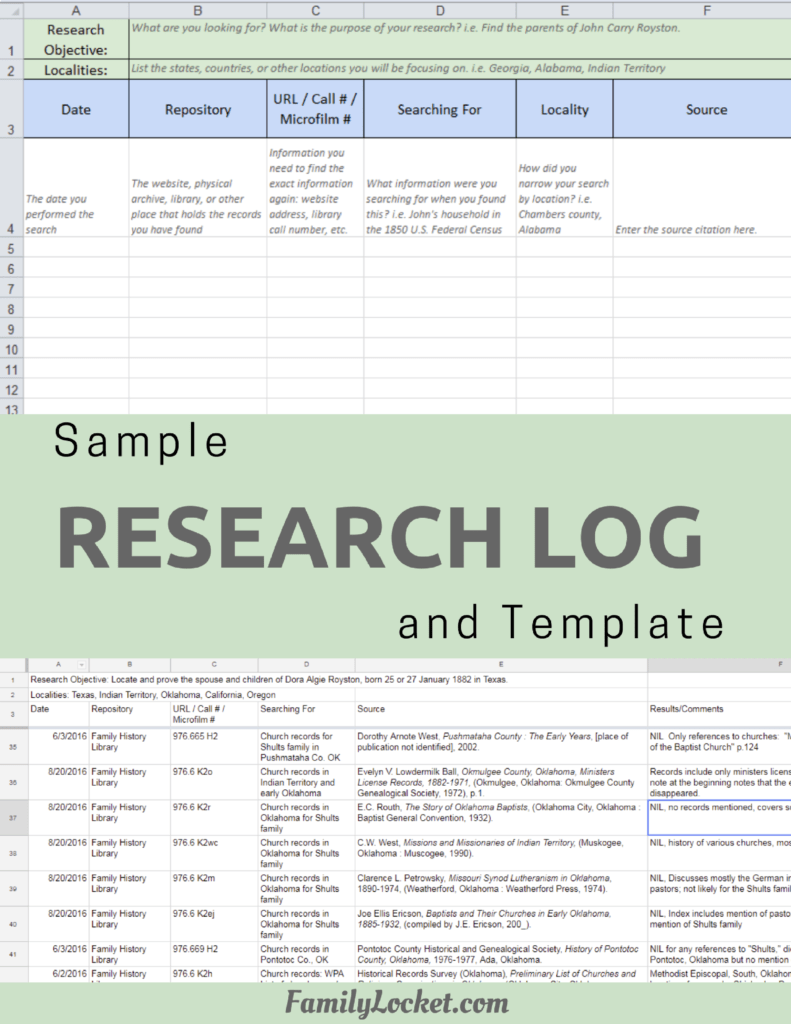

Leave a Reply
Thanks for the note!