
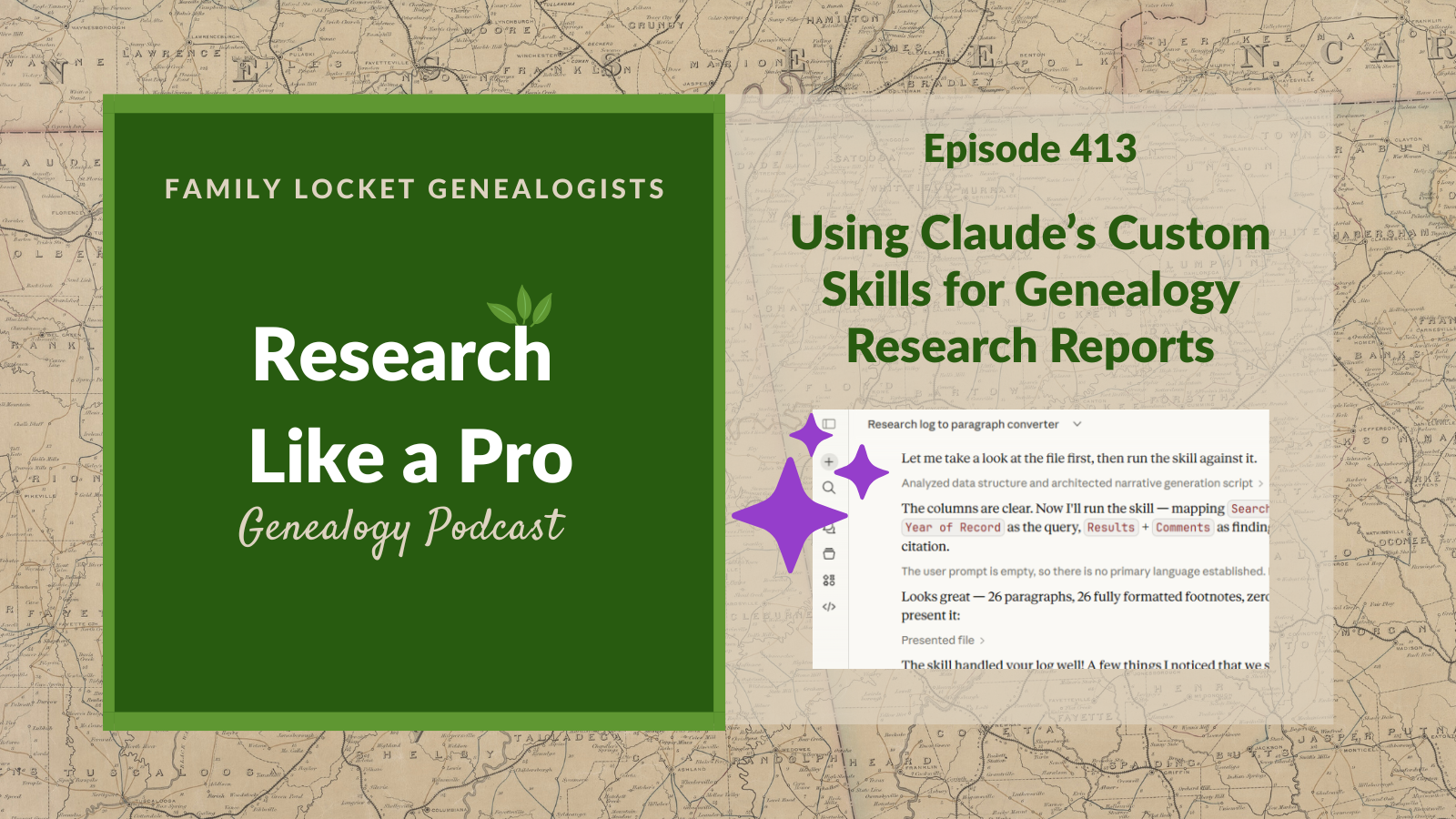
Hosts Nicole and Diana discuss using Claude’s Custom Skills to automate genealogical report writing. Nicole begins by sharing her previous, challenging attempt to transform a Baldy Dyer research log spreadsheet into a research report using earlier Claude models. Diana provides an overview of Claude, noting its models (Haiku, Sonnet, Opus) and new features like Custom Skills, which are similar to Custom GPTs. Nicole explains that she set up a Custom Skill to convert spreadsheet files into research reports. The prompt instructs Claude to create a paragraph from each log row, describing the search and findings, and using the source citation as a markdown footnote.
Claude successfully generates a report based on Nicole’s Baldy Dyer research log. Nicole offers feedback to refine the skill. She asks Claude to synthesize the research results and comments into natural prose without making inferences, include direct quotes as block quotes, and handle negative search results more naturally. The hosts then review the report, noting its efficiency but also discussing a factual inconsistency the AI did not correlate—the conflict between the pre-existing objective’s death date for Baldy Dyer (20 Nov 1814) and the new finding (February 1815). Nicole questions how much analysis and correlation she can entrust to the AI. Listeners learn how to use Claude’s Custom Skills to generate genealogical research reports from a research log.
This summary was generated by Google Gemini.
Transcript
Nicole (1s):
This is Research Like a Pro, episode 413: Using Claude’s Custom Skills for Genealogy Research Reports. Welcome to Research Like a Pro a Genealogy Podcast about taking your research to the next level, hosted by Nicole Dyer and Diana Elder accredited genealogy professional. Diana and Nicole are the mother-daughter team at FamilyLocket.com and the authors of Research Like a Pro A Genealogist’s Guide. With Robin Wirthlin they also co-authored the companion volume, Research Like a Pro with DNA. Join Diana and Nicole as they discuss how to stay organized, make progress in their research and solve difficult cases.
Nicole (41s):
Let’s go. This episode is sponsored by Newspapers.com. Hello, welcome to Research Like a Pro everyone. Hope you’re doing well.
Diana (51s):
Hi Nicole, How are you doing today?
Nicole (53s):
Hi mom. I’m doing great, How are you?
Diana (56s):
I am doing well. I had a fun trip to Washington DC and I was really impressed with, you know, some of the neat things that were going on at Mount Vernon with Revolutionary War Enactments and it made me think about my ancestors, or our ancestors, and what they were doing during this era. I think sometimes I just put them in this little box with the records that I have and I don’t think about what they were doing, how things like the revolution would have been affecting them. So I decided to write a blog post and to start a little series called America 250 Ancestors.
Diana (1m 36s):
So what I’m going to do for that, for the ancestors we’ve actually got back that far, you know, to the, the mid 1700s to write about what we know about them and then to explore what was going on around them. And it was so fun on this one and we’ll probably do a whole podcast about Richard Wyatt Royston, but he was right there where the British were camped out in New Yorktown in that area and I had never put those two things together. So I am, I am excited to go back and look at our ancestors and put them in the historical context of that era, you know, 1770, 1780s and expand my understanding of their lives a bit.
Nicole (2m 21s):
Yeah, that’s such an interesting time period in history and exciting to have the impetus to learn about it this year with America at 250. So that’s such a fun goal.
Diana (2m 31s):
Yeah. Well what have you been working on?
Nicole (2m 33s):
I have been helping my 10th grader study for finals and so I’ve been practicing a lot of Spanish with him and luckily he passed and did a great job.
Diana (2m 44s):
Oh, that’s nice. Yep. End of the school year time. Well, let’s do some announcements. We have our Research Like a Pro webinar coming up on Tuesday, June 16th at 11:00 AM Mountain Time and our presenter will be Barb Groth. She is talking all about, this will actually be a Texas case and her title is, Geography, A Negative Search and Autosomal DNA Reveal, A Child Bride’s Father. Mildred was first located in Newton, Texas where she married Cornelius Kelley on April 18th, 1900. No direct evidence ties her to either the date and place of her birth or the name of her father.
Diana (3m 23s):
Negative and indirect evidence combined with DNA autosomal matches prove that Mildred Katherine Kelley, born in October of 1882, was the daughter of William Wilton Beasley. So I love that we’re going to return to Texas, you know, one of our states that we do lots of research and so her topics will be Texas, Georgia, Same-name individuals, Legal Context, Probate Records, Negative Census search, Voter Registration and Tax Rolls, AncestryDNA matches. So, so many good things we’ll be learning about. Well, Barb is an Accredited Genealogist in the Great Lakes region and she specializes in German-American families and unknown parentage cases.
Diana (4m 9s):
She’s a graduate of ProGen 63, Research Like a Pro and Research Like a Pro DNA, and she combines expertise in genetic genealogy with thorough documentary analysis and strict adherence to the genealogical proof standard. Barb is the author of two books on family history preservation and has presented at RootsTech. Based in Pinedale, Wyoming, she continues her professional development through enrollment in Investigative Genetic Genealogy at Ramapo College and is working towards certification as an IGG. So we are very excited to have Barb joining us in our Research Like a Pro Webinar Series.
Diana (4m 49s):
Our next study group is this fall and it will begin in August. We have a peer group leader application on our website. So if you have been thinking about joining us and you have worked through the Research Like a Pro process and feel like you’d like to lead a small group, please apply, you do get that free registration and then of course, join the newsletter that comes out each Monday to learn more about upcoming lectures, new blog posts, and any coupon codes we might have going on.
Nicole (5m 21s):
Alright, great. Thank you for the announcements. Well, today we get to talk about Claude AI, which is one of our favorite tools for using artificial intelligence with our genealogical research and writing. And so after learning about it, you know, a couple years ago I first started experimenting with Claude and seeing what it could do. One of the first things I always wanted to try doing was transforming a spreadsheet of a research log into a written research report. Just kind of following a formulaic way of doing it, this is what was found, this is a footnote with a source citation, just kind of the main elements of a research log kind of transformed into a narrative format. And the process at first was challenging because Claude wasn’t as smart and able to do a lot of things yet.
Nicole (6m 4s):
It required a lot of prompts in, in a specific order and a good deal of fine tuning. So eventually in April of 2024, I tested using Claude for this task to transform my research log into a research report. And after quite a bit of effort, I successfully got Claude to generate a passable report and I did blog about it. So you can read that it’s at my blog post about disclosing the use of AI for writing assistance in genealogy and that came out on April 12th, 2024. So the link for that will be in the show notes if you’re interested in seeing kind of the first attempt that I had with that task and what happened.
Nicole (6m 44s):
And in that blog post, it’s kind of on a larger topic, not just writing reports with ai, but you can still scroll down to the section example report written with AI to see it.
Diana (6m 55s):
It’s really interesting isn’t it, to see how far AI has come in just the two years since we really started working with it for genealogy. This is just two years ago and the technology has changed dramatically. I I just wonder what are we going to be doing two years from now? You know, 2028, it’s, it’s exciting to think about. Well, for anyone listening who really doesn’t know much about Claude, let’s have a little bit of an overview. You likely have heard of ChatGPT, that’s the one that made big news when it first came out. And Claude is another large language model. It has been traditionally really good for writing.
Diana (7m 36s):
It is our favorite for more natural language and better organization, better ways of putting things. So it’s the one that we really turn to when we’re trying to get some writing done or having it help us to reword some of the things that we’ve written and and see if it will give us some better wording. Now it does have different models. The large language models often have lots of different options for you and Claude is no exception. So when you open it up, you can always go down, there’s a little down arrow, you can click that. So today what I am seeing, and I do have a pro account, I pay the $20 a month and I know that can make a difference on what you see and what models you can select.
Diana (8m 24s):
But right now I see that I have a Sonnet 4.6 adaptive, which is my, I guess it’s the default that I’ve chosen, but if I click the down arrow, there’s also Opus 4.7 available and that one says most capable for ambitious work. And then there’s Sonnet 4.6 which has a check mark, that’s the one I have got selected, responsive everyday work and then Haiku 4.5 which is fastest, most efficient. And then I also have toggled on the button that says Adaptive thinking, thinks for more complex tasks. And then if I wanted to, I have the option to select more models.
Diana (9m 6s):
I could do Opus 4.6, which is rolling back to a previous model or Opus three or Sonnet 4.5. So the reason that the companies do this, this, this company is called Anthropic, the reason they do this is because the models often are much different. And even if it says it’s the same model, once it does a new version of that, like going from Sonnet 4.5 to 4.6, sometimes it doesn’t do things the same as you were used to. And so people would get really mad about that and say I want the old model. So they make that available for a while.
Diana (9m 46s):
I don’t see any sign of the really old models there, so I those have been, those are gone. But you know, if you want to roll back to something you were using just before the new model, they you can do that. So Claude has something called projects which we absolutely love and that’s where you put a bunch of information in and then you can chat about that. And I use that for my genealogy research projects. But Claude has not had Custom GPTs like ChatGPT. And a custom GPT over at ChatGPT is where you can create something very specialized to do what you want it to do and not have to give it all the instructions, all the prompts over and over.
Diana (10m 30s):
So for instance, I created one that was to help me with source citations and I put in instructions, I put in my source citation template and told it what I wanted it to do and then I could just take a screenshot of a page and say create this source citation and it would go look at all my instructions and most of the time it would do a pretty good job. I usually always had to check it or fix something because that’s just the way AI works. Well, Claude now has something very similar, which is what we are gonna talk about today. And this is called Custom Skills and it’s like that custom GPT over at ChatGPT.
Diana (11m 14s):
Now Gemini has had this type of a custom skill also and they call it Gemini Gems. Claude also has all sorts of other things besides projects and skills, they have Claude Code, Claude Cowork, Claude in Chrome. And each one of those does different things for you. But today we’re going to talk about Custom Skills.
Nicole (11m 38s):
Yes. So Custom Skills were launched in October of 2025 and I didn’t really get around to experimenting with it or even knowing about it until February when I was updating the Research Like a Pro with AI workbook. And so I found out more about the Custom Skills and decided to play around with it and see what it could do, which is what I usually like to do when a new AI feature comes out. So I first noticed that from the description of the Claude Custom Skills, it did sound very similar to a custom GPT. Custom skills allow you to set up instructions for Claude for tasks that you do often and the files for the skills are saved in your Claude settings and can be manually tweaked for extra precision.
Nicole (12m 27s):
And the skills are automatically activated depending on what you ask Claude to do in your conversations. So they’re kind of different from a custom GPT or a Claude project in that they are global in your Claude settings, whereas you have to go to the project for Claude to use that information. So if you put detailed instructions for how to format a research report in a Word document as a skill in your settings, anytime you ask anything about generating or give it the task to create a Word document, it will follow your instructions and they are dynamically triggered, meaning that they automatically are able to run whenever needed.
Nicole (13m 10s):
So Claude can sense when you’re asking for something like a document to be set into a word file. So they’re a lot like custom GPTs, but they’re kind of their own thing and they really are skills that Claude can do with extra precision. So it’s kind of neat. There’s a support page at Claude about How to Create Custom Skills, which we will link in the show notes and it gives you a lot of information about how to make these, the skills are available for free users. So paid and free users can do the Claude skills. You do have to go into your settings and enable code execution on your account in Claude in order to do a custom skill.
Nicole (13m 55s):
Yeah, it’s just a a great way to solve a specific task that you’re gonna be repeating throughout your work. And you can give the exact instructions that you want Claude to follow. You can include examples, you can define when they should be triggered or when they should be activated or used. So like, listen for any time I mention this or that, that’s when I want the skill to be activated. And they’re focused on just one workflow so that it’s very clear what Claude needs to do in that workflow rather than trying to do everything all at once. Which sometimes the AI tools get bogged down with like a big task that needs to be broken down into chunks. So when there is a big task, it can then activate each unique skill and follow the exact steps that that skill has, which really helps the AI tool to break down a task and be more successful at each task after breaking it up.
Nicole (14m 50s):
So when I played with the Custom Skills, I decided to set up a Custom Skill to transform a research log spreadsheet file into a research report, which is something that I like to test out and see if a AI can do that successfully. So as I started the process of setting up a custom skill, Claude guides you through the process, just like custom GPTs can be a guided process. So it’s pretty easy to do. And as you go through the questions of how to create your skill and what what you want it to do, I just said, let’s create a skill together using your skill creator skill. When I upload a research log as a structured data file like CSV or Excel, create a paragraph from each row of the research log describing what was searched and what was found using the source citation as a footnote and markdown.
Nicole (15m 40s):
So just a super simple prompt and I can go in and revise that and and add a lot more detail to that. But I just went ahead and did something super duper simple for my first test.
Diana (15m 52s):
That is so neat. Now let’s just be really clear. Do you have to go to anything special on Claude to set up your skill? Is there a place that says skills on it? Do you know for, for our listeners who’ve never heard of this, where is it on on Claude that you actually get started with this?
Nicole (16m 8s):
Okay, that’s such a great question because it isn’t super obvious. And the way that you actually start creating a skill is by just chatting with Claude and telling it help me create a skill. I want to start creating a skill and then it activates its own skill for skill creation. How’s that for meta?
Diana (16m 33s):
Okay.
Nicole (16m 34s):
And it will help you create, basically what the skill is, is a markdown document that you upload to the settings. And so as you chat with Claude, you can go back and forth in a conversation, in a chat about how to create it and it asks you questions, what’s the skill for, what should it trigger? Do you already have notes? Are we starting from scratch? And so if you’re not really sure how to make it and you don’t know what to do, then you can just say, help me create a skill. And then it will start giving you some ideas. And along the way it will tell you how to load the skill markdown document into your settings and, and if you just kind of use the how to create a skill Claude support article, then that can help you as well.
Diana (17m 20s):
I love that. And I am thinking right now of something that I would like to do and that would be to give it some of my blog posts so it has a sample of my writing. And so if I’m ever asking for some help in writing a blog post, it knows exactly how I’ve written past blog posts. You know, I really do like to write and I’d like to write my own things, but I can see that that would be really helpful to have some samples of writing in there. And you know, this idea of writing a report maybe to put in some of your, the way you word things in a report, which is very different from a blog post, which is different from a case study.
Diana (17m 60s):
You know, I can see so many applications of giving it a skill so that whatever you’re working on it can know what to do better. So let’s just talk about this idea of creating the skill about how you did it. So Claude gave you the markdown file to download that had all the information for the skill that you’d been chatting about, and it basically was a summary of the skill. And then after asking two clarifying questions, I love it when it just tries to understand and clarify, then it asked you to upload the research log spreadsheet to test it out. And you used your Baldy Dyer research log that you tested a year and a half ago with the less capable models on Claude and weren’t, you weren’t super happy, to compare the process and output.
Diana (18m 49s):
And then after adding the Excel spreadsheet file, Claude tested the skill it created and turned the log into a report and then it evaluated its success and noted the successes and challenges. Oh, I think that was so fun that it evaluated itself.
Nicole (19m 5s):
Yeah, that was fun. I just realized that there’s a new way to set up Claude skills because when I did this, it was in the settings where you load the markdown document, but now there’s a new little section of Claude called Customize that looks like a briefcase or like a satchel maybe. And so if you click on Customize satchel, then it says Customize Claude and it says Skills connectors and plugins shape how Claude works with you. This is where you can connect your apps, where you let Claude read and write to the tools you already use and create new skills. Teach Claude your processes, team norms and expertise. So to create a new skill, I think you should go that route ’cause that’ll be the easiest way.
Nicole (19m 49s):
So just go to on the sidebar, which is like a vertical icon list. You see a plus for a new chat, a magnifying glass for search, the chats icon, the projects icon, the code icon. And then underneath the code icon is the customize little briefcase or satchel. And that’s where you’ll go to create a new skill. And then you’ll just click the button that says Create New Skills. And then it will have all the info there. It’s called the Skill Creator.
Diana (20m 15s):
I love that, that they have all the instructions right there so you don’t have to go elsewhere. And I knew I had seen somewhere where it actually said skills I just hadn’t thought to click on Customize. Sometimes on these programs, these AI websites, you just have to click on everything because sometimes it’s kind of hidden. In this case was kind of hidden under Customize, which actually makes sense.
Nicole (20m 39s):
Yeah, so on the skills page there’s a plus icon at the top next to a search skills icon. So if you click the plus, then you can add a skill and then you can click Browse Skills. So you can choose other people’s skills. ’cause they now have a, it’s kind of like the custom GPT store. They have a way for you to browse skills that others have created or you can just create your own. So click Create Skill, and then you can either create with Claude, write skill instructions or upload a skill. So there’s all the different kinds. And so the easiest one would be to create with Claude, which is what I did because it guides you with what you need to put in, and it asks you questions and gives you kind of the, here’s what you need to tell me so I can create the skill for you.
Diana (21m 24s):
Yes, the company is trying to make this pretty easy to use. And one of the things that I think is neat is if you do want to use somebody else’s skill, then you click on it, you can understand what it is and then you can just say install and then all the work is done for you. And it will just use that skill. So that might be a fun way to get started as well is to just look through some of the skills that are already there and you can search for skills. It does somebody have something that you already want to use and then you could just install it and try it. So man, so many options.
Diana (22m 4s):
Interesting things that you could try out with this.
Nicole (22m 7s):
Yeah, well let’s have a word from our Sponsor. We’ve all been there scouring the aisles for a Father’s Day gift that doesn’t feel like an afterthought. This year skip the generic and give him a gift subscription to Newspapers.com, the world’s largest online newspaper archive. With over a billion pages of history, Newspapers.com puts Dad just a click away from uncovering photos and stories that haven’t been seen in decades. Whether it’s finding his own birth announcement, reading local sports clippings from his glory days, or stumbling upon a 1920s advertisement for his grandfather’s shop, the level of detail is incredible. The best part? It’s a gift you can explore together.
Nicole (22m 49s):
It turns a quiet Sunday afternoon into a journey of discovery, where he might see his own passions, like a love for aviation or a knack for carpentry, reflected in the lives of the ancestors who came before him. Once he finds those hidden gems. Newspapers.com makes it simple to save, print, or share these discoveries with the whole family, preserving them for generations to come. This Father’s Day, give him more than a card. Give him a connection to his roots and a way to keep family stories alive for the next generation. Head to Newspapers.com, buy Dad a gift subscription, and start discovering your history together. Visit Newspapers.com/FamilyLocket today and enjoy a 20% off subscription.
Diana (23m 31s):
Well, let’s get back to the actual skill that you did create and talk about how that worked. So this was to create a research report from a research log spreadsheet. And so Nicole provided some feedback about synthesizing the results and comments fields into natural prose without making inferences or adding to or changing the main idea of the fields. So that can be one of the things that AI struggles with, with trying to put some things in there. And we don’t want those like inferences that are incorrect. And then she asked it to include any direct quotes from sources as block quotes and not start each paragraph with the date the search was done.
Diana (24m 15s):
And that’s something that is in our research logs, you know, the date the search was done. So it’s fun to see what AI thought would be appropriate in a report. And her other feedback was about how to handle negative results, basically affirming the idea to write a rule about handling writing about negative results more naturally. And after these updates, Claude reran the skill with the research log and then the report that we have, what that we’ll link to was the result. So this went so smoothly and Claude created the skill, proposed refinements, and then put it to work with impressive results, because it was really efficient for Nicole and it doesn’t contain inaccuracies, which is what we are looking for.
Diana (24m 60s):
The report is somewhat raw in that it needs transitions and explanations plus additional transcriptions of historical records that weren’t included in the log. But you know, it’s, sometimes you just need something to get started with and then you could go and add. But basically this was an experiment and it is a huge step forward in the last year and a half for Claude’s ability to create a research report with footnotes from a spreadsheet. So you can see in the blog post we’ll have the full report, so you can see how the footnotes looked and pasting the results into the WordPress blog editor didn’t hyperlink the footnotes.
Diana (25m 40s):
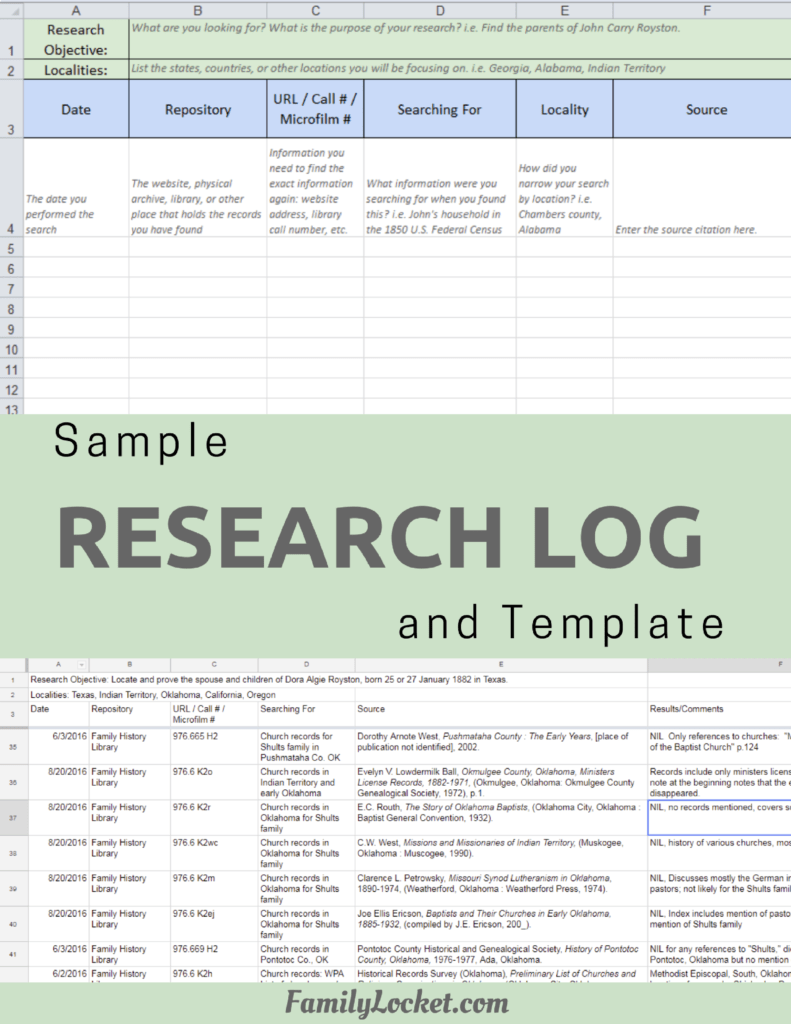
So first you pasted it into Word using the Writage markdown plugin and then copied it and pasted it into the blog post. So you can see that and also the research log PDF, so you can see exactly what the Claude skill was working with and then you can see the output.
Nicole (25m 59s):
Yeah, so I’m not gonna read you the whole report, but I’ll just kind of tell you what it is like. It’s starting with the research objective, which was to identify the children of Baldy Dyer. And this objective was written in the research log, so it just got it from there. Identify the children of Baldy who married Polly Taylor, 13 December, 1800 in Davidson, Tennessee and died 20 November, 1814 in Davidson County. This is part of an overarching project to find out if there’s any connection in Baldy Dyer’s descendants to John Robert Dyer. And that’s my husband’s ancestor, my brick wall, my husband’s third great grandfather. So the first paragraph that the Claude skill wrote was kind of just telling about the first search and it has basically three sentences and at the end of those three sentences that are making up this paragraph, there’s a footnote.
Nicole (26m 53s):
And so it says, A search of FamilySearch.org for marriage records in Davidson County, Tennessee turned up a record for Joel Dyer, who married Sally Jones Christmas on July 16th, 1802, recorded on page 43. Joel Dyer also appeared in Hawkins County records, raising the possibility of a connection to John Robert Dyer. The researcher noted that the marriage register’s “I solemnized, the rites of the marriage line” was left blank for nearly all entries with possible ditto marks, and suggested that Joel may have been a sibling, father, or uncle to Baldy Dyer. And then the footnote for that goes to the Tennessee County Marriage’s database that I had searched in FamilySearch.
Nicole (27m 33s):
And then it has the specific entry for Joel Dyer and Sally Jones’ marriage. And it’s the exact footnote that I had in my research log. So it had taken and filled in kind of some of the text that wasn’t explicitly written out about, you know, a search of FamilySearch, kind of some of that mundane writing that we have to do when we’re turning a a log of data into a narrative and kind of filled in the gaps there. And then it kind of quoted my notes, which are a little funny, like, oh there’s no, this was left blank and it may not be necessary, but it’s something that I had put in my research log. So it went ahead and put that in the report and then you can imagine it just continues to the next paragraph with the same type of thing.
Nicole (28m 19s):
So it has a paragraph with one footnote at the end for the second row in the log. It starts off, “A search of Ancestry.com for the 1805 Davidson County, Tennessee tax list found three Dyers listed together on page eight: Joel Dyer with two free white males and 12 taxable slaves, R. Thomas Dyer with two free white males and five taxable slaves. And Baldy Dyer with one free white male and no taxable slaves. The researcher noted that Baldy was erroneously indexed as Rudy due to poor image quality caused by heavy contrast but that the initial letter is almost certainly a B. The document’s 14 images are arranged alphabetically, and page numbers appear to have been added later by hand.” So that’s a sampling of what the report is like.
Nicole (29m 1s):
And it goes on for several paragraphs. And at one point there is a quote directly from the source that I had transcribed. Then we get down to a bunch of negative searches and it just kind of lists them all there. It says a search of Davidson County, Tennessee Will Book seven on FamilySearch found no Dyer in the D section of the front index. So those could probably have like a, a section added and like you can just imagine after getting a report like this, noticing all the things that you’d want to be different and then you can go to your skill and update it and say, okay, I want section headers and I want negative search results to be presented as a bulleted list. So what I did was just very raw and it was just kind of to test out the capability.
Nicole (29m 42s):
Was easy to make a skill? Yes, it was easy to make a skill. Was the skill able to elegantly handle a research log, turning it into a narrative? Yes, it was able to do that. And there’s, you know, not a lot of errors here. I didn’t notice any errors at first, but then there was a comment, one of our readers actually noticed an inconsistency in the AI generated report about Baldy’s death date. And what’s interesting about that is that I had introduced that inconsistency in the research log. And so that happens if we have inconsistencies, gaps in in information, the AI sometimes doesn’t know what to do with that and it perpetuates it. And so what had happened here is that before I had performed the research, I had erroneous information about Baldy’s death date in the the objective.
Nicole (30m 31s):
So I had put that he had died in November on November 20th, 1814, which was something that I had seen in an online tree. And then during the research I discovered information that he died in February of 1815 from an original source about his military service. So while I instructed the AI to stitch together the findings from my research log, I didn’t instruct it to correlate the new findings with the previously known information. So this task of analysis and correlation could definitely be added to the Claude skill, although it might be interesting to have a separate Claude skill for that to, you know, first generate the raw report and then have it go through the analysis and correlation step to kind of check things over and make, make sure all the rows from the research log get incorporated.
Nicole (31m 19s):
But Claude could still use both skills in the same conversation. And eventually when you see that it does work correctly, you could invoke them all at the same time and say, use the log to report skill and then use the analysis and correlation skill to create my report. And you could also ask it to point out contradictions or new findings that overturn previously known information. And this is where it does get a little tricky, how much analysis and correlation do we trust the AI to do? It’s something to consider and usually the analysis and correlation part of the report is the most helpful for us because it makes us think through things.
Nicole (31m 59s):
So I kind of like the idea of having the AI generate some of the mundane writing, like a search of the National Archives bounty land warrant files found, and then we can go in and add the analysis and say, and this, you know, when we compare this source and the information here to this other source, we see a conflict and or this compliments previously known information and confirms that this is the correct date for the birth or whatever it is. So I think it’s good to try using AI for some of the skills, skills and then after we see what AI can do, we can kind of decide where we need to be doing more or less or what can we hand off to the AI, what can we keep for ourselves?
Diana (32m 40s):
So if you were going to do this again with a new spreadsheet, would you go into just a regular chat, upload the spreadsheet and then say use the report writing skill?
Nicole (32m 51s):
Yes. That’s how you do it. You just in a chat, you invoke a skill by mentioning it and you’ll sometimes see Claude invoking skills that it just has by default. I dunno if you’ve ever asked Claude to make a PDF, but I think that the PDF skill is just a, like a default one that Claude has. So you might have already seen it. If you look at the thought process, if you have the thinking on and stuff, you might see that it’s using that skill to generate A PDF.
Diana (33m 22s):
Interesting. Yeah, it has gotten way more complicated on these large language models with all these options. Remember with back in the day when you just had the little place where you typed in your chat and that’s all you could do, and now we’ve got projects and code and skills, so many things and each one just adds another layer of learning how to work with it. So I’m so glad that you experimented with skills and gave us a fun example. You know, with AI, it really is just what we can think of to ask it or to have it do sometimes our own lack of creativity or ideas hampers us because we don’t even think about something like this, so, right.
Diana (34m 3s):
I love it. I love it.
Nicole (34m 6s):
Yeah, there’s so much we can do with, with the skills that it’s exciting to think about repeated tasks that we do all the time that we can give instructions to Claude for. And it’s very similar to what you would would think of for a custom GPT or a Gemini Gem. So if you have experience thinking about what you can do with those, now you can do that in Claude. And it’s, it’s got a lot of similarities to the custom GPT and, and some differences that make it, in some ways nice to be able to combine skills from people.
Diana (34m 38s):
I totally agree. Yeah, being able to combine, because you can’t do that in ChatGPT with the custom GPTs. You’re just using one. And so I really like that idea of combining skills. How neat. Well, this has been just delightful in talking about ai and I just wanted to comment a little bit about the idea of AI writing the report and how you would have to work with that. I think if you are going to never write a report, because it sounds so awful and so hard, this would be such a great way to get something written out in sentences. You know, you have your research slide, but sometimes we need to just read it a different way.
Diana (35m 19s):
And if you read a report like this generated from AI, that’s going to start giving you all sorts of ideas and you might start thinking, I could do that a little bit better. And maybe it will, it will propel you forward in your report writing, or at least just let you look at your information in a different way than looking at a spreadsheet. And I think that’s helpful. You know, you could even print it out and then read through it and see what you agree with, what you don’t agree with. We just need different ways of looking at our information and this does give us that.
Nicole (35m 49s):
Absolutely. Well, Thank you for talking about Claude skills with me today, and I hope our listeners have something they can take away and try in their AI and genealogy.
Diana (35m 59s):
All right, well thanks everyone for listening and we will talk to you next time. Bye-bye.
Nicole (36m 6s):
Bye everyone. Thank you for listening. We hope that something you heard today will help you make progress in your research. If you want to learn more, purchase our books, Research Like a Pro and Research Like a Pro with DNA on amazon.com and other booksellers. You can also register for our online courses or study groups of the same names. Learn more at FamilyLocket dot com slash services. To share your progress and ask questions, join our private Facebook group by sending us your book receipt or joining our courses to get updates in your email inbox each Monday. Subscribe to our newsletter at FamilyLocket dot com slash newsletter. Please subscribe, rate and review our podcast. We read each review and are so thankful for them. We hope you’ll start now to Research Like a Pro.
Links
From Spreadsheet to Research Report: Using Claude’s Custom Skills for Genealogy – https://familylocket.com/from-spreadsheet-to-research-report-using-claudes-custom-skills-for-genealogy/
How to create custom Skills – https://support.claude.com/en/articles/12512198-how-to-create-custom-skills
Sponsor – Newspapers.com
For listeners of this podcast, Newspapers.com is offering new subscribers 20% off a Publisher Extra subscription so you can start exploring today. Just use the code “FamilyLocket” at checkout.
Research Like a Pro Resources
Airtable Universe – Nicole’s Airtable Templates – https://www.airtable.com/universe/creator/usrsBSDhwHyLNnP4O/nicole-dyer
Airtable Research Logs Quick Reference – by Nicole Dyer – https://familylocket.com/product-tag/airtable/
Research Like a Pro: A Genealogist’s Guide book by Diana Elder with Nicole Dyer on Amazon.com – https://amzn.to/2x0ku3d
Research Like a Pro with AI Workbook – Second Edition (eBook) – https://familylocket.com/product/research-like-a-pro-with-ai-workbook-second-edition-ebook/
14-Day Research Like a Pro Challenge Workbook – digital – https://familylocket.com/product/14-day-research-like-a-pro-challenge-workbook-digital-only/ and spiral bound – https://familylocket.com/product/14-day-research-like-a-pro-challenge-workbook-spiral-bound/
Research Like a Pro Webinar Series – monthly case study webinars including documentary evidence and many with DNA evidence – https://familylocket.com/product-category/webinars/
Research Like a Pro eCourse – independent study course – https://familylocket.com/product/research-like-a-pro-e-course/
RLP Study Group – upcoming group and email notification list – https://familylocket.com/services/research-like-a-pro-study-group/
Research Like a Pro Institute Courses – https://familylocket.com/product-category/institute-course/
Research Like a Pro with DNA Resources
Research Like a Pro with DNA: A Genealogist’s Guide to Finding and Confirming Ancestors with DNA Evidence book by Diana Elder, Nicole Dyer, and Robin Wirthlin – https://amzn.to/3gn0hKx
Research Like a Pro with DNA eCourse – independent study course – https://familylocket.com/product/research-like-a-pro-with-dna-ecourse/
RLP with DNA Study Group – upcoming group and email notification list – https://familylocket.com/services/research-like-a-pro-with-dna-study-group/
Thank you
Thanks for listening! We hope that you will share your thoughts about our podcast and help us out by doing the following:
Write a review on iTunes or Apple Podcasts. If you leave a review, we will read it on the podcast and answer any questions that you bring up in your review. Thank you!
Leave a comment in the comment or question in the comment section below.
Share the episode on Twitter, Facebook, or Pinterest.
Subscribe on iTunes or your favorite podcast app.
Sign up for our newsletter to receive notifications of new episodes – https://familylocket.com/sign-up/
Check out this list of genealogy podcasts from Feedspot: Best Genealogy Podcasts – https://blog.feedspot.com/genealogy_podcasts/


Leave a Reply
Thanks for the note!