
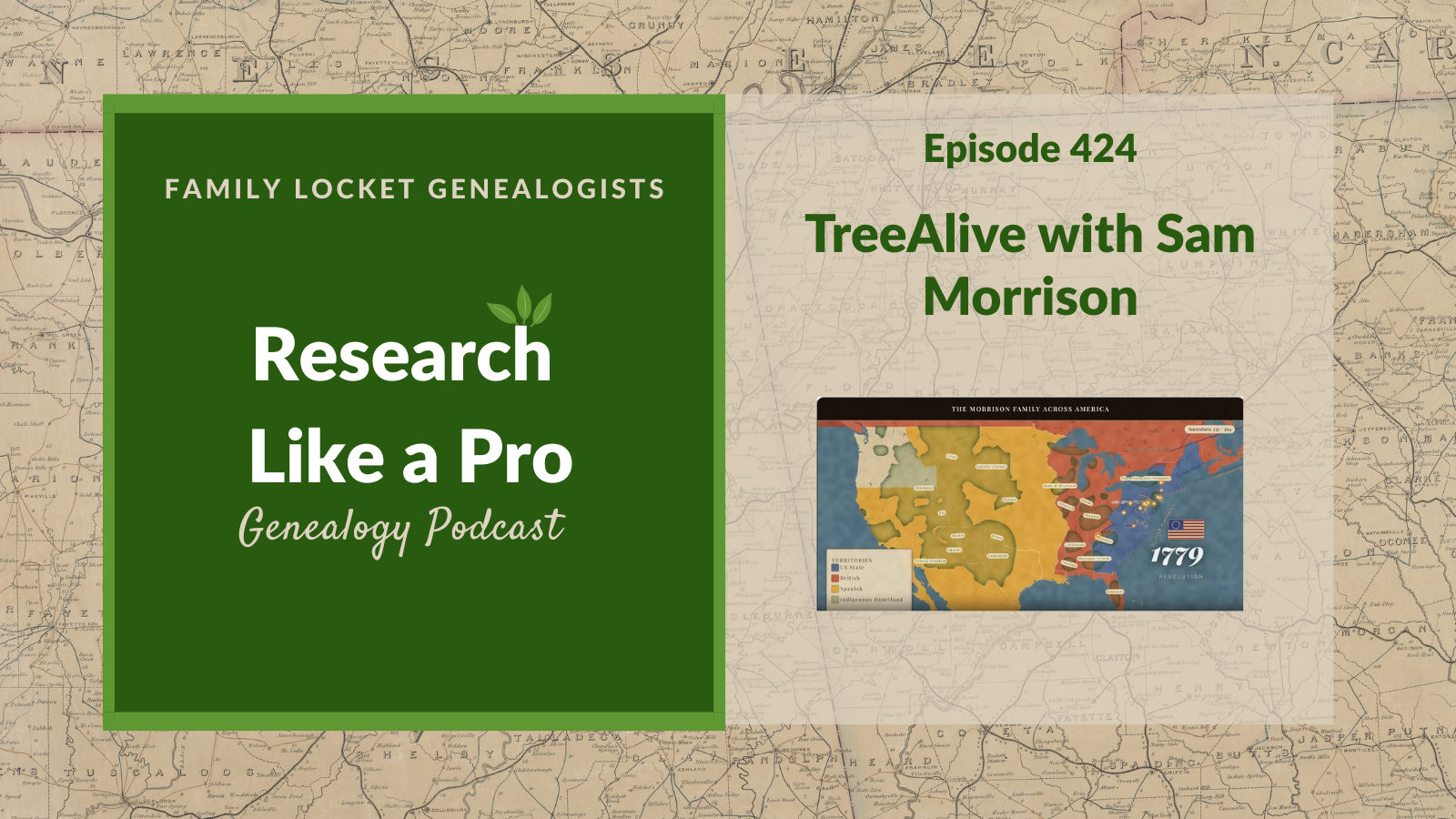
Diana and Nicole interview Sam Morrison, a dedicated family historian who has researched his family lines for over two decades. Sam shares his motivation for creating TreeAlive, a free digital tool designed to transform static genealogical data into animated films that visualize family migration and historical context across maps. His extensive experience researching his roots in Ohio, Virginia, and abroad drives his interest in helping others see their ancestors’ journeys rather than just reading lists of dates.
Sam explains how TreeAlive integrates genealogical data from sources like FamilySearch and various software programs to map family movements through time. Listeners learn how to use the Time Machine feature to overlay historical maps on family locations and utilize the Historic Crossings feature to identify documented overlaps between ancestors and historical figures. Sam also discusses recent updates, including the ability to visualize descendant paths, connect directly via WikiTree, and identify nearby historical markers. This episode provides practical strategies for identifying research gaps and visualizing historical events, transforming standard record research into a vivid understanding of family history.
This summary was generated by Google Gemini.
Transcript
Nicole (1s):
This is Research Like a Pro Episode 424: Tree Alive with Sam Morrison. Welcome to Research Like a Pro a Genealogy Podcast about taking your research to the next level, hosted by Nicole Dyer and Diana Elder accredited genealogy professional. Diana and Nicole are the mother-daughter team at FamilyLocket.com and the authors of Research Like a Pro A Genealogist’s Guide. With Robin Wirthlin they also co-authored the companion volume, Research Like a Pro with DNA. Join Diana and Nicole as they discuss how to stay organized, make progress in their research and solve difficult cases. Let’s go. This episode is sponsored by Newspapers.com.
Nicole (43s):
Hi everyone, welcome to Research Like a Pro.
Diana (46s):
Hi Nicole. How are you doing today?
Nicole (49s):
Hey, I am doing great. What are you working on?
Diana (52s):
I have been working on adjusting my slides on my locality presentation and adding AI to it and it’s been really interesting and fun because this is a presentation that focuses on Indian territory, you know, where our ancestors lived, and AI is finding so many interesting new things for me to use as sources. So I’ve been having fun just working on a presentation and finding new things, which is always great.
Nicole (1m 20s):
That is good. And AI can really help us find more locality resources like maps and sources we didn’t know about. So it’s exciting.
Diana (1m 27s):
Oh yeah, it has been really good. It found it a gazetteer and all sorts of things that I was really surprised didn’t always come up in Google searches. So AI, it’s a great way to do some more searching, some deeper searching.
Nicole (1m 41s):
Yeah, our announcements today are that the next webinar in the Research Like a Pro webinar series is on Saturday, September 19th at 11:00 AM Mountain Time and it will be by Jill Nock, Accredited Genealogist. And she’s presenting, Bert Beckett – Solving Identity Through DNA and Records. Family stories can be our best leads, but how much truth do they have? This presentation follows the case of “Bert Fred Beckett” a supposed outlaw who rode with the Jesse James gang and later changed his name. Strategic DNA analysis combined with traditional records cracked a century-old identity mystery. this will cover topics such as Missouri, Oklahoma, AncestryDNA, census records, death certificates, marriage, court, and Leeds Method.
Nicole (2m 23s):
So it should be an interesting webinar. Jill is a professional genealogist accredited through ICAPGen℠ in the upper US South and has nearly five decades of research experience. She operates Mountain State Genealogy and also subcontracts with us at FamilyLocket Genealogists and she has a lot of wonderful qualifications and courses she’s taken. She’s mentored people and she has a lot of experience, so it’ll be a great webinar and you’ll especially enjoy reading her research report that accompanies the presentation. Also, our next Research, Like a Pro study group, begins August, 2026, which is this month. So if you still wanna sign up, it’s your last chance right now.
Nicole (3m 4s):
Also join our newsletter that comes out every Monday to get notifications of new blog posts. As for upcoming conferences, we’ll see many of you at the virtual APG Professional Management Conference on October 14th through 17th. And it’s virtual and Diana’s talking about managing client projects and CRM tools as well as a panel on teaching and courses. And I’ll be talking about finding your voice, podcasting in a panel, and also doing a workshop about Airtable and AI.
Diana (3m 31s):
Well, we are looking forward to that conference. It’s hard to believe that we are coming up on September and October already. All right, well today we have a guest with us, we have Sam Morrison. Hi Sam.
Sam Morrison (3m 44s):
Hi. How are you guys doing?
Diana (3m 46s):
We are doing well. We’re going to talk all about a really fun topic, but first I’m going to tell everybody a little bit about Sam. He has spent more than 20 years researching his family following lines that reach back through Ohio and Virginia to Colonial Pennsylvania and New Jersey and across the ocean to Ireland, Great Britain and Germany. After three decades of names, dates, and carefully sourced spreadsheets, he wanted to watch those ancestors actually move. And when he couldn’t find a tool to do it, he spent months building one. The result is Tree Alive found at treealive.com, and it is a free tool that turns any family tree into a short animated film of its journey across the map and it’s layered with period maps and historical context.
Diana (4m 31s):
Sam reached out to me and told me about this several months ago and I asked him to write a guest post at FamilyLocket, and so you can go read it and see some of the fun images and a little video there and suggestions from the community have already shaped the tools, so we’re so glad that you were willing to do that for us, Sam, and that we have your blog post on our website for anyone to go look at.
Sam Morrison (4m 55s):
Well, Thank you Diana. Thank you Nicole, for having me on today.
Nicole (4m 59s):
All right, well let’s dive in. Tell us more about Tree Alive and what was your motivation?
Sam Morrison (5m 5s):
Well, much like you all, I’ve spent years doing the genealogical work, gathering the names, the dates, the places, the careful sources, and watching ’em stack up in tidy rows on whatever your program is in your spreadsheets. Coming at a baptism in Virginia, in a parish, a marriage, a couple counties west, and a land record that keeps going west across the mountains into eastern Tennessee. All of it very carefully recorded and sitting perfectly still on the page. And what really kind of started to make me antsy and make me wanna see something different, questions the rows couldn’t answer directly, what did it look like? What did their journey look like?
Sam Morrison (5m 45s):
My fifth great-grandfather left the Virginia Tidewater right after the Revolution and his children were born in three different states after that. And on the chart, that’s a few entries. Oh, that’s neat. Here’s a couple states or a few states that, that were different where they were born, but on the ground at the time that was a years-long haul by wagon and on foot across the country that looks nothing like what we know now when we have our interstate system to go across the country. At some point I’d stopped wanting to read it and wanted to watch it. I couldn’t find anything that would really do that online. So I spent almost the last year building it at Tree Alive and it’s free, nothing to sign up for. You upload your, upload your GEDCom and it turns the whole thing into a short film and the branches spread out across the map generation by generation from your oldest ancestor down to you.
Sam Morrison (6m 31s):
And with the 250th of the Declaration landing this summer, Revolutionary generation is where the film surprised me the most. There’s a moment in my family’s film when the clock, I paused it at 1779, and my ancestors are sitting at the points along the eastern seaboard of, of the new nation while the rest of the continent shows the territories. At that moment, you’ve got the new United States, British North America, still engaged in the Revolutionary War, Spanish land and gold to the West and the indigenous nations across the interior. And as the years count forward, you get a running tally of your ancestors and you see how they move on the map. Really, really fascinating stuff for me.
Nicole (7m 11s):
Wow, that’s so neat.
Diana (7m 13s):
So what happens when you get started with this and then you press play?
Sam Morrison (7m 20s):
So you start with the file that you already have from Ancestry, My Heritage, FamilySearch, Family tree Maker, Roots Magic, they all export a GEDCOM and there are step-by-step guides on the Tree Alive website for each one. If your tree lives on FamilySearch, you can skip downloading the file and connect your tree straight to it with your FamilySearch login. We’re listed in the FamilySearch Solutions Gallery, the directory FamilySearch maintains for independent tools that work with its data. From there, it reads the places in your tree, sets each ancestor on the map at the moment of each event in their life, whether that’s a birth, death, a marriage, a census event, and it starts moving. People appear where they were born, families drift and split, and trails reach west across the nation as the years pass.
Sam Morrison (8m 5s):
20 years of research becomes a two or three minute film that you can save and hand to anyone in the family. And the first time I watched it, even though I expected, you know, there to be this film and I knew what I wanted it to look like, it, it really affected me in a way, two decades of spreadsheets and GEDCOMs hadn’t. And it also started giving me questions. So wait a second, why does that line jump in the early 19th century from North Carolina to Indiana with nothing in between? Is that a real move, a huge journey or a hole? In my research, watching the family move turns out to be a good way to find out where your evidence quietly runs out.
Diana (8m 40s):
I think that’s so interesting. I love that even though you had researched your family for so long when you watched your film, then you really had more questions made such a big difference. I love that.
Sam Morrison (8m 56s):
Yeah, absolutely. It it, it really engaged my mind in a different way, I suppose.
Nicole (9m 1s):
Agreed. I think it’s neat to see the evidence come together. Just like in writing a research report, you see the holes and the gaps and anytime you make something out of the evidence you’ve gathered, you can really start to see and correlate and understand what you have and what you’re missing. So that’s really cool. Let’s have a word from our Sponsor. Are you ready to take your family history research beyond names and dates? If so, Newspapers.com is a game-changer for genealogists of all levels. With access to over a billion pages of historical newspapers, you can uncover rich, untold stories about your ancestors that you won’t find anywhere else. Imagine discovering a detailed obituary that reveals the extended family, or a local news story that highlights your great-grandmother’s role in the community. Maybe you’ll come across a photo capturing a moment in your ancestor’s life—something that brings their story vividly to life.
Nicole (9m 46s):
Newspapers captured the everyday details—announcements, happenings, achievements, and challenges—that paint a fuller picture of who your ancestors were and what their world was like. These primary sources reveal the social history behind the names on your family tree and help you connect with your past in a personal, meaningful way. Searching is simple and intuitive, letting you explore by name, location, or date to unearth those hidden gems. Ready to enrich your research with stories you won’t find in traditional records? Visit Newspapers.com/FamilyLocket today and get 20% off a subscription. Start turning your family tree into a family story.
Diana (10m 18s):
Well, I was really interested in this idea that you could use this tool to help us understand our own ancestors’ lives during the American Revolution with it being America 250 this year. So how does this tool help us with that?
Sam Morrison (10m 33s):
It helps take us back to that time because a modern map, it’s really the wrong stage for a 1770s and 1780s stories. The state lines were completely different. There were states that didn’t exist, cities that weren’t there. And now we have a tidy interstate highway system that really flattens time and the strangeness of of our country as, as you go across it. And things that they were discovering are, are everyday things to us today. So TreeAlive’s Time Machine and Journey features address this directly. It draws on more than 80,000 georeferenced historical maps from a bunch of institutions that we’ve, that we’ve worked with, primarily the David Rumsey Map collection at Stanford University, but also the Library of Congress, the National Library of Scotland, national Library of Ireland, Sweden’s Lantmäteriet and Bavaria’s state survey, and the overlays puts the appropriate period map underneath your family’s location.
Sam Morrison (11m 27s):
That includes the Library of Congress Sanborn Fire Insurance maps, which are wonderful for town and city ancestors that we have precise addresses on. You can click on any dot and slide through time and watch the mapmakers world change underneath your ancestors: the colonial boundaries, or turnpikes, county lines appearing as the frontier organizes itself and moves west. For an America 250 ancestor this means you can see their land sitting inside the world of the 1770s rather than a map of today with the modern boundaries. For me it became personal pretty quickly. One of my own ancestors is Henry Wick, who’s farm at Jockey Hollow in New Jersey became part of the ground where the Continental Army wintered, he died in Morristown in 1780, and laying a period map underneath his name from that time turns a date and a location in my file to a place I can stand in, I can visit in the encampment country as he knew it.
Sam Morrison (12m 19s):
That’s the real difference between knowing an ancestor lived through the Revolution and seeing how close the war came to their door during that time. And when you open the Time Machine location on a family location of any family event, it picks the period maps for that exact spot, gives you an opacity slider so you can fade between the mapmaker’s world and the modern world if you like. And for Henry Wick, that means a 1797 David Rumsey map of the Morristown country with Jockey Hollow ground right where he knew it.
Diana (12m 48s):
That’s so neat and I love that you’ve built this upon the David Rumsey map collection because that is one of my very favorite places to find historical maps. So what a great use of a collection that’s already there and now you can use it for something different to look at your family tree without, you know, going to David Rumsey, finding the map and then trying to put things together. Your program already does that, so that’s really helpful for us as researchers.
Sam Morrison (13m 14s):
That was really the goal. I, I really wanted to make Tree Alive the the canvas that you could display your family tree on, whether it’s the moving lines or whether it’s the period appropriate maps or you know, the events or people that they crossed with really take that family tree and turn it into something that we could see as living as much as we could.
Nicole (13m 36s):
Wow. Yeah, that’s really great that you can include so many maps as part of that canvas and that just makes it all that much easier to visualize what life was like and the geography was like at that time that they lived. Well you mentioned some really cool things about your ancestor and the Revolutionary War. What about this? How can we find out if our ancestor crossed paths with any historical figures?
Sam Morrison (14m 3s):
Well a perfect example of that is how I found FamilyLocket. Diana’s recent post about Richard Royston and George Washington is a perfect example of the most exciting kind of discovery. The moment your family’s records touch a documented historical figure. A 1752 Spotsylvania County deed records that George Washington, then a young surveyor, long before the Revolutionary War, ran the survey of an 861 acre Royston track adjoining Fredericksburg. And that post is how I found FamilyLocket it and it’s exactly the kind of discovery TreeAlive’s Historic Crossings feature is built to surface automatically. I’ve carefully curated a corpus of more than 18,000 documented events in the lives of over 200 historical figures drawn from actual published letters, diaries, deeds, and established histories with each event accompanied by its citation.
Sam Morrison (14m 56s):
And that citation is available on the website when you find a match. Washington surveyor years are in there, including that February, 1752 survey at Fredericksburg, alongside Thomas Jefferson’s and James Madison’s Virginia correspondence. Lafayette’s 1824 Farewell Tour, Abigail Adams’ letters, Benjamin Franklin’s years as a colonial postmaster, and the circuits of many less famous, but very well documented lives. 55 of those lineages are active during the Revolutionary era alone. When you load your tree, TreeAlive checks every ancestor against this corpus and shows where your family tree and these figures were together. At the same time, a reader whose family held land around Fredericksburg in the early 1750s as the Roystons did, would see that the Washington surveys surfaces on their own map.
Sam Morrison (15m 43s):
Now the tool’s not gonna say, hey, they shook hands or they were friends or they had a meal together. That’d be an irresponsible jump. But it gives you the overlap itself and it’s fun to imagine that hey, they were in the same place at the same time and it gives you the source for that historical figures presence attached so you can evaluate it the same way you’d evaluate any other piece of indirect evidence, and sometimes a crossing is a curiosity and sometimes, as as you found Diana with the Roystons deed, it’s a thread really worth pulling.
Diana (16m 10s):
Yeah, so it was fun to go back and look at that again, you know, for that post. It’s interesting how we pick up on these little pieces and then down the road we remember them and we want to do more with them, which is what happened with that one. That was a fun blog post. Well let’s jump to this idea of place names, because this is very locality based with the map and we know that place names have evolved through time. So how are you dealing with that issue?
Sam Morrison (16m 39s):
Well, place names are a challenge and, and readers of of Research Like a Pro and listeners know that place names are where genealogical data goes to misbehave. An automated tool has to make calls about them and, and this is kind of, I would call it semi-automated. Washington County appears in 30 different states. And the village your immigrant ancestor named in 1850 in a different country may have changed names, changed countries, or never even appeared on a map at all. We work really hard at this. We check places against a bevy of historical gazetteers, use sometimes the rest of the family’s geography to break ties. And then for each location we place, on our location quality explorer, we give you the confidence for every placement.
Sam Morrison (17m 24s):
In fact, out of the entire project, the most work absolutely unquestionably has gone into working and reworking geocode to handle as many different variations, unique cases as I can get my hands on. Now, it’s not gonna be perfect, especially on older and foreign place names. So the location’s view lets you look at that placement and see how it was interpreted and then you can flag anything that landed wrong. And this is not automatic, it comes directly to me and I read every flag personally and I turn them into fixes and that’s where the real work happens. I add it to a database of fixes that I keep and then with each additional tweak I go back and check my tree and any of the previous fixes to make sure they all still work correctly.
Sam Morrison (18m 8s):
I’d rather show you the tool’s reasoning and the confidence than give you a false sense of confidence that hey, we got this right, we nailed it. We really didn’t, ’cause we know those mistakes can propagate through the tree and in a location’s view, every place on the tree is color graded by confidence. We’ve got precise, automatic or estimated. And you can kind of see at a glance when your tree is displayed on that map, how confident your different locations are in different places.
Diana (18m 33s):
Well I like that this is a website that you’re still working on. You didn’t just put it out there and say, okay, this is it, that you are continuing to upgrade it and you know, make those corrections. Which in my opinion is so important because as you say, it’s really difficult to get this all right the very first time that you launch. And so that’s neat that we have that confidence. You’ll continue working with it.
Sam Morrison (18m 57s):
Yeah, absolutely. It’s, it’s definitely grown beyond what I originally envisioned, but I just keep finding new areas that we need to work on and make better so that it can be an honest tool and a valuable tool for everyone.
Nicole (19m 11s):
That’s great. Well our blog post about TreeLife came out in June. So what have you added since then?
Sam Morrison (19m 18s):
So a few things, and the first one actually started with, with your show’s audience. A reader emailed me, he found TreeAlive through the June FamilyLocket post and wrote to suggest the reverse of what the film does. Instead of watching all your branches converge down to you, pick an ancestral couple or a single ancestor and watch their descendants spread out across the country. Loved the idea. So that Descendants view is built and I’ve been testing it. I sent back a beta version to him to test right now, and it exists only because a FamilyLocket reader asked for it. So if any listener watches their tree and thinks, I wish it did this or I wish it had this feature, write to me read every note.
Sam Morrison (19m 59s):
And the next feature is famous cousins. Historic crossings that we talked about, shows where your family and documented figures stood in the same place at the same time. Famous cousins ask a different question, is there a documented line of descent connecting your tree to a well-known figure? When it finds one, it shows you the full chain, relative by relative, so you can inspect every link and the standard behind that chain is really what I care about the most. Every link had to be verified against published genealogies before it went in. Compiled online trees were treated as pointers to sources only, never as evidence themselves. And if I couldn’t verify a link, the chain stops. I I don’t include that in the matches.
Sam Morrison (20m 39s):
In some connections you might expect, there are some famous genealogies out there online, I I don’t put those in because the documentation didn’t hold hold up to the standard that I was researching to. And I’d rather show you fewer ones that I’m confident in, than invented ones just to have more matches. So if there’s no documented connection in your tree, it tells you that plainly. Next we added WikiTree, reached out to the WikiTree folks, and if your tree lives there, you can now type in your WikiTree ID and it’ll bring your ancestors in directly with no file export needed. It reads the public profiles only up to seven generations and every imported person keeps a link back to their WikiTree profile so the sourcing trail stays intact.
Sam Morrison (21m 25s):
And again, just like FamilySearch, we’re not making any edits from TreeAlive, it’s just using what’s there already and displaying that. And then our newest feature that I’m, that I’m really excited about that I’ve recently started working on and is live on the site are roadside historical markers. So just like our crossings, TreeAlive now carries almost 9,000 official state historical markers across a selection of states. You can turn on that layer in the crossings tab and you can see which markers stand near your ancestors’ places, read the marker text and get directions to go stand where history happened. It’s a nice way to turn kind of a research afternoon into a drive to see the areas that your ancestors lived.
Nicole (22m 7s):
That is so fun. Thank you for taking us through all of that.
Diana (22m 11s):
Well now I’m sure everybody listening wants to know how to get started. So we have hinted a little bit at how this works, but give us a rundown what we should do if we’re just brand new and want to try this out.
Sam Morrison (22m 25s):
Yeah, you bet. So step one, export your GEDCOM. Any size works. I’ve had users up to over 9,000 family members in their tree tell me that they were successful with it. Large trees simply take a little longer, takes a little while to geocode. We do everything in your browser. The place names are sent out to our gazetteer, but the, the relatives all stay in the browser. So when you close that, that session, that’s gone. We, we never get that information. Guides for every major service are at treealive.com/guides and FamilySearch users can connect directly with nothing to export just through their login. When you’re working with your tree, give your places their full names when you can.
Sam Morrison (23m 10s):
“Goochland, Virginia” will always place better than just “Goochland.” And this is one of those cases where Research Like a Pro style place recording pays an immediate visible dividend. It’s gonna start you off in journey mode after it geocodes, and that could take a couple or three minutes for some of those larger trees, and you’ll land there and it’s gonna give you a guided walkthrough that we select from your family, one step at a time. And then once that’s done or you could exit out of it early, you’ve got the entire website available to you. The Time Machine, the Crossings, and the Locations tabs each give you a different lens on the historical context and the accuracy of your tree in any order. You’re free to step through it. And then the video pulls it all into a film of every migration over time.
Sam Morrison (23m 55s):
And with a film, for our US users, we’ve got a frontier overlay of America’s changing borders that shows the frontier as it moves west and the changing territories and changing country ownership as it goes through. And then worldwide views for anybody coming from any place else or going any place else in the world. As far back as your trees go, you can treat the crossings as leads, of course not conclusions, check the citation and then research it like you would any other clue. And if you don’t wanna upload your tree, if you just want to checkout the site, we’ve got a link on the homepage treealive.com with a John Doe generic tree that I’ve made that you can just click on and you can go through all those tabs and see how it works for a generic tree.
Sam Morrison (24m 41s):
Check those crossings. You can look at any maps, any overlays, anything you want to even the video, before you decide to do it with your own tree. And then the next part, which I’m really excited about is sharing the video or sharing any of those journey views or old maps with your non-genealogist relatives. This is really my favorite thing to do. The cousin who glazes over a pedigree chart might watch that three minute film of a family crossing the continent. And that’s sometimes the moment they start asking questions. And as as we know, you know, the genealogy organizations across the country sometimes have dwindling membership and this is kind of a way to get newer and younger people a little more excited about it.
Sam Morrison (25m 21s):
Or they might remember that one thing that their great aunt or great grandpa said one time, and that becomes another research clue for your tree. So we can carry this heritage on for our families. It’s free, there’s no account, nothing to install, and it runs in your web browser. And it really exists because I wanted to watch my own ancestors move through the world they knew and the America 250 anniversary feels like the right moment to offer it to the people who’ve spent years like I have, and like you have at FamilyLocket getting those names in places, right? They’ve been standing still in our files for long enough.
Diana (25m 55s):
It’s really neat to, to watch the video. I have just tried it with connecting to my FamilySearch login, my family tree there. And I I did have a kind of a question about that. Do you find that it is better with connecting to FamilySearch or WikiTree or uploading a GEDCOM? Does it, I mean I’m sure it matters, it’s different data. So have you like done tests to see which one actually is better or is that something we would just have to do for ourselves?
Sam Morrison (26m 25s):
I think it, it starts as a matter of personal preference. I like to use my own GEDCOM because it’s my research and I like my research and I like the ability to change things that I find that are wrong in it through, you know, my family tree program of choice. With WikiTree that can be a little bit more shared and if you’re, if you’re uploading a shared one from somewhere, sometimes you find out something’s wrong and, and you’re stuck a little bit with that. But it’s a great resource connecting everybody’s trees together. So I guess the pluses of that and the FamilySearch One Family tree, which is, you know, enormous and has a bunch of connections in it, you can see more connections to other families and, and larger migrations where for me, the GEDCOM is a little more personal and I’m looking at my data and my years of research ’cause that’s where those live.
Diana (27m 21s):
And I see on it, it has a, a little button that says Start Over. So I would imagine that you could try all the different, you know, you clear out your tree and then you start over and bring in your family tree GEDCOM instead of connecting to FamilySearch. I mean you just keep trying. So it doesn’t save any of your data, you just upload it and then when you start over, it clears it out. If you upload it, does it stay there when you’re logged in?
Sam Morrison (27m 50s):
Well, it, it doesn’t, well it, it’ll stay there while you’re working in that session. But if you start over, just, just like you said, it’s going to give you a warning. It says, hey, you’re, you’re quitting here and you’re getting rid of this data and then it’ll let you start over and you could switch from FamilySearch to WikiTree or from WikiTree to your GEDCOM and try over again the things that you can keep out of there. If you say, oh wow, I really like that film that I created, you can download that. You can create a share link to send it. Or if, oh, I really like this overlay with with George Washington and my ancestor being in the same place in 1752, you can send that to a relative and it’s gonna show ’em that map underlay and they’re gonna have that and that that’s an artifact for you and your family and friends to keep.
Diana (28m 39s):
That’s nice. That makes sense. Well this has been just really fun to discuss this and I’ve enjoyed playing with it. I really like the fact that it’s pretty easy to use and doesn’t require a lot of time for you to upload something or work with something. It’s pretty quick. So that’s a great bonus for those of us who are really busy and don’t wanna invest a ton of time learning a new tool. So thanks for making it pretty user friendly.
Sam Morrison (29m 5s):
Thank you for the compliment and thank you for your time and for you or any of your users or listeners at any time, send feedback if you’ve got it. My goal is to make it easy so that it can really be that canvas that you can see your family tree unfold on and share with a family and pass down as you see fit.
Diana (29m 24s):
Well that’s wonderful. I love that you’re willing to take feedback and adjust as you see fit. Well thanks everyone for listening. It’s been such a pleasure to chat with Sam Morrison and go checkout TreeAlive. It’s at treealivee.com. You can go look at his blog post on FamilyLocket, and be sure and give him some feedback if you try it and see something that you would like, or something that you notice that needs some correction, especially on those localities. So it would be great, I’m sure, for him to get even more people giving more feedback. Thanks for being here, Sam, taking some time out to talk with us and we will talk to everyone next time.
Diana (30m 11s):
Bye-bye.
Nicole (30m 11s):
Bye everyone. Thank you for listening. We hope that something you heard today will help you make progress in your research. If you want to learn more, purchase our books, Research Like a Pro and Research Like a Pro with DNA on Amazon.com and other booksellers. You can also register for our online courses or study groups of the same names. Learn more at FamilyLocket.com/services. To share your progress and ask questions, join our private Facebook group by sending us your book receipt or joining our courses to get updates in your email inbox each Monday, subscribe to our newsletter at FamilyLocket.com/newsletter. Please subscribe, rate and review our podcast. We read each review and are so thankful for them. We hope you’ll start now to Research Like a Pro.
Links
Your Family Tree Has Been Holding Still: Here Is How to Watch It Move – https://familylocket.com/your-family-tree-has-been-holding-still-here-is-how-to-watch-it-move/
Sponsor – Newspapers.com
For listeners of this podcast, Newspapers.com is offering new subscribers 20% off a Publisher Extra subscription so you can start exploring today. Just use the code “FamilyLocket” at checkout.
Research Like a Pro Resources
Airtable Universe – Nicole’s Airtable Templates – https://www.airtable.com/universe/creator/usrsBSDhwHyLNnP4O/nicole-dyer
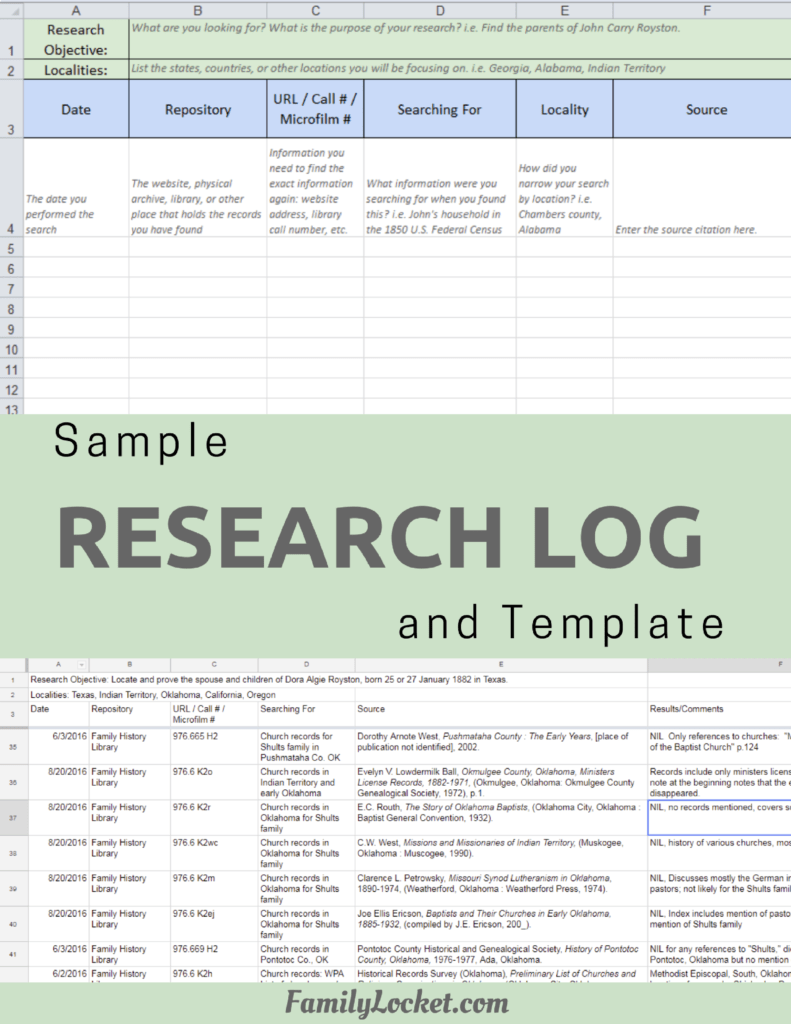
Airtable Research Logs Quick Reference – by Nicole Dyer – https://familylocket.com/product-tag/airtable/
Research Like a Pro: A Genealogist’s Guide book by Diana Elder with Nicole Dyer on Amazon.com – https://amzn.to/2x0ku3d
Research Like a Pro with AI Workbook – Second Edition (eBook) – https://familylocket.com/product/research-like-a-pro-with-ai-workbook-second-edition-ebook/
14-Day Research Like a Pro Challenge Workbook – digital – https://familylocket.com/product/14-day-research-like-a-pro-challenge-workbook-digital-only/ and spiral bound – https://familylocket.com/product/14-day-research-like-a-pro-challenge-workbook-spiral-bound/
Research Like a Pro Webinar Series – monthly case study webinars including documentary evidence and many with DNA evidence – https://familylocket.com/product-category/webinars/
Research Like a Pro eCourse – independent study course – https://familylocket.com/product/research-like-a-pro-e-course/
RLP Study Group – upcoming group and email notification list – https://familylocket.com/services/research-like-a-pro-study-group/
Research Like a Pro Institute Courses – https://familylocket.com/product-category/institute-course/
Research Like a Pro with DNA Resources
Research Like a Pro with DNA: A Genealogist’s Guide to Finding and Confirming Ancestors with DNA Evidence book by Diana Elder, Nicole Dyer, and Robin Wirthlin – https://amzn.to/3gn0hKx
Research Like a Pro with DNA eCourse – independent study course – https://familylocket.com/product/research-like-a-pro-with-dna-ecourse/
RLP with DNA Study Group – upcoming group and email notification list – https://familylocket.com/services/research-like-a-pro-with-dna-study-group/
Thank you
Thanks for listening! We hope that you will share your thoughts about our podcast and help us out by doing the following:
Write a review on iTunes or Apple Podcasts. If you leave a review, we will read it on the podcast and answer any questions that you bring up in your review. Thank you!
Leave a comment in the comment or question in the comment section below.
Share the episode on Twitter, Facebook, or Pinterest.
Subscribe on iTunes or your favorite podcast app.
Sign up for our newsletter to receive notifications of new episodes – https://familylocket.com/sign-up/
Check out this list of genealogy podcasts from Feedspot: Best Genealogy Podcasts – https://blog.feedspot.com/genealogy_podcasts/



Leave a Reply
Thanks for the note!