
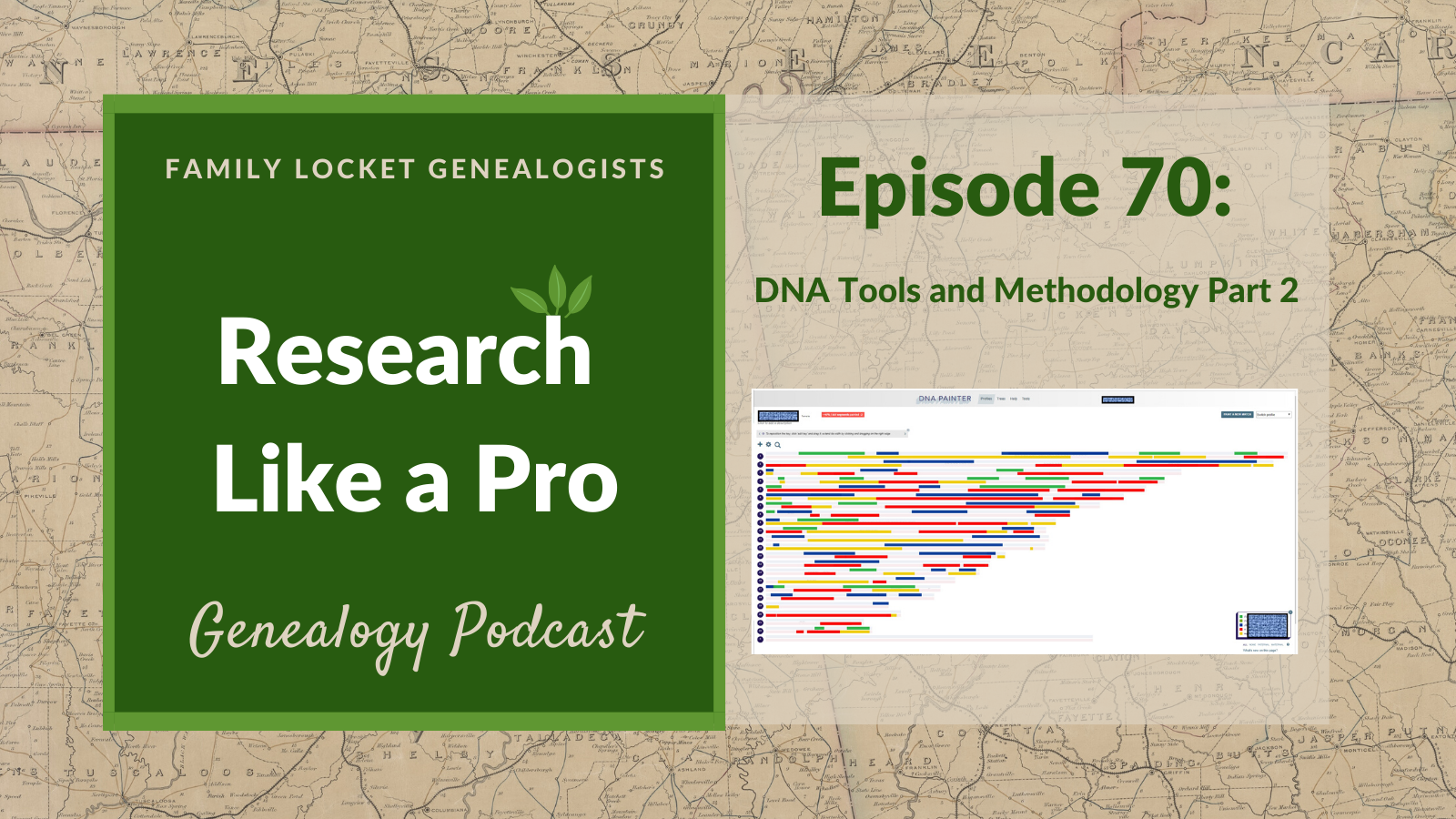
Today’s episode of Research Like a Pro is a discussion with Robin Wirthlin about DNA tools and methods involving segment data. AncestryDNA doesn’t provide segment data, but the other companies do! With chromosome browsers and segment data, you can use segment triangulation and chromosome mapping to prove common ancestors. Join us as we talk about how this all works!
Transcript
Nicole (1s):
This is Research Like a Pro episode 70: DNA Tools part two. Welcome to Research Like a Pro a Genealogy Podcast about taking your research to the next level, hosted by Nicole Dyer and Diana Elder accredited genealogy professional. Diana and Nicole are the mother-daughter team at FamilyLocket.com and the creators of the Amazon bestselling book, Research Like a Pro a Genealogists Guide. I’m Nicole co-host of the podcast join Diana and me as we discuss how to stay organized, make progress in our research and solve difficult cases.
Nicole (39s):
Let’s go. Hi everyone. Welcome to the show today. I’m Nicole Dyer co-host of The Research Like a Pro Genealogy Podcast. I’m here with accredited genealogist, Diana Elder, and our genetic genealogist, Robin Wirthlin. Hi, Diana and Robin.
Diana (59s):
Hi Nicole.
Robin Wirthlin (1m 1s):
Hi
Nicole (1m 1s):
Today, we’re going to be doing part two of DNA Tools, and we’re going to be focusing on using Chromosome browsers and segment data. So last time we talked about some tools that you can use when you don’t have segment data. And now this time, we’re going to talk about what to do when you do, but first let’s do our listener spotlight.
Diana (1m 18s):
Alright, so our spotlight, this time is from JudyTucson and it’s titled, “a helpful series”. Judy, says “I’m an Evernote subscriber and try to keep syllabus notes on the site. After listening to the Evernote podcast and getting ready to listen to the RLP 14 day Research Process, I downloaded the syllabus to Evernote and annotated it with my notes. Pretty perfect. Diana and Nicole’s framework is always so helpful and delivered in an I can do this format. Thanks.” Well, thank you so much, Judy, for that review, and I’m so glad that you’re learning how to use Evernote to annotate syllabus information. That’s one of my favorite things to do when I go to a conference, I love some of the tools in Evernote.
Diana (2m 0s):
So thank you so much for that review.
Nicole (2m 2s):
Well, that was a great review from Judy. Thanks, Judy.
Diana (2m 5s):
You know, one of the things that I also really love about Evernote is when I come across a good article online or a blog post that I want to save, its so easy to save that, you know, when you see something and you don’t necessarily want to read it all now, but you want to keep it somewhere. It’s a great way just to throw it over in Evernote, tag it, and Boom, I can do it in less than 30 seconds. And its saved for me, when I need it.
Nicole (2m 29s):
I am saving an article right now that I really liked from DNA Sleuth. And maybe we should have like a, a notebook for a genetic genealogy help because there are so many great, helpful articles and blog posts out there that we will probably need at some point, right?
Diana (2m 43s):
Yeah. I have a whole Evernote notebook called DNA and all of my syllabus information, webinar, handouts, good blog posts go right into that. So I can do a search for triangulation or I can go search for DNA Painter and it’s been really helpful having it all right there in my notebook. I also have notebooks for like United States research, my Gulf south states research, whatever my brain can think of, I can figure out a way to organize it in Evernote.
Robin Wirthlin (3m 11s):
Do you use that Diana on your desktop and your laptop?
Diana (3m 15s):
Oh, I have Evernote downloaded to my desktop and I can use it online as well. I do like using the app on the computer more than the online version, because I can do more with it. So I always just have Evernote open on my desktop. Its right there so that I can use it for easy reference.
Robin Wirthlin (3m 34s):
I’m looking forward to checking into it.
Nicole (3m 37s):
Let’s do a little outline of today’s topics. So I mentioned we’ll be talking about DNA Tools that you can use when you have segment information. So we’ll talk first about Chromosome browsers and the different ones that accompanies and third parties. Then we’ll talk about Segment Triangulation and chromosome mapping, and very briefly at the end, we’ll touch on visual phasing. So I will start out with talking about Chromosome browsers. So a very basic description of a chromosome browser is a tool used to visualize this specific portion of a chromosome that you share with your genetic match.
Nicole (4m 19s):
So if you can just visualize all of your chromosomes, put into a map with 22 lines, horizontal lines, that’s typically what a chromosome browser looks like. And usually what you do is if you a chromosome browser showing the match between you and one of your DNA matches so that different segments or pieces of that chromosome are highlighted with a color so that you can see where on a specific chromosome you match your DNA match. Some Chromosome browsers will include the X chromosome as well. So that makes 23 chromosomes and the Chromosome browsers give this start and stop points of the shared segments, which are usually long numbers in the hundreds of thousands.
Nicole (5m 5s):
And it also will give you the total length of the segment in the centimorgans and usually below a chromosome browser, that will be a table that will have the data available there as well, so that you can easily copy and paste that into your own spreadsheet. So we talked last week about Ancestry DNA and how they don’t provide segment information or Chromosome browsers. The companies that do are 23andMe, Family Tree DNA, and MyHeritage. So they all have Chromosome browsers as part of their tools when you take an autosomal DNA test with them, or if you transfer into Family Tree DNA, and MyHeritage, you’d usually have to pay a fee to unlock those after transferring.
Nicole (5m 48s):
I think MyHeritage, it costs $29 to unlock the chromosome browser tool. And can you guys remember how much it is for the Family Tree DNA?
Robin Wirthlin (5m 58s):
It’s $19 for Family Tree DNA.
Nicole (6m 0s):
Great. If you have tested at Ancestry DNA, and then you want to transfer that data to Family Tree DNA, or MyHeritage, then you can pay those fees and then unlock the tools to be able to use the chromosome browser and see what segments you share with your DNA matches at those companies within their databases. There’s GEDMatch also, which is a third-party DNA analysis tool, and it provides several types of Chromosome browsers for their users. So let’s go in a little bit deeper and talk about each of the Chromosome browsers at these websites. So first 23andMe. 23andMe doesn’t accept transfers. So you have to actually take a DNA test from them in order to be in their database and to use their tools.
Nicole (6m 46s):
So 23andMe has two ways to view segment information. One is on their individual match profile page, and then the other is through the DNA comparison tool. So to get to the individual match profile page, just look at all of your DNA matches and make sure that you’ve already opted into having a match list. You have to opt into matching first, once you’ve done that, then you’ll see a list of your matches. And then you can click on one of the matches and then scroll down to see the segment information. If you want to use the DNA comparison tool at 23andMe, the chromosome browser, then you can see several matches being compared to one selected profile.
Nicole (7m 28s):
So to access that you would go to the top of the 23andMe menu and click family and friends, and then click DNA comparison. So this is a really great tool that shows shared segments of five centimorgans and larger. And this is actually a little bit smaller than the DNA Relatives threshold, which is seven centimorgans. But unlike some Chromosome browsers, you can’t change the threshold of 23andMe’s comparison tool. So it’s just set at five and that’s what it is. So another unique thing about the 23andMe chromosome browser is that it differentiates between fully identical and half identical segments.
Nicole (8m 9s):
And this is really only useful if you’re comparing siblings and you can read more about that on the 23andMe customer care article in the show notes, but it just shows segments that are fully identical, which means shared between both parents and half identical means you only share through one parent. So that’s kind of a summary of what’s different about the 23andMe chromosome browser and how to use it. Now let’s jump to the FamilyTreeDNA chromosome browser. It is easy to use, and you can just view your list of matches in the family finder test, which is the autosomal test at FamilyTreeDNA. And you can just check the box to select up to seven matches in the list, and then at the top click Chromosome browser.
Nicole (8m 56s):
And then it takes you to a new page that shows all the segments that you share with these people. And you see if any of them overlap with each other, you can change the threshold at this Chromosome browser for matching segments. We have the default is set to five, but you can change it to one, seven, or 10 centimorgans. Now, why would you want to put it at one centimorgans that doesn’t seem like a good idea to me. What do you think Robin?
Robin Wirthlin (9m 19s):
I can’t see the merits of it. You really need something that’s larger to make sure that it’s a real segment and not just some noise in the background.
Nicole (9m 29s):
Right. We do know that FamilyTreeDNA does include very small segments in their total number of shared centimorgans. So that is something to watch out for. So just like other Chromosome browsers, FamilyTreeDNA allows you to download your segment data into a CSV file. All right, let’s talk about the MyHeritage chromosome browser. This is newer. It was just added in January of 2018 and then updated in March of last year. And it allows you to compare up to 17 matches also just like FamilyTreeDNA. And it also shows triangulated segments, which is really helpful. And sometimes it will appear that a segment should triangulate, but it doesn’t have that box around it showing that it’s triangulated in.
Nicole (10m 12s):
That just means that it’s on different chromosomes because you do have two, one from your mom and one from your dad, but the company doesn’t know which one that’s on. So it’s nice that MyHeritage will show you if it is truly triangulated. The only thing that the, MyHeritage Chromosome browsers doesn’t do is show the X chromosome. So that’s one that’s missing from MyHeritage. And if you scroll to the shared DNA matches section of the match profile page, you will be able to see which shared matches have a triangulated segment with you and match. And this is a wonderful tool, and it’s really making me love MyHeritage more than the other sites, because it gives you so much information just from the matches profile page.
Nicole (10m 54s):
So it’s really helpful for forming triangulated groups and determining common ancestors. So thank you MyHeritage for making such a great Chromosome browsers. So Robin, I just wanted to check base with you on the Chromosome browsers and why don’t they show the two chromosomes that we got from our mom and our dad
Robin Wirthlin (11m 11s):
When the testing companies are looking at alleles, which are the letters G A T and C that you have at a specific location, they can’t tell which one comes from your mother and which one comes from your father.
Nicole (11m 25s):
Right. Well, let’s just finish up talking about Chromosome browsers by mentioning the tools that GEDMatch has. GEDMatch is a third-party tool and they have some free tools and some paid tools. And the tier one tools are the ones that cost money. So you may need to upgrade to tier one in order to try some of these, but before you can use GEDMatch, you just need to download your raw data from another website and upload it to GEDMatch as a kit to compare with other kits in their database. It’s very useful to compare DNA tests that were taken at different companies. So if you tested at Ancestry, but your cousin tested at 23andMe, you can both upload your results to GEDMatch and compare the results there.
Nicole (12m 8s):
So one of the basic tools that GEDMatch is the one to many comparison, and this tool compares one kit to all the other kits in the database. And then it gives you a list of all the kits that match with, and a next to each person on that list. So from this list, you can click the a and when you do that, it takes you to a one to one comparison of these two matching kits. So it’s similar to a match profile page at a testing company website, and this will show you the exact segments that you share. And so the one to one comparison is like a big chromosome browser.
Nicole (12m 51s):
So there’s some other tools beyond this within tier one that have additional visualization options for Chromosome browsing. And this includes the 2D chromosome browser, 3D chromosome browser, the compact segment mapper from Katie Cooper. So just take a look at those and see if there’s something you might be interested in trying. So which Chromosome browsers should you use? Well, you should use the ones that are in the databases where you have your DNA, and if you don’t have your DNA transferred over to MyHeritage or FamilyTreeDNA, I highly recommend it so that you can start working with segments and see if that can advance your research. There are some limitations of Chromosome browsers, like we mentioned, they cannot differentiate between a match on the maternal copy of a chromosome or a paternal copy of a chromosome.
Nicole (13m 36s):
And the visual appearance of a shared segments are typically not drawn to scale and cannot be relied upon. So go try a chromosome browser. It’s going to be a good foray into use the segment data for your genealogy.
Diana (13m 49s):
Thank you so much for going into detail on each one of those DNA testing websites and GEDMatch with the Chromosome browsers. I think that this is a little intimidating to a lot of beginners with DNA, because it sounds scary and it sounds hard, but I have found that it is getting easier all the time, especially with the companies. And like you mentioned MyHeritage and how much you love the segment triangulation on that company website. I am going to give applause to that because I have had such good success and it’s so easy to look at the Segment Triangulation on MyHeritage. So I thought it would be fun to talk about Segment Triangulation, what that is, and then show how I use that.
Diana (14m 35s):
And an example to kind of verify one of my family lines. So let’s just define Segment Triangulation. In our last episode, we talked about pedigree triangulation, and I had to visualize a triangle with the common ancestor at the top. And then you on one side and your DNA match on the other side and your family trees both lead up to that common ancestor on Segment Triangulation. We’re also using a triangle, but this time it means if two or more people match with the third person on the same segment of DNA. And they all match with each other on that segment of DNA. Then they each have inherited that shared segment of DNA from a common ancestor.
Diana (15m 16s):
So now we’re talking about three descendants. The common ancestor’s no longer on the triangle. Instead we have three descendants. We have you, or me or the tester, and then we have two other DNA matches and we all share on the same segment of DNA. So we have to understand that it’s not always possible to triangulate on a segment. It’s ideal, but because the amount of DNA you inherit from an ancestor decreases with each generation and because the DNA randomly recombines with each generation, you are not going to inherit the same DNA segments from your grandmother as your first cousin.
Diana (15m 56s):
You’ll likely inherit some common segments, but not all. And a fun way to see this is if you have two first cousins and then to compare the DNA and you can see right away how you all got a little bit different pieces of the DNA. So when we first started using autosomal DNA in genealogy, Segment Triangulation was the gold standard. That’s what everyone was using to make their proofs. And no testing company had a real tool to do this. So you had to ask your DNA matches to upload their raw DNA to GEDMatch to compare. And then we had to use spreadsheets to track the segment data.
Diana (16m 39s):
But now we have got testing companies that offer a chromosome browser that actually shows triangulate segments, MyHeritage and 23andMe. And additionally, if we ask our matches and we ourselves download our raw DNA, then upload to GEDMatch, we can use the tools there to find triangulated segments. So we have a lot of options now. So let’s just go through this and just give an example of how I use MyHeritage to triangulate a segment. So when I viewed my list of DNA matches on MyHeritage, I recognized right away my top match, who wasn’t my mother or one of my children, my next closest match was my mother’s first cousin, Kathleen.
Diana (17m 19s):
I grew up being best friends with her daughter and was in her home all the time. So I feel really close to this cousin and it was fun to see her DNA there. And because I know exactly how we are connected through our shared ancestral couple, Charles Kenneth Creer and Mary Margaret Peterson it was really helpful to look at her shared matches and know that they were all coming through this Creer-Peterson line. Now, an interesting thing was that MyHeritage showed an estimated relationship of great aunt or first or second cousin. And that’s because they don’t know the relationship. They can only give me an estimation, but I knew that she was my first cousin once removed.
Diana (17m 60s):
She’s my mother’s first cousin. So we have 22 shared segments. We have a significant amount of DNA that we share coming from this common ancestral couple. So I figured that there was a good chance that I would have another DNA match who would also share one of those 22 segments. So I clicked on the review DNA match, and I went to a page that showed the matches between Kathleen and me. And I saw that our closest match was an individual that I will call W and he was estimated to be my third to fifth cousin, but he was Kathleen’s estimated second to second cousin once removed. So she shared three times more DNA with W than me. And at this point I had no idea who this cousin was, but right there on the page, MyHeritage had added a little icon showing we had a triangulated segment between Kathleen, W and me, this meant that there was a piece of DNA that came from a common ancestor that we actually all inherited, and that MyHeritage had figured out which segment that was.
Diana (19m 3s):
So I clicked on the icon, which showed me that triangulated segment, and it took me to what they call the chromosome browser one to many tool and highlighted that segment. And I love how everybody uses colors, right? Colors are so visual and so fun. And so the segments that I shared with Kathleen were in red, the segments I shared with W were in yellow. And it was interesting to see that out of all of these different segments that I shared with both Kathleen and W there was just one triangulated segment. I saw that it was 15.5 centimorgans. And I saw that I shared a lot more DNA with Kathleen than with W. So it was just interesting to see what I shared with each individual.
Diana (19m 47s):
And it was fun to see that I had that one segment, that triangulated that we all shared. Now, what if I didn’t have a triangulated segment with W? Well, this would not have been able to be Segment Triangulation, but it definitely would have shown that there was a pedigree triangulation that somewhere we shared a common ancestor. So then I could trace back trees and find that common ancestor. So how did I use this information in my genealogy? Well, I noticed that Kathleen and W were likely the same generation. MyHeritage had reported their ages as in their eighties, they were probably on the same level and MyHeritage showed the likely relationship for them, a second cousins or second cousin once removed.
Diana (20m 36s):
And so I hypothesized that W was the descendant of the ancestral couple, a generation back William CreeR and Sarah Jane Miller. And so he and Kathleen would have been second cousins, but with me, he was a second cousin once removed. So then I wanted to try to figure out who W was, and I decided I’d go to FamilySearch, because FamilySearch has that really neat descendancy tree. And I knew that the Creer ancestors had all been really well-researched as well as all their descendants. So I went to William Creer, and to descendency and I was looking for a likely candidate, someone of the appropriate age. And I discovered someone that I’m pretty sure is W: William Edward Creer, and I could be wrong because I’m still working on connecting it.
Diana (21m 24s):
But this triangulated match is really strong evidence of my relationship. And now I know that that little segment almost certainly came from William Creer or Sarah Jane Miller. It was kind of fun. Genealogy research had already traced this relationship through family histories and documents, and now DNA, this giving me an additional piece of evidence that it’s a correct line. It’s really fun to know that DNA is confirming our family relationships. So if you have never used DNA, I recommend you try Segment Triangulation with this, an easy project such as this one, like confirming a set of second great grandparents as I did on this example, it’s easier because you’re familiar with the names and you’ll probably recognize some of your closer matches.
Diana (22m 7s):
And it just helps you to understand how the tools work because you know what you’re working with. So if you have your DNA on the different companies, you can use the Segment Triangulation tools on MyHeritage and 23andMe, and then you can upload to GEDMatch and try it there. And the better you get with using Segment Triangulation in your closer matches, then you can start using it to prove those further back ancestors and make some sense of some things that maybe you’ve had questions about in your family tree for a long time.
Nicole (22m 40s):
That’s good advice. I really think it’s good to start with known relationships, confirming them, and then go back a little further.
Robin Wirthlin (22m 46s):
I totally agree with that. The closer relationships are easier to figure out than the more distant ones. And if you can confirm back to your parents, grandparents, great-grandparents, you are well on the way to identifying those more distant ancestors. As you were talking Diana, I was thinking about this quote by Linda Hogan, who’s a Native American writer, and she says, “Walking, I am listening to a deeper way. Suddenly all my ancestors are behind me. Be still, they say, watch and listen. You are the result of the love of thousands.” I love that quote and thinking about the rich heritage that each of us has, and that we really are the result of the love of thousands.
Robin Wirthlin (23m 30s):
And you can visualize some of that love with chromosome mapping. And the reason why you can see it in chromosome mapping is because you figure out which segments or pieces of DNA that you inherited from a specific ancestor. And then we use those pieces of DNA to learn more about our grandparents and on back in time. So autosomal DNA is a really tool that can help us to confirm those known ancestors and then go back to identify unknown ancestors, and also can help us identify previously unknown relatives that are our cousins. And those cousins may know more about our ancestors than we do. Maybe they got the family lore passed down or heirlooms or stories were passed on down to them, or they had good memories.
Robin Wirthlin (24m 17s):
Also, those cousins can help us to confirm the speculated ancestors that are farther back in our shared line. So with chromosome mapping, you visualize your DNA and you can see segments of your DNA that you inherited from specific ancestors. Using those autosomal DNA results you can build a map of your chromosomes. Chromosome mapping has a little bit more of an advanced technique, but there is a fantastic tool on DNAPainter.com that helps you to map your chromosomes. And it is not difficult to use. And it is revolutionary really because it puts that technology into our hands. So this field is ever changing and updating and more and more tools are coming forth from really brilliant people that are helping us to connect with our ancestors.
Robin Wirthlin (25m 8s):
So with DNA painter, you copy the segment data that you get from any of the testing companies, except for Ancestry. And as you look at the segment data, you can copy all of that and you can paste it into the form on DNAPainter and that data that you paste in, it reflects the segments of DNA that you have in common. And it consists of the chromosome number, the start and the stop points and the amount of centimorgans and number of snips for each segment, when you’ve already determined how you related to your cousins, then you can name that group of segments, according to the name of the ancestor that you share in common.
Robin Wirthlin (25m 50s):
So Nicole mentioned this earlier, the, some of the challenges that you have in mapping your chromosomes are, if you have multiple ancestors that you share with a certain DNA match, that could be because your tree isn’t complete, you don’t know all the ancestors that you share with somebody, and perhaps they have pedigree collapse or, and endogamy. So pedigree collapse happens when related individuals have children. Those would be like double cousins. For example, these children, they have fewer unique ancestors than expected because their parents have ancestors in common.
Robin Wirthlin (26m 30s):
And then if there’s endogamy, which occurs among some populations who are geographically isolated or populations who choose to marry primarily within the population. And so the children inherit DNA that’s descended from the founders of the population in multiple ways. So outside of DNAPainter, you can do chromosome mapping on your own with pencil and paper or another tool or technique to use is visual phasing. Visual phasing is a great way to manually map your chromosomes. You have to have at least three siblings to be able to map those chromosomes. It involves looking at the segment data and determining when the crossover points happened when you inherited DNA from one maternal grandparent versus the paternal grandparent.
Robin Wirthlin (27m 15s):
So I took a class in chromosome mapping at GRIP two and a half years ago, and I was so excited to learn more about chromosome mapping. And we used visual phasing. This technique is a more time intensive way to map your chromosomes. And it was challenging. It was exciting to see how I could assign segments to different maternal or paternal grandparents. But I think that DNAPainter has kind of superseded that process because it’s so brilliantly uses automatic computer techniques to assign segments to different ancestors. So there are step-by-step visual phasing instructions for PowerPoint from Kathy Johnston, who was an ISOG member, and then Blaine Bettinger also has some step-by-step instructions in his blog, but I really recommend DNAPainter.
Robin Wirthlin (28m 7s):
I think it’s a fabulous program. And I think that it’s easier to use. And you’ll be able to see this pretty map of the segments that you inherited from various ancestors.
Nicole (28m 21s):
Right? I think the listeners are thinking, yeah, I think I’ll start with DNAPainter.
Diana (28m 27s):
I’m just looking at my profile on DNAPainter and I have been working on this a bit. I have 180 segments painted, so I’ve got a fair amount there. And I started with my closer cousins because I knew for sure who they were, and I am starting to get some good clues here, some good things filled in, and I have one match that I painted and I still do not know exactly her line, but because she matches on a significant segment with one of my known cousins, I have a really good idea of who she is. So I think as we wrap our minds around how to do DNA painting and the more we work with it, the more useful it will be in figuring out who some of these matches are.
Nicole (29m 9s):
Well, great discussion today, ladies, that was fun talking about all the DNA segment tools that we can utilize. And we have segment data, thank you for listening today and for following along as we discussed the Research Like a Pro with DNA process, and like I mentioned, this section about learning about the tools and methodology is a very important part of knowing how to be able to research plan and what DNA Tools you want to use. So if you haven’t explored some of these tools, yet we encourage you to go and try them out, keep a little diary of what you learned from each one and how it might be useful in your projects. And then when you get to a specific research question that you have, and you want to use DNA, you’ll have some of these tools at your fingertips to help you solve the problem.
Nicole (29m 58s):
So good luck to you all and we will talk to you again next week.
Diana (30m 4s):
Bye bye, everyone have fun this week.
Robin Wirthlin (30m 6s):
Bye. Good luck.
Nicole (29m 58s):
Thank you for listening to Research Like a Pro with Diana Elder, accredited genealogy professional and Nicole Dyer. We hope that something you heard today will help you make progress in your own genealogy research. If you like what you heard, please leave us a review on iTunes or Stitcher or visit our website, FamilyLocket.com to contact us. You can find our book Research Like a Pro a Genealogist’s Guide on Amazon.com and other booksellers. We hope you’ll start now to Research Like a Pro.
Links
The Chromosome Browser: A Tool for Visualizing Segment Data by Nicole at Family Locket
Segment Triangulation by Diana at Family Locket
Chromosome Mapping – Visualize Your DNA and Identify the Ancestors Who Passed It On To You by Robin at Family Locket
23andMe Customer Care article – Half and Fully identical segments
Step-by-step instructions for Visual Phasing in PowerPoint at DNA Genealogy
Research Like a Pro
Study Group – more information and email list
Research Like a Pro: A Genealogist’s Guide by Diana Elder with Nicole Dyer on Amazon.com
Thank you
Thanks for listening! We hope that you will share your thoughts about our podcast and help us out by doing the following:
Share an honest review on iTunes or Stitcher. You can easily write a review with Stitcher, without creating an account. Just scroll to the bottom of the page and click “write a review.” You simply provide a nickname and an email address that will not be published. We value your feedback and your ratings really help this podcast reach others. If you leave a review, we will read it on the podcast and answer any questions that you bring up in your review. Thank you!
Leave a comment in the comment or question in the comment section below.
Share the episode on Twitter, Facebook, or Pinterest.
Subscribe on iTunes, Stitcher, Google Play, or your favorite podcast app.
Sign up for our newsletter to receive notifications of new episodes.
Check out this list of genealogy podcasts from Feedspot: Top 20 Genealogy Podcasts


Leave a Reply
Thanks for the note!