
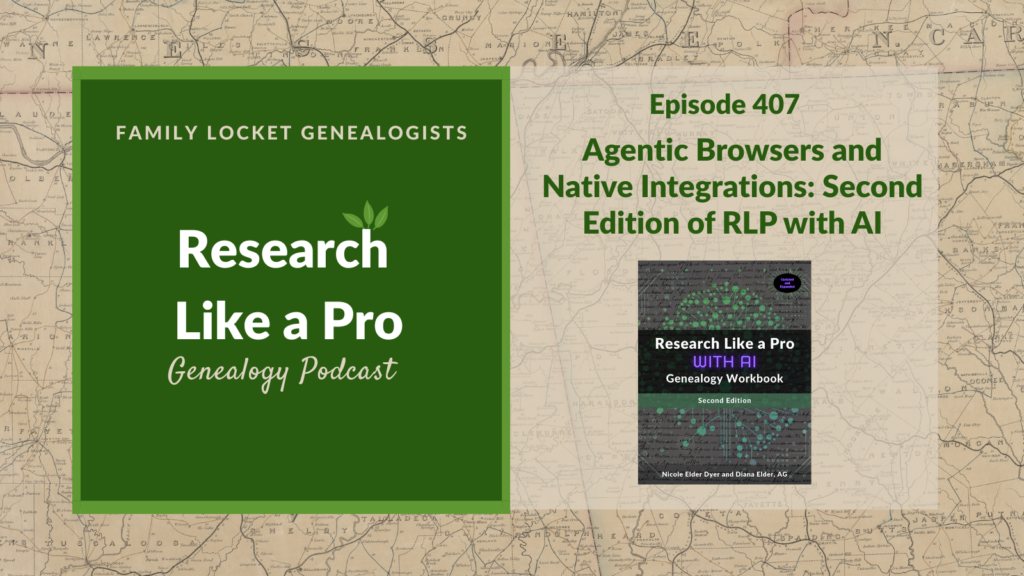
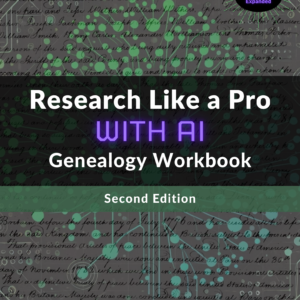
This episode focuses on the newly updated second edition of the Research Like a Pro with AI genealogy workbook. Nicole and Diana discuss how the book shifts its attention from early 2025 models to the most powerful models available in mid-February 2026, specifically ChatGPT 5.2, Claude Opus 4.6, and Gemini 3. Diana highlights the most significant change, which is the introduction of “agentic” browsers, including Claude in Chrome, Perplexity Comet, and ChatGPT Atlas. These autonomous agents can now perform tasks like actively clicking through family tree lines to find research gaps, navigating library catalogs to compile relevant collections, and autonomously executing research plans directly from a Google Doc.
Nicole details the expanded coverage of Handwritten Text Recognition (HTR), which now includes specialized tools such as Gemini in Google AI Studio, Leo for paleography, and Ancestry.com’s Image Transcript beta tool. Diana covers the native AI features built into genealogy platforms like Ancestry’s “Ideas” and FamilySearch’s AI Research Assistant, as well as productivity tools like Goldie May and Airtable. Nicole notes that Airtable AI is now more accessible to free users and describes how its new Omni sidebar can synthesize evidence across multiple rows, such as pulling together scattered land and tax records to build a case for a parent-child relationship. Diana provides crucial privacy updates, alerting users that Claude now trains on user data by default, and she outlines the specific limits on “Deep Research” features. She also discusses NotebookLM’s ability to process YouTube video transcripts and Gemini 3’s “spatial grounding” capabilities for reading complex historical documents. Listeners learn that the 2026 Second Edition moves from manual AI prompting to autonomous, integrated research workflows, equipping genealogists with cutting-edge efficiency.
This summary was generated by Google Gemini.
Transcript
Nicole (1s):
This is Research Like a Pro, episode 407: Agentic Browsers and Native Integrations: Second Edition of RLP with AI. Welcome to Research Like a Pro a Genealogy Podcast about taking your research to the next level, hosted by Nicole Dyer and Diana Elder accredited genealogy professional. Diana and Nicole are the mother-daughter team at FamilyLocket.com and the authors of Research Like a Pro A Genealogist’s Guide. With Robin Wirthlin they also co-authored the companion volume, Research Like a Pro with DNA. Join Diana and Nicole as they discuss how to stay organized, make progress in their research and solve difficult cases.
Nicole (41s):
Let’s go. Today’s episode is sponsored by newspapers.com. Hi everyone, welcome to Research Like a Pro.
Diana (49s):
Hi Nicole. How are you today?
Nicole (52s):
Really well, I am enjoying my research project for the DNA study group and finding new leads and new avenues to pursue with the Welch family. You know, we’ve been having that brick wall for a while with George Welch’s parents, and I used the Ancestry custom clusters to find some new leads. So I had a different test taker that I was working with, and she descends from George Welch through a different child than you do. And so making her custom clusters and analyzing everything brought me to kind of some new interesting potential relatives. I think I found a possible sister of George Welch.
Diana (1m 31s):
Oh my goodness, that is so exciting.
Nicole (1m 35s):
Yeah, it’s fun to see some of the same names in the FAN club and then similar migration routes and those are just so important when using DNA with Southern research.
Diana (1m 46s):
Absolutely. And women are so hard because they get a new married name and it can be tricky if you don’t have a marriage record with their maiden name or any child that lives long enough to name, you know, to have a maiden name on a death certificate so our women can get lost, so this is exciting that you found a potential sister.
Nicole (2m 7s):
Yeah, and it was really cool to see that she did have a daughter who lived to 1925 and her death certificate did say that her mother’s name was Margaret Welch. So that was neat.
Diana (2m 19s):
Fabulous. Well, I’m excited to start digging into the DNA on my project. I have my research plan all ready to go on my Cynthia Dillard project and I’m just looking forward to getting going on the research. It’s so fun. We do so much preliminary work on our projects and then we get to the really exciting part of, well, hopefully exciting part of making discoveries. Hopefully we don’t have a lot of negative searches, right?
Nicole (2m 44s):
Well, doing the pedigree triangulation on this cluster was frustrating because a couple weeks ago I found this connection, but then I didn’t save it and I got distracted and lost all the tabs or whatever and so I had to go back and try to refind it and it took me a couple hours. So that wasn’t very fun, but it would, it does feel frustrating to constantly, constantly be looking at people’s family trees and not finding any connections. So I was excited when I finally refound it again this morning.
Diana (3m 12s):
Yes, yes. Well, let’s do some announcements. Our Research, Like a Pro Webinar series for 2026 is coming up on May 16th. This is a Saturday at 11:00 AM Mountain Time and our presenter is Amy Pittman. Her title is Where Was Fannie Cliett Born?, Examining a Family Story. So family tradition maintains that Fannie Cliett was born “on the line” between Alabama and Georgia in 1838. Using land, census, and military records, this project reconstructs the movements of Fannie’s parents from Floyd County, Georgia, into Cherokee County, Alabama, just before her birth. Although Cherokee County suffered severe record loss, federal land patents and the FAN club hint that the family story was based on truth.
Diana (4m 0s):
Topics are Alabama, Georgia, Deeds, Land Patents, Confederate CMSR, FAN Research, Family Lore. Well, Amy is a Genealogist based in Birmingham, Alabama. She has completed courses at the Institute of Genealogy and Historical Research, Family Locket, and the National Genealogical Society. Amy has worked with census, land, military, naturalization, probate, tax, court, town, church, and university records, as well as newspapers and manuscript collections in the United States. Based in Alabama, she specializes in research within the Southeast. Our next Research Like a Pro study group begins August 2026 and the peer group leader application is on our website if you’re interested in joining us.
Diana (4m 49s):
And then of course, join our newsletter that comes out each Monday with our new posts, upcoming lectures and any coupon codes we might be having for our products. We are excited to have the National Genealogical Society Conference coming up soon. This is 27 to 30 May, 2026 in Fort Wayne, Indiana and we’re excited to go research at the famous Allen County Public Library. And one of the things I want to do there is see if I can locate a lot of articles on PERSI, the Periodical Source Index because they’re all in person at Allen County Public Library.
Diana (5m 28s):
So usually we have to send away for those articles. So I want to make sure I’ve got any journal articles located that I want to to see if I can find. The theme for the conference is America at 250 and I will be presenting two topics. I will be doing Reconstructing Female Networks Through Antebellum Court Records and Property Transfers, and then also Uncovering Family Stories Through American Court Records: Research Strategies. So both of mine have a little bit different take on court records and then Nicole’s presenting Decoding America’s Past: Using AI to Understand 250 Years of Historical Terminology, and then From Colonial Virginia to Tennessee: DNA Reveals Barsheba Tharp’s Ancestry in America’s Westward Migration.
Diana (6m 18s):
And then finally, Deciphering Script & Scrawl: A Practical Workshop for Early Handwriting. So we are excited to go and teach and also to meet people and to learn from others.
Nicole (6m 29s):
Yay. It will be fun to learn more about the Allen County Public Library and take some classes. Well, today we’re talking about the next edition of Research Like a Pro with AI, and it has been so fun to work on this at the beginning of this year. And this Second Edition has all the latest updates in how artificial intelligence can be used for genealogical research and writing. And what’s interesting is that it took a long time to update all the new features released by OpenAI, Anthropic, Google, and Perplexity in just one year. It’s just astonishing how fast the pace of this technology is advancing.
Diana (7m 10s):
Absolutely. Let’s talk about some of the new and different items in this edition. I know at RootsTech a lot of people wanted to know what was the difference. Well, as we all know, AI is changing so fast, so what Nicole did was to upload both editions of the book to NotebookLM and Gemini generated a comparison. So we have updates on major models and features and then new especially was the agentic browsers and then a lot more about handwritten text recognition.
Nicole (7m 42s):
Yeah, so let’s go through some of those in more detail. So the first topic is updated the AI models and new frameworks for kind of how to understand the AI tools. So the first edition of Research Like a Pro with AI focused on models that were available in 2025 like ChatGPT-4 and Claude 3. And then fast forward a year to mid-February ’26, we were now working with newer models like ChatGPT 5.2, Claude Opus 4.6, and Gemini 3, and there were a lot of advances with those new models and we try not to focus on certain model numbers, you know, because if we talked a lot about each model number, that would just quickly become outdated.
Nicole (8m 34s):
But in general we tried to focus on some of the new features and which model is best for which thing. And then we also added a new way to think about AI tools, and this is a conceptual framework that Ethan Mollick discusses on his blog that’s really helpful. And he kind of distinguishes between models, which are the underlying brain, apps, which are the interface you use to access the model, and then harnesses and wrappers, which are systems that allow the model to take real world actions. And this was important to set the foundation for the agentic browsers that we would talk about later in the book.
Nicole (9m 17s):
So that framework was just so helpful and you can read more about that on Ethan Mollick’s blog, but just thinking about the fact that there is a difference between the model, the app and the harness can really help. And then the comparison table from 2025 has been replaced with two different tables, so everything couldn’t fit on one page anymore, so I split it into two tables. So the first table that compares AI App features focuses on like the main features that the other table had, like you know, whether there’s a canvas and whether there’s Deep Research and which ones have it for free and which ones have it for paid.
Nicole (10m 1s):
And then the next table focuses on integrations and auxiliary tools. So kind of like, is there agentic browser that goes with Anthropic’s Claude and things like that.
Diana (10m 13s):
Oh wow, that’s such a good idea to just split that up and talk a little bit more detail. So one of the things that has been the biggest leap forward in the recent month has been this rise of agentic browsers. So this was the most significant item in the introduction of autonomous agents and the 2025 edition relied on manual chat prompting, and the new edition teaches users how to use harnesses like Claude in Chrome, Perplexity Comet, Chrome Auto Browse, and ChatGPT Atlas. So for the Autonomous Pedigree Analysis, agents can now actively click through and expand family tree lines to find research gaps on your behalf.
Diana (11m 4s):
And for another use case, say locality research, agents can navigate library catalogs like the Library of Virginia or FamilySearch Catalog and then extract the collections that are relevant to your research and automatically compile the results into a new Google Doc. So basically creating a locality guide for you from specifics in a catalog, which is really exciting, something AI could not do before. And then agents can also do some work on executing your research plan. So the book provides case studies of agents like Claude in Chrome, which is one that you use just in your browser autonomously executing a research plan from a Google doc, evaluating the findings and filling out the results directly into the Google Doc.
Diana (11m 58s):
And then another way, or use case, for agentic browsers would be logging your research and agentic browsers like Claude in Chrome can extract details from a screenshot and log the results straight into your Airtable base or a Google Sheets research log. So if you’ve been hearing about agentic browsers but not know what to do with them or how to work with them, the book will give you some good tips on that.
Nicole (12m 26s):
Yeah, I thought it was really cool when I tried out doing pedigree analysis with an agent and navigating library catalogs and, and even like executing a research plan, I thought, I wonder if the AI in the sidebar here, Claude in Chrome, can click on these links in my Google Doc and then search for this person and what it will find. And it was pretty interesting. I mean it didn’t do exactly the way that I would’ve done it, but it did find similar findings. The step that it didn’t take was to search for the wife when the husband was missing, and she was there in the census just living with a brother in a different locality. So AI had a hard time finding that even though I gave the wife’s information and the objective.
Nicole (13m 10s):
So I think it could have done it, but it didn’t, which is fine. And so it did a pretty good job, but it was really cool was seeing it not only follow the research plan but then write the results back into the Google Doc that I had open. So.
Diana (13m 23s):
That is very fun. That is awesome.
Nicole (13m 27s):
Alright, well then, I mean agentic browsers are pretty awesome, but the next one is awesome too. So the next topic that was expanded in the Second Edition of Research Like a Pro with AI is more about handwritten text recognition. And in the 2025 edition we talked about Transkribus, we talked about FamilySearch’s Full Text Search, we talked about using large language models to transcribe handwritten text, but we expanded this section to include some new and specialized tools and also to focus in on which large language model is the best at this, which is Gemini, especially when you use Gemini within Google’s AI studio and that developer’s playground.
Nicole (14m 8s):
Google AI Studio is just a great place to get free accurate transcriptions of handwritten text when you’re using legible documents from about the 1700s to the present. And the great thing about Google AI Studio is just that it’s so powerful. You have access to the full Gemini 3 model, whether Flash or Pro, they both work really well. I tend to use Flash because I think it’s a little bit better with reading the handwritten text, but it doesn’t have any system prompts that are kind of overriding your instructions like you would have in the Gemini app. It just has kind of that basic access to the model.
Nicole (14m 50s):
We also talk in the book about a couple other tools that are specialized just for handwritten text recognition like Archive Studio, which is a free open source tool connecting directly to the models through APIs. So you can use Gemini there as well. And you can correct one transcription with another large language model like Claude Opus, which works really well for even better accuracy. Another tool we mentioned is HandwritingOCR.com, which is a specialized tool, lets you see the transcription and the image side by side and it supports over 300 languages, but it’s more focused on handwriting from the present day, although it does pretty well with legible handwriting from the 1800s and 1900s.
Nicole (15m 31s):
Then there’s Leo at tryleo.ai, which I learned about right before I finished updating this section in the book, and it’s an AI web application that’s fine tuned specifically for paleography and deciphering historical handwriting for historians, and it’s created by two guys in England. So it’s really good at British handwriting documents and things from the British Empire from England and other languages that are European, but mostly it’s really good at English, but it is adding more capabilities for other languages too and it has some really cool features for transforming your transcriptions, like creating a glossary of unfamiliar terms and things like that.
Nicole (16m 16s):
Well we also include a a little bit about Kindex that has the “Auto-Index Service”. So if you are using Kindex to transcribe journals and diaries in your own personal archive, then you can use their auto index service to automatically transcribe them. Then all you have to do is go through and check for accuracy. We also go over Ancestry’s Image Transcript, which is a new beta tool for transcribing records stored in your gallery. And even after the publication of this edition, My Heritage released a new tool for the same type of thing. So there’s just new tools popping up everywhere that help read handwriting. So it’s exciting to see these developments.
Nicole (16m 57s):
And now a word from our Sponsor: as flowers bloom and the days get warmer, why not breathe new life into your family history research? Newspapers.com is the perfect companion for Genealogists at any level looking to go beyond names and dates. With access to over a billion pages of historical newspapers, you can uncover fascinating stories about your ancestors that don’t show up in typical records. Picture finding a heartfelt obituary that introduces extended family, a local news article showcasing your great-grandmother’s community role, or even a photo that captures a special moment from long ago—little treasures that make their stories blossom before your eyes. Newspapers are packed with the everyday moments—announcements, celebrations, challenges—that bring color and depth to the lives of those who came before you. These rich, primary sources help you connect with your family’s past in a way that feels personal and meaningful.
Nicole (17m 49s):
Ready to brighten your research with stories that go beyond the usual? Visit Newspapers.com/FamilyLocket today and enjoy 20% off a subscription. Let spring be the season you turn your family tree into a lively family story!
Diana (18m 3s):
Alright, well let’s talk a little bit more about the new edition. And the new edition has the dedicated section on leveraging AI built directly into the tools we are already using as genealogists. So there are a lot of productivity apps, genealogy platforms. So for instance, you might have seen on Ancestry something called Ideas and AI stories or FamilySearch’s AI Research Assistant or MyHeritage’s AI Biographer. And it seems like each day or each week we see something new popping up in our genealogy sites, things that we’re already using with new ideas that those developers have put into their programs that we are using and I’m sure that will continue.
Diana (18m 52s):
The new edition also covers Goldie May, which has new AI capabilities. And so you can learn all about the Goldie May browser extension and it has a new AI assistant, so you can use it to transcribe screenshots, to suggest research plans, do automatic logging. And this is a really neat way to use AI within a tool that has built in all the prompts, all the things that you need to use and you just with a click of a button can have it go to work for you. Now another tool that we love is Airtable, as all of our listeners know, and Airtable has its AI Omni built in.
Diana (19m 40s):
It’s a sidebar chatbot that you can open up or close if you don’t wanna see it, and it can read your entire base. So all the research information that you are putting into your base, whether it’s your timeline, DNA match details, your research log, it can look at that, it can synthesize the information across multiple rows and can do all sorts of things for you. Whatever you want to ask it, it will, it will attempt to do for you. So one these cases, it could auto generate a timeline of all the different events. You know, sometimes I have a really extensive Airtable base and I can’t quite remember what I have about a certain person, so you could ask a question or prompt it to just do a little summary of everything you have on the specific person for a certain time and it’ll go find that and write that up for you.
Diana (20m 32s):
So that’s an exciting thing to have Airtable have its own AI assistant built right into it.
Nicole (20m 41s):
It is so helpful and it’s better for privacy too because it has enterprise grade privacy levels with that and so your data is not used for training at all because it’s there within Airtable and so the Omni chat bot isn’t sending any data back to Anthropic or Open AI to train on your data. Well, our next topic is that in the Second Edition of Research Like a Pro with AI, that we talk more about the integration and accessibility of Airtable AI. So continuing on this topic of Airtable, now in 2026, free users can use the AI features in Airtable. And in 2025 that edition talked about how the generative AI tools required a paid subscription, but now free users have 500 AI credits per month making these features much more accessible for beginners.
Nicole (21m 33s):
So this is really great. And in 2026 the AI fields are now called Field Agents. And so I don’t know that they had a specific name back then, but we just talked about using a field to generate AI text with a prompt that’s built into the field. And now those are just called field agents. So you can create several different types of field agent, field agents, one that can analyze an attachment, which would be like an image uploaded, and you can actually even use Gemini 3, you can select your model, you can choose your prompt, and then you can have it analyze that at attachment to either transcribe it or summarize in a a transcription.
Nicole (22m 13s):
There’s just so many capabilities now that you can just imagine how you might use it and you know, we still can use it to generate text for a research report and so forth. So with Omni the sidebar in Airtable, we can now do correlation across multiple rows. So that’s exciting. And while AI previously analyzed only one row at a time, this new Airtable capability with Omni allows you to look at the entire table and synthesize evidence across multiple rows, pulling together scattered land and tax records to help you build cases for relationships.
Diana (22m 53s):
Yes, it is really exciting to see that new capability because that’s what we’re trying to do, you know, find all these relationships, correlate our information and having an AI tool looking at that really can help us. Well another update for the 2026 edition was all about the privacy policies. So those keep changing and the 2026 edition alerts users that Claude now trains on user data by default and they just kind of sneakily changed that in September, 2025. So that is a direct reversal from the earlier edition of Research Like a Pro with AI.
Diana (23m 34s):
So that is something that we just always need to be aware of, I know what’s going on with the privacy and how we can opt out of having the chat bot train on our data. So it also goes into talking about how you can use incognito mode, which includes options for temporary chat so your data isn’t used for training and the conversation isn’t saved to your history. So the the new edition will explain some of those nuances. It also talks about Deep Research features and explains that Claude now offers a research feature to paid users and it also, you know, outlines the highly specific limits placed on these research heavy queries.
Diana (24m 19s):
So it used to be that ChatGPT would let you have five “lightweight” Deep Research queries per month for free for users while Perplexity allows one per month for free users, it seems like these are often changing as well. So now this is up to date with where these are and can help you understand what you can do with each one of these tools for free or if you want to pay.
Nicole (24m 44s):
Yeah, that really highlights the need to try the paid version of ChatGPT, for example, because if you don’t, you’re not getting the full Deep Research report that you might get if you’re on the paid plan you’re getting a lightweight Deep Research. So it’s kind of an oxymoron to say it’s a lightweight Deep Research because you, for Deep Research, you expect more of a heavy report, but without the paid plan, you’re limited to five Deep Research queries per month that are lightweight for free users. So just know that if you’re on the free plan, you’re not getting the full benefits of some of these good features. So some of the new and updated tools that we call out in the new edition of Research Like a Pro with AI include Claude Custom Skills.
Nicole (25m 32s):
Back in 2025 we talked a lot about Claude Projects, and Claude didn’t really have like a custom GPT similar feature until they introduced “Custom Skills.” And so these are almost even more powerful than ChatGPT’s Custom GPTs because multiple skills can be saved to your account and Claude will automatically detect and combine these relevant skills depending on the conversation and what you’re asking Claude to do. So if you have some specific instructions on what to do when you know generating a Word document or when using markdown for footnotes, you can put all those as skills and save them in your Claude account.
Nicole (26m 12s):
And then whenever you’re doing something like with Word or with footnotes, it can know exactly what you want it to do. Another new and updated tool that we talk a little bit more about is NotebookLM and especially NotebookLM as an editor. It’s really helpful to be able to upload a document you’ve created to NotebookLM and then use that tool for editing and grammar and readability and adherence to the Chicago manual style and things like that. So just another tool that keeps getting better and it’s helpful. So that’s NotebookLM by Google, which uses the underlying Gemini model.
Diana (26m 53s):
I love NotebookLM. It has some really neat features and now it has YouTube integration. So the 2026 edition highlights this ability to process YouTube videos. You can take a YouTube link and paste it into your notebook and then AI will retrieve a transcript for you, answer questions about the video’s content and provide direct quotes. So that’s really neat. There’s so much good genealogy information out there on YouTube and this could really help you to internalize that information, have some notes about it, save key pieces of the information from the video that you want.
Diana (27m 37s):
So the 2026 updated comparison tables do add specific tracking for audio and video transcription. So Gemini and Perplexity natively support this feature. But ChatGPT and Claude do not. So you’ll see that in the comparison table. And maybe this is something that you haven’t used AI for, so it’s always good to see some of the use cases that maybe you haven’t been doing. And then the 2026 edition also has a technical explanation for why Gemini 3 is so good at reading complex historical documents and explains that Gemini has spatial grounding capabilities and talks about the high score on the MMMU Pro benchmark, which tests how well an AI understands the physical relationship of objects and text in an image.
Diana (28m 30s):
So we’ve all been interested to see image creation and seeing how these models continue to change and grow. And so sometimes that’s good to have a little bit of background, which the book gives you about that whole idea of the advanced spatial grounding.
Nicole (28m 49s):
Yeah, that’s really about understanding documents, but Gemini is also really good at generating images too, and it probably has to do with similar benchmarks that it’s good at, you know, for not only understanding images but generating them too. Well, in summary, the 2026 edition of Research Like a Pro with AI is a major leap from manual AI prompting to more autonomous integrated research workflows. And so by introducing agentic browsers that can independently navigate and extract records and expanding the arsenal of specialized handwriting recognition tools and highlighting native AI assistance built directly into platforms like Airtable and Goldie May, this addition really helps you to learn more about this cutting edge efficiency that you’re able to use with AI now.
Nicole (29m 39s):
And the book has essential updates on the most powerful new models like ChatGPT, Claude and Gemini, and critical shifts in privacy policies. So this edition is really helpful guide for anyone who’s using AI and its rapid changes to keep up on and hopefully we’ll get you up to date on all the latest information and cutting edge things to try. So to purchase the workbook, you can go to Research Like a Pro with AI Workbook, Second Edition at Family Locket. Just go to the tab called books and then go to Research Like a Pro with AI. And we sold a limited number of spiral bound copies of the workbook at RootsTech at our booth.
Nicole (30m 19s):
And so those were fun, but we are not selling any more spiral bound. But if you’d like to purchase the the eBook, it includes a printable PDF that you can then take to the print shop and get it spiral bound yourself, so you have permission to do that with your purchase. So you can have the Word document, which is a, an eBook that you can type into for your workbook sections, you know where you can write in what you’re working on, and then if you like prefer to have it printed, you’re welcome to take the file into a print shop and get it printed there. So we hope that this was useful for you to hear about these updates. We’re excited about the new updates. We’re always working on trying the new things. Let us know how things are going for you as you try them out and any new uses that are helpful for you and keep us updated on your great discoveries.
Diana (31m 10s):
Alright everyone, we hope that you can take some time to go try something new with AI and checkout our new workbook. We’re just excited to learn along with all of you. So thanks for listening and we will talk to you next time. Bye-bye.
Nicole (31m 26s):
Bye-bye. Thank you for listening. We hope that something you heard today will help you make progress in your research. If you want to learn more, purchase our books, Research Like a Pro and Research Like a Pro with DNA on Amazon.com and other booksellers. You can also register for our online courses or study groups of the same names. Learn more at FamilyLocket.com/services. To share your progress and ask questions, join our private Facebook group by sending us your book receipt or joining our courses to get updates in your email inbox each Monday, subscribe to our newsletter at FamilyLocket.com/newsletter. Please subscribe, rate and review our podcast. We read each review and are so thankful for them. We hope you’ll start now to Research Like a Pro.
Links
Agentic Browsers and Native Integrations: Inside the New Edition of Research Like a Pro with AI – https://familylocket.com/agentic-browsers-and-native-integrations-inside-the-new-edition-of-research-like-a-pro-with-ai/
Research Like a Pro with AI Workbook – Second Edition (eBook) – https://familylocket.com/product/research-like-a-pro-with-ai-workbook-second-edition-ebook/
Sponsor – Newspapers.com
For listeners of this podcast, Newspapers.com is offering new subscribers 20% off a Publisher Extra subscription so you can start exploring today. Just use the code “FamilyLocket” at checkout.
Research Like a Pro Resources
Airtable Universe – Nicole’s Airtable Templates – https://www.airtable.com/universe/creator/usrsBSDhwHyLNnP4O/nicole-dyer
Airtable Research Logs Quick Reference – by Nicole Dyer – https://familylocket.com/product-tag/airtable/
Research Like a Pro: A Genealogist’s Guide book by Diana Elder with Nicole Dyer on Amazon.com – https://amzn.to/2x0ku3d
14-Day Research Like a Pro Challenge Workbook – digital – https://familylocket.com/product/14-day-research-like-a-pro-challenge-workbook-digital-only/ and spiral bound – https://familylocket.com/product/14-day-research-like-a-pro-challenge-workbook-spiral-bound/
Research Like a Pro Webinar Series – monthly case study webinars including documentary evidence and many with DNA evidence – https://familylocket.com/product-category/webinars/
Research Like a Pro eCourse – independent study course – https://familylocket.com/product/research-like-a-pro-e-course/
RLP Study Group – upcoming group and email notification list – https://familylocket.com/services/research-like-a-pro-study-group/
Research Like a Pro Institute Courses – https://familylocket.com/product-category/institute-course/
Research Like a Pro with DNA Resources
Research Like a Pro with DNA: A Genealogist’s Guide to Finding and Confirming Ancestors with DNA Evidence book by Diana Elder, Nicole Dyer, and Robin Wirthlin – https://amzn.to/3gn0hKx
Research Like a Pro with DNA eCourse – independent study course – https://familylocket.com/product/research-like-a-pro-with-dna-ecourse/
RLP with DNA Study Group – upcoming group and email notification list – https://familylocket.com/services/research-like-a-pro-with-dna-study-group/
Thank you
Thanks for listening! We hope that you will share your thoughts about our podcast and help us out by doing the following:
Write a review on iTunes or Apple Podcasts. If you leave a review, we will read it on the podcast and answer any questions that you bring up in your review. Thank you!
Leave a comment in the comment or question in the comment section below.
Share the episode on Twitter, Facebook, or Pinterest.
Subscribe on iTunes or your favorite podcast app.
Sign up for our newsletter to receive notifications of new episodes – https://familylocket.com/sign-up/
Check out this list of genealogy podcasts from Feedspot: Best Genealogy Podcasts – https://blog.feedspot.com/genealogy_podcasts/


Leave a Reply
Thanks for the note!