
All of us see matches such as weehaa02, a cousin of mine, at Ancestry DNA®. Weehaa did not build a tree, nor did she provide any clues on her profile (location, age, surnames), yet I identified her, plus her 3 closest matches in 45 minutes.
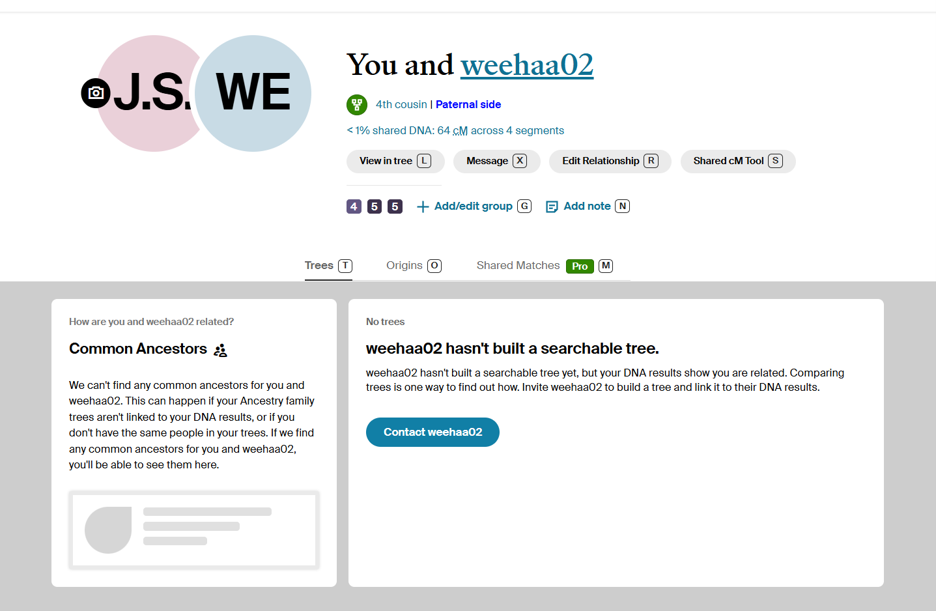
Figure 1 – Profile Tree View[1]
To quickly identify Weehaa, I used the following process:
- Using Pro Tools, look at the Shared Matches and find at least one Shared Match 2C or closer with some form of a tree (one grandparent or great-grandparent with dates will suffice)
- Add that Shared Match to your tree, then research the Shared Match
- Utilize the following records to find your Shared Match:
- 1950 Census (to anchor grandparents and great-grandparents)
- Obituaries (Newspaper.com Publisher Extra does help)
- US Public Records Index (either 1950-1993 or 1994-2019 depending on the age of the person)
- Address searches at sites such as TruePeopleSearch.com or competitors
- Find an additional Shared Match 2C or closer for this mystery match
- Cross-reference using the Possible Relatives/Related To at the Address Search sites to find your mystery match (a spreadsheet for your clues per generation will help)
The workflow below moves from DNA match data through historical records into living public records, with address-based searching (a mini family group sheet) as the central pivot point.
Part 1: Enhanced Shared Matches — The Starting Point
Ancestry’s Enhanced Shared Matches tool shows you Shared Matches that share DNA with the unknown mystery match, and the relationship between those individuals. This matters enormously at the 3rd–5th cousin range. The unknown match may share too little DNA with you to appear prominent on the match list, but that mystery match’s closer relatives — 1st and 2nd cousins of the unknown — often share more DNA with you and carry better tree data.
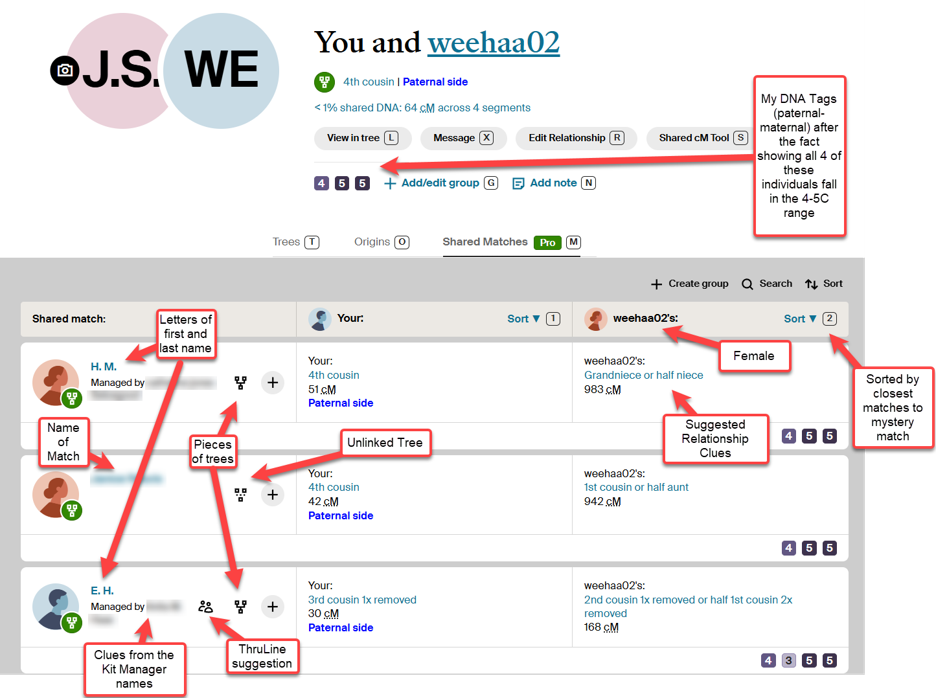
Figure 2 – Enhanced Shared Matches to Mystery Match[2]
Clues that I see on this page:
- Weehaa – female
- M and E.H. – likely the first letters of the first and last names
- Name of the 2nd Match
- One ThruLines suggested path
- Two pieces of trees (one very minimal)
- Names from the Kit Manager
- Suggested relationships between the matches
The goal at this stage: identify one close relative of the unknown match who carries any tree fragment at all. A single stated ancestor two or three generations back qualifies. For this example, I started with the Shared Match E.H. due to the suggested ThruLines path.
Part 2: Mining Profile Data from Shared Matches
To start with, you should examine the profile page of the first shared match themselves. Tester profiles frequently reveal self-reported location (city or state), age or birth year, a profile photo, and username structure. Many testers combine a first name with a partial surname or initials in their username — that pattern alone can open a productive search. Some profiles include a stated relationship with the kit owner.
Location data narrows the search geography immediately. A common surname in a known city resolves through address search sites far faster than the same surname searched nationally. Age or birth year, cross-referenced against the cM value, constrains the probable relationship and generation. You should gather all of these profile clues before starting to search — they feed directly into the address-based workflow that follows.
For my first Shared Match with some tree data, the Kit Manager’s profile yielded a rich treasure trove of clues – a location, an age range, and a suggestion on the surname of the Shared Match.
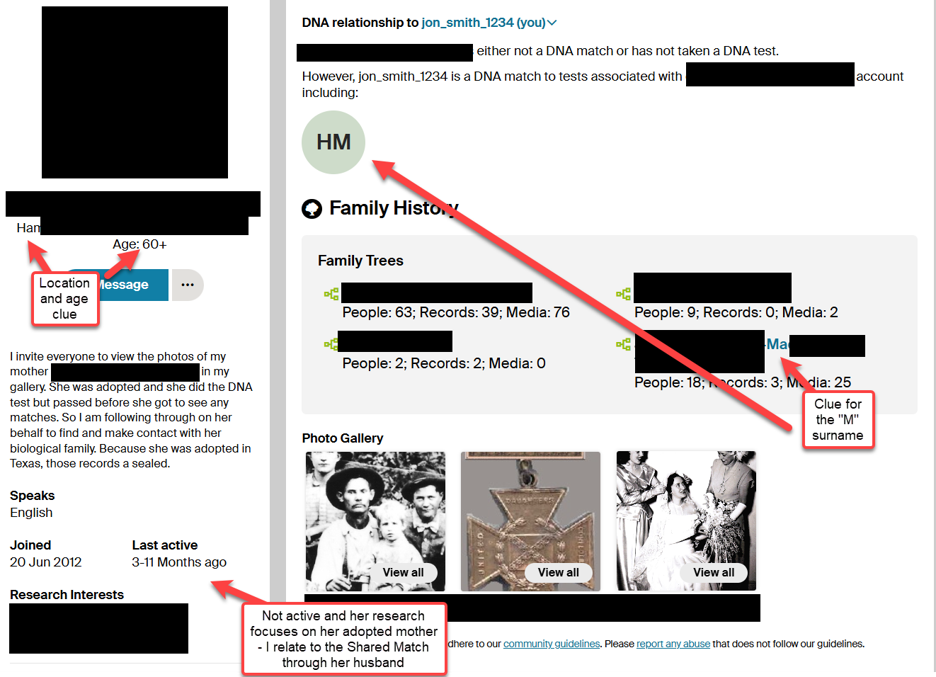
Figure 3 – Closest Shared Match Profile Page[3]
Part 3: Evaluate the Tree Fragment
A single ancestor name, an approximate birth location, or a death date — any anchor point opens the research. One set of vital dates for a grandparent or great-grandparent suffices to connect to the 1950 Census. You verify the anchor through the 1950 Census, FamilySearch, and Ancestry records, confirming the person’s identity and placing the family unit geographically.
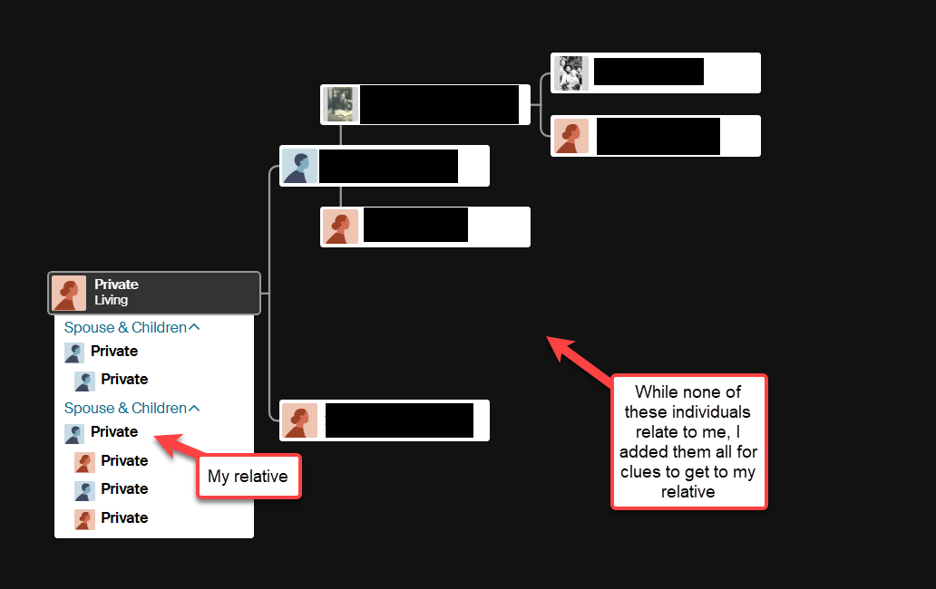
Figure 4 – Tree Provided by Closest Shared Match[4]
Obituaries function as a primary tool at this stage and often outperform census records in immediate utility. A single obituary frequently names all living children, grandchildren, and their current locations. That forward-looking family data — names and places attached to living people — sets up the address search that follows.
Part 4: Build the Floater
The unknown DNA shared match relates to you so insert them into your tree as a “floater” (a person without any relationships) and begin to research that person. This fundamental fact shapes the entire research approach: always work inside your own tree, not a separate speculative tree. The mystery match connects to the tree at some point – the floater holds that in place until the evidence proves the relationship.
To create a “floater”, add an individual to your tree without any parents, spouses, nor children attached. Use the kit label as the name of the person until you establish facts identifying the person. Add the relationships as you verify each step of your research.
As I researched the first Shared Match from the tree above, I continued to build out the names and locations of all members of the family. Since the profile of the Kit Manager provided a location clue, I could focus my search using the Address Tools.
The tree for this Shared Match showed the Kit Manager’s husband as ‘living’ with no further identification. Since I could not initially determine whether my connection ran through the Kit Manager or through her husband’s family line, I researched all branches back four generations. That research identified D.M. – one of her husband’s granddaughters – as my actual connection, not the Kit Manager herself.
Obituaries provide the names of close family relatives. Ancestry provides the U.S. Index to Public Records (both 1950-1993 and 1994-2019) which helps bridge the gap between the 1950 Census, Obituaries, and modern living relatives. You should try to find an address in the last 20 years, as shown in Figure 5 to search in the various Address Search Tools. As you research the floater person and identify relationships to existing family members and link them together to establish the proper familial relationship.
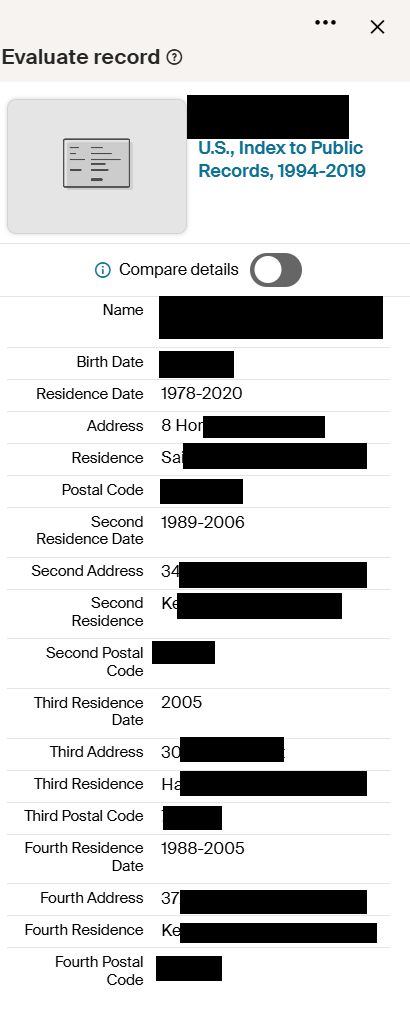
Figure 5 – U.S. Index to Public Records for Closest Shared Match[5]
Part 5: Why Name Searches Fail — and Why Address Searches Succeed
Searching by name against living people produces unreliable results at every step. Common surnames return hundreds of candidates. Marriage name changes collapse trails without warning. Nicknames and spelling variants break searches that otherwise appear sound. Living people rarely appear in genealogical indexes under a searchable form of their name, particularly at younger ages.
The address solves all of these problems. A physical address — house or apartment — ties multiple people to a single location across time, regardless of name variation in a “mini Family Group Sheet” format. The US Public Records Index at Ancestry, commonly called the phone book, records address history and household associations across decades. You take the names and locations that obituaries and census records supply, then search the phone book to find current or recent addresses for those individuals.
Address search sites extend this further. Each address returns a list of current and former occupants plus a “related to/possible relatives” section that links those occupants to other individuals — relatives, household members, and associates who may live at entirely different addresses. This “related to” data matters more than the occupant list itself. The unknown match may never appear at the anchor relative’s address, but that relative’s “related to/possible relatives” section frequently names siblings, children, and cousins who do match the Ancestry profile.
Apartment addresses work as reliably as house addresses. The unit number functions as the unique locator, and address sites capture apartment-level occupancy consistently. You should not skip an address simply because it appears in an apartment building.
Part 6: Address Searches
Address searches, in free tools such as TruePeopleSearch.com, FastBackgroundCheck.com, and FastPeopleSearch.com, provide a quick way to search a family in a “mini Family Group Sheet”. Each of these tools limit the number of searches per day, so you should bookmark them all to continue your research when you hit the daily limit of each. In addition, also search Voterrecords.com by addresses to look for multiple individuals at the same location and learn their birth month, birth year, and a wealth of other information.
You will need to research the Possible Relatives for your match by the addresses provided in the U.S. Records Index, then scroll down and search the Possible Relatives to that person (spreadsheets help by recording names, ages, and locations by generation).
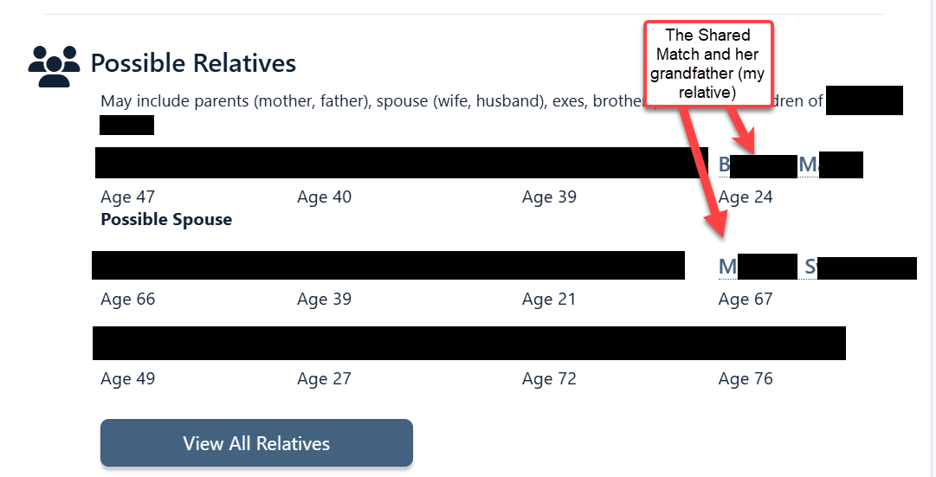
Figure 6 – Possible Relatives to Closest Shared Match – a “mini Family Group Sheet”[6]
Once you find your first Shared Match, repeat the process for the 2nd closest Shared Match, then cross-reference with the clues to find your mystery match.
Part 7: Working with the Address Sites
Four sites form the core toolkit, each with a distinct role. All limit the number of free searches per day, so you may find that you need to utilize all of them for complex searches.
TruePeopleSearch.com offers the strongest “related to” data among the free options and serves as the first stop. You should enter the known relative’s name and state, select the correct individual by age and location, then read the full “related to/possible relatives” section carefully.
FastBackgroundCheck.com confirms or supplements TruePeopleSearch results. The two sites draw from overlapping but not identical data pools. A name absent from one sometimes appears in the other.
FastPeopleSearch.com adds possible associates and confirms ages — useful when TruePeopleSearch and FastBackgroundCheck return candidates whose identity needs further verification.
Voterrecords.com resolves conflicts. Voter registration data ties a name to a confirmed address and, in many states, a birth year. When other sites return conflicting candidates, voter records often settle the question.
The workflow:
- Start with a Shared Match that relates closely to your mystery match (1C or 2C) and includes some part of a tree (1 set of vital dates for a grandparent or great-grandparent will suffice to create an anchor to the 1950 Census)
- Research that Shared Match person and identify that person’s current or last known address.
- Research the address in a tool such as TruePeopleSearch and review the “possible relatives/related to” section.
- Cross-reference every name against the Ancestry match list and the floater’s candidate pool.
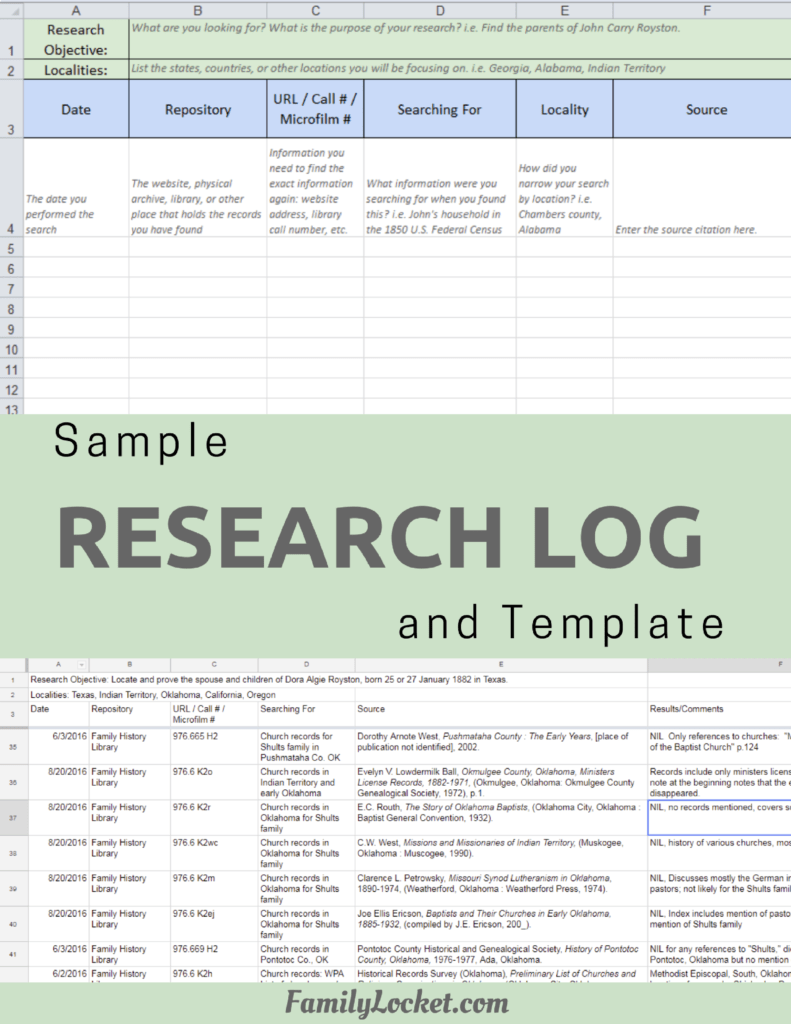
- Use a spreadsheet to track candidate names, ages, and locations by generation will help manage the volume of data across Shared Matches.
- When multiple candidates surface, the profile data you gathered earlier — estimated age, stated location, username patterns — narrows the field.
- Use Custom Tags in MyTreeTags™ (Ancestry’s custom tag feature, available under the tree menu) to quickly filter all of the related individuals as you narrow down your search.
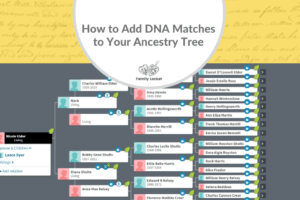
- When you finish, remember to tag the individual with the DNA Tag Groups, showing the primary level of cousin, the color coding for where they appear in your DNA Fan Tree, and the Note for the path from the MRCA (Most Recent Common Ancestor(s)) as shown in Figure 7.[7]
- For an explanation of my DNA Tag Groups, please refer to A Visual Tagging System for DNA Matches[8]
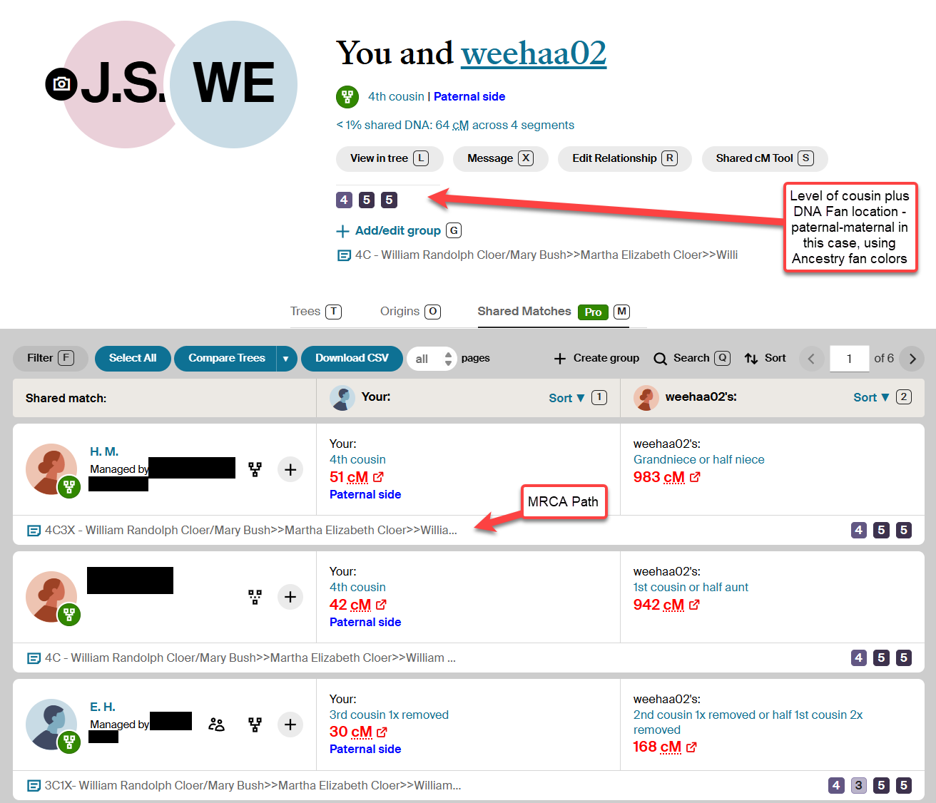
Figure 7 – Completed Shared Matches[9]
Part 8: Identifying Challenging Cases
Some mystery matches present additional complications that the standard workflow cannot fully resolve.
- Adoptees: If you determine the mystery match as an adoptee, and the adoptee does not reveal their biological parent’s name(s), skip them and move to another candidate.
- NPEs (Not Parent Expected): The address-search workflow identifies the individual quickly. However, if an NPE exists somewhere in an as-yet-unknown line between the researcher and the match, the DNA relationship will not align with the expected genealogical connection. You can identify the person but cannot determine the correct relationship path until extensive DNA analysis locates and resolves the underlying NPE.
- No close relatives tested: If the mystery match does not show any relatives less than 2nd Cousin with some portion of a tree available, skip them and move to another candidate.
- Pedigree Collapse/Endogamy: If your family members relate to each other in many ways, you may struggle to correctly identify cousins in the 3rd to 5th cousin range, especially those family members with similar names.
References
[1] Ancestry.com. “AncestryDNA® Matches: You and weehaa02.” Accessed June 20, 2026. Author’s Personal DNA Matches.
[2] Ancestry.com. “AncestryDNA® Shared Matches: You and weehaa02.” Accessed June 20, 2026. Author’s Personal DNA Matches.
[3] Ancestry.com. “Account Profile: H.M. Kit Manager.” Accessed June 20, 2026.
[4] Ancestry.com. “Horizontal Tree View: H.M. Kit Manager Family Tree.” Accessed June 20, 2026.
[5] Ancestry.com. 2026. “H.M. Ancestor.” U.S., Index to Public Records, 1994-2019.
[6] True PeopleSearch. “H.M. Parent, Age 43.” Accessed June 20, 2026.
[7] Nicole Elder Dyer, “How to Add DNA Matches to Your Ancestry Tree,” Family Locket, February 18, 2021, https://familylocket.com/how-to-add-dna-matches-to-your-ancestry-tree/.
[8] Jon Smith, “A Visual Tagging System for DNA Matches,” Family Locket, April 2, 2026, https://familylocket.com/a-visual-tagging-system-for-dna-matches/
[9] Ancestry.com. “AncestryDNA® Shared Matches: You and weehaa02.” Accessed June 20, 2026. Author’s Personal DNA Matches.






4 Comments
Leave your reply.