
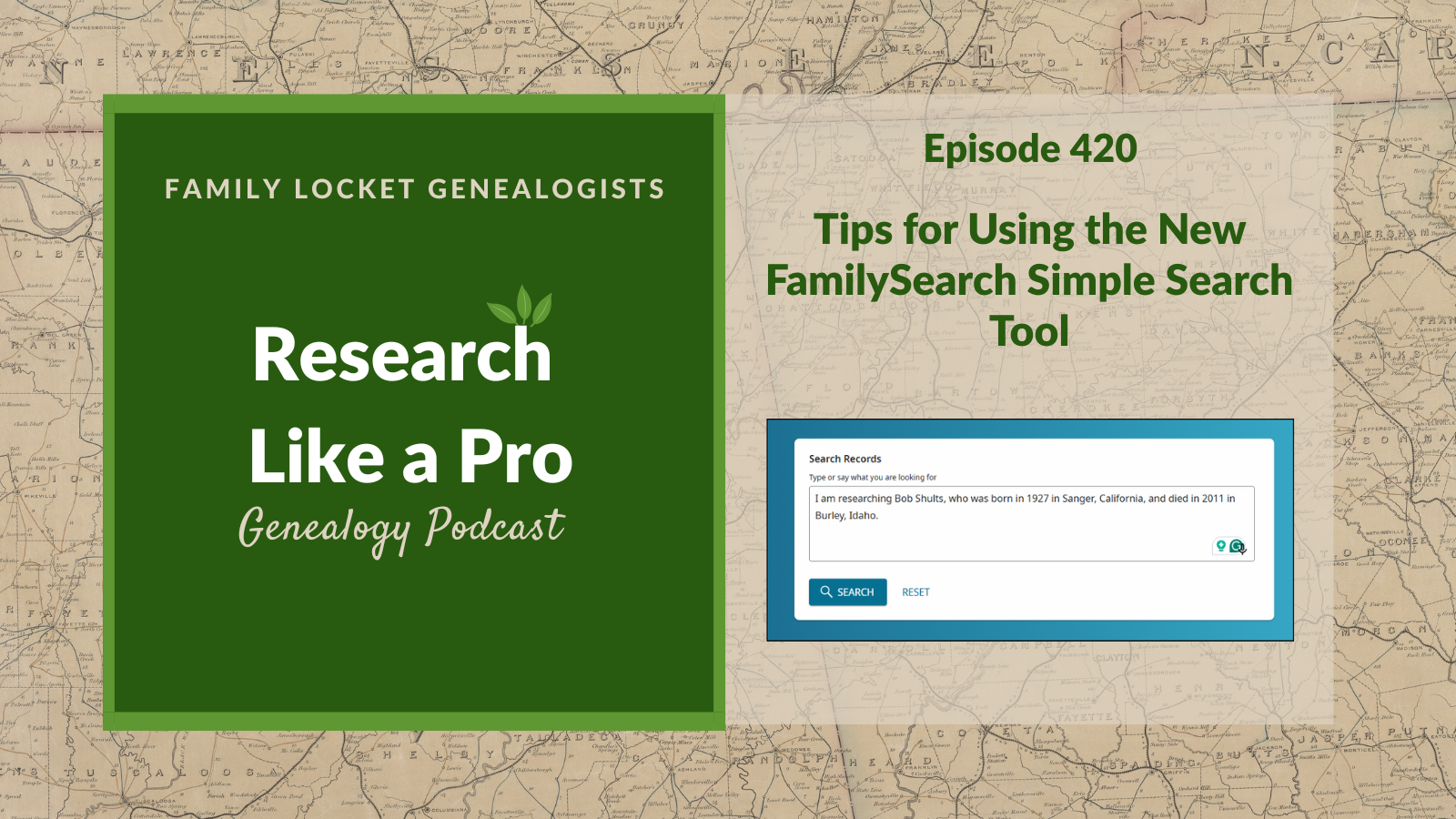
In this episode of the Research Like a Pro Genealogy podcast, hosts Diana and Nicole discuss the features and effectiveness of FamilySearch’s new “Simple Search” tool. They explore how this experiment allows users to search billions of full-text records using natural language queries rather than traditional forms. Diana shares her experience testing the tool with her father’s name, Bobby Gene Shults, demonstrating how the artificial intelligence parses results and helps distinguish between individuals with similar names.
Listeners learn practical strategies for using Simple Search effectively, such as starting with broad queries and utilizing filters for collection, year, place, and record type to narrow results. Diana highlights the utility of the tool by successfully locating military muster rolls that confirm her father’s service history and hospitalization during World War II. By experimenting with different search terms, spelling variations, and searching for associates, researchers can better leverage this technology to discover new documents for their family history.
This summary was generated by Google Gemini.
Transcript
Nicole (0s):
This is Research Like a Pro Episode 420: Tips for Using the New FamilySearch Simple Search Tool. Welcome to Research Like a Pro a Genealogy Podcast about taking your research to the next level, hosted by Nicole Dyer and Diana Elder accredited genealogy professional. Diana and Nicole are the mother-daughter team at FamilyLocket.com and the authors of Research Like a Pro A Genealogist’s Guide. With Robin Wirthlin they also co-authored the companion volume, Research Like a Pro with DNA. Join Diana and Nicole as they discuss how to stay organized, make progress in their research and solve difficult cases. Let’s go.
Nicole (42s):
This episode is sponsored by Newspapers.com. Hi everyone, welcome to Research Like a Pro.
Diana (47s):
Hi Nicole. How are you doing today?
Nicole (50s):
Hey, I am doing great. How’s your Dillard research going?
Diana (52s):
It is going well. I have been writing up my report, and in doing so, did more research. And do you remember Mr. Toliver Dillard that we had kind of that fun name? I ended up finding quite a bit out about him and he still remains a candidate for a possible father of Cynthia. Nothing eliminated him. So you know, I’m really trying to eliminate all of these Dillard men that are of the right age. And of course, there’s some record loss in the era where she could have been mentioned, you know. I don’t know, we just keep running into this record loss.
Diana (1m 32s):
But there was a placeholder for her in the 1820 and 1830 censuses and he got land up to where she was when she probably married Thomas Royston. So anyway, I still have him as possible, but what I’m really working on right now finishing up for this project is getting YDNA test takers from Dillard descendants. So I had that Elijah Dillard cluster and I started doing descendancy on his two sons and I was so happy to find so many possibilities. I identified 17 living descendants coming down through those two sons.
Diana (2m 13s):
So isn’t that exciting to have so many and hopefully at least one or two will take a test and respond to my letters. So
Nicole (2m 21s):
Yeah. What’s your goal with the YDNA testing?
Diana (2m 24s):
Well there is a really good Dillard YDNA project out there, Mags, our friend Mags Golden, is the administrator of that. And so she has told me, she said, you need to get the YDNA tested and done and see if it matches our John Dillard out of Virginia. And so I’ve always kind of had it in the back of my mind to, to get some YDNA to see if it would at least give, you know, who knows what clues it will give. But there are a lot of people that have tested on that project so it’s possible we could get a good clue. I don’t know.
Nicole (2m 57s):
Yeah, it’s tricky ’cause you’re trying to figure out the father of Cynthia and she didn’t have YDNA but maybe that Elijah Dillard cluster of autosomal matches could be compared against
Diana (3m 7s):
Oh yeah, well that’s, you know, that’s the whole reason I’m doing Elijah Dillard, because they are autosomal matches, you know, all of that cluster appears to be connected to us, to the Royston group.
Nicole (3m 22s):
Yeah. So if you test a descendant of Elijah Dillard, would you compare it with the Tolliver Dillard descendant?
Diana (3m 27s):
I could if I start feeling like, oh, the only problem is though, it doesn’t look like he had any descendants. I can only see the known, only known son I have after the record loss, you know, after the record start becoming available is his son Tolliver, Jr. And so far I haven’t seen that he marries or has a family, has children.
Nicole (3m 47s):
Oh, well that would explain why there’s no DNA matches.
Diana (3m 50s):
I Know!
Nicole (3m 51s):
If it is him, that would be why. But maybe, you know, you can trace him up. Do you know his parents?
Diana (3m 57s):
Yes, I have some possibilities. So that would be another project.
Nicole (4m 1s):
Cool.
Diana (4m 1s):
Because he was, he and a couple, looks like a couple of brothers, a William and a John, are administrators for his parents. There’s an Elizabeth and can’t remember his dad’s name. Maybe another Thomas. So yes, I do have some family members of his that could be traced and yeah, I had forgotten that, that I was thinking that could be negative evidence that I’m just not getting DNA matches, because if that is a father and there were no other descendants, then you’d have to go back, even another generation to get some DNA matches. So it’s, it’s been kind of fun going through and working some more on this project.
Diana (4m 41s):
I’m so past the study group, you know, I was supposed to do this in the spring, which turned out to be so busy that I’m finally having time now to work on it and it’s been fun.
Nicole (4m 49s):
Good job. So does Elijah Dillard fit as a son of Toliver also?
Diana (4m 53s):
He actually does, there is a placeholder for him in 1820, however, in 1830, no. So by then he would’ve been older and could have been perhaps out on his own. He would been at least like a late teenager between 15 and 20.
Nicole (5m 12s):
Hmm.
Diana (5m 12s):
So I wish there had been another one, but there isn’t. But there is still a place for, for Cynthia and I haven’t seen any sign of, you know, other daughters. However, you know, if she married and the marriage records are non-existent because of the courthouse fire, then it’s tough to find, you know, another Dillard woman. So anyway, it seemed like the very next best thing to do was to work on this YDNA.
Nicole (5m 41s):
Well yeah, especially if there’s already a YDNA project out there and it, yeah, seems like they’ve been doing some work. It could be interesting to see where Tolliver and Elijah fit in.
Diana (5m 50s):
Exactly. And it’s really robust and I know Mags, when I have the, the results in, I can work with her to, you know, do some good analysis on it. So yeah, that’ll be fun.
Nicole (5m 60s):
That will be fun. That’s great. Thanks for sharing what you’ve been working on.
Diana (6m 3s):
Well you’re welcome, always fun to talk with someone who, who gets it. Alright, well let’s do some announcements. We are looking forward to our next Research Like a Pro webinar, which will be Tuesday, August 18th at 11:00 AM Mountain Time. And this is by Torhild Shirley, who’s an Accredited Genealogist. The title is, Tracing Mathilda: Finding an Ancestor’s Swedish Birthplace through American Records. So our description is, Identifying an immigrant ancestor’s birthplace is the key to crossing the ocean in genealogical research. This case study follows Mathilda A. Nelson through a variety of American sources to gather the details needed to locate her in Swedish records.
Diana (6m 49s):
The research demonstrates effective strategies for bridging the gap between U.S. and Scandinavian sources. A little bit about Torhild. She is a native Norwegian, an Accredited Genealogist professional, and the owner of ScandinavianFamily.com. She has an associate’s degree in technical translation from the University of Agder in Norway and an associate’s degree in Family History Research from Brigham Young University – Idaho. Torhild has over 30 years of research experience. She speaks five languages and is fluent in all Scandinavian languages. In addition to research, Torhild is comfortable with the old Gothic handwriting used in Scandinavian documents and can transcribe and translate documents as needed.
Diana (7m 35s):
She has translated many letters from “Family in the old country,” journals, patriarchal blessings, will and probate documents, land records, et cetera. Torhild values honesty and hard work and will always do her best to meet and exceed a client’s expectation. When not engrossed in research or translation, she enjoys gardening, camping, fishing, snowboarding, and spending time with her family. Well, we are really looking forward to our next Research Like a Pro study group, and this will be number 12. I can’t believe it’s gonna be number 12. That’s so fun. It begins August 26th and we’ll meet weekly for nine lessons. We actually will have four break weeks to give everyone a chance to catch up on assignments or spend a little extra time writing and researching and registration is open.
Diana (8m 26s):
You have until August 20th to sign up if you’re interested and are ready to pull the trigger on that. And then please join our newsletter to find out all the new things that we’re doing, new blog posts, upcoming lectures, coupon codes, and more upcoming conferences. We have the APG Professional Management Conference October 14th through 17th. And Nicole and I are both presenting at that. My topic is, Easy CRM Tools: Managing Client projects and Contractors with Google Sheets and Airtable, and a panel discussion: From Concept to Classroom: Genealogists Share How They Built Courses that Teach and Inspire.
Diana (9m 9s):
And then Nicole also has a panel session, Find Your Voice: Podcasting as a Path to Community, Clients, and Credibility. And a workshop, Airtable Meets AI: Smarter Transcription & Research Logging. So we’re looking forward to that. That’s kind of a fun conference. It’s a little bit different with the professional angle, but it’s really for anyone who is interested in perhaps going professional, whether you are now or in the future.
Nicole (9m 37s):
Yeah, that will be a great conference. Thank you for those announcements. Today we’re talking about FamilySearch’s Simple Search Tool. They announced this new tool at RootsTech 2026. It’s called Simple Search. And the webpage entices us with the statement, “Search billions of full text images using everyday phrases, no search form required.” So to find Simple Search from the homepage of FamilySearch, just go down on the right hand side until you see FamilySearch Labs and then click view Experiments. And if you’ve never visited the FamilySearch Labs page, you’ll see several Experiments that are in testing phases. There are three of eight Experiments currently in the lab shown on the page.
Nicole (10m 19s):
When you click on one of the Experiments, you’ll be taken to that webpage and you can try out the features. When Diana did this, she had already clicked try Simple Search, so it no longer showed the try it button, but before you press the Try It button, it will show try it and then it turns it on for you. In the Simple Search experiment, Diana found that this is an extension of FamilySearch’s full-text search feature, and instead of having to use specific search terms and filters, you can just type or say what you’re looking for using natural language. So because Diana had been using full-text search for quite some time and was curious about how this experience would be different, she tried some different Experiments because after all of this is an experiment.
Nicole (11m 4s):
She likes to use her dad, Bobby Gene Shults, my grandpa, as a test case because his name is fairly unique and he lived in a variety of places and she wanted to see if the AI powered Simple Search could find correct references for him.
Diana (11m 19s):
Yes, my dad is a fun one to experiment with because he does have a little bit of a unique name. So first of all, I tried searching for his, you know, his full name Bobby Gene Shults. And it was really simple. I tried the speech to text feature, but I found it didn’t quite understand what I was saying and I couldn’t edit the text. So instead I just typed and maybe that was whatever my computer was picking up, maybe my microphone wasn’t very good and it couldn’t, couldn’t hear me well, but maybe someone else would have, have a better experience with with the speech to text. However, it wasn’t hard to just type it in and I was very simple.
Diana (12m 3s):
I said, I am researching, well first I started with just Bob Shults, so I am researching Bob Shults, who was born 1927 in Sanger, California and died 2011 in Burley, Idaho. So I just did name, birth and death. And then with a few seconds, Simple Search returned three results and they were all correct. There was a probate file that mentioned my mother, Mrs. Bob Shults. And there was an obituary for my dad. Oh no, the obituary and a cemetery record, which was about my aunt’s death, which is really interesting because probably my mom was again mentioned Mrs.
Diana (12m 44s):
Bob Shults. So the search terms for Burley Idaho, Bob and Shults were all highlighted in the records and I knew there were many more records though that could be found for my dad.
Nicole (12m 56s):
Well, that’s great that you were able to find those things and yeah, I bet there are way more. Well let’s have a word from our Sponsor. This episode is brought to you by Newspapers.com — the ultimate resource for family history research. If you’ve ever hit a brick wall tracing your family tree, Newspapers.com is the tool that breaks it wide open. With billions of historical newspaper pages from across the country — going back hundreds of years — you can find birth and death notices, wedding announcements, obituaries, immigration records, and stories about your ancestors you never even knew existed. Imagine reading a 1920s headline featuring your great-grandmother’s name, or discovering that a long-lost relative was mentioned in a small-town paper clear across the country.
Nicole (13m 36s):
Those moments happen on Newspapers.com every single day. And the search tools make it surprisingly easy — just type in a name, a place, a date, and start digging. It’s not just data — it’s your family’s actual story, told in real time as history unfolded around them. Whether you’re just starting your family tree or you’ve been researching for years, Newspapers.com has something that will stop you in your tracks. Start uncovering your history today at Newspapers.com/FamilyLocket and enjoy 20% off your subscription. That’s Newspapers.com/FamilyLocket — your family’s story is waiting to be found.
Diana (14m 10s):
All right, well let’s talk about more Experiments with FamilySearch’s Simple Search. So I only had the three records that came up for just the Bob Shults with the actual birthdate and death date. So next I tried to search just for my dad’s full name, Bobby Gene Shults, which is pretty unique, didn’t do any dates or places. And that one returned 154 results across eight pages. And the first two pages were actually correct hits. So it brought up a probate file for my grandfather, Edward R. Kelsey; probate records for my grandmother, Florence Kelsey; my dad’s obituary; muster rolls from the service in the Navy during World War II;
Diana (14m 56s):
deeds in Idaho and California; and a marriage affidavit and certificate. And then the next six pages were all about a Bobby Shults of Newport, Tennessee, who is not my dad, a Bobby Lee Shults of St. Louis, Missouri, who is not my dad, and a Bobby Shults of Navarro, Texas, not my dad, and a Bobby Afton Shults, also in the Navy and not my dad. And then some additional records for my dad in Cassia County, Idaho, and Fresno, California. There was a fee book record in 1944 for his birth certificate, which was different; deeds in Idaho and a marriage license. So it was so nice to have all of these hits for Bobby Shults in one place because then I could quickly sort them into unique identities.
Diana (15m 41s):
So if you are working with same-name individuals, this could be very helpful. It also could be overwhelming if the name is too common, because even with my, in my opinion, you know, less common name, I got a lot of hits. However, once you have the results, you have filters. And so you can, over on the left, there’s the filters and you can filter by collection, year, place, and record type. So I was really interested in the Navy records and when I filtered by place, I saw a nice breakdown. And the interesting place was Pearl Harbor. There were 11 records and they had put ’em all under Pearl Harbor.
Nicole (16m 22s):
Well that’s interesting that they were put under Pearl Harbor. Let’s dive into that. So looking at these 11 records, you saw clearly that the first five muster rolls were for Bobby Gene Shults, and then the next six were for Bobby Afton Shults. None of these muster rolls had been attached to Grandpa’s source pages on FamilySearch Family Tree, So they were all new. Opening the first muster roll, you saw that Bob was listed in a Report of Changes (Patients) of US Naval Hospital, Norman, Oklahoma. The record didn’t mention why he was in the hospital, but reviewing his history, you found something.
Nicole (17m 5s):
So it said it, there was just a short expert excerpt that talked about him being sick or having an illness. So the quote from that history is, “Early in 1945, I joined the Navy before my 18th birthday. Boot camp was in Memphis, Tennessee. I went to Aviation Machinist School at Norman, Oklahoma– the last three weeks of school I got scarlet fever and spent three weeks in the hospital.” And then you also found another history that mentions this incident, “Bob entered active service on April 27th, 1945, and was sent to boot camp at the Naval Recruit Training Unit in Memphis, Tennessee for six weeks, then onto Norman, Oklahoma for training at the Naval Air Technical Training Center.
Nicole (17m 47s):
Toward the end of his training as an aviation machinist, he contracted scarlet fever and spent three weeks in the hospital. He told about receiving 52 shots of penicillin in the rump over a week’s time.” I can just picture grandpa saying that with a smile on his face, kind of laughing mischievously.
Diana (18m 6s):
Yep, yep.
Nicole (18m 6s):
He likes to include those funny details of a story that might be kind of like a bummer negative story to kind of make you laugh,
Diana (18m 17s):
Right? Yes. It’s so fun.
Nicole (18m 18s):
Well, after looking all at all these five muster rolls, you then were able to add this to his history that you had written. And so all the muster rolls detail the ships he served on, and transfers between ships, and his time in the hospital. And you wrote a source citation for one of these muster rolls. And so it looks like there was a title, “Muster Rolls of U.S. Navy Ships, Stations, and Other Naval Activities,” and then you cited the website FamilySearch, and then you cited the entry for for Bobby Gene Shults and his service number. And then another layer has the title of the Report for Changes (Patients) in the US Naval Hospital in Norman, Oklahoma for the month ending February 1st, 1946, page 60, line 27.
Nicole (19m 9s):
So great job on that citation. And you included the image group number and the image number 1307 of 1587. And then you also have this archival reference number, which I’m guessing comes from the National Archives, maybe
Diana (19m 26s):
I have to say this was a really challenging citation to write because this was a, it was a government record, it wasn’t super clear exactly where everything came from. You know, it was one of those where, okay, we’ll do the best we can, but it seemed like it was a big, it must have been from the National Archives. That’s all I can think. Maybe someone can comment who’s listening and, and knows more. But yeah, it was a huge collection, 1,587 pages. Can you imagine, how I could never have found my dad in 1,587 pages?
Diana (20m 7s):
There was no index. You literally would’ve had to just browse through. It would’ve been impossible. But with this Simple Search, it found him. And the fun thing is, in the subsequent blog post, I used all of the muster rolls. I organized them all and, and we’ll talk about that in an upcoming podcast. But I really discovered that I kind of had a little bit of the history that I wrote wrong. Once I dug in and had these additional sources and then did additional contextual search research, I, I made some discoveries here. I thought I had the story down, you know, based on my dad’s story.
Diana (20m 49s):
But you know, memory’s an interesting thing. And when we compare that to real records and the real context, sometimes a little bit of a different story emerges. So it’ll be fun to talk about that.
Nicole (20m 60s):
That is so true. I found the same thing when I wrote the Harris’s story, that when I found some of the sources that hadn’t been found yet and compared that with some of the information we had, it really fleshed out the story a lot. And some of the misconceptions that I had about how things happened came to light. But I did click on the Muster Roll and when I clicked on the link from the Simple Search results page, it says it has like a popup image attribution provided by National Archives and Records Administration. And then I click okay. And then when you see the page, you just see like a transcription of it. But usually we can click information. So let me click information and then it does that again, it has the popup image attribution national archives.
Nicole (21m 46s):
So that’s interesting.
Diana (21m 47s):
Yeah,
Nicole (21m 48s):
that it does that because it doesn’t really say on the sidebar, the information sidebar, it doesn’t say National Archives anywhere, but it does say Creator and Department of Defense, Department of the Navy, Bureau of Naval Personnel, and then the custodian is blank, and then it has the archival record reference number. So interesting that they’re doing it with a popup instead of just putting it in the information sidebar.
Diana (22m 10s):
Well, and maybe that’s why I didn’t see that. Maybe I didn’t see the popup. Or maybe that’s new. You know, it, it’s interesting with FamilySearch because things change all the time. Yeah. And you have to keep going back and looking to see what’s going on now. Yeah,
Nicole (22m 28s):
I bet they didn’t have the popup. ’cause I’ve never seen a popup like that before on full-text search stuff. But probably people were asking where does, what’s the origin of this document?
Diana (22m 40s):
Yeah, it could be. And you know, I’m just so thrilled that they have given us this wonderful tool, which is amazing. Yeah. Okay. Yes, I am seeing this pop up. I just did the same thing you did and I’m pretty sure I never saw that before.
Nicole (22m 57s):
Yeah,
Diana (22m 57s):
Interesting.
Nicole (22m 57s):
But Popups aren’t that, I mean, I don’t love popups because they stop you from looking at what you wanted to look at. And so usually people are not reading ’em, they’re just clicking X on them as soon as possible, so,
Diana (23m 10s):
Hmm. Yeah. And then if you forget to write down what it was, what it, it goes away then
Nicole (23m 18s):
It’s gone. Yeah.
Diana (23m 18s):
Yeah. And the information not, it’s
Nicole (23m 21s):
Probably just a temporary solution for whatever they’re trying to do.
Diana (23m 24s):
Huh. Very interesting. Well, let’s do some tips for everyone for using Simple Search, because of course we all want to know some tips. And what I found was you really want to experiment, try different search terms and spelling variations, start broad and then use the filters to narrow the results like I did with Bobby Gene Shults and didn’t do any birth or death dates. And then I was able just to go over and filter by location places I knew he lived. And then what if you’re not getting very much about your ancestor? Well we also have this ancestors FAN club, you know, their friends and family associates and neighbors.
Diana (24m 6s):
You could search by associates. What a great way to just learn more about that neighbor to quickly pull up some records for them. And then realize that the search is not exhaustive by any means. This is being powered by artificial intelligence and it may not be able to read all the texts of a record. So it may not pick it up. And then kind of an interesting, maybe unusual use would be to identify people of the same name. I was really interested to see that there was another man in the Navy Navy who was very similar to my dad, that Bobby Afton Shults. And I should note the spelling of Shults, we spell it a little differently than you would imagine.
Diana (24m 53s):
It’s S-H-U-L-T-S. And the spelling was changed from the traditional German spelling of S-C-H-U-L-T-Z or S-H-U-L-T-Z, sometime in 1800s in Tennessee. They were anglicizing the name. And so our branch of the Shults family started using S-H-U-L-T-S. So whenever I see that, I think, oh, that’s probably my dad, but this is probably another branch of the family and it could be another third, fourth cousin out there using that name and that spelling. So those are some fun tips. And of course I think the best way to learn is just by trying, you know, go try it out. Even if you’ve been using full-text search, I tried doing these same searches for my dad on full-text search and I got different results on Simple Search.
Diana (25m 43s):
So there’s something different, different way they’ve got it set up that pulled up many different records, which I thought was pretty fascinating.
Nicole (25m 50s):
Wow. I just tried the same thing ’cause I was curious if I would be able to find the same records, the muster roll. Yeah. And if I put Bobby Gene Shults in quotes in full-text search, not Simple Search, then I get no results. And then if I put just Bobby Gene in quotes and then Shults outside of the quotes, I get 26 results, but none of them seem like the right thing. I don’t know, I guess I need to click on these to see, but they don’t seem to be the right person. So the Simple Search was definitely doing something else. And I am curious to know kind of what it’s doing, you know, behind the scenes and how it’s getting the results.
Nicole (26m 34s):
But it’s definitely worth, worth trying.
Diana (26m 38s):
Oh yeah. I could not believe all the fun records I found and the deeds. I had never thought to look for deeds in Sanger, California where my dad lived after the Navy. And I haven’t even begun to explore those and learn the story behind some of these deeds and land. There were so many different records that I hadn’t even thought to look for. You know, when you’re researching someone like a parent, you feel like you know their story. You don’t need to go research all the records. But researching all the records does help with the story quite a bit, I will have to say.
Nicole (27m 13s):
Yeah, it’s really cool to be able to see the official record of things.
Diana (27m 16s):
Oh yeah.
Nicole (27m 16s):
Well that was fun. Thank you for sharing all those ideas with us and that that experiment that you did, that’s so helpful to kind of compare that with the regular full-text search and just to see, you know, how different the results are. So Simple Search is definitely something we need to add to our arsenal of search capabilities when we’re using FamilySearch ’cause they just have so many records and it can be challenging to know everything that’s in there and we have to try all the different ways of searching to be able to get the most out of it.
Diana (27m 50s):
Absolutely.
Nicole (27m 51s):
Well thanks everyone for listening and we will talk to you again next week. Bye-bye.
Diana (27m 55s):
Bye-Bye everyone.
Nicole (28m 29s):
Thank you for listening. We hope that something you heard today will help you make progress in your research. If you want to learn more, purchase our books, Research Like a Pro and Research Like a Pro with DNA on Amazon.com and other booksellers. You can also register for our online courses or study groups of the same names. Learn more at FamilyLocket.com/services. To share your progress and ask questions, join our private Facebook group by sending us your book receipt or joining our courses to get updates in your email inbox each Monday, subscribe to our newsletter at FamilyLocket.com/newsletter. Please subscribe, rate and review our podcast. We read each review and are so thankful for them. We hope you’ll start now to Research Like a Pro.
Links
FamilySearch Labs / Experiments – https://www.familysearch.org/en/labs/
Tips for Using the New FamilySearch Simple Search Tool – https://familylocket.com/tips-for-using-the-new-familysearch-simple-search-tool/
Sponsor – Newspapers.com
For listeners of this podcast, Newspapers.com is offering new subscribers 20% off a Publisher Extra subscription so you can start exploring today. Just use the code “FamilyLocket” at checkout.
Research Like a Pro Resources
Airtable Universe – Nicole’s Airtable Templates – https://www.airtable.com/universe/creator/usrsBSDhwHyLNnP4O/nicole-dyer
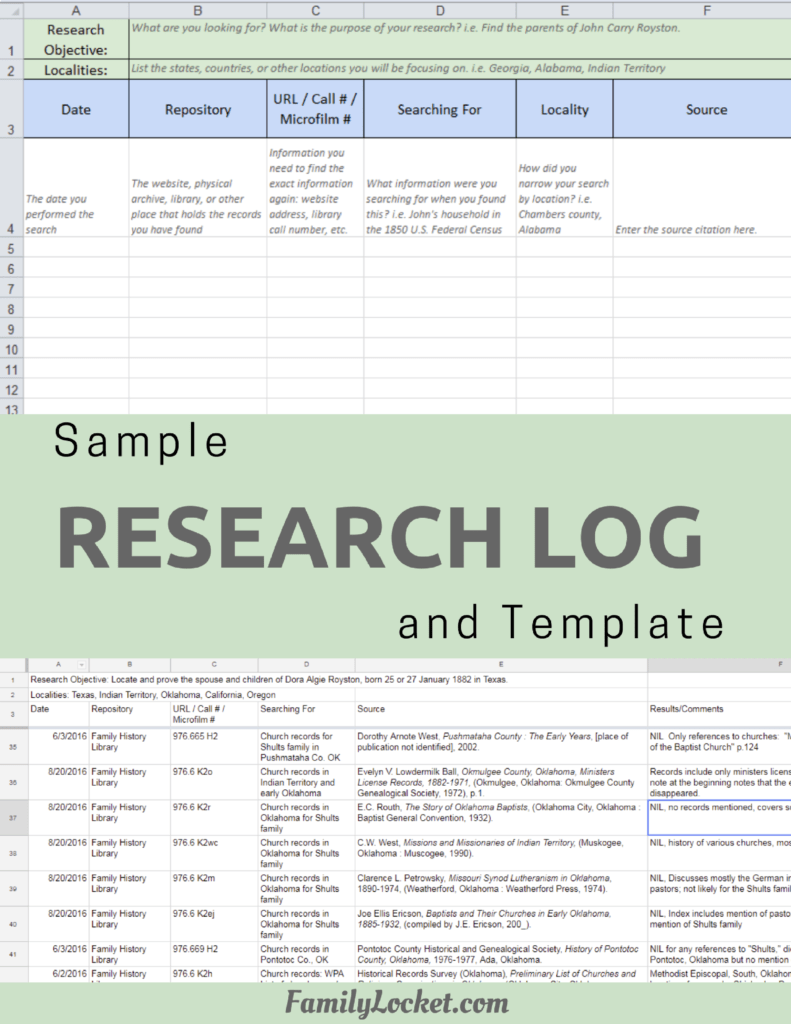
Airtable Research Logs Quick Reference – by Nicole Dyer – https://familylocket.com/product-tag/airtable/
Research Like a Pro: A Genealogist’s Guide book by Diana Elder with Nicole Dyer on Amazon.com – https://amzn.to/2x0ku3d
Research Like a Pro with AI Workbook – Second Edition (eBook) – https://familylocket.com/product/research-like-a-pro-with-ai-workbook-second-edition-ebook/
14-Day Research Like a Pro Challenge Workbook – digital – https://familylocket.com/product/14-day-research-like-a-pro-challenge-workbook-digital-only/ and spiral bound – https://familylocket.com/product/14-day-research-like-a-pro-challenge-workbook-spiral-bound/
Research Like a Pro Webinar Series – monthly case study webinars including documentary evidence and many with DNA evidence – https://familylocket.com/product-category/webinars/
Research Like a Pro eCourse – independent study course – https://familylocket.com/product/research-like-a-pro-e-course/
RLP Study Group – upcoming group and email notification list – https://familylocket.com/services/research-like-a-pro-study-group/
Research Like a Pro Institute Courses – https://familylocket.com/product-category/institute-course/
Research Like a Pro with DNA Resources
Research Like a Pro with DNA: A Genealogist’s Guide to Finding and Confirming Ancestors with DNA Evidence book by Diana Elder, Nicole Dyer, and Robin Wirthlin – https://amzn.to/3gn0hKx
Research Like a Pro with DNA eCourse – independent study course – https://familylocket.com/product/research-like-a-pro-with-dna-ecourse/
RLP with DNA Study Group – upcoming group and email notification list – https://familylocket.com/services/research-like-a-pro-with-dna-study-group/
Thank you
Thanks for listening! We hope that you will share your thoughts about our podcast and help us out by doing the following:
Write a review on iTunes or Apple Podcasts. If you leave a review, we will read it on the podcast and answer any questions that you bring up in your review. Thank you!
Leave a comment in the comment or question in the comment section below.
Share the episode on Twitter, Facebook, or Pinterest.
Subscribe on iTunes or your favorite podcast app.
Sign up for our newsletter to receive notifications of new episodes – https://familylocket.com/sign-up/
Check out this list of genealogy podcasts from Feedspot: Best Genealogy Podcasts – https://blog.feedspot.com/genealogy_podcasts/



Leave a Reply
Thanks for the note!